What Is Apple Intelligence? Features, Devices, and How It Works
Apple's on-device and cloud AI system now powers Siri AI, Writing Tools, Genmoji, and Visual Intelligence — here's what it does, which devices support it, and how to turn it on or off.

Apple Intelligence is Apple's personal AI system built into iOS 27, iPadOS 27, macOS 27, watchOS 27, and visionOS 27. It combines on-device models with a cloud system called Private Cloud Compute to power an overhauled Siri AI, system-wide Writing Tools, Genmoji and Image Playground image generation, camera- and screen-aware Visual Intelligence, and notification summaries — and it's free on any eligible iPhone, iPad, Mac, or Apple Vision Pro once you update your software.
- What it is: A personal intelligence system that pairs on-device processing with Apple's Private Cloud Compute servers.
- Minimum devices: iPhone 15 Pro/Pro Max or iPhone 16 and later; iPad Pro or iPad Air (M1+) or iPad mini (A17 Pro); Apple silicon Mac (M1+); Apple Vision Pro (M2+).
- Software: iOS 27, iPadOS 27, macOS 27, watchOS 27, or visionOS 27 or later.
- Cost: Free, though some server-based features carry daily usage limits.
- Headline features: Siri AI (beta), Writing Tools, Genmoji, Image Playground, Visual Intelligence, notification summaries.
- Privacy model: On-device first; anything sent to the cloud runs on Private Cloud Compute, which Apple says never stores your data and is open to independent inspection.
What Is Apple Intelligence, Exactly?
Apple Intelligence is the umbrella name for the AI features Apple has layered into its operating systems since iOS 18.1. Rather than a single app, it's a system-level capability: Apple's own description, on its Apple Intelligence product page, frames it as AI that is "centered around you and your needs," grounded in your personal context — your photos, messages, emails, and files — while trying to keep that data away from Apple's own servers.
Under the hood, every request first goes to small models that run entirely on your device. If a task needs more horsepower — generating a complex image, or handling an open-ended Siri AI question — your device can call out to Private Cloud Compute, Apple's custom AI servers, instead of a conventional cloud AI backend. That split is the core idea behind the whole system, and it's why Apple pairs almost every Apple Intelligence announcement with a privacy disclaimer. If you've read our explainer on what's new in iOS 27, Apple Intelligence is the thread running through nearly every major feature in that release.
Which iPhones, iPads, and Macs Support Apple Intelligence?
Apple Intelligence requires a chip with enough on-device neural processing power, so older hardware is excluded even if it can run the latest OS. According to Apple's own device requirements page, support breaks down like this:
| Device family | Eligible models | Chip requirement |
|---|---|---|
| iPhone | iPhone 15 Pro, iPhone 15 Pro Max, or iPhone 16 and later (including iPhone 16e, iPhone 17, iPhone 17e, iPhone 18 Pro, iPhone Air, and iPhone Duo) | A17 Pro or newer |
| iPad | iPad Pro and iPad Air | M1 or later |
| iPad | iPad mini | A17 Pro or later |
| Mac | MacBook Air, MacBook Pro, MacBook Neo, iMac, Mac mini, Mac Studio, Mac Pro — Apple silicon only | M1 or later (Intel Macs are not supported) |
| Apple Vision Pro | All models | M2 or later |
There's also a storage requirement tied to how capable your chip is: Apple says Macs with an M3 chip or later, or iPads with an M4 chip or later, that also have at least 12GB of unified memory need up to 14GB of free storage to download the full set of on-device models, while every other eligible device needs up to 8GB. If you're shopping for a new iPad, our iPadOS 27.2 supported-devices guide breaks down which current iPad models clear that bar, and if you're comparing this year's flagships, see how Apple Intelligence support plays out in our iPhone 18 Pro vs. iPhone 17 Pro comparison.
One more requirement that trips people up: your iPhone, iPad, or Mac needs its device language and its Siri language set to the same supported language before Apple Intelligence will turn on at all. Apple's support documentation warns that changing your Siri language can temporarily disable Apple Intelligence until the new language pack finishes downloading and the two settings match again.
Siri AI: The Big Siri Overhaul
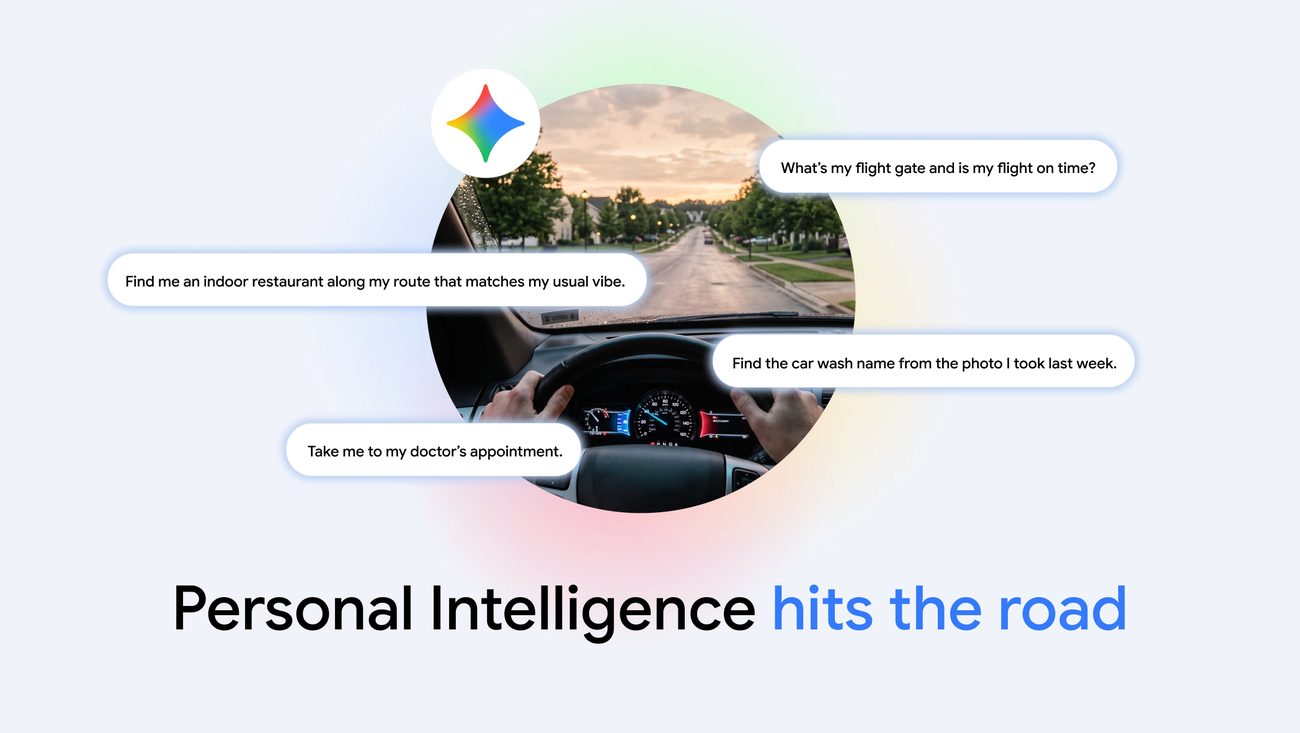
The headline feature is Siri AI, Apple's rebuilt assistant, which Apple's device-support documentation describes as available in beta in iOS 27, iPadOS 27, macOS 27, watchOS 27, and visionOS 27. Siri AI is built to hold conversational, open-ended exchanges rather than the rigid, single-command interactions of classic Siri. Per Apple's product page, it can search your personal content — photos, emails, notes — take actions inside apps like Messages, Music, and Reminders, and pull in current information from the web when a question calls for it.
Apple has also wrapped Siri AI in a few new surfaces: a dedicated Siri app that keeps your conversation history synced across devices, support for talking to Siri AI in CarPlay, and the ability to pick a different voice and adjust how expressive or fast it sounds on supported devices. Siri AI is rolling out in English first, and Apple is explicit that it will not initially be available in the European Union on iOS, iPadOS, or watchOS. If you'd rather not use the new assistant yet, Apple's own support guide confirms you can switch back: open Siri settings, turn Siri off, then tap "Turn on Siri" again and choose "Siri Classic" instead of Siri AI.
Writing Tools and Write with Siri
Writing Tools is the proofreading-and-rewriting layer that shows up almost anywhere you type on an Apple Intelligence device — Mail, Notes, Messages, Pages, and most third-party apps that use the system's standard text fields. It can proofread for grammar and clarity, rewrite a passage in a different tone, or condense a long block of text into a summary. Apple's developer documentation notes that apps using standard UI text frameworks get Writing Tools automatically, while apps with custom text engines can adopt the Writing Tools API directly.
In iOS 27, that capability extends into "Write with Siri," which Apple describes as working wherever you'd normally type — it can draft a message from scratch, offer feedback on something you've already written, or try to match your existing tone. It's built on the same foundation models that power Siri AI, rather than being a separate product. Apple's developer documentation for Apple Intelligence describes the underlying Foundation Models framework that both Writing Tools and Siri AI draw on, which gives apps direct, on-device access to the same models.
Genmoji, Image Playground, and Image Wand
Apple Intelligence's image-generation features are split across three tools. Genmoji lets you type a description and get a custom emoji-style sticker back, which then becomes usable like any other emoji in Messages and other apps that support system text controls. Image Playground is a standalone image generator with a handful of built-in styles, including illustrated and sketch looks, and it's exposed to developers through an Image Playground API so third-party apps can offer the same generation tools. Image Wand, which lives in Notes, takes a rough sketch or a loose circle around some text and turns it into a generated image that matches the content around it.
Per Apple's privacy documentation, Image Playground generations run on Private Cloud Compute, and Apple states the resulting photos are never stored on its servers or shared elsewhere.
Visual Intelligence
Visual Intelligence turns your camera, or whatever is on your screen, into a search query. On iPhone, you point the camera at something — a restaurant storefront, a flyer, a plant — and Visual Intelligence can identify it, pull up reviews or hours, or hand the image off to a search engine or ChatGPT for a deeper answer. Apple's product page lists practical use cases Apple is pushing in iOS 27, including splitting a restaurant bill from a photo of the check, pulling nutrition information from a label, and importing a membership or loyalty card straight into Apple Wallet.
Apple has also extended Visual Intelligence beyond the camera: on Mac, iPad, and Apple Vision Pro, it can now act on whatever is currently on your screen, not just what your camera sees, so you can select something in an app or a webpage and ask Apple Intelligence about it directly.
Notification Summaries and Other Smart Features
Apple Intelligence also quietly works in the background through notification summaries, which condense a pile of alerts from a single app — usually Messages or Mail — into one or two summary lines instead of a long stack of individual notifications. Related features include Prioritize Notifications, which surfaces time-sensitive alerts above routine ones, and per-app summary toggles such as Summarize Message Previews in Mail. Apple's support guide for Apple Intelligence also lists several smaller, related conveniences that are easy to miss: personalized Smart Replies in Mail, voicemail suggestions in Phone, Call Context cards that show why an unknown number might be calling, and AI-generated writing prompts in the Journal app.
Private Cloud Compute: How Apple Protects Your Data
Private Cloud Compute, or PCC, is the server infrastructure Apple built specifically so that Apple Intelligence requests that exceed what an iPhone, iPad, or Mac can handle on its own don't have to be processed the way a typical cloud AI service works. According to Apple's privacy features page, your device decides on a case-by-case basis whether a request can stay entirely on-device or needs to go to PCC. When it does go to PCC, Apple says that data is used only to fulfill that specific request and is never stored afterward, and that your device will refuse to connect to a PCC server at all unless that server's software has been published for independent inspection first.
Apple's bigger claim is that this isn't just a promise to trust — it says outside researchers can inspect the actual code running on PCC servers to check it against what Apple has published. Siri AI requests that reach PCC are tied to a random identifier rather than your Apple Account, and Apple says none of your personal data or interactions are used to train its foundation models unless you explicitly opt in.
Supported Languages and Regions
Apple Intelligence requires your device language and your Siri language to both be set to the same language from its supported list: Chinese (Simplified), Chinese (Traditional), Danish, Dutch, English, French, German, Italian, Japanese, Korean, Norwegian, Portuguese, Spanish, Swedish, Turkish, or Vietnamese, per Apple's official support documentation. Coverage has expanded gradually since the feature launched in US English in October 2024, with additional English variants, then additional languages, added over successive software updates, according to Apple's own release history and Wikipedia's documented rollout timeline. Siri AI specifically is rolling out in English first and, as Apple states directly in its support materials, "will not initially be available in the EU" on iOS, iPadOS, or watchOS, even in regions and languages where the rest of Apple Intelligence is supported.
How to Turn Apple Intelligence On or Off
Apple Intelligence doesn't have one single master switch for every feature — instead, you manage it mostly feature by feature from the Settings app, according to Apple's support guide for turning off Apple Intelligence features on iPhone:
- Siri AI: Go to Settings, tap Siri, scroll down, then tap Turn Off Siri (and confirm). To switch to classic Siri instead of disabling the assistant entirely, tap Turn on Siri again and choose Siri Classic.
- Messages summaries: Settings > Apps > Messages, then turn off Summarize Messages.
- Email summaries: Settings > Apps > Mail, then turn off Summarize Message Previews.
- Notification summaries: Settings > Notifications > Summarize Notifications, then turn it off.
- Priority notifications: Settings > Notifications > Prioritize Notifications, then turn it off.
- Call Context cards: Settings > Apps > Phone > Apple Intelligence & Siri, then turn off Show When Calling.
- Writing prompts in Journal: Settings > Apps > Journal, then turn off Get Writing Prompts.
Apple's documentation also notes that if you turn off Apple Intelligence, the on-device models are removed from your device entirely, and parents can further restrict access to Siri AI and Apple Intelligence features through Screen Time. Worth knowing before you dig into any of these settings: several of the more capable, server-based features — Siri AI, Intelligent Photo Editing Tools, Image Playground, and the Apple Foundation Model cloud option in Shortcuts among them — are subject to daily usage limits that can vary by feature, device, and overall system demand. Apple says expanded access to those features will be offered for a fee at some point in the future.
What's Next for Apple Intelligence
Apple has been shipping Apple Intelligence in stages rather than all at once, and Siri AI in particular is still labeled a beta in the current 27-series software, so expect more of its personal-context promises — deeper searches across your own apps and data, more natural multi-step requests — to keep arriving in point updates rather than all showing up on day one. Regional availability is still catching up too: the EU rollout for the AI features has already happened for several Apple Intelligence tools, but Siri AI itself remains excluded there for now, and markets like China have only recently cleared regulatory review. If you're deciding whether to update, the practical checklist is simple: confirm your device meets the chip requirements above, set your device and Siri language to match, update to the current 27-series software, and then turn individual features on or off from Settings as you get a feel for which ones are actually useful day to day.
Frequently asked questions
What is Apple Intelligence?
Apple Intelligence is Apple's personal AI system in iOS 27, iPadOS 27, macOS 27, watchOS 27, and visionOS 27. It combines on-device models with Apple's Private Cloud Compute servers to power Siri AI, Writing Tools, Genmoji, Image Playground, and Visual Intelligence.
Which iPhones support Apple Intelligence?
iPhone 15 Pro, iPhone 15 Pro Max, and iPhone 16 and later models support Apple Intelligence, including iPhone 16e, iPhone 17, iPhone 17e, iPhone 18 Pro, iPhone Air, and iPhone Duo, all of which use an A17 Pro chip or newer.
Is Apple Intelligence free?
Yes, Apple Intelligence is free on any eligible device once you update to the required software. Some server-based features, including Siri AI, Intelligent Photo Editing Tools, and Image Playground, have daily usage limits, and Apple says expanded access will be offered for a fee in the future.
How do I turn off Siri AI or Apple Intelligence features?
Go to Settings on your iPhone, tap Siri, scroll down, and tap Turn Off Siri to disable Siri AI, or choose Siri Classic instead. Other features, like notification and message summaries, have their own toggles under Settings > Notifications and Settings > Apps.
Is Apple Intelligence available in the EU?
Most Apple Intelligence features have rolled out in the EU, but Siri AI specifically is not initially available there on iOS, iPadOS, or watchOS, according to Apple's own documentation.
What is Private Cloud Compute?
Private Cloud Compute is Apple's server infrastructure for Apple Intelligence requests too complex for on-device processing. Apple says data sent to it is never stored, is used only to fulfill the specific request, and that the server software is published for independent inspection.
Sources
- Apple: Apple Intelligence overviewapple.com
- Apple Support: Apple Intelligence device requirementssupport.apple.com
- Apple Support: Turn off Apple Intelligence features on iPhonesupport.apple.com
- Apple: Private Cloud Compute and privacy featuresapple.com
- Apple Developer: Apple Intelligencedeveloper.apple.com
- Wikipedia: Apple Intelligenceen.wikipedia.org
Nadia Osei covers mobile and consumer gadgets for Pandromeda: smartphones, tablets, smartwatches, earbuds and smart-home devices. She tracks launches, software updates and pricing across Apple, Google, Samsung and the rest, and builds comparisons from the manufacturers' published specifications.