iOS 27 Is Out: New Features, Compatible iPhones and Should You Update
Siri AI leads Apple’s biggest iPhone update of the year, but only newer models get it. Here is what iOS 27 changes, who can install it and whether to update yet.
iOS 27 is out now as a free update for the iPhone 11 and later, plus the second- and third-generation iPhone SE. Apple released it on Monday, September 14, 2026. The biggest addition is Siri AI, a rebuilt, conversational version of Siri, which is rolling out as an English-only beta on the iPhone 15 Pro, iPhone 16 and newer models. The update also brings new AI photo editing tools, stricter parental controls and speed improvements across the system.
Key facts
- Released: Monday, September 14, 2026
- Latest version today: iOS 27 (Apple’s security releases page lists no iOS 27.0.x patch yet)
- Compatible iPhones: iPhone 11 and later, iPhone SE (2nd and 3rd generation)
- Siri AI and Apple Intelligence: iPhone 15 Pro, 15 Pro Max, iPhone 16 models and later, iPhone Air, iPhone Duo
- Security fixes: 126 CVE entries in Apple’s iOS 27 security notes
- Alternative: iOS 26.7, released the same day, for people not ready to move to iOS 27
Ten days after release, the most common questions are whether your iPhone can run iOS 27, which features you will actually get, and whether it is worth installing now or after the first bug-fix update. Here is what Apple has confirmed, based on its release announcement and support documentation.
Which iPhones can get iOS 27?
Apple has not dropped any models this year. Its iOS 27 compatibility list covers every iPhone from the iPhone 11 onward, plus the iPhone SE (2nd generation) and iPhone SE (3rd generation). Apple’s security notes describe the same range as “iPhone 11 and later”. If your iPhone ran iOS 26, it can run iOS 27.
The catch is that the headline features need newer hardware. Apple Intelligence and Siri AI run only on the iPhone 15 Pro and 15 Pro Max and on iPhone 16-generation models or newer. Older iPhones get the rest of iOS 27, including the parental controls, performance work and design changes.
| iPhone model | iOS 27 | Apple Intelligence and Siri AI |
|---|---|---|
| iPhone 18 Pro, 18 Pro Max, iPhone Duo (from launch) | Yes | Yes |
| iPhone 17, 17 Pro, 17 Pro Max, iPhone Air, iPhone 17e | Yes | Yes |
| iPhone 16, 16 Plus, 16 Pro, 16 Pro Max, iPhone 16e | Yes | Yes |
| iPhone 15 Pro, 15 Pro Max | Yes | Yes |
| iPhone 15, 15 Plus | Yes | No |
| iPhone 14, 14 Plus, 14 Pro, 14 Pro Max | Yes | No |
| iPhone 13 mini, 13, 13 Pro, 13 Pro Max | Yes | No |
| iPhone 12 mini, 12, 12 Pro, 12 Pro Max | Yes | No |
| iPhone 11, 11 Pro, 11 Pro Max | Yes | No |
| iPhone SE (2nd and 3rd generation) | Yes | No |
Apple’s own wording for AI support is “iPhone Duo, iPhone Air, iPhone 16 models or later, iPhone 15 Pro, iPhone 15 Pro Max”. The iPhone Duo will ship in October with iOS 27.1.
Siri AI: what the new Siri can do
Siri AI is the centerpiece. Apple calls it an entirely new version of Siri, and its Siri AI announcement sets out four capabilities:
- Personal context: Siri can search your messages, emails, photos and notes to find what you are asking about. Apple’s example is finding a recipe a relative mentioned in Messages, pulling up the instructions from an old email and adding the ingredients to a Reminders list.
- Onscreen awareness: Siri can act on what is on the display, such as adding a team’s home games from a web page to your calendar.
- World knowledge: Siri can answer open-ended questions using information from the web.
- App actions: Siri can take more actions inside apps. It already works with apps such as WhatsApp and Audible, and Apple says support for Microsoft Outlook, Notability and Tripsy is coming soon.
There is also a dedicated Siri app that stores your conversations and syncs them through iCloud. That means you can start a chat on an iPhone and continue it on a Mac, iPad, Apple Watch or Apple Vision Pro. You can call up Siri by saying “Hey Siri”, pressing the side button, or swiping down from the Dynamic Island. You can also adjust how expressive Siri’s voice sounds and how fast it speaks.
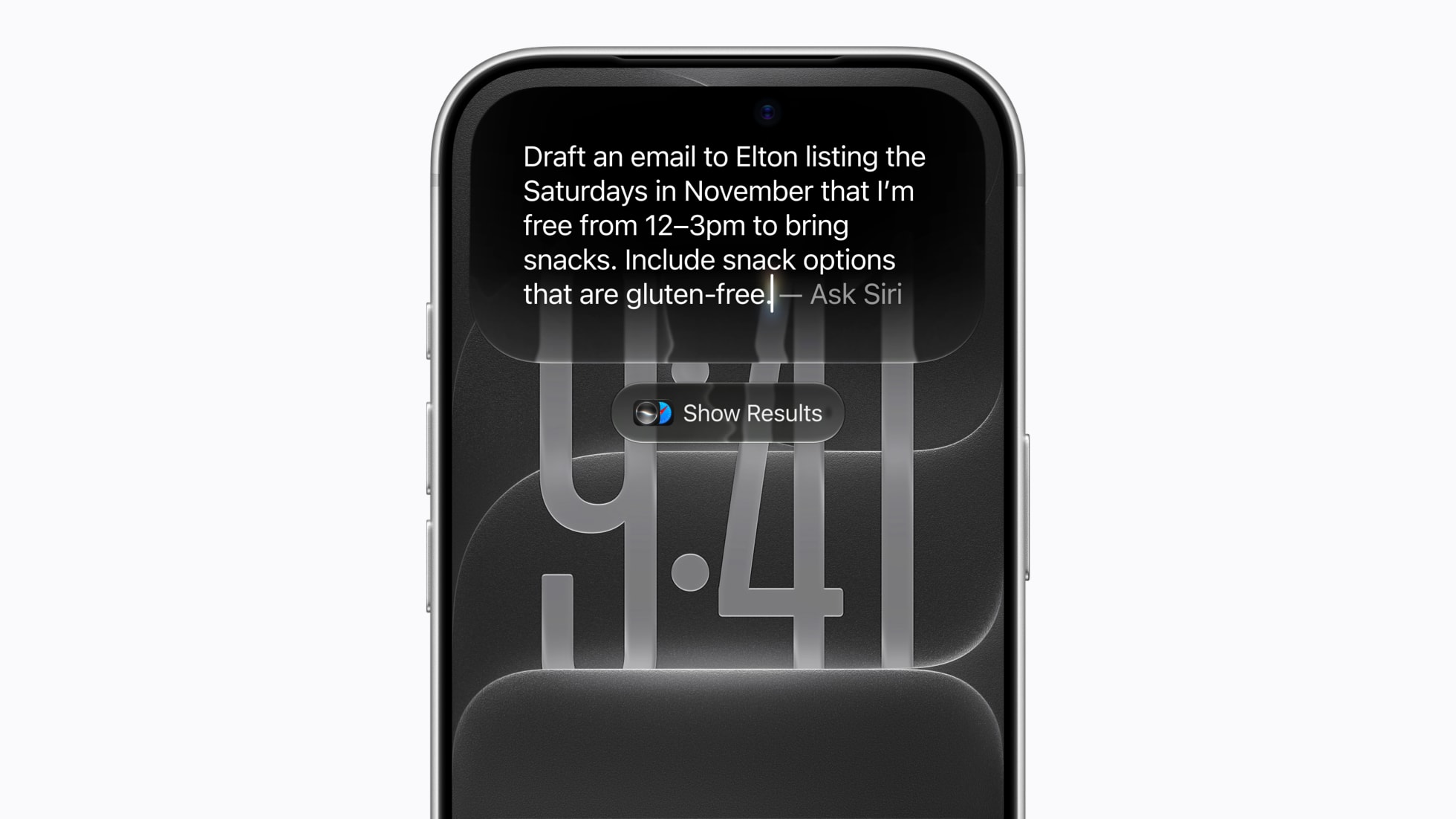
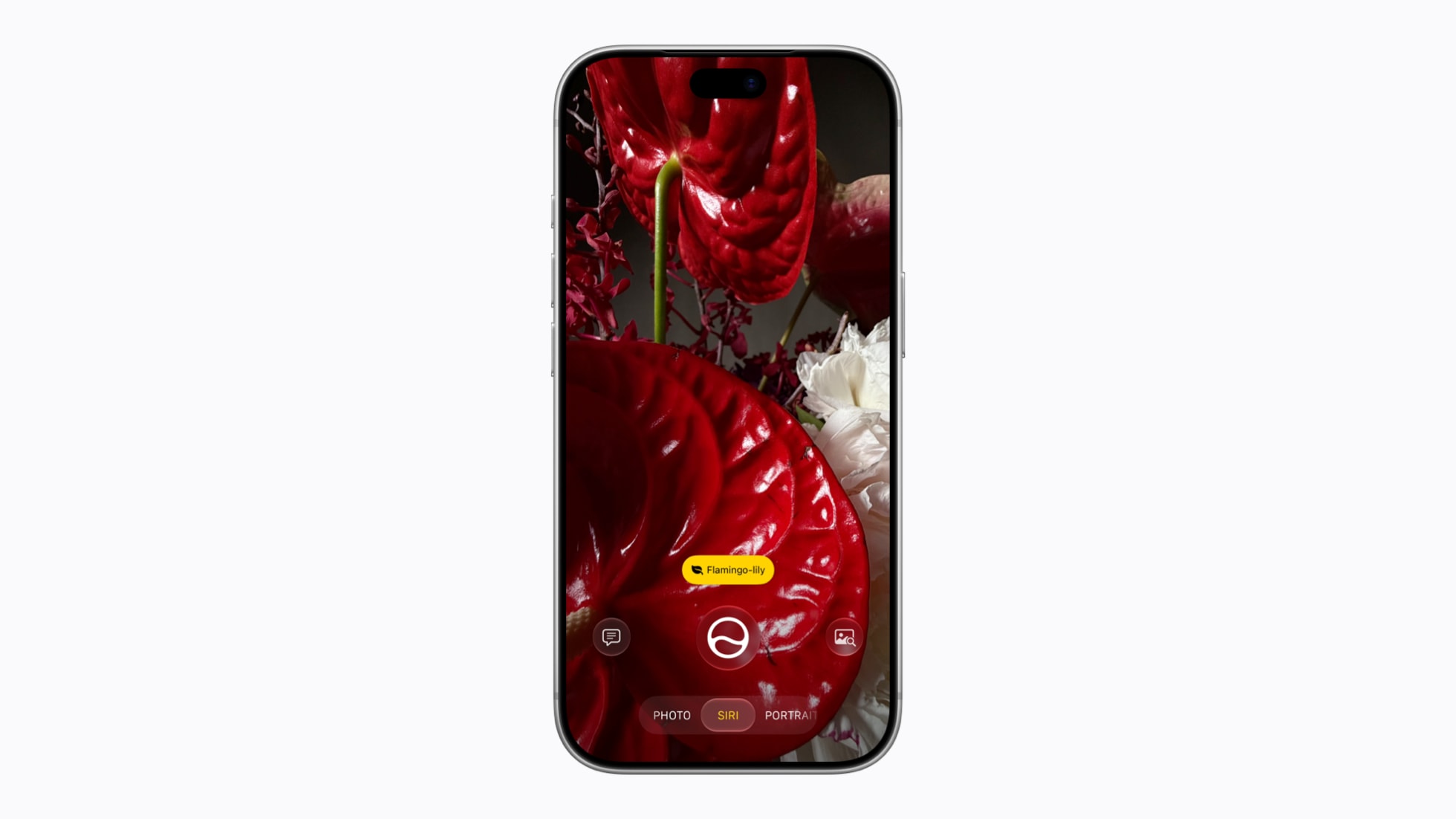
Siri is also built into the Camera app as a new Siri mode. Point the camera at something, like a festival poster, and ask Siri about it or have it act on it. In Apple’s example, Siri turns the set times on the poster into calendar events. Write with Siri drafts or edits text almost anywhere you type. In Mail and Messages, Apple says it can match the punctuation and tone you normally use with each person.
The limits you should know about
- It is a beta. Apple labels Siri AI as beta software in iOS 27.
- English first. French, Japanese, Korean, Portuguese and Spanish support is due in October. Both Siri and the device language must be set to a supported language.
- Not in the EU at first. Siri AI will not initially be available in the EU on iOS, iPadOS or watchOS. Mac and Vision Pro users in the EU can use it.
- Not in China. Apple says Siri AI and the other new Apple Intelligence features will not be available in China while it works through regulatory requirements.
- Daily limits. Features that rely on server-side models, including Siri AI, the photo editing tools and Image Playground, have daily usage limits. Apple says expanded access “will be available for a fee in the future.”
- Age limit. Siri AI is not available to users under 13.
Other new Apple Intelligence features
If your iPhone supports Apple Intelligence, iOS 27 adds a set of AI features beyond Siri:
- Photos: Spatial Reframing changes a photo’s composition by adjusting the camera perspective after the shot. Extend expands the frame, and an upgraded Clean Up removes larger objects.
- Image Playground: a new generative model running on Private Cloud Compute can create photorealistic images. Apple says upcoming support for the SynthID standard will help identify images made or edited with AI.
- Safari: tabs can be grouped into topics automatically. Notify Me watches a page for changes such as a price drop or restock, and you can create a custom extension just by describing it.
- Phone: Call Context surfaces useful details when you call a business, such as a confirmation code from Mail when you call an airline.
- Calendar and Shortcuts: you can add events, or build complex automations, by describing what you want.
- Proofreading: Apple Intelligence now checks spelling and grammar as you type across the system, including in most third-party apps.
New parental controls and Screen Time
Parental controls get a major overhaul, and unlike the AI features, they work on every iPhone that can run iOS 27. Apple highlights these tools:
- New setup for child accounts: parents choose exactly which apps a child can use during setup, then add more over time through Ask to Buy.
- Ask to Browse: children have to request permission before visiting a new website in Safari. Parents see the request in Messages.
- Communication Safety: the feature already covered nudity. It now also steps in before children see gore or violence in images and videos shared with them.
- Redesigned Screen Time: parents get an at-a-glance view of average use and top apps. Time Allowances cap daily time across Entertainment, Games and Social Media apps, with age-based guidance Apple developed with clinical and child development experts. Schedules control which apps are available at different times of day.
Performance, design and everyday improvements
Apple says the update makes everyday tasks faster. By its own measurements, apps launch up to 30 percent faster, new photos load in the library up to 70 percent faster, and AirDrop transfers are up to 80 percent faster. These are Apple’s figures, and gains will vary by model. The company also says switching between Wi-Fi and cellular is smoother, and that a large photo or video sent over a weak connection in Messages no longer holds up the texts you send after it.
On the design side, Apple is refining the Liquid Glass look it introduced last year. A new slider in Settings lets you set it anywhere from “ultraclear” to fully tinted, app icons are sharper, and extra-large widgets are available on the Home Screen. Other changes worth knowing about:
- Camera: you can pin your most-used tools above the viewfinder, and save any frame from a video as a photo.
- FaceTime: Dual Capture shares your front and back cameras at once, and Live Translation can show translated captions on calls with someone who speaks another language.
- iCloud Shared Albums: full-resolution sharing, and it is easier for Android and Windows users to join and contribute photos on iCloud.com.
- Health: Cycle Tracking adds perimenopause and menopause support, including notifications when logged cycles suggest perimenopause.
- Maps: Flyover combines aerial imagery with AI models for more detailed views. Local Lists shows trending places nearby (U.S. only).
- AirPods: custom EQ, and AirPods Pro 3 heart rate data can sync to gym equipment through Apple GymKit.
- iPhone Handoff: with supported carriers, you can switch between two iPhones that share one phone number.
- Accessibility: automatically generated, synced subtitles for any video, plus richer VoiceOver image descriptions.
Is iOS 27 stable and secure?
Apple’s security notes for iOS 27 list 126 CVE entries fixed in the release. They cover components ranging from the Accelerate framework to accessibility. The notes do not say any of these flaws were being actively exploited. As of September 24, Apple’s security releases page lists iOS 27 as the latest iPhone version, with no iOS 27.0.1 yet. The only point release so far is watchOS 27.0.1, released on September 23 for the Apple Watch Series 12 and Ultra 4.
Apple also released iOS 26.7 on September 14 for the same range of iPhones. That gives cautious users a supported way to stay on iOS 26 for now and still get security updates. One important caveat from Apple: once you install an iOS update, you cannot go back to the previous version.
How to update to iOS 27
Back up your iPhone first, to iCloud or a computer. Then follow Apple’s iOS 27 download instructions:
- Open the Settings app.
- Tap General, then Software Update.
- If iOS 27 is offered, tap Download and Install (or Update Now if it has already downloaded).
- Enter your passcode and follow the onscreen instructions. Keep the iPhone connected to Wi-Fi and plugged in.
Apple notes that you will only see updates your iPhone is compatible with, and that if it is running an older version, you may need to install that update first. To have future updates install overnight, go to Software Update, then Automatic Updates and turn on Automatically Install.
To use Siri AI after updating, Apple Intelligence needs to be turned on, and both your device language and Siri language must be set to a supported language, which for now means English. Apple’s iPhone 17 Pro spec notes say the on-device Apple Intelligence models take up about 7GB of storage, so make sure you have space before you start.
Should you update to iOS 27 now?
Update now if you have an iPhone 15 Pro or later and want to try Siri AI. The same goes if you are a parent who wants the new child account controls, or if you care about the 126 security fixes and don’t plan to stay on iOS 26.7.
Consider waiting if you rely on work apps or accessories that haven’t confirmed support yet, or if you are in the EU or China and the AI features you want are not available there yet. Siri AI is still in beta, and historically Apple has shipped a bug-fix release within weeks of a major iOS version. The iPhone Duo is already confirmed to ship with iOS 27.1. Staying on iOS 26.7 in the meantime is a legitimate option, and Apple is still supporting it with security fixes.
For most people on an iPhone 11 or newer, iOS 27 is worth installing once your key apps support it. You get the parental controls, speed improvements and security fixes whether or not your phone can run Siri AI. For a full list of features by region, see Apple’s iOS 27 overview.
Frequently asked questions
When was iOS 27 released?
Apple released iOS 27 as a free update on Monday, September 14, 2026.
Is my iPhone compatible with iOS 27?
iOS 27 runs on the iPhone 11 and every later model, plus the iPhone SE (2nd and 3rd generation). If your iPhone ran iOS 26, it can install iOS 27.
Which iPhones get Siri AI?
Siri AI and Apple Intelligence need an iPhone 15 Pro, iPhone 15 Pro Max, an iPhone 16 model or later, iPhone Air or iPhone Duo. Siri AI is in beta and English-only at launch.
Is Siri AI available in the EU?
Not on iPhone at first. Apple says Siri AI will not initially be available in the EU on iOS, iPadOS and watchOS, though Mac and Apple Vision Pro users in the EU can use it.
Can I downgrade from iOS 27 to iOS 26?
No. Apple says that once a software update is installed on iPhone, it cannot be downgraded to the previous version. If you want to wait, stay on iOS 26.7, which Apple released on the same day.
Is there an iOS 27.0.1 update?
Not as of September 24, 2026. Apple’s security releases page lists iOS 27 as the latest iPhone version, and the iPhone Duo is confirmed to ship with iOS 27.1.
Sources
- Apple Newsroom: Major updates for Apple’s software platforms are now availableapple.com
- Apple Newsroom: Siri AI is hereapple.com
- Apple Support: iPhone models compatible with iOS 27support.apple.com
- Apple Support: What’s new in iOS 27support.apple.com
- Apple Support: About the security content of iOS 27 and iPadOS 27support.apple.com
- Apple Support: How to download iOS 27support.apple.com
Nadia Osei covers mobile and consumer gadgets for Pandromeda: smartphones, tablets, smartwatches, earbuds and smart-home devices. She tracks launches, software updates and pricing across Apple, Google, Samsung and the rest, and builds comparisons from the manufacturers' published specifications.