NVIDIA App vs GeForce Experience: What's Different
Nvidia's GeForce Experience pages now redirect to the NVIDIA App. Here's what changed in driver updates, recording, settings and system requirements.
Quick facts: The NVIDIA App is Nvidia's current GPU control center, combining driver updates, game settings, GPU tuning, ShadowPlay recording and RTX filters in one program. Nvidia hasn't issued a press release declaring GeForce Experience "discontinued," but nvidia.com now 301-redirects GeForce Experience's own product and download pages straight to the NVIDIA App's page — the clearest signal Nvidia has given that GeForce Experience is being phased out.
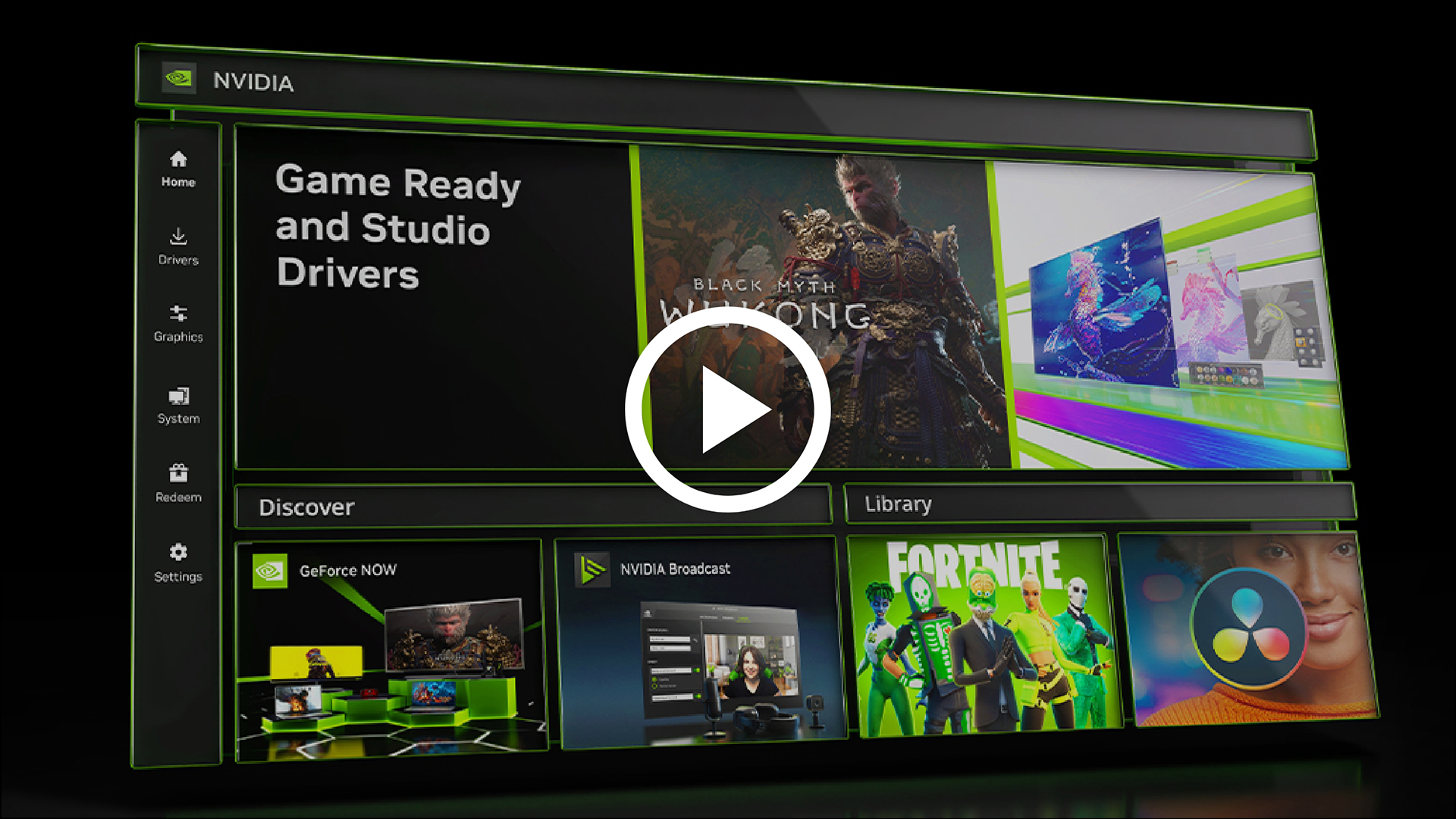
The NVIDIA App is the company's newer, unified companion program for GeForce graphics cards, built to fold in driver updates, in-game settings, recording and GPU tuning that used to live across GeForce Experience and separate tools. Nvidia's own software page describes the app as incorporating "many of the top features from GeForce Experience and RTX Experience," which is the closest the company comes to a public statement about succession. More tellingly, GeForce Experience's own product URL (nvidia.com/en-us/geforce/geforce-experience/) and its download URL both now return an HTTP 301 redirect straight to the NVIDIA App's page — verified directly against nvidia.com — even though Nvidia has not published a press release or support article formally announcing GeForce Experience's retirement.
What Is the NVIDIA App?
According to Nvidia's own page, the NVIDIA App is "the essential companion for PC gamers and creators," handling GPU drivers, in-game optimization, and access to Nvidia's wider software ecosystem from one install. It's built around a unified GPU control center rather than the separate driver installer, GeForce Experience client and NVIDIA Control Panel that longtime GeForce users are used to juggling.
From inside the app, Nvidia also surfaces shortcuts to GeForce NOW (cloud gaming), Project G-Assist (an AI assistant for GeForce RTX PCs), NVIDIA Broadcast (AI audio/video effects for streaming) and NVIDIA RTX Remix, currently in beta for remastering older games — all accessible without installing separate standalone clients for each.
What Was GeForce Experience For?
GeForce Experience was Nvidia's long-running companion app, best known for three things: pushing driver updates, applying Nvidia's "Optimal Game Settings" recommendations to installed games, and running ShadowPlay recording and streaming. It's the app most GeForce owners have had installed by default for the better part of a decade. Visiting GeForce Experience's old product and download pages directly now redirects to the NVIDIA App instead, so Nvidia is no longer maintaining a standalone marketing or download presence for it — even though existing installations aren't reported to stop working on their own.
| Feature | NVIDIA App | GeForce Experience |
|---|---|---|
| Install time / UI | Installs in half the time; Nvidia says the UI is 50% more responsive | Older, heavier client |
| Game settings | Optimal Game Settings merged with NVIDIA Control Panel's 3D settings in one tab | Optimal Game Settings only; 3D settings lived in a separate Control Panel |
| Recording (ShadowPlay) | Redesigned overlay; manual recording up to 8K HDR at 30fps or 4K HDR at 120fps; AV1 on RTX 40 Series | Standard ShadowPlay recording and Instant Replay |
| Driver updates | Shows "what's new"/"what's fixed" per driver; supports rolling back to a previous driver | Driver update notifications, no built-in rollback browsing |
| Visual filters | Freestyle RTX filters incl. RTX Dynamic Vibrance and RTX HDR on 1,200+ games | Freestyle filters (earlier generation) |
| GPU tuning | Automatic one-click GPU tuning, cloud-based personalized settings | Limited tuning options |
| Current availability | Actively distributed; the only GeForce companion app linked from nvidia.com | Product/download pages 301-redirect to the NVIDIA App on nvidia.com |
| Price | Free download, no price listed | Free when it was distributed; no price listed |
Why Nvidia Built a Separate App Instead of Updating GeForce Experience
For years, a GeForce PC actually needed two separate Nvidia programs to cover everything: GeForce Experience for driver updates, game-ready settings and ShadowPlay, and the standalone NVIDIA Control Panel for 3D settings, display configuration and other low-level GPU options. The Control Panel is a much older piece of software with an interface that hasn't meaningfully changed in years, and it was never merged into GeForce Experience's UI. Rather than retrofit that merger into the aging GeForce Experience codebase, Nvidia built the NVIDIA App as a new unified client from the ground up, which is why it can combine both tools' settings in one place instead of just adding features onto GeForce Experience.
That rebuild also explains why the NVIDIA App's system tab now covers things like G-SYNC and display scaling settings alongside video settings such as RTX Video Super Resolution and RTX Video HDR — those previously lived in the Control Panel, disconnected from the game-settings and recording tools in GeForce Experience. Consolidating three programs' worth of settings into one is the core pitch behind the switch, more than any single new feature.
The Biggest Feature Differences
Nvidia's own NVIDIA App FAQ page is explicit about a few concrete improvements over GeForce Experience: the app "installs in half the time and delivers a 50% more responsive UI than GeForce Experience." It also merges two previously separate settings panels — GeForce Experience's "Optimal Game Settings" and the NVIDIA Control Panel's 3D settings — into a single interface, which removes a long-standing point of confusion for players who never realized Control Panel settings lived somewhere else entirely.
On the recording side, the redesigned overlay supports manual capture up to 8K HDR at 30 frames per second or 4K HDR at 120 frames per second, with AV1 encoding available on RTX 40 Series cards — a meaningful jump for anyone recording at high resolution or high frame rate. Driver updates also get richer in the NVIDIA App: each update now shows a "what's new" and "what's fixed" summary, and the app supports rolling back to a previously installed driver without hunting down an old installer manually, a step that previously meant digging through Nvidia's driver download archive by hand.
Two features are specific to newer hardware rather than the app itself: DLSS Override, which can update supported games to the latest DLSS 4 features and models, and Smooth Motion, which Nvidia says improves frame rates specifically on GeForce RTX 50 and 40 Series cards. Owners of older GeForce cards will still get the app's driver, recording and settings improvements, just not those two specific additions.
Freestyle, the AI-filter tool that lets players apply post-processing effects like RTX Dynamic Vibrance and RTX HDR over more than 1,200 games, also carries over into the NVIDIA App rather than disappearing — Nvidia's page frames it as an upgraded version of the Freestyle tool that already existed in GeForce Experience, not a brand-new feature exclusive to the app. The same goes for NVIDIA Highlights, which automatically saves key in-game moments (clutch wins, boss kills, that kind of thing) without the player needing to manually trigger Instant Replay first.
Project G-Assist, the AI assistant Nvidia surfaces through the app, is a newer addition with no GeForce Experience equivalent at all — it's built specifically for GeForce RTX PCs and is accessed through the NVIDIA App rather than as a separate download, which is one more reason the app has become the default entry point into Nvidia's broader software lineup rather than just a driver updater.
System Requirements and GPU Support
Per Nvidia's own NVIDIA App FAQ, the app needs Windows 10 or Windows 11, 2GB of RAM, 600MB of free disk space, and GeForce driver 551.52 or later. On the CPU side, Nvidia lists Intel Pentium G Series, Core i3, i5 or i7 (or higher), and AMD FX, Ryzen 3, 5, 7 or 9, or Threadripper (or higher).
GPU support spans several generations: GeForce RTX 20, 30 and 40 Series, GTX 800, 900, 1000 and 1600 Series, plus the laptop-oriented MX100, MX200 and MX300 lines and 800M/900M mobile GPUs. Nvidia's app is also available as a separate build for Windows on Arm devices. Nvidia does not list macOS or Linux support for either the NVIDIA App or GeForce Experience — both remain Windows-only tools.
Is GeForce Experience Being Discontinued?
Effectively, yes, even though Nvidia hasn't put it in those exact words. There's no press release or support article formally titled "GeForce Experience end of life" — but nvidia.com/en-us/geforce/geforce-experience/, the product's own page, and its direct download URL both now return an HTTP 301 redirect to the NVIDIA App's page rather than showing any GeForce Experience content at all. That's Nvidia's own infrastructure routing GeForce Experience's web presence away entirely, which is a stronger signal than a mere feature-overlap statement.
If you still have GeForce Experience installed locally and it's working the way you want, nothing Nvidia has published says the installed app will stop running on its own. But since you can no longer reach a GeForce Experience download or info page on nvidia.com — and every new feature Nvidia ships (DLSS Override, Smooth Motion, the redesigned overlay, driver rollback) is landing in the NVIDIA App instead — there's effectively no path left to install or update GeForce Experience from Nvidia's own site today.
Which Should You Use?
For almost everyone currently running a GeForce RTX 20-Series card or newer, the NVIDIA App is the straightforward choice: it has the newer feature set, the driver rollback option, and the only path to DLSS Override and Smooth Motion on supported RTX 40/50 Series cards. Players on older GTX-era cards within the NVIDIA App's supported list (GTX 800 Series through 1600 Series, or the MX/800M/900M mobile lines) can also move over and keep their driver-update and recording workflow, just without the RTX-specific extras.
The main reason to stay on GeForce Experience for now would be unfamiliarity or a workflow built around its specific interface — but since Nvidia's own site no longer offers a way to download or reinstall it, that's not really an option for a new PC anyway. Anyone setting up a new PC, or anyone who hasn't updated their GeForce software in a while, needs the NVIDIA App regardless of preference, since it's the only GeForce companion app Nvidia currently distributes.
What's Next
Nvidia hasn't published a formal end-of-life announcement for GeForce Experience, but its own site has already moved past it — the product page redirects to the NVIDIA App, and there's no current download link for GeForce Experience anywhere on nvidia.com. For practical purposes, the NVIDIA App is now Nvidia's only supported path for GeForce drivers and settings. Check Nvidia's own download page for the NVIDIA App for the latest version, since that's where any future changes to this situation would appear first.
Frequently Asked Questions
A few of the most common questions GeForce owners have when deciding between the two:
Can I still download GeForce Experience from Nvidia? No — nvidia.com's GeForce Experience product and download pages both now redirect straight to the NVIDIA App's page, verified directly against nvidia.com. There's currently no official download link for GeForce Experience on Nvidia's own site.
Will installing the NVIDIA App remove GeForce Experience automatically? Nvidia's pages don't describe an automatic removal step, so treat it as a separate install until you've confirmed otherwise on your own system.
Does the NVIDIA App require a login? Nvidia's FAQ describes login as optional, noting that signing in unlocks GPU bundles and rewards — the core driver, settings and recording features work without an account.
Is the NVIDIA App free? Nvidia doesn't list a price anywhere on the app's pages; like GeForce Experience before it, it's offered as a direct download alongside GPU drivers with no purchase step.
Does the NVIDIA App work on laptops? Yes — Nvidia's supported-GPU list includes the MX100, MX200 and MX300 series and the 800M/900M mobile GPU lines alongside desktop cards, and the app also ships in a separate build for Windows on Arm devices.
Players weighing other platform-level hardware choices around the same GPU generation may also want to see how the latest RTX 5070 and RTX 5070 Ti compare on specs and price, or how Nvidia's own DLSS 4.5 ray reconstruction feature works across supported GPUs, since both directly affect which NVIDIA App features a given card can actually use.
Frequently asked questions
Is GeForce Experience being discontinued?
Nvidia hasn't issued a formal end-of-life announcement, but GeForce Experience's own product and download pages on nvidia.com now redirect (HTTP 301) straight to the NVIDIA App's page.
Is the NVIDIA App free?
Nvidia doesn't list a price anywhere on the app's pages; it's offered as a direct download alongside GPU drivers with no purchase step.
What are the NVIDIA App's system requirements?
Windows 10 or 11, 2GB RAM, 600MB free disk space, and GeForce driver 551.52 or later, per Nvidia's own FAQ page.
Can I still download GeForce Experience from Nvidia?
No. Nvidia's GeForce Experience product and download URLs both now redirect to the NVIDIA App's page, with no GeForce Experience download link currently on nvidia.com.
Does the NVIDIA App require a login?
No. Nvidia's FAQ describes login as optional; signing in unlocks GPU bundles and rewards, but core features work without an account.
Which GPUs support the NVIDIA App?
GeForce RTX 20, 30 and 40 Series, GTX 800, 900, 1000 and 1600 Series, plus MX100/200/300 and 800M/900M mobile GPUs, per Nvidia's listed system requirements.
Sources
- NVIDIA App official product pagenvidia.com
- NVIDIA App official FAQnvidia.com
- GeForce Experience product page (redirects to NVIDIA App)nvidia.com
- Nvidia GeForce driver downloadsnvidia.com
Mara Lindqvist edits the hardware desk. She covers graphics cards, processors, memory and storage, the foundries and chip designers behind them, and what the numbers on a spec sheet mean for people choosing a PC. Specifications in her stories come from manufacturer spec pages and datasheets.