Best Gaming Handheld in 2026: How to Choose
Steam Deck OLED, ROG Ally X, Switch 2 or Legion Go: official specs, prices and clear picks for AAA gaming, emulation, value and Nintendo exclusives.
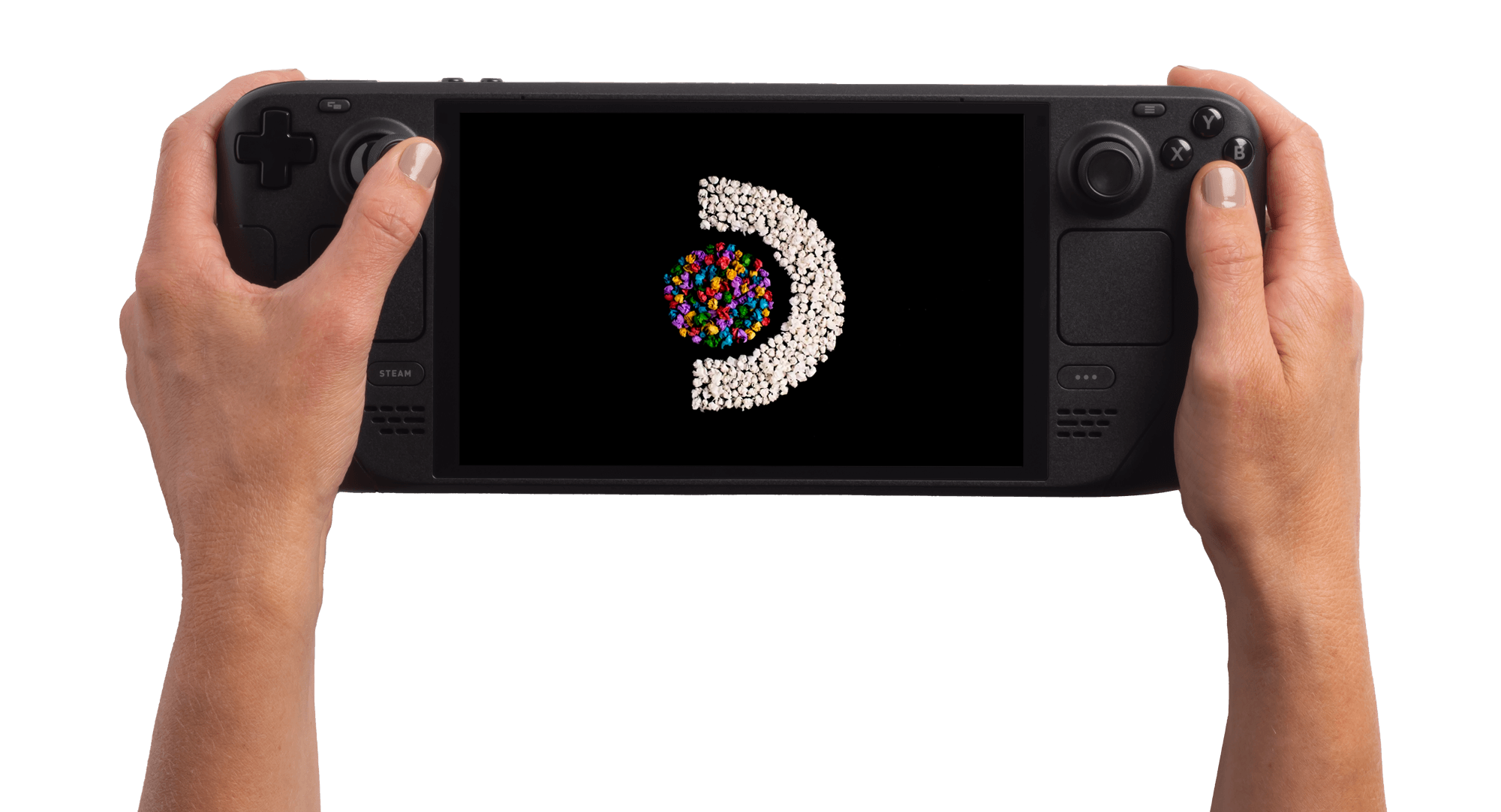
If you only want the short answer: get the Valve Steam Deck OLED if you want the best all-round value and the deepest emulation and indie library, the ASUS ROG Ally X if you want to run every PC game (including anti-cheat-protected live-service titles) at the highest settings, the Nintendo Switch 2 if first-party Nintendo exclusives are the whole point, and the Lenovo Legion Go if you want the biggest, sharpest screen and don't mind the extra bulk. The rest of this guide explains why, with official specs and prices pulled directly from each company's own site.
Quick picks
- Best overall value: Valve Steam Deck OLED, 512GB, $789
- Best for AAA and PC gaming: ASUS ROG Ally X, $799
- Best for Nintendo exclusives: Nintendo Switch 2, $449.99
- Best screen / most desktop-like: Lenovo Legion Go, from $699.99
- Best for emulation: Steam Deck OLED, thanks to SteamOS's Linux base and the largest handheld emulation community
How to Choose a Gaming Handheld in 2026
Every gaming handheld on the market in 2026 is really answering one of three different questions. A Windows handheld like the ROG Ally X is a full PC in your hands: it runs the same Steam, Epic, Battle.net and Xbox app libraries as your desktop, including games with kernel-level anti-cheat that SteamOS can't run. A SteamOS handheld like the Steam Deck OLED trades some compatibility (mostly anti-cheat-locked multiplayer games) for a console-like interface, much better battery efficiency, and the biggest open modding and emulation scene of any handheld. A closed-platform console like the Switch 2 only plays its own storefront's games, but that storefront includes Nintendo's first-party catalog, which doesn't appear on anything else.
Before comparing specs, decide which of those three lanes you actually need. Someone who mostly plays Fortnite, Destiny 2 or Call of Duty online needs a Windows handheld or a Switch 2, not a Steam Deck, because many anti-cheat systems still block SteamOS. Someone who plays mostly single-player, indie, older or emulated games is usually better served by the Steam Deck OLED's battery life and Linux-based SteamOS. And if you want Mario, Zelda or Pokémon, nothing else on this list plays them.
It's also worth asking whether you need a dedicated handheld at all. If you already own a modern gaming laptop and mostly play at a desk, a handheld is a second device for a specific situation (couch, commute, travel) rather than a replacement for anything. And if your existing phone or tablet already covers casual and cloud gaming, spending $450-$800 on hardware that overlaps with a console you own is a harder case to make than it looks on a spec sheet. This guide assumes you've already decided a dedicated handheld is worth owning and just need to pick which one.
Meet the 2026 Lineup
Four current handhelds cover almost every use case worth considering this year:
- Valve Steam Deck OLED — SteamOS, 512GB and 1TB models, Valve's own hardware.
- ASUS ROG Ally X — Windows 11, AMD Ryzen Z1 Extreme, ASUS's second-generation Ally.
- Nintendo Switch 2 — Nintendo's own OS, custom NVIDIA processor, the only one with first-party Nintendo games.
- Lenovo Legion Go — Windows 11, detachable TrueStrike controllers, the largest screen of the group.
We left two notable devices out of the head-to-head comparison for different reasons. Valve's Steam Frame looks related by name, but it's a standalone VR headset running SteamOS, not a handheld screen you hold — it belongs in a VR buying guide, not this one. And MSI's Claw line keeps shipping new SKUs faster than official pricing stabilizes on MSI's own site, so we've left it out rather than publish a number we can't verify against MSI's current listing; check MSI's own product pages directly if you're specifically cross-shopping the Claw.
Gaming Handheld Spec Comparison [2026]
Here's how the four stack up on the numbers that actually affect day-to-day use, pulled from each maker's own spec pages as of late October 2026.
| Model | Price | Display | OS | RAM | Storage | Battery | Weight |
|---|---|---|---|---|---|---|---|
| Valve Steam Deck OLED | $789 (512GB) / $949 (1TB) | 7.4" HDR OLED, 1280x800, up to 90Hz, 1000 nits | SteamOS | 16GB LPDDR5 | 512GB / 1TB NVMe SSD | 50Whr (approx. 3-12 hrs) | ~640g |
| ASUS ROG Ally X | $799 | 7" FHD IPS, 1920x1080, 120Hz, FreeSync Premium | Windows 11 | 24GB LPDDR5X | 1TB PCIe Gen4 SSD | 80Whr | 678g |
| Nintendo Switch 2 | $449.99 | 7.9" LCD, 1920x1080, HDR10, VRR up to 120Hz | Nintendo Switch 2 system software | Not published by Nintendo | 256GB UFS (expandable via microSD Express) | Approx. 2-6.5 hrs (game dependent) | ~0.88 lb (~400g) handheld alone |
| Lenovo Legion Go | From $699.99 (512GB) / $749.99 (1TB) | 8.8" QHD+ touchscreen, up to 144Hz, 500 nits | Windows 11 | 16GB LPDDR5X (7500MHz) | 512GB / 1TB PCIe Gen4 SSD, microSD up to 2TB | 49.2Whr | ~854g with controllers attached |
A few things jump out immediately. The Switch 2 is by far the cheapest entry point, and it's the only one with meaningfully lower RAM/storage ceilings because it isn't trying to run full PC games. The ROG Ally X has by far the largest battery on paper, which matters because Windows handhelds tend to burn through power faster than SteamOS or Nintendo's OS at the same settings. And the Legion Go's 8.8-inch, 144Hz panel is simply bigger and faster than anything else here, at the cost of being the heaviest device in the group.
Best for AAA and PC Gaming: ASUS ROG Ally X
If your library is mostly built around Steam, the Epic Games Store, Battle.net or EA's launcher, and you want to play new releases on day one at reasonably high settings, the ROG Ally X is the safest pick here. It runs full Windows 11, so it plays literally anything a gaming laptop can, including online shooters and MMOs that rely on kernel-level anti-cheat drivers that refuse to run under SteamOS. ASUS's own spec sheet lists an AMD Ryzen Z1 Extreme processor, 24GB of LPDDR5X memory, and a 1TB PCIe Gen4 SSD, which is more RAM and storage headroom than the Steam Deck OLED or Legion Go ship with at the same price point. The tradeoff is Windows itself: boot times, background updates and a desktop-first interface that's never been fully redesigned for a handheld, plus battery life that depends heavily on which power profile and frame-rate cap you choose.
Best Overall Value: Valve Steam Deck OLED
Valve's own pricing and spec page lists the 512GB Steam Deck OLED at $789 and the 1TB model at $949, after a mid-2026 price increase that Valve attributed to rising memory and storage costs industry-wide. Even at the higher price, the OLED model remains the easiest handheld to recommend broadly: SteamOS boots straight into a console-style library, Steam Cloud saves sync automatically between the handheld and a desktop, and the 7.4-inch HDR OLED panel (1280x800, up to 90Hz, 1000-nit peak brightness per Valve) is a real upgrade over the original LCD model's screen. It won't run anti-cheat-locked online games, and its native library is smaller than a full Windows library, but Valve's Proton compatibility layer covers the overwhelming majority of single-player Steam titles.
Best for Emulation and Retro Gaming
For anyone whose handheld is mostly going to run console emulators, the Steam Deck OLED has the practical edge, not because of a spec on a page but because of ecosystem maturity: it has the largest, most actively maintained handheld emulation community of the group, built on SteamOS's Linux base, with mature tooling for setting up multiple emulators and front-ends. The ROG Ally X and Legion Go can run the same open-source emulators under Windows and will outrun the Steam Deck on anything demanding, like modern-era console emulation, thanks to their newer AMD silicon and larger batteries — but they require more manual setup than SteamOS's more streamlined (if still unofficial) emulation workflow. None of the four devices in this guide include pre-installed emulators or ROMs out of the box; that setup is on the user, and legality depends on your jurisdiction and whether you own the original games.
Best for Nintendo Exclusives: Nintendo Switch 2
None of the other three devices can play a single first-party Nintendo game, so if Mario Kart, Zelda or Pokémon matter to you at all, the decision is already made. Nintendo's own tech-specs page lists a 7.9-inch, 1920x1080 LCD with HDR10 support and variable refresh rate up to 120Hz, 256GB of built-in UFS storage, and a custom NVIDIA processor; the console starts at $449.99, the least expensive device in this comparison by a wide margin. It's also the only device here that's a closed console rather than an open PC platform — there's no Steam, no Windows desktop, and no way to run software Nintendo hasn't approved — which is either irrelevant or a dealbreaker depending entirely on what you want to play.
Best Display: Lenovo Legion Go
Lenovo's Legion Go is built around the single biggest advantage any of these devices has over the others: an 8.8-inch QHD+ touchscreen running up to 144Hz, well ahead of the Steam Deck's 7.4-inch/90Hz panel and the ROG Ally X's 7-inch/120Hz screen, per Lenovo's own product page. Its detachable TrueStrike controllers also let it double as a mini desktop setup or, flipped on their sides, as a mouse-and-trigger FPS controller. That bigger screen and AMD Ryzen Z1-series silicon come at a real cost in bulk: at roughly 854 grams with controllers attached, it's noticeably heavier than the Steam Deck OLED or ROG Ally X, which matters a lot on a long handheld session. If screen size and sharpness matter more to you than raw portability, it's worth the extra weight; if you want something that disappears into a bag, it probably isn't the first pick.
SteamOS vs Windows 11 vs Nintendo's OS: Why It Matters More Than the Chip
The operating system each handheld runs ends up mattering more day-to-day than the processor spec sheet. SteamOS (Steam Deck OLED) is Linux-based, boots into a console-style interface, and uses Valve's Proton layer to run Windows games — excellent compatibility for single-player and co-op titles, poor compatibility for games that require kernel-level anti-cheat. Windows 11 (ROG Ally X, Legion Go) runs anything a gaming PC can, full stop, but inherits every desktop-OS annoyance: background updates, a taskbar that wasn't designed for a thumbstick, and app bloat that both ASUS and Lenovo try to paper over with their own launcher overlays. Nintendo's own system software (Switch 2) is the most locked-down of the three, but also the most consistent and battery-efficient, because it's tuned for exactly one piece of hardware running exactly one approved storefront. If you already know which library you're buying into, you've effectively already picked your OS.
Battery Life, Storage and Upgrade Paths
On paper, the ROG Ally X's 80Whr battery dwarfs the Steam Deck OLED's 50Whr and the Legion Go's 49.2Whr cells, but real-world runtime depends enormously on the game, resolution and frame-rate cap in use on any of these devices — none of the manufacturers publish a single, comparable "hours of gameplay" number that holds across titles. Storage is more straightforward: the ROG Ally X and Legion Go both support up to 1TB of PCIe Gen4 SSD storage from the factory, the Steam Deck OLED tops out at 1TB NVMe, and all three Windows/SteamOS devices accept microSD expansion. If you're thinking about running the kind of memory-hungry modern games or large emulation libraries that eat storage fast, it's worth reading up on how much RAM you actually need in 2026 before deciding which tier to buy, since upgrading RAM after purchase isn't an option on any handheld in this group — it's soldered on every one of them.
On the Steam Deck OLED and the Legion Go, the SSD itself is a standard M.2 2230 or 2280 module and is physically replaceable by a comfortable DIY user, which is a meaningfully different proposition from a soldered-RAM upgrade — it's a real way to raise the storage ceiling on a lower-tier model after the fact without buying a whole new device. Check each manufacturer's own support documentation before opening the case, since doing so can affect warranty coverage depending on the model and region.
Docking, External Displays and Desktop Mode
All four handhelds can connect to an external monitor over USB-C, and the Windows-based ROG Ally X and Legion Go can additionally drive a genuine desktop session once docked, complete with a taskbar and multiple windows. If you're considering pairing any of these with an external GPU for a hybrid handheld-plus-desktop setup, the connector matters: USB4-capable ports (which the ROG Ally X and newer SteamOS devices support) open up eGPU options that older USB-C-only ports don't. The Switch 2's dock, by contrast, is closed to anything beyond Nintendo's own approved TV-output path.
What to Buy Next
If you're still torn between the two most-compared handhelds on this list, our dedicated Nintendo Switch 2 vs. Steam Deck OLED breakdown goes deeper on that specific matchup than this guide can. Otherwise, the short version holds: buy the Switch 2 for Nintendo's exclusives, the Steam Deck OLED for the best all-around value and emulation support, the ROG Ally X if raw PC compatibility and battery capacity matter most, and the Legion Go if you want the biggest screen on the market and don't mind the extra weight. Whichever you pick, buy directly from the manufacturer or an authorized retailer, and confirm current pricing before checkout — all four companies have adjusted handheld pricing at least once in 2026 in response to memory and storage costs.
Frequently asked questions
What is the best gaming handheld overall in 2026?
For most people, the Valve Steam Deck OLED offers the best mix of price, compatibility and emulation support. It starts at $789 for the 512GB model and runs the largest library of PC games through SteamOS and Valve's Proton compatibility layer, though it can't run games protected by kernel-level anti-cheat.
Is the Steam Deck OLED or the ROG Ally X better?
They solve different problems. The Steam Deck OLED (SteamOS, from $789) is more power-efficient and has a larger emulation community, while the ROG Ally X (Windows 11, $799) runs any PC game including anti-cheat-protected online titles and ships with more RAM and a larger battery, per ASUS's own spec sheet.
Can the Nintendo Switch 2 play Steam or Windows PC games?
No. The Switch 2 runs Nintendo's own closed system software and only plays games sold through Nintendo's storefront. It cannot run Steam, the Epic Games Store, or any Windows software.
Which gaming handheld is cheapest?
The Nintendo Switch 2 is the least expensive at $449.99, according to Nintendo's own pricing. The Lenovo Legion Go starts at $699.99, the ASUS ROG Ally X is $799, and the Steam Deck OLED starts at $789 for the 512GB model.
Which handheld has the biggest screen and battery?
The Lenovo Legion Go has the largest and fastest display in this comparison, an 8.8-inch QHD+ panel up to 144Hz, per Lenovo's own product page. The ASUS ROG Ally X has the largest battery on paper, at 80Whr.
Is Valve's Steam Frame a gaming handheld?
No. The Steam Frame is Valve's standalone VR headset, not a handheld screen device, even though it also runs SteamOS. It belongs in a different buying-guide category than the handhelds covered here.
Sources
- Valve: Steam Deck OLED tech specs and pricingsteamdeck.com
- ASUS: ROG Ally X official spec sheetrog.asus.com
- Nintendo: Nintendo Switch 2 tech specsnintendo.com
- Nintendo: Switch 2 pricing announcementnintendo.com
- Lenovo: Legion Go product pagelenovo.com
Mara Lindqvist edits the hardware desk. She covers graphics cards, processors, memory and storage, the foundries and chip designers behind them, and what the numbers on a spec sheet mean for people choosing a PC. Specifications in her stories come from manufacturer spec pages and datasheets.