Apple M6 vs M5: Which Mac Chip Should You Buy?
Apple's 2nm M6 lands in the new Mac mini alongside M5 Pro, M5 Max and M5 Ultra — here's the full spec breakdown and which one actually fits your workload.
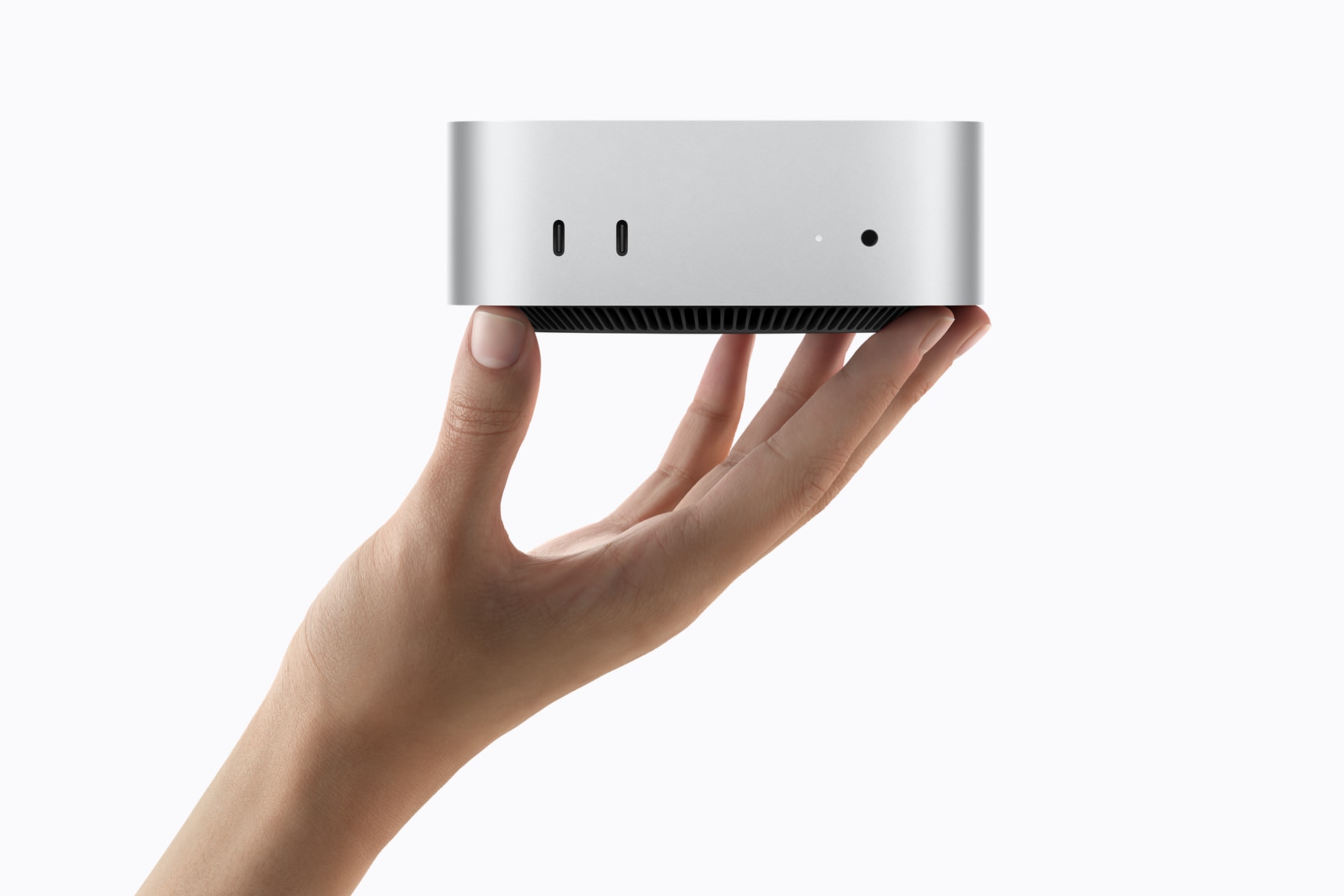
If you're buying new right now, the Mac mini with M6 is the better all-around chip for most people: it's Apple's first 2-nanometer silicon, it's faster than the base M5 at everything, and it starts at $899. But if your workload is genuinely demanding — large Lightroom catalogs, 4K/8K video, big local AI models — the M5 Pro, M5 Max or M5 Ultra configurations available in the same Mac mini and Mac Studio lineup will outrun the M6 by a wide margin, for a higher price. The short version: M6 for everyday desktop use and light AI tasks, M5 Pro/Max/Ultra for creative-pro and AI-heavy workloads, and the plain M5 only if you specifically want it in a 14-inch MacBook Pro, iPad Pro or Vision Pro, since Apple never put base M5 in a desktop Mac.
- Buy Mac mini with M6 ($899) if you want the best everyday desktop chip Apple sells today — 2nm efficiency, a 12-core CPU, and up to 170GB/s of memory bandwidth.
- Buy Mac mini with M5 Pro ($1,699) or step up to Mac Studio with M5 Max ($2,499) if you edit video, run large local AI models, or need more than 32GB of unified memory.
- Buy Mac Studio with M5 Ultra ($5,499) only for the heaviest local-AI and 8K workflows — it's Apple's first quad-die chip, with up to 512GB of unified memory and 1.2TB/s of bandwidth.
- Skip base M5 for a desktop purchase — Apple never shipped it in a Mac mini or Mac Studio; it lives in the 14-inch MacBook Pro, iPad Pro and Vision Pro instead.
What's new in Apple's M6 chip
Apple announced M6 on August 25, 2026, alongside the redesigned Mac mini that now ships with it as standard. According to Apple's official announcement, M6 is Apple's first chip built on a "cutting-edge 2-nanometer process technology," a generational jump from the 3-nanometer node used for M5. That smaller process is the main reason M6 can pack more transistors and run more efficiently in the same power envelope as the outgoing M4 Mac mini.
The headline specs, straight from Apple: a 12-core CPU (2 super cores, 4 performance cores and 6 efficiency cores), a 12-core GPU with a Neural Accelerator built into every core, a Dual 16-core Neural Engine, and up to 170GB/s of unified memory bandwidth, with configurations up to 32GB of unified memory. Apple's own comparisons put M6 at up to 1.2x faster multithreaded CPU performance and nearly 30% higher peak GPU compute for AI versus the base M5, and up to 2.4x faster CPU performance and more than 8x the peak GPU AI compute versus the 2020 M1.
The Apple M5 family: M5, M5 Pro, M5 Max and M5 Ultra
"M5" isn't one chip anymore — it's a four-tier family, and that matters when you're comparing it to M6. The plain M5 launched in October 2025 in the 14-inch MacBook Pro, iPad Pro and Apple Vision Pro. Per Apple's newsroom release, it has a 10-core CPU (up to 4 performance cores and 6 efficiency cores), a 10-core GPU with a Neural Accelerator in each core, a 16-core Neural Engine, up to 153GB/s of memory bandwidth, and up to 32GB of unified memory, built on Apple's third-generation 3-nanometer process.
M5 Pro and M5 Max followed in March 2026, bringing an 18-core CPU (6 super cores, 12 performance cores) shared by both chips. M5 Pro pairs that with an up-to-20-core GPU; M5 Max scales the GPU up to 40 cores and raises memory bandwidth to up to 614GB/s with up to 128GB of unified memory. M5 Ultra arrived in August 2026 alongside M6, built from two M5 Max dies joined with Apple's UltraFusion interconnect — Apple's first quad-die design — for up to 36 CPU cores, up to 80 GPU cores, a 32-core Neural Engine, 1.2TB/s of memory bandwidth and up to 512GB of unified memory.
Apple M6 vs M5 family: full spec comparison
| Spec | M6 | M5 | M5 Pro | M5 Max | M5 Ultra |
|---|---|---|---|---|---|
| Process node | 2nm (Apple's first) | 3nm (3rd-gen) | 3nm (3rd-gen) | 3nm (3rd-gen) | 3nm (3rd-gen, quad-die) |
| CPU cores | 12 (2 super + 4 perf + 6 eff.) | 10 (up to 4 perf + 6 eff.) | 18 (6 super + 12 perf.) | 18 (6 super + 12 perf.) | Up to 36 (12 super + 24 perf.) |
| GPU cores | 12, with Neural Accelerators | 10, with Neural Accelerators | Up to 20, with Neural Accelerators | Up to 40, with Neural Accelerators | Up to 80, with Neural Accelerators |
| Neural Engine | Dual 16-core | 16-core | Not stated by Apple | Not stated by Apple | 32-core |
| Memory bandwidth | Up to 170GB/s | Up to 153GB/s | Up to 307GB/s | Up to 614GB/s | 1.2TB/s |
| Max unified memory | 32GB | 32GB | 64GB | 128GB | 512GB |
| Ships in | Mac mini (2026) | 14" MacBook Pro, iPad Pro, Vision Pro | Mac mini (2026), MacBook Pro (2026) | Mac Studio (2026), MacBook Pro (2026) | Mac Studio (2026) |
| Starting price (U.S.) | $899 Mac mini | $1,599 14" MacBook Pro | $1,699 Mac mini | $2,499 Mac Studio | $5,499 Mac Studio |
A note on that table: Apple never shipped base M5 in a desktop Mac, so the "M6 vs M5" framing most people search for is really shorthand for "which Mac mini chip should I buy" — M6 versus M5 Pro in the same box. We've broken out the full family here because the Mac Studio options (M5 Max, M5 Ultra) matter too if the Mac mini's 32GB memory ceiling is a dealbreaker.
CPU performance: 12 cores on 2nm vs 10 cores on 3nm
On paper, M6's 12-core CPU beats base M5's 10-core CPU by two cores, and Apple's own multithreaded benchmark claims (up to 1.2x over M5, up to 2.4x over M1) reflect both the extra cores and the efficiency of the 2nm node. That's a meaningful but not dramatic generational step for everyday tasks like browsing, office work, and compiling code — the kind of workload the Mac mini with M6 is built for.
Step up to M5 Pro, though, and the CPU core count nearly doubles M6's, at 18 cores including six of Apple's new "super cores." For CPU-bound professional work — large codebases, scientific computing, heavy multitasking — M5 Pro (and the identical CPU in M5 Max) will outrun M6 regardless of process node, simply on core count and cache. M5 Ultra doubles that again to up to 36 cores via its dual-die design, putting it in a different performance class entirely, intended for workstation-class rendering and simulation rather than desktop productivity.
GPU and on-device AI performance
Every chip in this generation — M6, M5, M5 Pro, M5 Max and M5 Ultra — puts a Neural Accelerator inside every GPU core, a design Apple first introduced with base M5. That's the main driver behind Apple's AI performance claims across the board. M6's 12-core GPU delivers nearly 30% higher peak GPU compute for AI than base M5's 10-core GPU, per Apple, and more than 8x that of the M1-generation GPU.
For heavier generative-AI and local large-language-model work, GPU core count and the Neural Engine matter more than raw CPU speed. M5 Ultra's 32-core Neural Engine and up to 80-core GPU, combined with 1.2TB/s of memory bandwidth, is what lets a Mac Studio run substantially larger local models entirely in memory than any Mac mini configuration can. If on-device AI is your main reason for upgrading, bandwidth and unified memory capacity — not just core counts — should drive your decision.
Memory and bandwidth: where the Mac mini hits a ceiling
This is the number that actually separates "fine for most people" from "built for pros." M6 tops out at 32GB of unified memory and up to 170GB/s of bandwidth — identical memory ceiling to base M5, just with slightly more bandwidth. M5 Pro in the same Mac mini chassis nearly doubles that bandwidth to up to 307GB/s and lets you configure up to 64GB. M5 Max in the Mac Studio goes to 614GB/s and 128GB, and M5 Ultra tops the entire lineup at 1.2TB/s and up to 512GB.
In practice: if you ever load datasets, video timelines, or AI models that exceed roughly 32GB of working memory, the Mac mini with M6 will start swapping and slowing down no matter how fast its CPU is. That's the single clearest signal for whether you need to spend more on M5 Pro, M5 Max or M5 Ultra instead.
Which Mac should you actually buy: Mac mini (M6/M5 Pro) or Mac Studio (M5 Max/M5 Ultra)?
Apple's own lineup makes the decision mostly about memory and connectivity, not just chip choice:
- Mac mini with M6 — $899: three Thunderbolt 4 ports, up to 32GB memory, up to 170GB/s bandwidth. The default pick for general desktop use, web, office work, and light creative work.
- Mac mini with M5 Pro — $1,699: three Thunderbolt 5 ports, up to 64GB memory, up to 307GB/s bandwidth. The sweet spot for serious photo/video editing and software development that doesn't need a Mac Studio's expansion.
- Mac Studio with M5 Max — $2,499: up to 128GB memory, up to 614GB/s bandwidth, six Thunderbolt 5 ports, up to eight displays. For professional video, 3D and audio work.
- Mac Studio with M5 Ultra — $5,499: up to 512GB memory, 1.2TB/s bandwidth. For the heaviest local-AI model hosting and the most demanding rendering pipelines; the 512GB configuration arrives later than the rest of the lineup.
Both the new Mac mini and the new Mac Studio opened for pre-order on August 25, 2026 and began arriving on September 22, 2026, per Apple's official announcements.
Who should actually upgrade, chip by chip
If you're on an M1 or M2 Mac mini, M6 is a straightforward, worthwhile upgrade — Apple's own figures show more than double the CPU performance and over 8x the peak AI GPU compute. If you're on an M4 Mac mini (the direct predecessor, since Apple skipped a standard M5 Mac mini entirely), the case is less urgent: M6 is faster and more efficient, but the generational gap is smaller than M1-to-M6.
If you already own a Mac with M5 Pro or M5 Max from earlier in 2026, there's little reason to switch chips — you'd be buying the same silicon in a different enclosure. And if your workflow genuinely needs more than 32GB of fast unified memory today, no amount of M6 CPU speed will fix that; only M5 Pro, M5 Max or M5 Ultra raise the ceiling. For context on how Apple silicon stacks up against the competition, our Snapdragon X2 Elite vs Apple M5 comparison and our look at how Intel's Panther Lake stacks up against Lunar Lake cover the Windows-laptop side of this same generational race.
Pricing and availability recap
All prices below are Apple's official U.S. starting prices, from Apple's own announcements:
- Mac mini with M6: $899 ($799 education)
- Mac mini with M5 Pro: $1,699 ($1,599 education)
- Mac Studio with M5 Max: $2,499 ($2,299 education)
- Mac Studio with M5 Ultra: $5,499 ($5,099 education)
- 14-inch MacBook Pro with base M5: from $1,599
Both new desktops were announced August 25, 2026, with pre-orders starting the same day and general availability from September 22, 2026; Apple has said the 512GB M5 Ultra Mac Studio configuration ships later, in late October 2026. These price points are also worth keeping in mind against the broader memory-chip market — pricier unified-memory configurations are partly a function of the DRAM supply crunch that's been pushing component costs up industry-wide, the same dynamic behind SK hynix's record quarterly profit this quarter.
What to do next
If you've read this far trying to decide: buy the Mac mini with M6 unless you have a specific, identifiable reason to need more than 32GB of unified memory or more GPU cores — in which case, go straight to M5 Pro (still in the Mac mini) or M5 Max/M5 Ultra (Mac Studio). Don't buy base M5 expecting a desktop Mac; Apple only ships it in the 14-inch MacBook Pro, iPad Pro and Vision Pro. Check Apple's own Mac mini and Mac Studio configurator pages for current build-to-order memory and storage options before you buy, since bandwidth and memory ceilings — not CPU core counts — are what will actually limit you two years from now.
Frequently asked questions
Is Apple M6 faster than Apple M5?
Yes. Apple's own figures show M6 delivering up to 1.2x faster multithreaded CPU performance and nearly 30% higher peak GPU compute for AI than the base M5, thanks to two extra CPU cores, two extra GPU cores, and Apple's first 2-nanometer manufacturing process.
What Macs does the M6 chip ship in?
As of this article, M6 ships only in the 2026 Mac mini. Apple paired the redesigned Mac Studio with M5 Max and M5 Ultra instead, and there is no M5 Mac mini — Apple went straight from M4 to M6 for that model.
Should I buy the Mac mini with M6 or M5 Pro?
Buy M6 ($899) for everyday desktop use, web browsing, office work and light creative tasks. Buy M5 Pro ($1,699) if you need more than 32GB of unified memory, faster Thunderbolt 5 ports, or significantly more CPU and GPU cores for video editing, 3D work or local AI models.
What is the difference between M5, M5 Pro, M5 Max and M5 Ultra?
They share the same design generation but scale up: base M5 has a 10-core CPU and 10-core GPU for the MacBook Pro, iPad Pro and Vision Pro; M5 Pro and M5 Max share an 18-core CPU but differ in GPU cores (up to 20 vs up to 40) and memory bandwidth; M5 Ultra fuses two M5 Max dies into a quad-die chip with up to 36 CPU cores, up to 80 GPU cores and 1.2TB/s of memory bandwidth.
Is Apple's M6 chip 2nm?
Yes. Apple's official announcement describes M6 as built on "cutting-edge 2-nanometer process technology," making it Apple's first chip on that node, up from the 3-nanometer process used for the entire M5 family.
How much does the Mac mini with M6 cost?
The Mac mini with M6 starts at $899 in the U.S. ($799 for education), according to Apple's official pricing announced August 25, 2026.
Sources
- Apple Newsroom: Apple introduces M6 and M5 Ultra for a big leap in performance and AI computeapple.com
- Apple Newsroom: Apple unveils a more powerful Mac mini featuring the all-new M6 and M5 Proapple.com
- Apple Newsroom: Apple introduces new Mac Studio with M5 Max and M5 Ultraapple.com
- Apple Newsroom: Apple unleashes M5, the next big leap in AI performance for Apple siliconapple.com
- Apple: Mac miniapple.com
- Apple: Mac Studioapple.com
Mara Lindqvist edits the hardware desk. She covers graphics cards, processors, memory and storage, the foundries and chip designers behind them, and what the numbers on a spec sheet mean for people choosing a PC. Specifications in her stories come from manufacturer spec pages and datasheets.