How Much RAM Do You Actually Need in 2026? A Buying Guide
A practical 2026 buying guide to RAM: how much you need for general use, gaming, video editing, and Windows 11, plus DDR5 vs DDR4 and dual-channel advice.
For most people building or buying a PC in 2026, 16GB of RAM is the sweet spot, 8GB is a bare-minimum compromise you will feel in daily use, 32GB is the realistic floor for serious video editing or heavy multitasking, and 64GB or more is for professional creative work and power users running multiple demanding apps at once. Which tier is right for you depends on what you actually do with the machine, so here is the breakdown by use case, with the official numbers behind each recommendation.
- 8GB — the practical floor. Fine for very light browsing and basic office work, but tight with modern browsers and Windows 11 running in the background.
- 16GB — the 2026 sweet spot for most buyers: general use, multitasking, and the large majority of current games.
- 32GB — recommended for content creators, streamers who also game, and anyone doing serious video editing or multitasking with heavy apps open.
- 64GB+ — for 4K/multicam video editing, 3D rendering, large Photoshop or CAD files, and professional workstation use.
How much RAM do you need for general and web use?
Microsoft's own published hardware requirements list 4GB of RAM as the minimum to install or run Windows 11 at all, alongside a 1GHz dual-core processor and 64GB of storage. That is a hard floor, not a comfortable-use target. In practice, a single modern browser window with a dozen open tabs, each running its own process plus extensions, can consume several gigabytes on its own, and Windows 11 itself keeps background services, Windows Defender, OneDrive sync, and Copilot-adjacent features running at all times.
For email, document editing, video calls, and general browsing, 8GB is the realistic lower limit for a usable — if occasionally sluggish — experience. 16GB has become the more comfortable baseline for 2026, especially if you tend to leave a browser, a chat app, an office suite, and a PDF reader open simultaneously. It is also the amount most mainstream laptops now ship with by default, which removes a lot of the guesswork for non-technical buyers.
How much RAM do you need for gaming?
Game requirements have crept upward steadily, and official specifications are the clearest evidence of that trend. A good example: in July 2026, Mojang raised the official system requirements for Minecraft: Java Edition for the first time in the game's 17-year history. The new minimum is 8GB of RAM with a discrete GPU (12GB if you're relying on integrated graphics), and the new recommended spec is 16GB, alongside a more modern CPU and Vulkan 1.3 support. Mojang's own explanation is straightforward: worlds have gotten bigger and the game has kept evolving technically, so the old requirements no longer reflect what it takes to run well.
If a 2011 block-building game now officially recommends 16GB, it is a safe baseline for current AAA and live-service titles too. Most 2026 releases on PC — including sprawling, GPU-hungry titles such as Capcom's Monster Hunter Wilds Ascendance expansion — are built with 16GB as the expected system memory, with headroom reserved for the operating system, the game's own background processes, and anything else you're running alongside it, such as Discord or a browser with a wiki open.
32GB generally does not translate into materially higher frame rates for pure gaming, but it matters if you also stream, record gameplay, run voice chat and overlays, or keep a second monitor full of browser tabs while you play. If you're also choosing a processor for a new gaming build, our CPU buying guide for 2026 covers how memory speed and core count trade off against each other on Intel and AMD platforms.
For a gaming laptop specifically, the same 16GB baseline applies, but the stakes are higher: many thin-and-light gaming laptops solder at least some of their memory to the motherboard, so whatever configuration you buy may be permanent. If a laptop offers a choice between 16GB and 32GB at purchase and you plan to keep the machine for several years, the upgrade is usually worth paying for up front, since adding a second stick later may not be possible at all.
How much RAM do you need for video editing and content creation?
Creative workloads are where memory capacity stops being a nice-to-have and starts being a direct bottleneck. Video editing software keeps project previews, cached frames, effects, and often multiple video streams in memory simultaneously, and the demands scale sharply with resolution and timeline complexity.
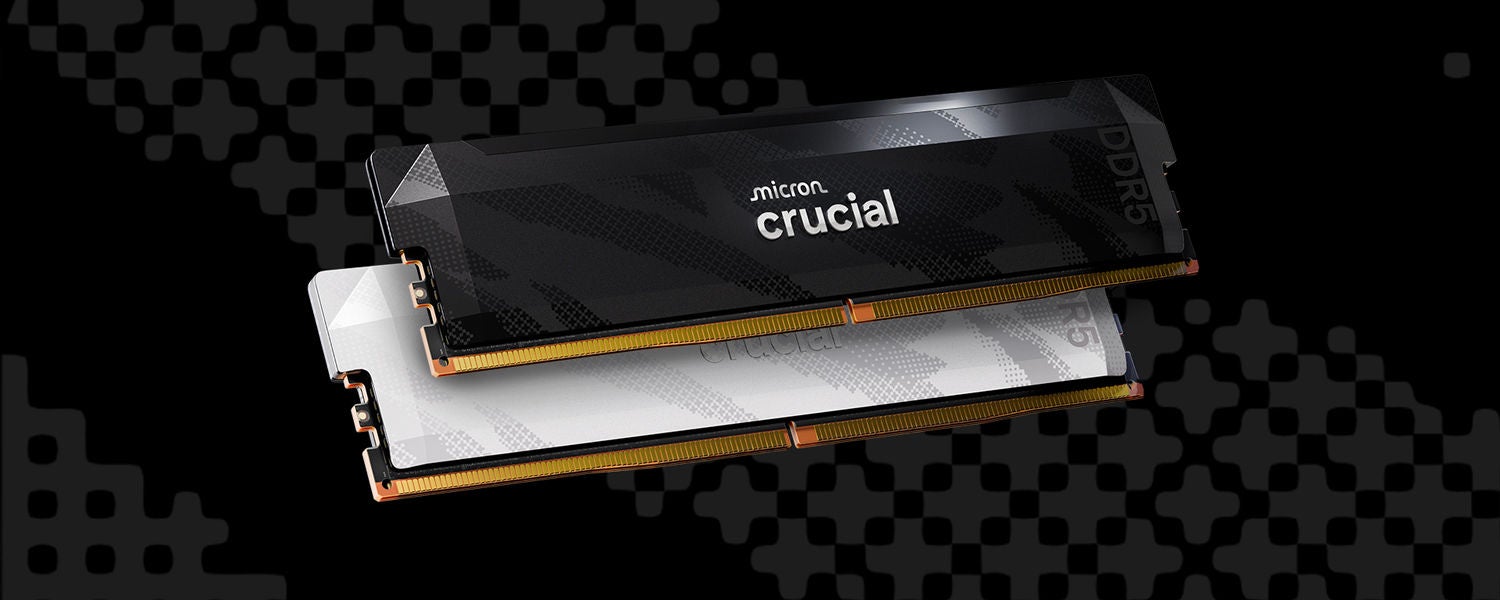
As a practical guide: 16GB is survivable for basic 1080p cuts with light effects, but 32GB is the realistic floor once you're editing 4K footage, applying color grading, or running multiple audio and video tracks at once. Memory manufacturers design their higher-capacity, higher-bandwidth kits — such as Crucial's DDR5 Pro series — specifically with these creator and gaming workloads in mind, since faster, higher-density modules reduce the stutter and cache-clearing pauses that show up when a project's working set outgrows available memory. For multicam 4K/8K timelines, heavy VFX, 3D rendering, or working with large RAW photo libraries in Photoshop or Lightroom at the same time, 64GB or more removes most memory-related slowdowns. Exact needs vary by software and project, so it's worth checking your specific editor's own system requirements page before buying — Premiere Pro, DaVinci Resolve, and Final Cut Pro all publish their own minimums, which tend to scale up for 4K and higher.
It is also worth separating system RAM from GPU video memory (VRAM) when you're shopping, since the two are easy to conflate but solve different problems. System RAM holds your project files, cached frames, browser tabs, and background apps; VRAM, which lives on the graphics card itself, holds the textures and buffers the GPU needs for real-time preview and GPU-accelerated effects. A content-creation PC generally needs generous amounts of both, but upgrading one does not substitute for a shortfall in the other.
How much RAM do you need for Windows 11 specifically?
Per Microsoft's official Windows 11 hardware requirements, the operating system needs at minimum: a 1GHz 64-bit processor with two or more cores, 4GB of RAM, 64GB of storage, DirectX 12-compatible graphics, UEFI with Secure Boot, and TPM 2.0. That 4GB figure is what determines whether the installer will let you proceed — it is not a figure Microsoft presents as sufficient for comfortable daily use.
In practice, Windows 11 feels noticeably better with 8GB as a working minimum and 16GB as a comfortable target, particularly because background telemetry, search indexing, security scanning, and periodic cumulative updates all compete for memory even when you're not actively multitasking. If you're keeping a Windows 11 PC updated and want to see what a recent cumulative update actually changes, our coverage of the Windows 11 KB5127648 update breaks down what shipped and which issues are still open.
DDR5 vs DDR4: does the RAM generation still matter?
It matters mainly for new builds, not necessarily for existing ones. JEDEC, the body that sets memory standards, finalized the DDR5 specification in July 2020 as the successor to DDR4, whose own final spec dates back to September 2012. The two standards are not interchangeable: DDR5 uses a different module design and will not fit in a DDR4 slot, or vice versa, so your motherboard and CPU platform decide which generation you're buying before capacity ever enters the conversation.
On paper, the gap is real. Standard DDR5 speeds run roughly 4,000–8,800 MT/s, against DDR4's 1,600–3,200 MT/s range, and DDR5 runs at a lower core voltage (1.1V versus DDR4's 1.2V) while splitting each module into two independent 32-bit subchannels for more efficient access. Micron, whose Crucial brand sells both generations, states that DDR5 delivers up to roughly double the memory bandwidth of DDR4 at an equivalent 3,200 MT/s, alongside the added efficiency from on-module power management.
For a new 2026 build, DDR5 is the sensible default — current Intel and AMD mainstream platforms are built around it, and prices have settled enough that there's little reason to seek out a new DDR4 board on purpose. If you already own a DDR4 system, there's no need to panic-upgrade the platform: adding or upgrading DDR4 capacity on a system you're otherwise happy with is still a perfectly valid way to get more RAM without replacing the motherboard and CPU.
Single stick or dual-channel kit?
Whenever possible, buy memory as a matched dual-channel kit — two modules of the same capacity and speed, such as 2x16GB rather than a single 32GB stick — and install them in the matching slot pairs your motherboard manual specifies. Running two modules in dual-channel mode lets the memory controller address both at once, roughly doubling the usable memory bandwidth compared with a single module of the same total capacity, which matters for gaming frame times, integrated-graphics performance, and any workload that's bandwidth-sensitive rather than purely capacity-sensitive.
This is distinct from the internal subchannel architecture DDR5 introduces: each DDR5 module already splits into two 32-bit subchannels internally, but that's a per-module efficiency feature, not a substitute for actually populating two channels with two sticks. A single stick of DDR5 still only gives you single-channel bandwidth at the system level. If your motherboard has four slots, filling two matched slots (check the manual for which pair enables dual-channel) is almost always better than relying on one large single module, even at equal total capacity.
| RAM | Best for | Recommendation |
|---|---|---|
| 8GB | Basic browsing, email, light office work | Workable minimum only; expect slowdowns with multitasking or many browser tabs |
| 16GB | General use, most gaming, everyday multitasking | The 2026 sweet spot for most buyers and the recommended tier for current games like Minecraft Java Edition |
| 32GB | Content creation, streaming while gaming, heavy multitasking | Realistic floor for 4K video editing and running several demanding apps at once |
| 64GB+ | Multicam/8K editing, 3D rendering, large creative files, workstation use | For professional creative and technical workloads where memory is a known bottleneck |
How to check how much RAM you have — and whether you can add more
On Windows 11, open Task Manager (Ctrl+Shift+Esc), go to the Performance tab, and select Memory to see installed capacity, speed, and how many of your slots are in use. On a Mac, click the Apple menu and choose About This Mac to see installed memory. Before buying more, check two things: how many memory slots are free (desktop towers usually have two to four; many modern laptops have none, since RAM is increasingly soldered directly to the motherboard), and your system's maximum supported capacity, which your PC or motherboard manufacturer's support page will list. If you're on a laptop with soldered memory, the configuration you buy is the configuration you're stuck with for the life of the machine, so it's worth paying up front for more capacity than you think you need rather than assuming you can add it later.
Bottom line
If you're buying or building a PC in 2026, 16GB is the default that will satisfy most general use and gaming needs without overspending, 32GB is worth the extra cost if you create content or routinely run several demanding apps together, and 64GB-plus is a tool for a specific kind of professional workload rather than something most people need. Pair that capacity decision with the right generation for your platform — DDR5 for a new build, DDR4 if you're simply adding to an existing system — and buy it as a matched dual-channel kit rather than a single large module. Whatever tier you land on, check your specific games' and creative apps' own published system requirements before you buy, since official minimums are the most reliable moving target in this whole decision.
Frequently asked questions
How much RAM do I need for a gaming PC in 2026?
16GB is the sweet spot for most current games, matching the recommended spec Mojang now lists for Minecraft: Java Edition. 32GB helps mainly if you also stream, record, or heavily multitask while playing, rather than boosting frame rates on its own.
How much RAM do I need for a laptop?
The same tiers apply as desktops: 16GB for general use and gaming, 32GB for content creation. Laptops deserve extra caution because many now solder RAM to the motherboard, so buy the capacity you'll need long-term, since you may not be able to upgrade later.
How much RAM do I need for video editing?
32GB is a realistic floor for editing 4K footage with modern software. Multicam 4K/8K timelines, heavy color grading, or 3D rendering alongside editing push that to 64GB or more. Check your specific editor's own system requirements for exact figures.
How much RAM does Windows 11 need?
Microsoft's official minimum is 4GB, per its published Windows 11 hardware requirements, but that's only enough to install and run the OS at a bare-bones level. 8GB is a more realistic working minimum, and 16GB is comfortable for everyday multitasking.
How much RAM do I need for Minecraft?
As of Mojang's July 2026 update, Minecraft: Java Edition's official minimum is 8GB with a discrete GPU (12GB with integrated graphics), and the recommended spec is 16GB. It's the game's first requirements change in 17 years.
Is DDR5 worth it over DDR4 in 2026?
For a new build, yes: DDR5 offers roughly double the memory bandwidth of DDR4 at equivalent speeds, according to Micron, plus lower voltage. DDR5 and DDR4 modules are not interchangeable, so your motherboard and CPU platform determine which generation you can even buy.
Sources
- Microsoft Learn: Windows 11 requirementslearn.microsoft.com
- Minecraft.net: Minecraft Java Edition System Requirementsminecraft.net
- Micron: DDR5 DRAM specificationsmicron.com
- Wikipedia: DDR5 SDRAMen.wikipedia.org
- Wikipedia: DDR4 SDRAMen.wikipedia.org
- Crucial: DDR5 Desktop and Laptop Memorycrucial.com
Mara Lindqvist edits the hardware desk. She covers graphics cards, processors, memory and storage, the foundries and chip designers behind them, and what the numbers on a spec sheet mean for people choosing a PC. Specifications in her stories come from manufacturer spec pages and datasheets.