CPU Buying Guide 2026: How to Choose Between Intel and AMD
A 2026 framework for choosing a desktop CPU: Intel vs AMD, cores for gaming vs creation, integrated graphics vs a GPU, socket longevity, and budget tiers.
Pick your CPU by matching three things to how you actually use a PC: how many cores and threads your heaviest workload can use, whether integrated graphics can replace a discrete GPU for now, and how long you want your motherboard and socket to last before a full platform rebuild. For most gamers in late 2026 that means a six-to-eight-core chip with large cache (AMD's X3D line or Intel's Core Ultra K-series) paired with a discrete GPU; for creators and multitaskers it means prioritizing core and thread count over clock speed; and for everyone, it means deciding up front whether you're buying into AMD's AM5 socket or Intel's current LGA1851 platform, since that choice shapes your upgrade path for years.
Intel or AMD in late 2026: how to pick a side
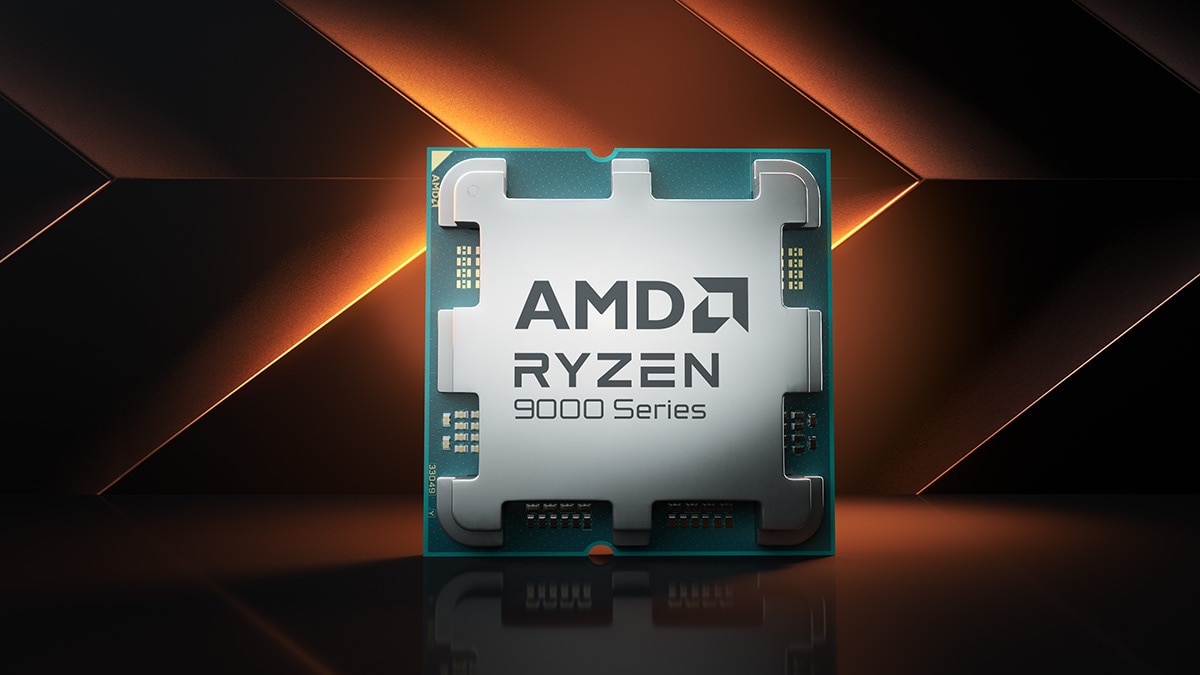
Both companies are shipping competitive, current-generation desktop silicon right now, so the old "just buy AMD" or "just buy Intel" advice doesn't hold up on its own. AMD's lineup is built around the Zen 5 architecture in the Ryzen 9000 series, which AMD's own materials describe as delivering roughly a 16% single-thread IPC uplift generation-over-generation, plus the Ryzen X3D family (9800X3D, 9850X3D, 9900X3D, 9950X3D, and the newer 9950X3D2 Dual Edition) that stacks up to 208MB of 3D V-Cache on top of the compute die for gaming-heavy workloads, according to AMD's product page.
Intel's current desktop line is the Core Ultra 200S series (codenamed Arrow Lake-S), topped by the Core Ultra 9 285K, with a March 2026 refresh — the Core Ultra 200S Plus family — adding the Core Ultra 7 270K Plus and Core Ultra 5 250K Plus with extra efficient cores and faster memory support, per Intel's own newsroom announcement. If you're trying to decide between the two flagships specifically, Pandromeda's deeper breakdown of the Core Ultra 9 285K against the Ryzen 9 9950X3D goes SKU-for-SKU; this guide is about the broader decision framework that gets you to a shortlist before you compare individual chips like that one.
As a rule of thumb: AMD's X3D chips currently lead on cache-sensitive gaming workloads, while Intel's Core Ultra 200S Plus refresh leans on added core count and higher memory bandwidth for multithreaded and creator tasks. Both companies publish their own comparative benchmarks (Intel vs. AMD and vice versa), so treat any single-vendor performance claim — including the ones in this guide — as a vendor claim until you've checked independent context, not as an independently verified result.
How many cores and threads do you actually need
Core and thread count only matters as much as your software can use it. Splitting by use case:
- Gaming only: Most current games still lean on a handful of fast cores plus cache, not raw core count. A 6-to-8-core chip with high boost clocks or large cache — AMD's Ryzen 5 9600X (6C/12T) up through the Ryzen 7 9800X3D (8C/16T), or Intel's Core Ultra 5 250K Plus (18 cores total, 6P+12E) — covers the overwhelming majority of current titles.
- General use and light multitasking: A mid-range 6-to-8-core part is still the sweet spot. You won't notice a difference versus a flagship for browsing, office work, and streaming video.
- Productivity and content creation: Video editing, 3D rendering, and code compilation scale much better with core count. This is where AMD's 12- and 16-core parts (Ryzen 9 9900X/9900X3D, 9950X/9950X3D) and Intel's 24-core Core Ultra 9 285K and Core Ultra 7 270K Plus earn their price premium — both from Intel's own ARK specification page and AMD's product specifications.
- Heavy, sustained multithreaded work (3D renders, large codebases, batch encoding): Go as high in core count as your budget allows and make sure your motherboard and cooling can sustain it — Intel lists the 285K's maximum turbo power at 250W, and AMD's 16-core X3D parts are rated at 170W TDP, both meaningfully higher than their 6- and 8-core siblings.
One Arrow Lake-specific detail worth knowing: Intel's Core Ultra 200S desktop chips do not use hyperthreading, so the Core Ultra 9 285K's 24 cores map to 24 threads, not 48. AMD's Ryzen chips still use simultaneous multithreading (SMT), so a 16-core Ryzen 9 9950X3D reports 32 threads. Neither approach is inherently better — it just means you shouldn't compare "threads" across brands as if they measure the same thing.
- Know your primary use case (gaming, productivity, or mixed) before comparing clock speeds.
- Match core/thread count to software that can actually use it — more cores doesn't help most games.
- Decide if integrated graphics can hold you over, or budget for a discrete GPU from day one.
- Check your socket's stated support window (AM5 vs. Intel's current platform) against how long you plan to keep the motherboard.
- Confirm motherboard chipset and BIOS support the exact SKU you're buying before ordering.
- Treat any single-vendor benchmark claim, including Intel's or AMD's own, as a vendor claim until you've seen independent context.
Gaming builds: why cache beats core count
If gaming is the priority, the component that moves the needle most isn't core count — it's cache sitting close to the cores. AMD's 3D V-Cache technology, available across the Ryzen X3D series, adds a stacked die of extra L3 cache that keeps more of a game's working data close to the CPU, and AMD's own site positions these chips as its gaming flagships specifically because of that. Intel's answer on the gaming side is the Core Ultra 200S Plus refresh, which Intel says raised die-to-die interconnect frequency versus the outgoing 265K and 245K specifically to cut latency for gaming and threaded workloads.
If you're shopping in the upper-mid-range gaming bracket, Pandromeda has already compared the Core Ultra 7 270K Plus against the Ryzen 7 9800X3D and 9850X3D on specs and price, which is a good next stop once you've decided gaming is your main workload.
Productivity and content creation: when more cores win
Video export, 3D rendering, CAD, and compiling large codebases scale with core and thread count in a way gaming mostly doesn't. This is the segment where Intel's 24-core Core Ultra 9 285K and Core Ultra 7 270K Plus, and AMD's 16-core Ryzen 9 9950X/9950X3D, are built to compete. Both companies publish their own creator-focused comparisons against each other — treat the specific percentage gains either company advertises as a vendor claim rather than an independently confirmed number, but the directional point holds: if your software can actually spread work across many cores, paying for more of them is the correct lever to pull, more so than chasing the last few hundred megahertz of boost clock.
If you're not sure which workload category you fall into, a rough test is honest self-assessment: if you can name the specific application (Premiere Pro, DaVinci Resolve, Blender, a compiler) and it's core-hungry, buy more cores. If you mostly open one creative app occasionally alongside browser tabs and games, a mid-range 8-core chip is enough, and you're better off spending the difference on a faster GPU or more memory.
Integrated graphics vs. a discrete GPU: do you need a graphics card
Both Intel and AMD build integrated graphics into most current desktop CPUs, but the two companies take different approaches, and neither is meant to replace a mid-range discrete GPU for serious gaming:
- Intel's Core Ultra 200S desktop chips include Intel Graphics with 4 Xe-cores on most K-series SKUs (per Intel's own ARK specification page for the 285K) — enough for a desktop, video playback, light creative work, and undemanding or older games, but not a substitute for a discrete GPU in current titles at anything beyond low settings. Intel also sells KF-suffixed and 250KF Plus SKUs with no integrated graphics at all, which are typically cheaper and assume you already have a discrete GPU.
- AMD's Ryzen 8000G series (Ryzen 7 8700G, Ryzen 5 8600G, Ryzen 5 8500G) is built specifically to be more capable without a discrete GPU. AMD's own site shows these chips' integrated Radeon graphics running comfortably ahead of Intel's prior-generation Core i7-14700K integrated graphics across several games, in AMD's own published comparisons.
In practice: if you're building a budget or compact everyday PC, or a home-theater/light-gaming box, a Ryzen G-series APU (or any current Ryzen/Core Ultra chip run on integrated graphics temporarily) can get you running without a GPU purchase at all. If you're gaming at 1080p or higher on recent titles, or doing any GPU-accelerated creative work, you'll want a discrete card. Pandromeda's separate guide on whether to buy a graphics card now or wait goes deeper into GPU-specific timing and pricing if that's the fork in your decision.
Platform and socket longevity: AM5 vs. Intel's current socket
This is the part of a CPU purchase that's easy to ignore and expensive to get wrong, because the socket you buy into determines whether your next CPU upgrade is a drop-in swap or a full motherboard-and-RAM replacement.
AMD's AM5 socket launched in September 2022 and AMD has repeatedly extended its committed support window — first through 2025, then through 2027 at Computex 2024, and most recently through 2029 as of AMD's Computex 2026 update, according to Wikipedia's sourced summary of AMD's announcements. AM5 has already carried Ryzen 7000, 8000, and 9000-series chips, which is the kind of multi-generation runway AMD explicitly markets AM5 on, calling it a platform "built to evolve" on its own product page.
Intel's current desktop socket, LGA1851, launched in October 2024 for the Core Ultra 200S (Arrow Lake-S) generation and is used by the whole 800-series chipset family (Z890, B860, H810, and related boards), carrying both the original Core Ultra 200S chips and the newer 200S Plus refresh. Intel has historically rotated desktop sockets more frequently than AMD in recent generations, and Wikipedia's entry on the socket already lists a successor socket design, though which future Intel desktop generation adopts it hasn't been confirmed in Intel's own materials as of this writing. If platform longevity matters to your budget, Pandromeda's roundup of early Nova Lake and Zen 6 specs and price leaks (rumored and leaked information, not confirmed by either company) is worth a read before you commit to either current platform.
The practical takeaway: if you expect to upgrade just the CPU in two or three years without replacing the motherboard, AM5's track record gives you more confidence in that plan today. If you're buying a single CPU you intend to use for its full lifespan without a later swap, socket longevity matters less and you should just buy on specs, price, and use case.
| Platform | Socket | Launched | Chipset family | Stated support window |
|---|---|---|---|---|
| AMD AM5 | LGA 1718 | September 2022 | X870E/X870/B850/B840, etc. | Through at least 2029 (per AMD's Computex 2026 update) |
| Intel LGA1851 | FCLGA1851 | October 2024 | 800-series (Z890, B860, H810) | Not stated by Intel beyond current 800-series boards; a successor socket is already documented |
Budget tiers: entry, mid-range, and high-end picks
Exact street pricing moves constantly, so use this as a positioning guide rather than a price list — check Intel's and AMD's own current listings for today's number before buying.
| Tier | Best for | Intel option | AMD option |
|---|---|---|---|
| Entry | General use, light gaming, budget builds | Core Ultra 5 250K Plus (18 cores: 6P+12E) — Intel-suggested starting price $199 | Ryzen 5 9600X (6C/12T, 65W) or a Ryzen 8000G APU if you want integrated graphics |
| Mid-range | Mainstream gaming, everyday productivity | Core Ultra 7 270K Plus (24 cores: 8P+16E) — Intel-suggested starting price $299 | Ryzen 7 9700X (8C/16T, 65W) or Ryzen 7 9800X3D (8C/16T) for cache-heavy gaming |
| High-end | Heavy multitasking, creators, enthusiast gaming | Core Ultra 9 285K (24 cores: 8P+16E, 24 threads) — Intel recommended price $589–$599 | Ryzen 9 9950X3D (16C/32T, 170W) or Ryzen 9 9950X3D2 Dual Edition for maximum creator + gaming performance |
A simple decision framework
If you only take one thing from this guide, use this order of questions:
- What's the primary job? Gaming-first buyers should weight cache (X3D chips, or Intel's latency-focused 200S Plus refresh) over raw core count. Creator- or productivity-first buyers should weight core and thread count over clock speed.
- Do you already own, or definitely plan to buy, a discrete GPU? If not, and your budget is tight, an integrated-graphics-capable chip (especially an AMD Ryzen 8000G APU) can get a PC running today without a GPU line item.
- How long do you want this motherboard to last? If you want a multi-generation upgrade path without replacing the board, AM5's longer, publicly extended support window is the safer platform bet right now; if you're buying one chip for its full service life, this question matters less.
- What's your actual budget tier? Use the entry/mid-range/high-end table above as a starting shortlist, then compare the two or three specific SKUs it points you to in detail before buying.
None of this requires picking a "team" permanently. Plenty of builders buy Intel one generation and AMD the next, because the better value shifts generation to generation and the two companies trade the performance lead regularly. What matters more than brand loyalty is buying the core count, cache, and graphics capability your actual workload needs, on a socket you're comfortable committing to for however long you plan to keep the board.
What's next: narrowing from this guide to a specific chip
Once you've worked through the framework above, the next step is comparing two or three specific SKUs directly rather than whole product families — this guide's flagship and upper-mid-range comparisons linked earlier are good starting points. And if the CPU decision is really a GPU decision in disguise — because you're trying to figure out whether to spend this year's budget on a graphics card at all — Pandromeda's separate graphics card buying guide (linked above) is the better next read. Whichever direction you go, re-check current pricing directly on intel.com/ark.intel.com and amd.com before you order, since both companies adjust suggested pricing through the year.
Frequently asked questions
Should I buy Intel or AMD for a new desktop PC in 2026?
Neither brand is a universal winner right now. AMD's Ryzen X3D chips, per AMD's own product page, lead on cache-heavy gaming workloads, while Intel's Core Ultra 200S Plus refresh adds cores and memory bandwidth aimed at multithreaded and creator work, according to Intel's newsroom announcement. Match the chip to your workload rather than picking a brand by default.
How many CPU cores do I actually need for gaming?
For most current games, a 6-to-8-core chip with strong single-core performance or large cache — like AMD's Ryzen 5 9600X up through the Ryzen 7 9800X3D, or Intel's Core Ultra 5 250K Plus — covers the large majority of titles. Going beyond 8 cores mainly helps productivity and content-creation workloads, not gaming.
Can I skip a graphics card and use integrated graphics?
It depends on the chip and the workload. AMD's Ryzen 8000G APU series (8700G/8600G/8500G) is built specifically for stronger integrated graphics and, per AMD's own comparisons, outperforms Intel's prior-generation integrated graphics in several games. Intel's Core Ultra 200S integrated graphics (4 Xe-cores on most K-series SKUs) is capable for desktop use and light gaming but isn't meant to replace a discrete GPU for demanding titles.
Does the CPU socket matter if I just want to buy one chip?
Less than if you plan to upgrade later. AMD has repeatedly extended AM5's support window, most recently through 2029 as of its Computex 2026 update, while Intel's current LGA1851 socket launched in October 2024 and Intel hasn't stated how long the 800-series chipset platform will remain current. If you expect to swap just the CPU in a couple of years, AM5's longer runway is the safer bet.
What's the difference between Intel's K and KF chips, and AMD's X3D and non-X3D chips?
Intel's "K" suffix means an unlocked, overclockable chip with integrated graphics; "KF" drops the integrated graphics for a lower price, assuming you already have a discrete GPU. AMD's "X3D" suffix marks a chip with extra 3D V-Cache stacked on for gaming performance, while non-X3D chips in the same family (like the Ryzen 9 9950X vs. 9950X3D) trade some gaming-cache advantage for a different clock and power balance at a lower price.
Is it worth waiting for the next generation instead of buying now?
That depends on your timeline. What's publicly known about both companies' upcoming Nova Lake and Zen 6 platforms is still partial and partly leak-based, not officially confirmed. If you need a PC now, buy for your current workload and budget tier rather than waiting indefinitely.
Sources
- Intel Newsroom: Intel Announces New Intel Core Ultra 200S Plus Series Desktop Processorsintel.com
- Intel ARK: Core Ultra 9 Processor 285K Specificationsintel.com
- AMD: Ryzen Processors for Desktopsamd.com
- Wikipedia: Socket AM5en.wikipedia.org
- Wikipedia: LGA 1851en.wikipedia.org
Mara Lindqvist edits the hardware desk. She covers graphics cards, processors, memory and storage, the foundries and chip designers behind them, and what the numbers on a spec sheet mean for people choosing a PC. Specifications in her stories come from manufacturer spec pages and datasheets.