What Is a Vector Database? How It Powers AI and RAG
Vector databases store embeddings and run similarity search instead of exact lookups, making them the backbone of RAG, AI agents, and semantic search.
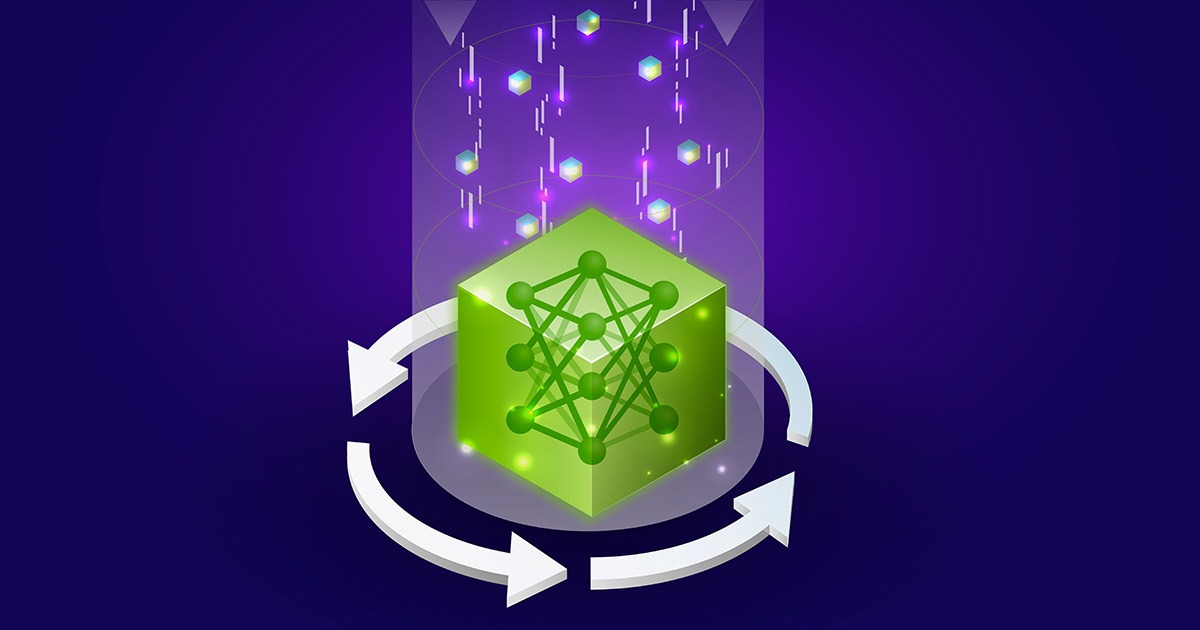
A vector database is a database built to store, index, and search embeddings — long lists of numbers that represent the meaning of a piece of text, an image, audio, or any other unstructured data — so that an application can find items that are similar in meaning to a query rather than items that merely match the same keywords. That one capability, called similarity search, is why vector databases have become core infrastructure for retrieval-augmented generation (RAG), AI chatbots, recommendation engines, and the growing wave of autonomous AI agents that need to pull relevant knowledge into a prompt on the fly.
Traditional databases are built to answer questions like “which rows have this exact customer ID?” Vector databases are built to answer a very different question: “which of these millions of items is closest in meaning to this one?” That shift — from exact matching to nearest-neighbor search over high-dimensional vectors — is what makes them the backbone of modern generative-AI applications.
- What it stores: vector embeddings — numerical representations of text, images, audio, or other data — usually alongside metadata.
- Core operation: nearest-neighbor similarity search, not exact-match lookup.
- Common distance metrics: cosine similarity, dot product, Euclidean (L2) distance.
- Common indexing method: HNSW (Hierarchical Navigable Small World graphs), plus IVF and quantization-based indexes.
- Biggest current use case: Retrieval-Augmented Generation (RAG) and long-term memory for AI agents and chatbots.
- Shipping products: Pinecone, pgvector (PostgreSQL), Chroma, Weaviate, Qdrant, Cloudflare Vectorize, Amazon OpenSearch Service, Google Cloud’s AlloyDB/Spanner/BigQuery.
Why vector databases exist
Large language models and other modern AI systems don’t understand raw text, images, or audio directly. They work with embeddings: arrays of floating-point numbers produced by a machine learning model that map a piece of content into a multi-dimensional “vector space.” As Google Cloud’s own explainer puts it, embeddings “translate complex, unstructured data—like text, images, or audio—into a format that machine learning models can process,” and by mapping that data into a shared space, “similar items are positioned closer together, while dissimilar items are farther apart.” NVIDIA’s developer glossary describes an embedding model the same way: it transforms diverse data into numerical vectors “in a way that captures their meaning and nuance in a multidimensional vector space.”
Once you have embeddings, you need somewhere to store millions or billions of them and search through that space quickly. A spreadsheet or a plain key-value store can hold the numbers, but it has no efficient way to answer “which of these vectors are closest to my query vector?” at scale. That's the specific job a vector database is engineered for: it combines storage, indexing structures built for high-dimensional data, and a query engine that returns the nearest matches in milliseconds, typically alongside the usual database conveniences — access control, metadata filtering, fault tolerance, and horizontal scaling.
How similarity search actually works
Instead of asking “does this row equal X,” a vector database asks “which vectors are nearest to this one?” — a problem known as nearest-neighbor search. According to NVIDIA’s glossary, similarity search (also called vector search or semantic search) retrieves vectors that are semantically similar to a query based on a distance metric, and the most common ones are:
- Cosine similarity — measures the angle between two vectors rather than their magnitude. NVIDIA notes it is “ideal for text processing and information retrieval, capturing semantic similarities based on orientation rather than traditional distance.”
- Euclidean (L2) distance — the straight-line distance between two points, useful for clustering and classification tasks.
- Dot product / inner product — often used when vectors are already normalized, and common in search engines tuned for ranking relevance.
A plain-English way to picture it: imagine every sentence, product description, or support ticket as a point floating in space, positioned by what it means. A customer question about “my package never arrived” lands near other vectors about shipping delays and lost orders, even if none of those documents share a single exact word with the query. The database’s job is to find the handful of nearest points to wherever the query vector lands.
ANN indexing: why HNSW and friends matter
Comparing a query vector against every single stored vector — an exact, brute-force nearest-neighbor search — gets prohibitively slow once a collection reaches millions of items. Google Cloud’s documentation explains that vector databases instead lean on Approximate Nearest Neighbor (ANN) algorithms, which “can significantly improve search speed by trading off a small amount of accuracy (recall)” — a compromise that’s acceptable for most semantic search applications. To make ANN search fast, vector databases build specialized indexes that organize vectors so that nearby ones are grouped together, using structures such as lists (vector clusters), graphs (vectors connected to their neighbors), or trees.
The most widely used graph-based index is HNSW (Hierarchical Navigable Small World). The open-source Postgres extension pgvector describes HNSW on its GitHub page as having “better query performance than IVFFlat (in terms of speed-recall tradeoff),” though it takes longer to build and uses more memory. Qdrant’s own documentation similarly explains that its HNSW index “enables fast similarity search by building a graph structure,” and extends that graph so metadata filters can be applied in the same pass as the vector search rather than as a separate filtering step. The alternative, IVF (Inverted File Index, sometimes called IVFFlat), divides the vector space into clusters and only searches the clusters nearest the query — it builds faster and uses less memory, at some cost to search quality. Vector databases often add a third layer, metadata filtering, so a query can combine “similar to this” with ordinary conditions like “price under $20” or “published after 2025” in a single hybrid query.
Vector database vs. relational database
A relational database like PostgreSQL or MySQL is optimized around exact values, predictable schemas, and operations like joins across normalized tables, using indexes such as B-trees and hashes. A vector database is optimized around proximity in a high-dimensional space, where there’s no single natural ordering to index with a B-tree. Google Cloud’s explainer frames it directly: “Efficiently querying a large set of vectors requires specialized indexing and search strategies that differ from traditional text or numeric fields. Because vectors don’t have a single logical ordering,” databases need ANN-style indexes instead.
| Aspect | Relational database | Vector database |
|---|---|---|
| Primary query | Exact match, ranges, joins (SQL) | Nearest-neighbor similarity search |
| Typical indexes | B-tree, hash | HNSW, IVF, quantization-based |
| What's stored | Structured rows and columns | High-dimensional embeddings, usually plus metadata |
| Core question answered | “Which rows match these conditions?” | “What is most similar to this?” |
| Common AI role | System of record, transactional data | Semantic retrieval for RAG and agent memory |
The line between the two is blurring. PostgreSQL itself can do vector search through the pgvector extension, and Google Cloud says plainly that “as the benefits of semantic query using vector embeddings becomes clear, most databases will add vector support” — which is exactly what's happened with AlloyDB, Spanner, and BigQuery all adding native vector search rather than requiring a separate specialized system. The practical distinction today is less about which product you use and more about which index and query pattern a given workload needs.
Vector databases and Retrieval-Augmented Generation (RAG)
Large language models only know what was in their training data, and they can confidently state things that aren’t true — a failure mode generally called hallucination. Retrieval-Augmented Generation addresses that by retrieving relevant, current, or proprietary information at query time and inserting it into the model’s prompt before it answers. Google Cloud’s vector database guide describes exactly this pattern: “Developers can use vector databases as an external knowledge base for large language models (LLMs). By retrieving relevant, proprietary context before sending a prompt to the model, applications can reduce hallucinations.”
NVIDIA’s glossary lays out the mechanics step by step: enterprise data is first “chunked,” a vector is created to represent each chunk, and the chunks are stored in a vector database along with optional metadata. When a user sends a prompt, the same embedding model converts it into a vector, the vector database runs a semantic search for “the top-K most similar vectors along with their corresponding data chunks,” and those chunks are placed into the prompt's context before it reaches the LLM. That retrieval step is what lets a chatbot answer questions about a company’s private documentation, a product catalog, or yesterday’s news — content the underlying model was never trained on.
Vector databases and AI agents
RAG is only the most visible use case. Vector databases have also become the default way to give AI agents and chatbots something resembling long-term memory. Pinecone describes its own product, in its own documentation, as “a search engine for AI agents and applications,” built for semantic search, knowledge retrieval, and long-term memory. Rather than re-explaining context in every message, an agent can embed and store past interactions, tool outputs, or reference documents, then pull the most relevant ones back out when deciding what to do next.
This matters increasingly for multi-step, tool-using agents — the kind of system described in Pandromeda's own explainer on AI agents. A coding agent like the one covered in our look at Claude Code benefits from the same underlying idea when it needs to search a large codebase by meaning rather than exact string matches. And as agents increasingly connect to external tools and data sources through standards like the Model Context Protocol (MCP), a vector database is frequently one of the data sources sitting behind that connection, supplying the semantic search results an agent retrieves mid-task.
Popular vector database options, honestly described
There is no single “best” vector database — the right choice depends on whether you already run Postgres, whether you want a fully managed service, and how much control you need over indexing. Here’s what a few currently shipping options actually are, per their own documentation:
| Product | What it is | Open source? | Index / search notes |
|---|---|---|---|
| Pinecone | Fully managed cloud vector database, described by Pinecone as “a search engine for AI agents and applications” | No — proprietary managed service | Indexes support dense and sparse vectors, metadata filtering, and reranking |
| pgvector | An extension that adds vector similarity search directly to PostgreSQL | Yes (open-source GitHub project) | Supports HNSW and IVFFlat indexes; distance metrics include cosine, L2, inner product, L1, Hamming, and Jaccard |
| Chroma | Open-source “data infrastructure for AI” that stores embeddings with metadata | Yes (Apache 2.0) | Supports dense, sparse, and hybrid search |
| Weaviate | Open-source vector database that stores data objects alongside their vector embeddings | Yes | Supports semantic and hybrid search |
| Qdrant | Vector search engine that stores vectors and metadata as “points” in collections | Yes, with Managed, Hybrid, and Private Cloud options on top | HNSW index with filtering built into the graph traversal, plus sparse-vector support for hybrid retrieval |
| Cloudflare Vectorize | Cloudflare's own “globally distributed vector database” for apps built on Workers | No — Cloudflare platform service | Pairs with Workers AI embeddings; results can reference objects stored in R2, KV, or D1 |
| AWS options | Amazon OpenSearch Service (AWS's recommended vector store for Bedrock), plus pgvector support inside Amazon Aurora PostgreSQL and Amazon RDS for PostgreSQL | Mixed (managed services; pgvector itself is open source) | Varies by service; see AWS's own vector database guide |
| Google Cloud options | AlloyDB for PostgreSQL (pgvector plus Google's own ScaNN index), Spanner, and BigQuery all now support vector search natively | Mixed (managed services; pgvector itself is open source) | AlloyDB adds “inline filtering” so vector similarity and SQL metadata filters run in a single pass |
A few honest caveats worth keeping in mind: none of these products is a drop-in replacement for the others, benchmark claims vary a lot by hardware and dataset and should always be checked against the vendor's current documentation, and “open source” doesn't always mean every deployment option is free — several of the projects above also sell managed hosting on top of their open-source core.
How to think about choosing one
A few practical questions tend to narrow the field quickly:
- Do you already run PostgreSQL? If so, pgvector lets you add vector search without introducing a new system, inheriting Postgres features like ACID compliance and joins, per the project's own GitHub documentation.
- Do you want to manage infrastructure yourself, or not at all? Fully managed options like Pinecone or Cloudflare Vectorize remove operational overhead; self-hosted open-source options like Weaviate, Qdrant, or Chroma give you more control over cost and deployment.
- How much filtering do you need alongside similarity search? Hybrid search — combining vector similarity with keyword or metadata filters in one query — is supported to varying degrees across these products, so check the specifics for your workload.
- What scale are you planning for? Index choice (HNSW versus IVF, for example) trades off build time, memory use, and recall differently depending on collection size.
What's next: the bottom line
Vector databases didn't appear out of nowhere — they're a direct response to a very specific problem: once AI systems represent meaning as high-dimensional vectors, you need infrastructure purpose-built to search that space quickly and at scale. That need has only grown as RAG pipelines, AI agents, and semantic search features have moved from research demos into production systems. Expect the trend Google Cloud itself points to — more general-purpose databases absorbing native vector search rather than requiring a separate specialized system — to continue, even as dedicated vector databases keep competing on performance, filtering, and developer experience for workloads that need it most.
Frequently asked questions
What is a vector database in simple terms?
It's a database designed to store numerical representations of data called embeddings and quickly find the ones most similar to a given query, rather than matching exact values the way a traditional database does.
How is a vector database different from a relational database?
A relational database like PostgreSQL or MySQL is optimized for exact matches, ranges, and joins using B-tree or hash indexes. A vector database is optimized for nearest-neighbor similarity search over high-dimensional embeddings, using indexes like HNSW or IVF, since vectors don't have a single logical ordering a B-tree can use.
Why do vector databases matter for RAG?
Retrieval-Augmented Generation retrieves relevant, current, or private information before sending a prompt to a language model, which helps reduce hallucinations. A vector database is what stores the embedded knowledge base and runs the similarity search that finds the most relevant chunks to retrieve.
What is cosine similarity?
It's a distance metric that measures the angle between two vectors rather than their size, making it well suited to text search because it captures semantic similarity based on direction rather than magnitude.
Is pgvector a full vector database on its own?
pgvector is an open-source extension that adds vector storage, indexing (including HNSW and IVFFlat), and similarity search directly to PostgreSQL, so you get vector search alongside your existing relational data rather than needing a separate standalone system.
Which vector database should I use?
It depends on your needs: pgvector suits teams already running PostgreSQL, fully managed services like Pinecone or Cloudflare Vectorize reduce operational work, and open-source options like Weaviate, Qdrant, or Chroma offer more control if you're willing to self-host.
Sources
- AWS: What is a Vector Database?aws.amazon.com
- Google Cloud: What is a vector database & how does it work?cloud.google.com
- NVIDIA Glossary: What is a Vector Database and How Does it Work?nvidia.com
- Pinecone Docs: Get Started Overviewdocs.pinecone.io
- pgvector (GitHub)github.com
- Cloudflare Developers: Vectorizedevelopers.cloudflare.com
Felix Moreau writes Pandromeda's software coverage and how-to guides. He covers Windows, macOS and Linux updates, the apps people rely on, emulators and developer tools, and turns official documentation into clear, numbered steps that work on the current version.