What Is Visual Voicemail? Why It's Not Working and How to Fix It
What visual voicemail is, how it differs from dial-in voicemail, and the fixes Apple, Google, Verizon, AT&T, and T-Mobile publish when it stops working.
Visual voicemail is the feature that turns your phone's voicemail inbox into a list you can scroll, tap, and play in any order, instead of dialing in and listening to messages one by one. It is built into the iPhone's Phone app and available through Google's Phone app or a carrier-branded app on Android, but it only works because your phone, your carrier, and (on Android) an app all have to stay in sync — which is exactly why it breaks. Below is what visual voicemail actually is, why it fails on iPhone, Android, and Samsung Galaxy phones, and the specific fixes Apple, Google, Verizon, AT&T, and T-Mobile publish for it.
- Visual voicemail needs a working data connection (cellular or Wi-Fi, depending on carrier) to download messages — it is not the same system as dial-in voicemail.
- On iPhone, visual voicemail is a Phone app feature tied to your carrier; Apple's iPhone User Guide describes setting a password and greeting the first time you open Voicemail.
- On Android, including Samsung Galaxy phones, visual voicemail is delivered either by Google's Phone app (on carriers it lists, such as AT&T and T-Mobile) or by a separate carrier app that cannot be uninstalled.
- Verizon's official fix for "Visual Voicemail has encountered an error" or "not working at the moment" starts with turning off any VPN.
- Every major carrier's fallback is the same: dial in to audio voicemail directly (Verizon *86, T-Mobile 1-805-637-7243, or AT&T's dial-and-hold-1 shortcut) while you fix the app.
What Is Visual Voicemail, Exactly?
Visual voicemail (often abbreviated VVM) presents your voice messages as a list on screen — who called, when, and how long the message runs — so you can play, skip, delete, or save any message without listening to the ones before it. Apple's iPhone User Guide describes it as a way to see a list of messages and choose which ones to play or delete, with a badge on the Voicemail icon showing how many are unheard. Verizon's own description is similar: visual voicemail lets you view, play, and manage voice messages as a list, rather than calling into your mailbox and working through prompts.
That is the key difference from traditional dial-in voicemail. Classic voicemail is a phone call: you dial a number (or press and hold 1), enter a PIN, and listen to messages in the order the system gives them to you, usually oldest or newest first, with no way to jump around without stepping through a voice menu. Visual voicemail replaces that phone call with a downloaded, browsable inbox. Verizon's FAQ page notes that basic audio voicemail by dialing *86 remains available on every Verizon phone as a fallback, which is a useful reminder that visual voicemail is a convenience layer on top of a system that still exists underneath.
How Visual Voicemail Actually Works
According to the background compiled on Wikipedia's Visual voicemail entry, the phone first registers with the carrier's visual voicemail service, typically using SMS, which also checks mailbox status and delivers new-message notifications. To actually play a message, the phone downloads the audio over IMAP and plays it locally on the device. That is why a visual voicemail app can show you a new message exists (from the SMS notification) but fail to let you play it (if the IMAP download over data fails) — those are two different connections that can break independently.
The industry standardized this years ago: in April 2009, the OMTP (Open Mobile Terminal Platform) group published a technical recommendation for an open VVM interface protocol between phones and voicemail servers, covering message retrieval, greeting management, and provisioning, while still letting carriers and phone makers differentiate their own apps. Google's Phone app and the carrier-branded Android apps from Verizon, AT&T, and T-Mobile are all separate implementations of roughly this same idea, which is part of why the troubleshooting steps differ by carrier even though the underlying concept is identical.
Visual Voicemail on iPhone: Setup and Fixes
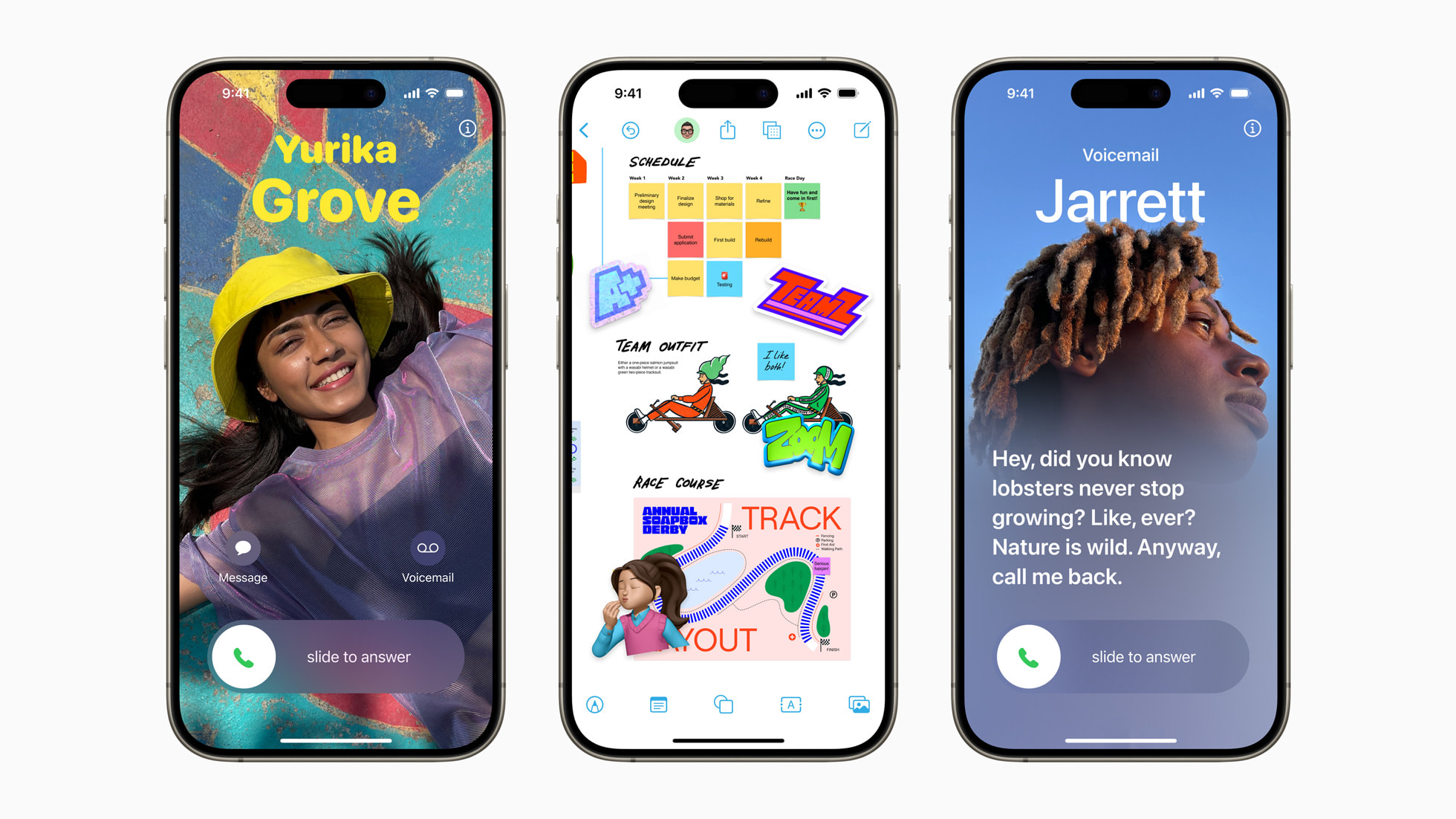
On iPhone, visual voicemail lives inside the built-in Phone app's Voicemail tab — there is no separate app to install. Apple's iPhone User Guide says the first time you tap Voicemail, you are asked to create a voicemail password and record a greeting (default or custom). Apple is explicit that Voicemail, Visual Voicemail, and voicemail transcription are only available from select carriers in select countries and regions, meaning the feature is provisioned by your carrier, not by Apple itself. Apple's guide also notes that voicemail transcription works only for English-language messages and is limited to iOS 10 and later.
When visual voicemail is not working on iPhone, T-Mobile's own troubleshooting documentation (which applies to any carrier's visual voicemail delivered through Apple's Phone app) lays out a short checklist: restart the phone, call your own voicemail inbox and leave yourself a test message to confirm whether new messages appear at all, turn off Wi-Fi so the phone has to use cellular data, uninstall any downloaded battery-saver apps (these can quietly block background data Visual Voicemail needs), and update iOS to the latest version. If the Voicemail tab shows no setup option at all, that typically means your carrier has not provisioned visual voicemail for your line or device, and Apple's guide points you to contacting the carrier directly rather than troubleshooting on the device.
One related iPhone feature worth knowing about: starting in iOS 17, Live Voicemail shows a real-time transcript as someone is leaving a message, letting you decide whether to pick up. T-Mobile's documentation flags that some of its Voicemail-to-Text features may not be fully compatible with Live Voicemail, and that Live Voicemail is on by default in iOS 17 and later (Settings > Phone > Live Voicemail). If your transcripts look wrong or duplicated, checking whether both features are fighting each other is a reasonable first step.
Why Visual Voicemail Fails on Android and Samsung Galaxy Phones
Android handles visual voicemail differently from iPhone, and that difference is the root of most "visual voicemail not working on Android" complaints. Google's support documentation for the Phone app explains that visual voicemail is a toggle inside the app itself (More options > Settings > Voicemail > Visual voicemail) and is only available on carriers Google lists by name — including AT&T, Google Fi, O2, Orange, and T-Mobile — with support varying by carrier and country. Critically, Google's own documentation says that if you use your carrier's separate voicemail app instead, the Phone app's visual voicemail turns itself off to avoid a conflict, and switching it off deletes those recordings from the Phone app (your carrier may retain a copy on its own servers).
That carrier-app-versus-Google's-Phone-app split is exactly what plays out on Samsung Galaxy phones. A Galaxy device sold by or configured for Verizon, AT&T, or T-Mobile typically carries that carrier's own Visual Voicemail app, which the carrier controls and which cannot be uninstalled on most of these devices. T-Mobile's Visual Voicemail app documentation, for example, describes the Android app (not the iPhone experience) with its own settings menu, greeting management, and a dedicated PIN reset shortcut (dial #793#). Because two different systems — the OEM's dialer and the carrier's app — can both claim to handle voicemail on the same Galaxy phone, a software or carrier update that changes how one of them talks to the network is enough to break the other, which matches widely reported "something went wrong" and "keeps stopping" errors on recent Galaxy models after Android updates.
Google's troubleshooting guidance for the Phone app covers the most common Android symptoms directly: if there's no Voicemail tab at all, call your voicemail service the traditional way instead; if notifications stop or carrier texts become unreadable after switching phones, ask your carrier to downgrade you to basic voicemail, then in Voicemail > Advanced Settings > Service, confirm the correct carrier is selected; and if visual voicemail stops working after a SIM or data-plan change, you may simply need to re-enable it from Settings.
Fixing "Something Went Wrong" and Other Visual Voicemail Error Messages
Verizon's own Visual Voicemail support page addresses this exact scenario: a generic error message such as "Visual Voicemail has encountered an error" or "Visual Voicemail is not working at the moment." Verizon's documented fix is to turn off any active VPN and reopen the app, and, if a VPN is required for other reasons, to ask the VPN provider whether the Visual Voicemail app can be excluded from the tunnel. That single step resolves a meaningful share of these error dialogs because the VVM app's connection to the carrier's server does not always tolerate being routed through a VPN.
Beyond VPN conflicts, the pattern across every carrier's documentation is consistent, which suggests the underlying causes are shared industry-wide:
| Symptom | Likely cause | First fix to try |
|---|---|---|
| App won't open or shows a generic error | VPN interference, or a stuck app process | Turn off VPN; restart the phone |
| New messages don't appear | Data connection issue or SMS notification not received | Turn off Wi-Fi so the device uses cellular data, then call your own number and leave a test message |
| Message appears but won't play | IMAP download of the audio file failed | Confirm mobile data is on; reinstall the app (Android) or update iOS |
| App crashes or says "keeps stopping" | Cache/data corruption after a system update | Force stop the app, then clear its cache and data (Android) — this does not delete saved voicemails |
| No Voicemail tab or setup option at all | Carrier hasn't provisioned VVM for your line/device | Contact your carrier to confirm visual voicemail is available on your plan and device |
Verizon Visual Voicemail: Setup and Troubleshooting
Verizon's support documentation lays out requirements that trip people up: Android visual voicemail requires an active mobile data connection and does not work over Wi-Fi alone, while iPhone has the feature built directly into the Phone app. Verizon also distinguishes Basic Visual Voicemail (included free on most smartphone plans) from Premium (an additional $2.99 per line, per month, on Android and Windows, with a 30-day free trial on new or upgraded Android devices) and Voicemail-to-Text transcription on iPhone (also $2.99 per line, per month). Premium plans can transcribe roughly the first 45 seconds of a message.
For setup, Verizon's page says iPhone users open the Phone app, tap Voicemail, then Set Up Now (or dial *86), while Android users open the preinstalled Voicemail app and follow the prompts; a forgotten password can be reset in the My Verizon app under device settings or by dialing *611. When the app simply will not work, Verizon's documented steps are: restart the phone; on Android or Windows, go to Settings > Apps > Visual Voicemail, choose Force Stop, then Storage > Clear Data, and reopen the app (this does not delete your messages); confirm Call Forwarding is off; and, if nothing else helps, dial *86 directly to reach audio voicemail while the app issue gets sorted out through Verizon's Device Troubleshooter or customer support.
AT&T Visual Voicemail: Setup and Troubleshooting
AT&T's support documentation notes that a wireless connection is required to download Visual Voicemail messages and to receive voicemail alerts at all — without one, neither works. AT&T also flags a setup deadline that is easy to miss: new activations need to set up voicemail within 60 days, or the mailbox is automatically removed from the account and has to be set up again from scratch.
AT&T's troubleshooting sequence is short and sequential: first check Call Forwarding settings if all or none of your calls are reaching voicemail; then turn the phone off for 10 seconds and back on; then call 611 as a connectivity test; if that test call connects, press and hold 1 to reach voicemail the traditional way; if the test call fails outright, the problem is signal or coverage, not the app. AT&T's page specifically calls out that if Visual Voicemail won't download, pressing and holding 1 lets you check messages the old way while the app issue is resolved separately. If you're not receiving voicemail alerts at all despite being in a coverage area, AT&T points to checking your voicemail notification alert settings directly.
T-Mobile Visual Voicemail: Setup and Troubleshooting
T-Mobile's documentation is the most detailed of the three major US carriers and separates Android from iPhone explicitly. The T-Mobile Visual Voicemail app is for Android only; iPhone customers use Apple's built-in Phone app, and T-Mobile's own support page for iPhone issues points directly to Apple's "Check your voicemail on iPhone" guide rather than duplicating it. T-Mobile's Voicemail Troubleshooting page lists three prerequisites before anything else: voicemail has to be set up already, the phone needs at least two signal bars, and any device using visual voicemail needs at least 15% free storage.
If visual voicemail messages don't download or appear on an Android phone, T-Mobile's documented sequence is: restart the phone; call your own voicemail inbox and leave a test message to see if it shows up in the app; turn off Wi-Fi to force the T-Mobile network; confirm you have the latest version of the T-Mobile Visual Voicemail app from Google Play; sync the inbox manually; clear the app's cache and data (T-Mobile notes this deletes messages older than a month, or any message that was only ever saved inside the app, so save anything important first); and uninstall any downloaded battery-saver apps, which T-Mobile says can conflict with voicemail delivery. On iPhone specifically, T-Mobile's advice mirrors the Android list minus the app-specific steps: restart, leave a test voicemail, turn off Wi-Fi, remove battery-saver apps, and update iOS.
T-Mobile also publishes a direct fallback number for checking voicemail without the app at all: 1-805-637-7243 (1-805-MESSAGE), useful if you're on a non-T-Mobile phone or the app itself is the problem. If voicemail isn't ringing through to begin with, T-Mobile's guide suggests dialing ##004# to reset call forwarding settings and checking that "When unanswered" calls are still set to forward to the voicemail number.
How Visual Voicemail Fits With Other Carrier Features
Visual voicemail is one of several carrier-dependent features that behave differently depending on your phone and network, in the same family as Wi-Fi Calling, which can interfere with voicemail delivery when it's misconfigured, and RCS messaging, which similarly depends on both your carrier and your phone's OS supporting the same standard before it works end to end. If you've already run into setup quirks with Android Auto not working, the troubleshooting instinct is the same: confirm the basics (signal, storage, software version) before assuming the feature itself is broken.
What's Next: When to Just Call Your Carrier
Every carrier's own documentation eventually arrives at the same backstop: if restarting, clearing app data, turning off Wi-Fi or a VPN, and confirming storage and signal don't fix visual voicemail, the remaining causes are on the carrier's side — a provisioning issue on your line, a mailbox that wasn't set up within the required window, or a service-side problem affecting more than just your device. At that point, the fastest path is your carrier's troubleshooting tool or support line, not more app resets. And whatever you do, keep the fallback dial-in numbers (Verizon *86, AT&T hold-1, T-Mobile's 1-805-637-7243) somewhere you can find them, because audio voicemail over a phone call rarely breaks the same way the visual app does.
Frequently asked questions
Why is my visual voicemail not working?
The most common causes are a weak or missing data connection, an active VPN interfering with the app's connection to your carrier's server, an app that needs its cache and data cleared after a software update, or low device storage. Apple, Google, Verizon, AT&T, and T-Mobile all publish troubleshooting steps starting with a restart and a data-connection check before anything more involved.
What does "Visual Voicemail has encountered an error" or "something went wrong" mean on Samsung or Android?
Verizon's support documentation says this generic error is frequently caused by an active VPN blocking the app's connection; turning off the VPN and reopening the app is the first documented fix. On Samsung Galaxy phones, a recent Android or carrier app update is another common trigger, since the phone's dialer and the carrier's separate Visual Voicemail app can fall out of sync.
Does visual voicemail work without mobile data or Wi-Fi?
No. Visual voicemail downloads each message's audio over a data connection; on Android, Verizon's documentation specifies this requires mobile data and does not work over Wi-Fi alone. If you have no data connection, you can still dial in to audio voicemail directly (for example, *86 on Verizon or holding 1 on AT&T).
How do I fix visual voicemail on Android or Samsung Galaxy?
Restart the phone, confirm you have at least 15% free storage and a cellular data connection, then force-stop the Visual Voicemail app and clear its cache and data under Settings > Apps. T-Mobile's documentation notes that clearing app data removes messages older than a month, or any message saved only inside the app, so save anything important first. Reinstall the app if messages still won't play, and update your phone's software.
Is visual voicemail free, or does it cost extra?
It depends on the carrier and tier. Verizon's documentation lists Basic Visual Voicemail as free with most smartphone plans, while Premium transcription-capable tiers cost an additional $2.99 per line per month on Android, Windows, and iPhone (as Voicemail-to-Text), with a 30-day free trial for Premium on new or upgraded Android devices.
What's the difference between visual voicemail and regular voicemail?
Regular (dial-in) voicemail is a phone call: you dial a number or hold 1, enter a PIN, and listen to messages in the order the system plays them. Visual voicemail downloads your messages into a browsable, on-screen list so you can play, skip, or delete any message directly, without placing a call or stepping through voice prompts.
Sources
- Apple: Check voicemail on iPhone (iPhone User Guide)support.apple.com
- Google: Check your voicemail in the Phone appsupport.google.com
- Verizon: Visual Voicemail FAQsverizon.com
- AT&T: Set up and use voicemailatt.com
- T-Mobile: Voicemail troubleshootingt-mobile.com
- T-Mobile: T-Mobile Visual Voicemail appt-mobile.com
Nadia Osei covers mobile and consumer gadgets for Pandromeda: smartphones, tablets, smartwatches, earbuds and smart-home devices. She tracks launches, software updates and pricing across Apple, Google, Samsung and the rest, and builds comparisons from the manufacturers' published specifications.