What Is Galaxy AI? Samsung's AI Features Explained
What Samsung's Galaxy AI actually includes, which devices support it, whether it's free, and how it relates to Google Gemini.
Galaxy AI is Samsung's umbrella brand for the artificial-intelligence features built into its Galaxy phones, tablets, and wearables — a mix of on-device tools like Photo Assist and Note Assist, cloud-connected features like Now Brief, and a deep integration of Google's Gemini assistant. It isn't a single app you download; it's a collection of features spread across the camera, keyboard, Notes, Phone, and settings apps, with support starting from the Galaxy S24 series and expanding to newer S, Z, Tab, and Watch models. Samsung says the "basic" Galaxy AI features it builds itself are free, though it has left the door open to charge for future enhanced features.
That one-paragraph answer covers the basics, but Galaxy AI has grown into a sprawling, occasionally confusing product line since its January 2024 debut. Below is a plain breakdown of what's actually included, which devices qualify, whether you'll ever be asked to pay for it, and how it overlaps with — and differs from — Google Gemini on the same phone.
What Galaxy AI actually is
Samsung introduced Galaxy AI at the Galaxy Unpacked event in San Jose in January 2024 alongside the Galaxy S24 series, describing it as a platform built on a mix of Samsung's own models and outside technology, most notably Google Cloud's generative AI. According to Samsung's own recap of that launch, the company positioned Google as the primary partner to lead the mobile AI era with the S24 series, while also stressing that Galaxy AI "is more secure as it operates on-device instead of relying on external cloud systems" for certain tasks.
In practice, Galaxy AI is best understood as a brand name Samsung puts on a rotating set of features rather than a single technology. Some of those features run entirely on the phone's own chip (useful for speed and privacy), others send data to Samsung's or Google's servers for heavier processing, and a growing number — like Gemini Live — are really Google's assistant wearing Samsung's branding. Wikipedia's entry on the topic sums it up similarly, describing Galaxy AI as a suite that combines Samsung's own AI models with partner technology, chiefly Google's Gemini, split between on-device and cloud processing.
The core Galaxy AI feature set
The exact feature list has grown every year since 2024, and not every feature ships on every device. Samsung's current Galaxy AI page groups the tools roughly by what they're used for: personalization, creativity, communication, productivity, and health. Here's what's actually in the suite today, per Samsung's own feature descriptions:
| Category | Feature | What it does |
|---|---|---|
| Personalization | Now Brief / Now Nudge | Delivers a daily AI briefing and surfaces contextual suggestions, like opening Calendar when you're texting about plans. |
| Creativity | Photo Assist / Generative Edit | Moves, resizes, or removes objects in a photo and fills the gap with AI, or adds new elements from a prompt or reference image. |
| Creativity | Creative Studio | Generates wallpapers, greeting cards, and custom sticker packs. |
| Creativity | Audio Eraser / Auto Trim | Strips background noise from video clips and auto-builds highlight reels. |
| Communication | Live Translate | Translates phone calls in real time, with the translation read aloud and shown as text on screen. |
| Communication | Call Screening | Previews why an unknown number is calling and can automatically end spam or scam calls. |
| Communication | Interpreter | Translates in-person conversations live, with output sent to Galaxy Buds. |
| Productivity | Note Assist | Auto-formats, summarizes, spell-checks, and translates notes in the Samsung Notes app; also transcribes voice recordings. |
| Productivity | Transcript Assist | Converts recorded audio to text, then summarizes or translates it. |
| Productivity | Writing Assist / Document Scan | Proofreads, reformats, and summarizes text system-wide; cleans up and detects scanned documents. |
| Search | Circle to Search | Google's own feature, built into Galaxy AI phones: circle, highlight, or tap anything on screen to search it without switching apps. |
| Health | Bedtime Guidance / Energy Score | Galaxy Watch features that turn sleep and activity data into daily insights. |
| Assistant | Bixby and Gemini | Bixby remains for device control and routines; Gemini (and Gemini Live) handles conversational AI and cross-app actions on newer phones. |
That's not an exhaustive list — Samsung adds and retires individual tools with nearly every One UI update — but it covers the features people most often search for by name. Note Assist, specifically, needs "Android 14 with One UI 6.1 or higher," per Samsung's own support page for the feature, and the same baseline applies to most of the original 2024 features.
Which Galaxy phones, tablets, and watches support it
Samsung's current Galaxy AI page says support begins "starting from the S24 Series phones onward," while tablet and wearable support "depends on the model and OS version." The page specifically calls out the following as Galaxy AI devices today:
| Category | Devices with Galaxy AI |
|---|---|
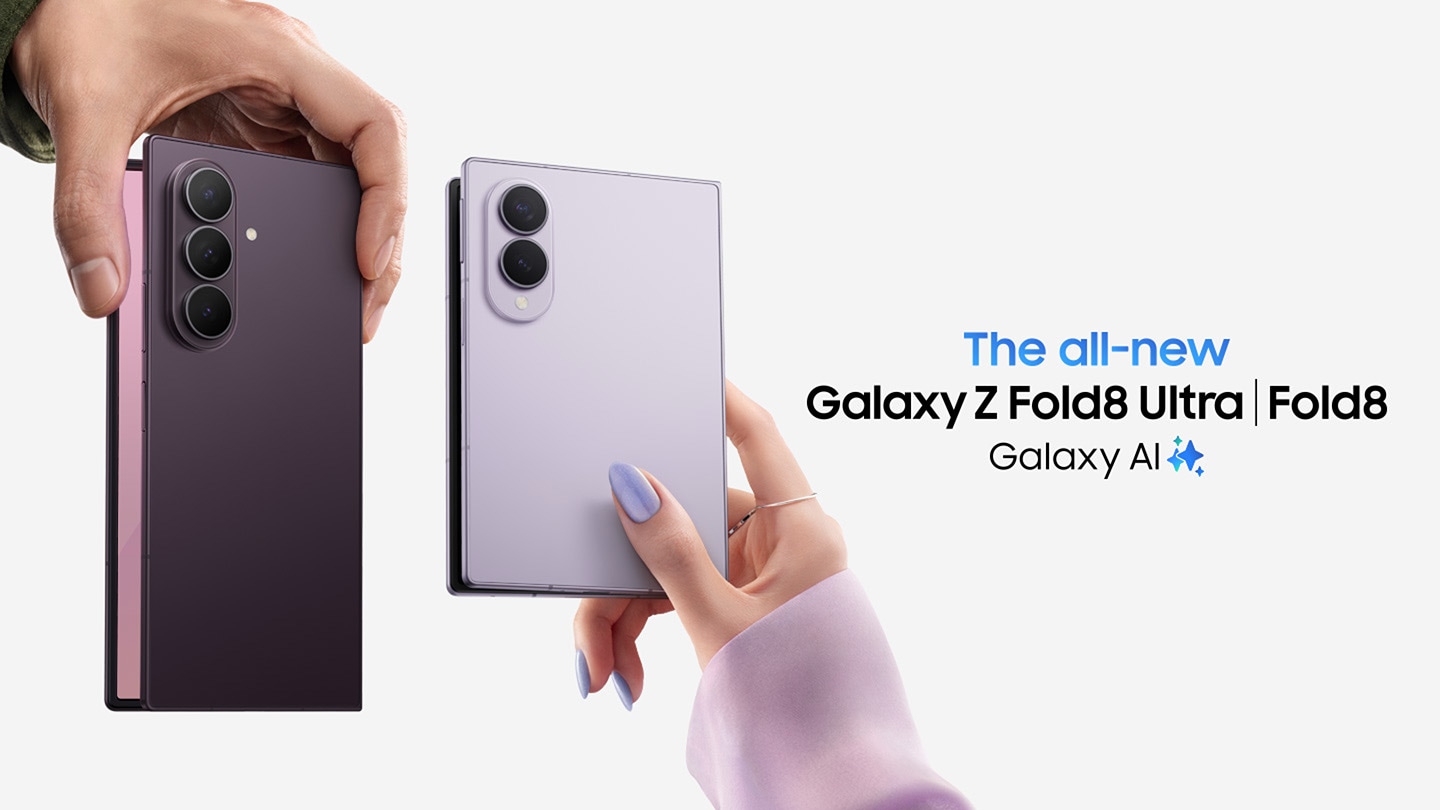
| Phones | Galaxy S24, S25, and S26 series; Galaxy Z Fold8 and Z Fold8 Ultra (and prior Z Fold/Flip generations from Z Fold6/Flip6 onward) |
| Tablets | Galaxy Tab S12 Ultra, Tab S12+, Tab S11 (and select Tab S9/S10-series models with limited features) |
| Watches | Galaxy Watch Ultra2, Galaxy Watch9 |
| Earbuds | Galaxy Buds4 Pro, Galaxy Buds4 |
Two things worth knowing before you assume your device qualifies. First, Samsung's own disclaimer is blunt: "Supported devices are subject to change, and the types of Galaxy AI features supported may vary by device" — a Galaxy S24 Ultra and a Galaxy A-series phone running the same One UI version can still end up with different feature sets. Second, Samsung's support documentation ties most core features to a minimum of Android 14 with One UI 6.1, so an un-updated phone is the most common reason a "supported" model doesn't show the features at all. If you're deciding between a current flagship and something like the Galaxy Z Fold8, Galaxy AI support itself isn't a differentiator — both get the full feature set — but the exact feature list may still vary slightly by region and carrier.
- Launched: January 17, 2024, alongside the Galaxy S24 series
- Built with: Samsung's own AI models plus Google Cloud and Gemini technology
- Minimum software: Android 14 with One UI 6.1 for most core features
- Current official line on price: "Galaxy AI basic features provided by Samsung are free"
- Caveat: "Future releases may include enhanced features or new services that are offered on a paid basis," and third-party AI features (including some from Google) "may be subject to fees"
Is Galaxy AI free, or will Samsung start charging?
This is the single most-searched question about Galaxy AI, and Samsung's own answer has shifted more than once. At launch in 2024, Samsung's footnote promised Galaxy AI features "free of charge until the end of 2025" on supported devices — a wording still visible on some of Samsung's older regional support pages. More recently, Samsung's U.S. support documentation has dropped that end date. The current footnote on Samsung's Note Assist support page and on its Live Translate support page instead reads: "Galaxy AI basic features provided by Samsung are free."
That's a meaningful change — there's no longer a published cutoff date for the features Samsung builds itself — but it's not an unconditional forever-free promise, either. The same footnote immediately adds two qualifiers worth remembering:
- Future paid tiers are explicitly allowed. Samsung's wording: "Future releases may include enhanced features or new services that are offered on a paid basis." That's the opening a premium "Galaxy AI+"-style tier would use if Samsung ever ships one.
- Third-party AI has different rules. Samsung's terms state that "any Samsung enhanced AI features and all third party AI features are subject to different terms and may be subject to fees" — which matters because a growing share of what people think of as "Galaxy AI" is actually Google's Gemini running under Samsung's branding, and Google sets its own pricing for Gemini's advanced tiers independent of Samsung.
So the honest short answer: every core Galaxy AI feature Samsung currently ships — Photo Assist, Note Assist, Live Translate, Circle to Search, Now Brief, and the rest — is free to use on a supported device today, with no published end date. Whether that stays true for new features Samsung introduces later, or for deeper Gemini integration, is deliberately left open by Samsung's own terms.
Galaxy AI vs. Google Gemini: what's the difference?
Confusion between the two is understandable, because Samsung and Google have spent two years making the line between them blurrier on purpose. The short version: Galaxy AI is Samsung's umbrella brand, and Gemini is Google's assistant that now lives inside it.
The relationship has deepened at every Unpacked event since 2024. At the original Galaxy S24 launch, Google's contribution was narrower — Gemini Nano powered a handful of Google Messages features, while Circle to Search was "unveiled by Google's search team." By the Galaxy S25 launch in January 2025, Google's own announcement describes the phone shipping with Gemini "built in and available with the press of a button," replacing Bixby as the assistant that opens from the side button, with Gemini Extensions able to act inside Samsung's own Calendar, Notes, Reminder, and Clock apps.
Practically, that means on a current Galaxy phone you're dealing with three overlapping layers:
- Samsung-built Galaxy AI features — Photo Assist, Note Assist, Now Brief, Call Screening, and similar tools, which run through Samsung's own apps and are covered by the "free" footnote above.
- Google-built features under the Galaxy AI banner — Circle to Search, and most generative search functionality, which Samsung bundles into Galaxy AI marketing but which Google actually builds and can set separate terms for.
- Gemini itself as the assistant — triggered by the side button or "Hey Google," capable of Gemini Live voice conversations and cross-app actions, and increasingly the default way Samsung expects people to interact with AI on the phone at all, per Google's own Unpacked recap.
In other words, "Galaxy AI vs. Gemini" isn't really a competition — Gemini is one of the engines Galaxy AI runs on, alongside Samsung's own on-device models. Bixby hasn't disappeared, but Google's assistant has clearly become the more prominent of the two on recent flagships.
Is there a dedicated "Galaxy AI app"?
Not in the sense of a single app you'd find in the Galaxy Store. Galaxy AI features are built into the apps that already exist on the phone — the camera gallery for Photo Assist, Samsung Notes for Note Assist, the Phone app for Live Translate and Call Screening, and system-wide text fields for Writing Assist. The closest thing to a central hub is the Settings app's "Galaxy AI" or "Advanced intelligence" menu, where supported devices list every available feature in one place and let you toggle online processing on or off. Anyone searching for a standalone "Galaxy AI app" to install is typically looking for one of these built-in tools, or for the Gemini app itself, which is a separate, Google-published app that comes preinstalled on Galaxy AI phones.
On-device processing and what it means for privacy
Samsung has repeatedly emphasized that part of Galaxy AI runs locally on the device rather than in the cloud, framing this as a security advantage. Its own Unpacked 2024 messaging put it directly: Galaxy AI "operates on-device instead of relying on external cloud systems," and users can choose whether to allow online processing for AI search features. Not every feature can run fully offline, though — translation, generative image editing, and anything touching Gemini typically still needs a connection to work. For readers thinking about how much of their data Samsung-powered AI touches versus what stays local, it's worth knowing Samsung also maintains separate, unrelated privacy tooling on Galaxy phones — like the sandboxed storage feature covered in our explainer on Private Space on Android — which is a different system from Galaxy AI's on-device/cloud toggle but addresses a similar instinct to keep certain data off Samsung's or Google's servers entirely.
What to watch next
A few things are worth tracking if you want to know where Galaxy AI goes from here. First, pricing: Samsung's own terms leave room for a paid tier of "enhanced" features, and nothing in the company's current wording rules that out for 2027 hardware. Second, the Gemini relationship keeps deepening rather than leveling off — each Unpacked event since 2024 has handed Gemini more control over Samsung's own apps, and it's plausible Gemini eventually absorbs more of what's currently Samsung-built. Third, the feature list itself is still expanding every time One UI gets a major update, so a phone that feels Galaxy-AI-light today may pick up new tools without a hardware upgrade at all.
It's also part of a broader industry shift toward AI built into hardware rather than apps you open — the same logic driving products like Meta's Ray-Ban smart glasses, which bet on AI assistants living on your face instead of in your pocket. Whether that turns out to be a complement to phone-based AI like Galaxy AI or an eventual replacement for it is one of the more interesting open questions in mobile right now.
Frequently asked questions
What is Galaxy AI?
Galaxy AI is Samsung's brand for the AI features built into Galaxy phones, tablets, and wearables, combining Samsung's own on-device models with Google Gemini and other cloud technology. It covers tools like Photo Assist, Note Assist, Live Translate, Now Brief, and Circle to Search.
Is Galaxy AI free?
Samsung's current support pages state that 'Galaxy AI basic features provided by Samsung are free,' with no published end date. However, Samsung reserves the right to charge for future enhanced features, and third-party AI features (including some from Google) may have separate fees.
Is there a Galaxy AI subscription or 'Galaxy AI premium' plan?
Not currently. Samsung has not launched a paid Galaxy AI tier as of this writing, but its own terms explicitly allow for 'enhanced features or new services that are offered on a paid basis' in the future.
What's the difference between Galaxy AI and Google Gemini?
Galaxy AI is Samsung's umbrella brand covering many features, some built by Samsung and some by Google. Gemini is Google's own assistant, which Samsung has built deeply into recent Galaxy phones (replacing Bixby as the default assistant on the side button) and which also powers features like Gemini Live.
Which Galaxy phones support Galaxy AI?
Samsung says support begins with the Galaxy S24 series onward for phones, with select Galaxy Z Fold/Flip, Galaxy Tab, Galaxy Watch, and Galaxy Buds models also supported depending on model and software version. Most core features require Android 14 with One UI 6.1 or later.
Is there a dedicated Galaxy AI app to download?
No. Galaxy AI features are built into existing apps like the Gallery, Samsung Notes, and Phone app, or accessed through a 'Galaxy AI' menu in Settings. The separate Gemini app, published by Google, comes preinstalled on Galaxy AI phones.
Sources
- Samsung: Galaxy AI overviewsamsung.com
- Samsung Support: Note Assist with Galaxy AIsamsung.com
- Samsung Support: Live translate calls (Call Assist)samsung.com
- Samsung Mobile Press: Galaxy Unpacked 2024 highlightssamsungmobilepress.com
- Google: Galaxy Unpacked 2025 recapblog.google
- Wikipedia: Galaxy AIen.wikipedia.org
Nadia Osei covers mobile and consumer gadgets for Pandromeda: smartphones, tablets, smartwatches, earbuds and smart-home devices. She tracks launches, software updates and pricing across Apple, Google, Samsung and the rest, and builds comparisons from the manufacturers' published specifications.