RTX 5090 vs RTX 4090: Is the Upgrade Still Worth It?
Nvidia’s 32GB Blackwell flagship is faster everywhere, but is the RTX 5090 worth $1,999 over a 4090 now that supply is tightening?
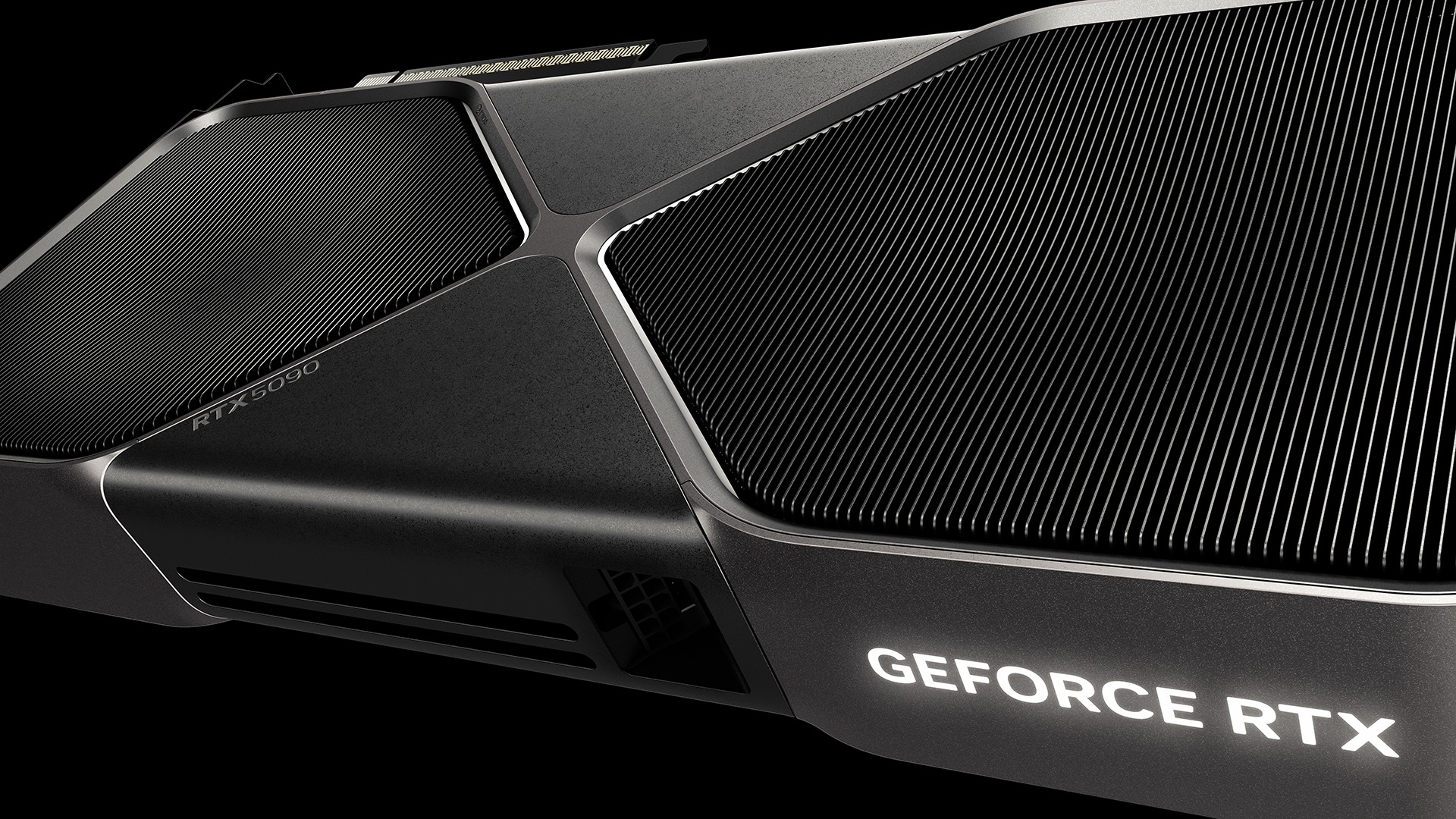
The RTX 5090 is faster than the RTX 4090 in every workload that matters — roughly 25-34% ahead in native 4K gaming according to independent reviewers, with a bigger lead in ray tracing and AI-assisted frame generation — but it also costs more, draws more power, and is now harder to find new at its original price following Nvidia's recent wind-down of RTX 5090 production. Whether the upgrade is "worth it" depends almost entirely on what resolution you game at and whether you already own a 4090.
Quick answer: If you're gaming at 4K, doing heavy ray tracing, or running local AI/creative workloads that need more than 24GB of VRAM, the RTX 5090's 32GB GDDR7 and roughly 33% faster architecture make it the clear pick — if you can find one near its $1,999 launch MSRP. If you're on 1440p or already own an RTX 4090, independent testing puts the real-world gap at 10-15%, which is a hard case to justify at a $400 premium, especially with 5090 retail stock now tightening.
Quick Answer: Should You Upgrade?
For most people who already own an RTX 4090, no — not yet. The performance gap at 1440p, where most 4090 owners actually game, is modest enough that the 4090 remains a genuinely fast card for years to come. The upgrade makes more sense if you're building a new 4K or ray-tracing-heavy rig from scratch, you work in AI or content-creation tools that are VRAM-hungry, or you simply want the newest architecture before RTX 5090 availability gets tighter following Nvidia's discontinuation of the card, which Pandromeda covered on October 15.
Pricing and Availability in Late 2026
Nvidia's own GeForce RTX 5090 product page lists the Founders Edition at $1,999 USD. The RTX 4090 launched three years earlier at $1,599 USD, a price Nvidia confirmed when the card debuted in 2022; the 4090's own nvidia.com listing no longer carries live Founders Edition pricing, since Nvidia itself treats the card as a legacy product superseded by the 50-series.
That $400 gap was already the headline trade-off before this month. It matters more now: as Pandromeda's October 15 report on the RTX 5090's discontinuation detailed, Nvidia has been winding down 5090 production and has not fully clarified what that means for ongoing supply. In practice, that has started to show up as thinner new-unit stock and more price volatility at retail — exactly the kind of moment where shoppers comparing "RTX 5090 vs RTX 4090 price" need to watch street pricing as closely as MSRP, since a scarce 5090 can trade well above $1,999 while a plentiful secondhand or open-box 4090 market can undercut $1,599.
This also reframes the comparison for anyone who was planning to wait out a price drop. With the 5090 headed toward end-of-life rather than a mid-cycle refresh, there's no guarantee that street prices fall before remaining inventory simply dries up. Shoppers who specifically want Nvidia's current flagship — rather than whatever replaces it down the line — have more reason to buy sooner than they would for a card still early in its production run. The RTX 4090, by contrast, has been out of active production even longer and is now purely a secondary-market and remaining-dealer-stock proposition, which is part of why its own Nvidia product page no longer lists a live Founders Edition price.
Specs Compared: What Actually Changed
The architectural jump from Ada Lovelace (RTX 40-series) to Blackwell (RTX 50-series) shows up most clearly in CUDA core count, memory, and power draw. Every figure below comes directly from Nvidia's own GeForce RTX 5090 and GeForce RTX 4090 product pages.
| Spec | RTX 5090 | RTX 4090 |
|---|---|---|
| Architecture | Blackwell | Ada Lovelace |
| CUDA cores | 21,760 | 16,384 |
| Boost clock | 2.41 GHz | 2.52 GHz |
| Base clock | 2.01 GHz | 2.23 GHz |
| Memory | 32GB GDDR7 | 24GB GDDR6X |
| Memory bus | 512-bit | 384-bit |
| AI performance (Tensor Cores) | 5th-gen, 3,352 AI TOPS | 4th-gen, 1,321 AI TOPS |
| Ray tracing (RT Cores) | 4th-gen, 318 TFLOPS | 3rd-gen, 191 TFLOPS |
| Total graphics power (TGP) | 575W | 450W |
| Recommended PSU | 1000W | 850W |
| PCIe generation | Gen 5 | Gen 4 |
| Display outputs | 3x DisplayPort 2.1b, 1x HDMI 2.1b | 3x DisplayPort 1.4a, 1x HDMI 2.1a |
| Founders Edition size | 304mm x 137mm, 2-slot | 304mm x 137mm x 61mm, 3-slot |
| Launch price (FE, USD) | $1,999 | $1,599 |
Two numbers stand out for buyers. First, CUDA core count jumps nearly 33%, from 16,384 to 21,760 — the single biggest driver of the 5090's raw throughput advantage. Second, the move from GDDR6X to GDDR7 memory paired with a wider 512-bit bus gives the 5090 significantly more memory bandwidth on top of the extra 8GB of capacity, which matters most at 4K and in VRAM-hungry AI or creative workloads.
The size comparison is worth calling out too, since it's one of the most-searched angles on this pairing: despite packing far more silicon, the RTX 5090 Founders Edition is actually a slimmer 2-slot card, versus the bulkier 3-slot RTX 4090 Founders Edition — a result of Nvidia redesigning the cooler, not a sign the 5090 runs cooler. It still draws 125W more at the wall (575W vs 450W TGP), so case airflow and PSU headroom matter more, not less.
Performance: How Much Faster Is the RTX 5090?
Nvidia does not publish independent third-party benchmark numbers on its own product pages, so the figures in this section come from outlets that tested both cards themselves, not from Nvidia's marketing claims. Treat them as representative ranges rather than guaranteed results in any specific game.
- 1080p: The smallest gap. Both cards are increasingly CPU-limited at this resolution, and reviewers' own testing generally shows the RTX 5090 under 12% ahead on average.
- 1440p: Still modest. Independent test suites put the RTX 5090's real-world lead at roughly 10-15% over the RTX 4090 — a gap most people won't feel in day-to-day play.
- 4K native rendering: This is where the 5090 separates itself. Reviewers' own 4K benchmark suites generally land in the 25-34% range, with TechRadar's own testing reporting around a 26% average fps lead (closer to 34% with ray tracing on), and one 20-game 4K suite reported by DSOGaming finding a 33% average advantage.
- Ray tracing and DLSS 4 frame generation: The gap widens further once path tracing and Nvidia's newer Multi Frame Generation are involved, since the 5090 pairs its larger RT Core count with 5th-generation Tensor Cores. Independent reviewers running DLSS 4 Multi Frame Generation workloads have reported considerably higher frame rates on the 5090 than on the 4090's older frame-generation implementation, though this isn't a strictly like-for-like comparison since the two cards support different DLSS feature sets.
The practical takeaway: the RTX 5090's advantage scales with resolution and ray-tracing load. A 1440p gamer is paying a 25% price premium for a 10-15% performance gain; a 4K gamer is paying that same premium for a 25-34%+ gain, which is a much easier trade to justify.
Power Draw, Cooling and Case Fit
At 575W TGP, the RTX 5090 draws 125W more than the RTX 4090's 450W under full load, and Nvidia's own spec sheet recommends a 1000W power supply for the 5090 versus 850W for the 4090. Both cards use Nvidia's 16-pin power connector (with an included 8-pin adapter), but the 5090's higher draw means less margin if you're also running a power-hungry CPU.
Physically, both Founders Edition cards share the same 304mm x 137mm footprint, but the RTX 4090 FE is a 3-slot, 61mm-thick card while the RTX 5090 FE is a slimmer 2-slot design. If you're upgrading inside an existing case, check slot clearance either way — third-party RTX 5090 cards from board partners often run thicker and longer than the Founders Edition, same as they did for the 4090.
Memory and AI Workloads
The 5090's 32GB of GDDR7 versus the 4090's 24GB of GDDR6X is the spec most likely to matter outside of gaming. Local large-language-model inference, Stable Diffusion-style image generation, and 8K or multi-layer video editing in Studio-class apps can all run into the 4090's 24GB ceiling, where the 5090's extra 8GB — plus the bandwidth increase from GDDR7 and the wider 512-bit bus — provides real headroom rather than a marginal gain. Nvidia also rates the 5090's Tensor Cores at 3,352 AI TOPS against the 4090's 1,321 AI TOPS, a jump that benefits AI-assisted creative tools and local inference workloads specifically, not just games.
Content Creation, Streaming and Encoding
For creators and streamers, the generational jump shows up in Nvidia's encoder hardware as much as in raw gaming frame rates. Nvidia's own RTX 5090 product page confirms the card ships with a 9th-generation NVIDIA Encoder (NVENC), while the RTX 4090's page specifies an 8th-generation NVENC — full codec and generation details are in Nvidia's own video encode/decode GPU support matrix. In practice that means faster video exports, lower-overhead AV1 encoding, and quicker AI-driven effects processing in apps like DaVinci Resolve on the 5090, on top of the extra 8GB of VRAM that matters for large timelines, high-resolution textures, and local AI tools such as Stable Diffusion. If your work is bottlenecked by export times or you're juggling 8K footage, the 5090's newer encoder and larger memory pool are a more concrete reason to upgrade than the gaming benchmarks alone.
DLSS 4 and Software Features
Both cards support Nvidia's DLSS upscaling and ray tracing pipeline, but the RTX 50-series is the first generation to fully support DLSS 4, including Multi Frame Generation, which can generate multiple AI frames per rendered frame rather than the single generated frame available on RTX 40-series cards. Pandromeda's look at the newer DLSS 4.5 controls on GeForce Now covers how these frame-generation features continue to evolve post-launch. The RTX 4090 can still run DLSS upscaling and its own (single) frame generation, so it isn't locked out of modern titles — it simply can't match the 5090's newer generation-stacking approach.
Who Should Actually Upgrade
Upgrade if:
- You're building a new system around a 4K monitor or a high-refresh 4K display, where the RTX 5090's 25-34%+ lead actually translates into a smoother, more consistent experience.
- You lean heavily on ray tracing or path tracing in supported titles, where the 5090's larger 4th-gen RT Core count and DLSS 4 Multi Frame Generation open up settings the 4090 can't sustain as comfortably.
- You work in local AI inference, large-language-model experimentation, or VRAM-hungry creative software where the 4090's 24GB is a real ceiling, not a theoretical one.
- You specifically want Nvidia's current flagship and are wary of availability drying up further as the RTX 5090 heads toward end-of-life.
Skip it if:
- You already own an RTX 4090 and primarily game at 1440p or below, where independent testing shows only a 10-15% real-world gap.
- Your workloads comfortably fit inside 24GB of VRAM and don't need PCIe Gen 5 bandwidth.
- Your case, PSU, or budget can't comfortably absorb the 5090's 575W TGP and 1000W recommended power supply.
- The $400 MSRP premium — or a larger gap if 5090 street pricing climbs further amid tightening post-discontinuation supply — doesn't clear your bar for the performance gain you'd actually use.
What to Do Next
If you're set on a 5090, check current retail availability carefully — Nvidia's own wind-down of the card means stock and pricing are moving targets right now, so compare live listings against the $1,999 Founders Edition MSRP rather than assuming it's still readily available at that price. If you're sitting on a 4090, there's no urgent technical reason to replace it unless you're moving to 4K or hitting a hard VRAM wall; it remains a 24GB, PCIe Gen 4 card capable of nearly everything the 5090 does, just with a smaller performance ceiling. Either way, match your power supply to Nvidia's own recommendation (1000W for the 5090, 850W for the 4090) before you buy.
Frequently asked questions
Is the RTX 5090 worth it if you already own an RTX 4090?
For most 1440p gamers, not urgently. Independent testing cited in this article puts the real-world gap at roughly 10-15% at 1440p, which is a hard case to justify at a $400 MSRP premium. The upgrade makes more sense for 4K gaming, heavy ray tracing, or VRAM-hungry AI and creative work, where the gap widens to 25-34% or more.
How much faster is the RTX 5090 than the RTX 4090?
It depends on resolution. Independent reviewers generally report under 12% at 1080p, roughly 10-15% at 1440p, and 25-34% at native 4K, with the gap widening further in ray-traced and DLSS 4 Multi Frame Generation workloads. These are third-party test results, not Nvidia's own benchmark claims.
What is the price difference between the RTX 5090 and RTX 4090?
Nvidia's own RTX 5090 product page lists the Founders Edition at $1,999 USD. The RTX 4090 launched in 2022 at $1,599 USD; Nvidia's current RTX 4090 page no longer lists live pricing, since the card is now a legacy product.
Is the RTX 5090 bigger than the RTX 4090?
Both Founders Edition cards share the same 304mm x 137mm footprint, per Nvidia's own spec sheets, but the RTX 5090 FE is a slimmer 2-slot design, while the RTX 4090 FE is a bulkier 3-slot, 61mm-thick card.
Does the RTX 5090 use more power than the RTX 4090?
Yes. Nvidia rates the RTX 5090 at 575W total graphics power with a 1000W recommended power supply, versus 450W TGP and an 850W recommended supply for the RTX 4090.
Is the RTX 5090 still available after Nvidia's discontinuation announcement?
Availability is in flux. As Pandromeda reported on October 15, Nvidia has been winding down RTX 5090 production without fully clarifying ongoing supply, which has started to show up as thinner stock and more price volatility at retail.
Sources
- Nvidia GeForce RTX 5090 product & specs pagenvidia.com
- Nvidia GeForce RTX 4090 product & specs pagenvidia.com
- Nvidia DLSS 4 overviewnvidia.com
- Nvidia video encode/decode GPU support matrixdeveloper.nvidia.com
- Wikipedia: Blackwell (microarchitecture)en.wikipedia.org
Mara Lindqvist edits the hardware desk. She covers graphics cards, processors, memory and storage, the foundries and chip designers behind them, and what the numbers on a spec sheet mean for people choosing a PC. Specifications in her stories come from manufacturer spec pages and datasheets.