Gemini Personal Intelligence: What It Is and How It Works
How Gemini Personal Intelligence reasons across Gmail, Photos, Search and YouTube, how to turn it on, its privacy controls, and where it's available now.
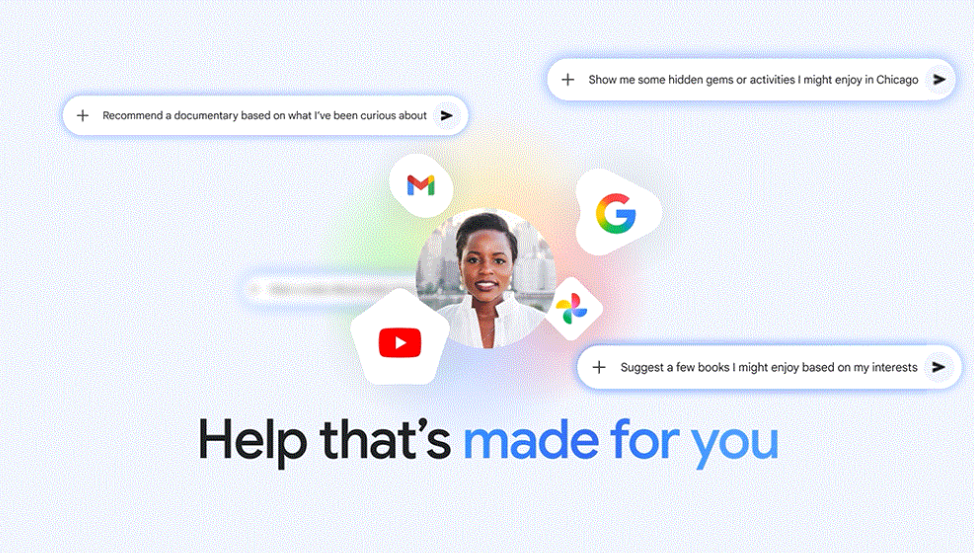
Gemini Personal Intelligence is Google's opt-in feature that lets the Gemini app reason across your own Gmail, Google Photos, Search history and YouTube activity to answer questions a generic chatbot can't — like finding a specific receipt, recalling a trip's details from your photos, or stitching together plans from an email thread. Google announced it in January 2026 for US Google AI Pro/Ultra subscribers, expanded it to free US users and more surfaces in March 2026, then took it global in mid-April 2026 for paying subscribers — though it still excludes the European Economic Area, Switzerland, the United Kingdom and Nigeria as of October 2026. Here's exactly what it does, how to turn it on, and what Google says it won't do with your data.
Quick facts
- Launched January 14, 2026 in the US beta for Google AI Pro and AI Ultra subscribers; announced by Josh Woodward, VP of Google Labs, Gemini app and AI Studio.
- Connects four core apps at launch: Gmail, Google Photos, Search and YouTube — plus Calendar, Drive, Contacts, Maps, Shopping and (US-only) Google Wallet in later rollouts.
- Expanded to AI Mode in Search, Gemini in Chrome and free-tier US users starting March 2026.
- Went global for Google AI Plus, Pro and Ultra subscribers from mid-April 2026, excluding the EEA, Switzerland, the UK and Nigeria.
- Google says it does not train its underlying models directly on your Gmail inbox or Photos library.
- Off by default — you choose which apps to connect, and can disconnect any of them at any time.
What is Gemini Personal Intelligence?
Personal Intelligence is a setting inside the Gemini app that, once turned on, lets Gemini pull context from the Google apps you choose to connect before it answers a prompt. Instead of only reasoning over what you type in the chat box, Gemini can check your Gmail, Google Photos, Search activity and YouTube history to ground its answer in things that are actually true about your life — an upcoming flight buried in an email, a product you looked at in Search last week, or a photo from a specific trip.
Google has described two things it does especially well: reasoning across multiple connected sources at once (for example, combining a hotel confirmation email with photos from the same dates to build a trip recap), and retrieving a specific detail from a large pile of personal data (for example, "what was the Wi-Fi password the Airbnb host sent me?"). The feature is explicitly framed as a beta, and Google says Gemini will keep gaining access to more apps and services over time. Google's own Gemini personalization overview page frames the same idea more simply: "You're in control. You decide which apps to connect."
How Personal Intelligence actually works
When you send a prompt, Gemini first evaluates whether your custom instructions, past conversations, or any of your connected apps could help it give a better answer. If a connected source looks relevant, it retrieves the specific pieces of information it needs — not your entire inbox or photo library — and uses them to compose a response. Google says the product is designed to reference where an answer came from so you can check it against the original email, photo or search result.
This is different from simply pasting a screenshot or forwarding an email into a chat: Personal Intelligence works continuously in the background (once connected) across any new conversation, rather than requiring you to manually hand Gemini the context every time. It also carries context forward between sessions, so a detail you referenced in one chat can inform a later one.
Which apps can you connect
At its January 2026 launch, Personal Intelligence connected four sources: Gmail, Google Photos, Search and YouTube. As the beta has expanded, Google has added more connection points. The table below reflects the connected-apps list as described in Google's own support documentation as of October 2026.
| Connected source | What Gemini can use it for | Notes |
|---|---|---|
| Gmail | Finding details in emails, summarizing threads, retrieving confirmations or receipts | Part of the Google Workspace connection toggle |
| Google Photos | Recalling trips, events and people from your photo library; generating scenes from your own photos | Photo-to-scene generation limited to eligible US users |
| Search | Drawing on your past Search activity for more personalized recommendations | Requires Web & App Activity turned on |
| YouTube | Using watch history to personalize suggestions and answers | Requires YouTube History enabled |
| Calendar, Drive, Contacts | Schedule-aware answers, document lookups, relationship context | Bundled under the Google Workspace connection |
| Maps, Shopping | Location- and purchase-aware recommendations | Part of the Search services connection |
| Google Wallet | Order and purchase history lookups | US only |
How to turn Personal Intelligence on
If you're eligible, Google surfaces an opt-in card inside the Gemini app. According to Google's support documentation, the setup flow is:
- Open the Gemini app (mobile or gemini.google.com) while signed in with a personal Google Account.
- Look for the Personal Intelligence card, or go to Settings and select Personal Intelligence directly.
- Tap "Get started."
- Choose "Connect all," "Choose apps," or "Don't connect."
- Follow the remaining on-screen prompts to confirm which individual apps (Gmail, Photos, Search, YouTube, and others) you want active.
Every connection is a separate switch — you can connect Gmail and leave Photos off, or vice versa. To change your mind later, go to the mobile app's Menu → Profile → Personal Intelligence → Connected Apps, or on the web, Menu → Settings & help → Personal Intelligence → Connected Apps, and toggle any source on or off.
Who's eligible, and in which countries
Eligibility has expanded in stages since launch, but as of October 2026 Google's support page lists these requirements:
- You must be 18 or older.
- You must sign in with a personal Google Account — Workspace business, enterprise, education and supervised accounts are not supported.
- "Keep Activity" must be enabled, along with "Web & App Activity" (for Search personalization) and "YouTube History" (for YouTube personalization).
- "Smart features in other Google products" must be turned on for Workspace app access.
Geographically, Personal Intelligence launched US-only in January 2026, then went global for Google AI Plus, Pro and Ultra subscribers starting in mid-April 2026 — with free-tier users rolling out afterward in stages, as described in Google's Personal Intelligence expansion post. Google's own support documentation confirms it is still not available in the European Economic Area, Switzerland, the United Kingdom or Nigeria as of this writing, so users in those regions won't see the opt-in card regardless of their subscription plan.
Privacy controls and what Google says about training
Because Personal Intelligence touches some of the most sensitive data a person generates — email and photos — Google has made specific, narrow claims about how that data is and isn't used:
- Off by default. No app is connected until you explicitly opt in, source by source.
- Not used to train the underlying model directly. Google states that Gemini "doesn't train directly on your Gmail inbox or Google Photos library."
- Prompts and responses are a separate matter. Google says what can factor into broader model improvement is your prompts and Gemini's responses to them, after steps are taken to filter personal information — not the raw contents of your inbox or photo library itself.
- Per-chat control. You can turn off personalization for a single conversation via the Tools option, or use a temporary chat, without changing your overall connected-apps settings.
- Full disconnect, any time. Each connected app can be switched off independently from Personal Intelligence settings, and you can delete your Gemini activity and chat history separately via Google's My Activity dashboard.
For the full, current policy language, Google's Gemini help center article on Personal Intelligence is the authoritative source and the one Google updates as the feature changes.
What it can and can't do
Based on Google's own descriptions, Personal Intelligence is built for retrieval and cross-referencing, not autonomous action. It can find, summarize and connect information that already exists across your accounts — it does not, per Google's documentation, send emails, make purchases or take actions in connected apps on your behalf. It also depends entirely on which sources you've connected and which account settings (like Web & App Activity or YouTube History) are enabled; if a required setting is off, that source's personalization won't work even if you've "connected" the app. And it's restricted to personal accounts — Workspace business, school and supervised accounts are excluded entirely, regardless of region.
Why this matters
Personal Intelligence is Google's bet that the next advantage in AI assistants isn't a bigger model, but access to a user's own data graph — the emails, photos and search history that no competitor can see without being invited in. It's a direct answer to the "it's smart but it doesn't know me" complaint leveled at general-purpose chatbots, and it leans on an advantage only Google has at this scale: one account that already spans email, photos, video and search. How it's received will hinge less on the underlying AI reasoning and more on whether Google's privacy commitments hold up to scrutiny as the feature reaches hundreds of millions more users outside the US.
Related Pandromeda coverage
If you're deciding whether to connect your Google apps to an AI assistant at all, it's worth comparing how Gemini's approach differs from rivals — see our breakdown of how Siri, Gemini and ChatGPT compare as phone assistants. Personal Intelligence is also just one piece of a much larger push — we've covered the full set of 14 new Gemini connected-app integrations Google has shipped this year, and if you want the bigger picture on what's powering all of this, our explainer on what an AI agent actually is and how it works is a useful companion read.
The rollout timeline so far
Personal Intelligence has not shipped as a single, finished product — it has arrived in stages, with Google widening both the subscriber base and the list of connected apps at each step. Tracking the timeline matters because articles and social posts written in January 2026 describe a much narrower feature than what's live today.
| Date | Milestone |
|---|---|
| January 14, 2026 | Beta launch in the US for Google AI Pro and AI Ultra subscribers; connects Gmail, Photos, Search and YouTube |
| March 2026 | Expands to more surfaces and free-tier US users; Google's monthly AI recap cites broader Search Live and Personal Intelligence access |
| Mid-April 2026 | Goes global for Google AI Plus, Pro and Ultra subscribers, excluding the EEA, Switzerland, the UK and Nigeria; reaches AI Mode in Search and Gemini in Chrome |
| Through mid-2026 | Free-tier users in already-eligible countries begin receiving access in stages following the paid-tier rollout |
| October 2026 (current state) | Live for eligible personal accounts globally outside the EEA, Switzerland, the UK and Nigeria; connected-apps list has grown to include Calendar, Drive, Contacts, Maps, Shopping and, in the US, Google Wallet |
That excluded list is worth watching closely if you're in Europe or the UK: it almost certainly reflects the extra compliance work required under the EU's GDPR and Digital Markets Act before a feature that reasons over email and photo content at this depth can launch there. Google hasn't published a target date for lifting those restrictions.
Common setup problems and fixes
Because Personal Intelligence depends on several account-level settings working together, most "it's not working" reports trace back to one of a handful of causes rather than a bug in Gemini itself:
- The opt-in card never appears. This usually means your account, region or subscription tier isn't yet eligible — check whether you're in one of the excluded regions, signed into a personal (not Workspace) account, and 18 or older.
- Search or YouTube personalization doesn't seem to do anything. Confirm "Web & App Activity" is turned on for Search-based personalization and "YouTube History" is enabled for YouTube — Google's support documentation lists both as hard requirements, separate from the Personal Intelligence toggle itself.
- Workspace apps aren't contributing context. "Smart features in other Google products" needs to be switched on for Gmail, Calendar and Drive to feed into Personal Intelligence.
- You connected an app but want it gone. Each source has its own independent switch under Connected Apps in Personal Intelligence settings — disconnecting Photos, for instance, doesn't touch your Gmail connection.
- You want personalization off just for one conversation. Use a temporary chat, or open Tools in that chat and disable personalization, instead of disconnecting apps account-wide.
What's next
Google has said Personal Intelligence will keep adding connected apps and reach more regions over time, though it has not given a firm date for EEA, UK, Switzerland or Nigeria availability — those markets remain blocked as of October 2026, most likely pending regulatory review given the sensitivity of the data involved. Expect Google to keep pushing free-tier availability in markets where it's already live for subscribers, and to fold more of Workspace (Docs, Sheets, Slides) into the connected-apps list as the beta matures.
Frequently asked questions
What is Gemini Personal Intelligence?
It's an opt-in Gemini app feature that lets Gemini reason across Google apps you connect, such as Gmail, Google Photos, Search and YouTube, so it can retrieve specific details and give more personalized answers instead of only responding to what you type.
How do I turn on Personal Intelligence in Gemini?
Open the Gemini app or gemini.google.com while signed in with a personal Google Account, look for the Personal Intelligence opt-in card or go to Settings, tap Get Started, then choose Connect All, Choose Apps, or Don't Connect.
Does Google train Gemini on my Gmail or Photos?
Google states that Gemini does not train directly on your Gmail inbox or Google Photos library. It says what can factor into broader model training is your prompts and Gemini's responses, after personal data is filtered out.
Is Gemini Personal Intelligence available in the UK or EU?
Not yet. As of October 2026, Google's support documentation confirms Personal Intelligence is not available in the European Economic Area, Switzerland, the United Kingdom, or Nigeria, regardless of subscription plan.
Can I disconnect an app after connecting it to Gemini?
Yes. Each connected app has its own independent switch under Personal Intelligence settings in the Gemini app, so you can disconnect Gmail, Photos, Search or YouTube individually at any time.
Which subscription plans get Personal Intelligence?
It launched for Google AI Pro and AI Ultra subscribers in the US in January 2026, expanded to free-tier US users in March 2026, then went global for Google AI Plus, Pro and Ultra subscribers from mid-April 2026, with free-tier access following in stages.
Sources
- Google Blog: Gemini introduces Personal Intelligenceblog.google
- Google Blog: Bringing Personal Intelligence to more peopleblog.google
- Gemini: Personalization overviewgemini.google
- Google Gemini Help: Personal Intelligence setup and managementsupport.google.com
- Google My Activity dashboardmyactivity.google.com
Theo Park runs the AI desk at Pandromeda. He follows model launches from the frontier labs and the open-weight community, tracks the assistants and developer tools built on them, and explains what each release changes on pricing, capability and safety. His reporting leans on primary sources: model cards, technical reports, API documentation and the companies' own announcements.