macOS 27 Golden Gate: New Features, Compatible Macs and How to Update
Apple’s first Apple silicon-only Mac release brings Siri AI, Visual Intelligence and a Liquid Glass tint slider. Here is what changed and who can install it.
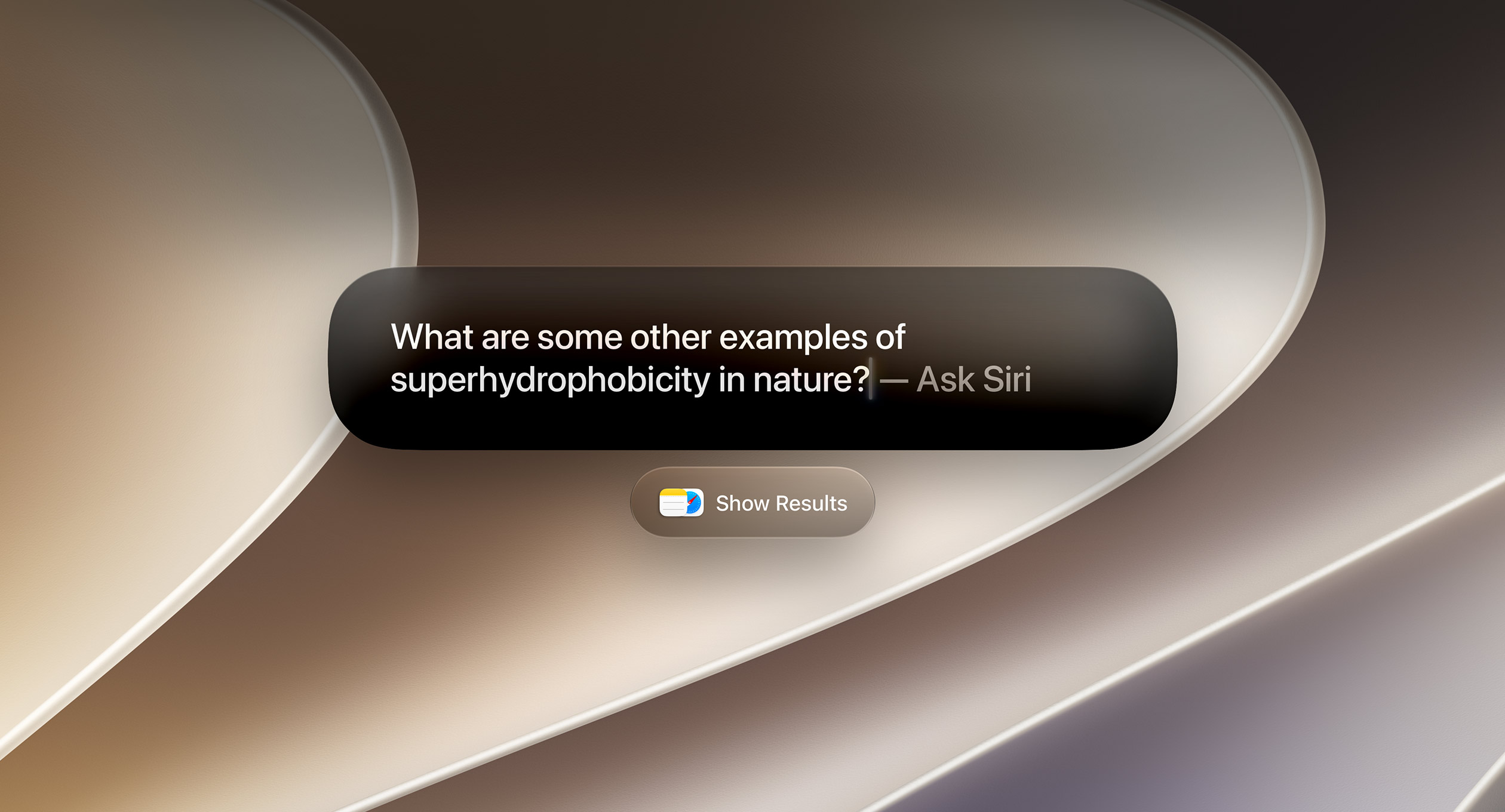
Apple released macOS 27 Golden Gate on September 14, 2026 as a free update for every Mac with Apple silicon. The headline feature is Siri AI, a rebuilt, conversational Siri with its own app. It is also the first version of macOS that does not run on Intel Macs, so owners of 2019 and 2020 Intel models stay on macOS Tahoe. This guide covers what is new, which Macs can install it, what has been removed, and how to upgrade safely.
Key facts
- Version: macOS 27.0 Golden Gate (build 26A428)
- Released: September 14, 2026
- Price: free via Software Update
- Requires: a Mac with Apple silicon (M-series or A18 Pro); no Intel support
- Headline features: Siri AI and the Siri app, Visual Intelligence on Mac, Safari tab grouping and Notify Me, a Liquid Glass tint slider, new parental controls
- Security: Apple’s advisory lists more than 200 CVE entries fixed
When was macOS 27 released?
Apple announced macOS 27 at WWDC on June 8, 2026 and released version 27.0 to the public on Monday, September 14, 2026, the same day as iOS 27, iPadOS 27, watchOS 27, tvOS 27 and visionOS 27. Apple’s macOS 27 release notes carry that publication date. Developers already have the next point update: according to Wikipedia’s macOS Golden Gate release history, macOS 27.2 beta 2 arrived on September 21.
The name follows Apple’s California landmarks theme. Golden Gate is the strait connecting San Francisco Bay to the Pacific, and it takes over from macOS Tahoe (version 26).
Which Macs are compatible with macOS 27?
Apple’s upgrade support document says macOS 27 is compatible with “any Mac with Apple silicon, which includes any Mac with an M-series chip or A-series chip.” The full list on Apple’s macOS 27 product page is:
| Mac model | Compatible with macOS 27 |
|---|---|
| MacBook Neo (2026, A18 Pro) | Yes |
| MacBook Air with Apple silicon | 2020 and later |
| MacBook Pro with Apple silicon | 2020 and later |
| iMac with Apple silicon | 2021 and later |
| Mac mini with Apple silicon | 2020 and later |
| Mac Studio | 2022 and later |
| Mac Pro with Apple silicon | 2023 |
| Any Intel-based Mac | No, stays on macOS Tahoe 26 |
Being compatible does not mean every feature is available. Apple’s footnotes say Apple Intelligence runs on Macs with M1 and later and on the MacBook Neo. Some Siri AI capabilities, including customizing how Siri sounds, need a Mac with an M3 chip or later and at least 12 GB of unified memory. An M1 or M2 MacBook Air can install macOS 27 but will not get the whole Siri AI experience.
What happens to Intel Macs?
Apple said at WWDC 2025 that macOS 27 would drop support for Intel processors, and it has followed through. The dropped models include the Mac Pro (2019), the 16-inch MacBook Pro (2019), the 13-inch MacBook Pro (2020, four Thunderbolt 3 ports) and the iMac (2020).
Those Macs are still getting security fixes. Apple’s security releases page shows macOS Tahoe 26.7 and macOS Sequoia 15.8 were released on September 14 alongside macOS 27, so Intel owners on either version should install those updates now.
Two related changes affect Apple silicon Macs that still run Intel apps. Boot Camp, which installed Windows on Intel Macs, is gone. And Apple’s enterprise notes for macOS 27 say that if Rosetta was previously installed, “it will not be automatically restored upon upgrading to macOS 27.” Apple says Rosetta “will continue as a general-purpose compatibility tool through macOS 27.” If you rely on older Intel-only apps, be ready to reinstall Rosetta after upgrading.
Siri AI: the headline feature
Apple describes Siri AI as “an entirely new version of Siri powered by Apple Intelligence that’s more personal, more capable, and more conversational.” On the Mac it works in several places:
- Spotlight: Siri AI is built into search, so you can type a question where you already search. Apple says you can choose “Ask Siri” as the top hit.
- A dedicated Siri app: past conversations are saved and synced through iCloud, so you can start a thread on an iPhone and pick it up on a Mac. Conversations can be pinned.
- Personal context: Apple says Siri AI can find things across Messages, Mail, Photos and Notes, and take actions in apps such as Messages, Music and Reminders.
- Writing help: Siri can draft text or give feedback almost anywhere you type. In Messages and Mail, Apple says it can match your writing style and tone.
- Visual Intelligence: new on the Mac. Select a window or take a screenshot and Siri can answer questions or act on what is on screen, such as adding an event to your calendar. The keyboard shortcut is Shift–Command–Space bar.
There are limits. Siri AI launches in beta and in English only. Apple says it is “rolling out to users” and has to be turned on in Settings. Apple’s footnotes also say server-based Apple Intelligence features, Siri AI among them, “are subject to daily usage limits.” Apple adds that “expanded access to such features will be available for a fee in the future,” though it has not said what that will cost. On the EU, the footnote says only that Siri AI will not initially be available there on iOS, iPadOS and watchOS. macOS is not on that list.
Liquid Glass changes, Safari and everyday apps
Liquid Glass you can tone down
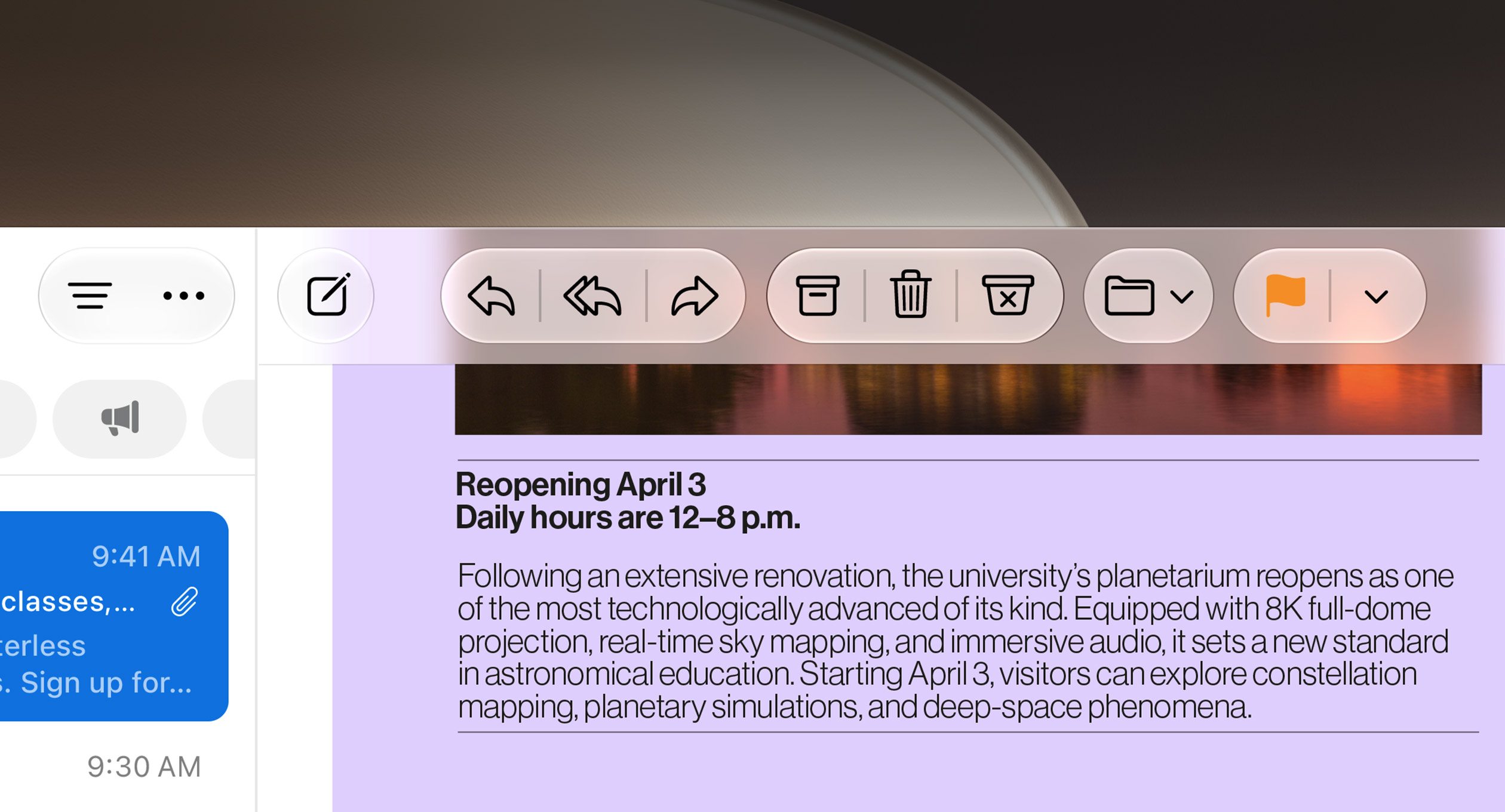
macOS 27 improves readability with “more uniform refraction and improved contrast,” adds uniform toolbars and edge-to-edge sidebars, and introduces a slider that ranges from ultra-clear to fully tinted. Menus also show fewer icons again: Apple’s developer release notes say menu bar and context menus now present “a reduced set of menu item images, similar to the behavior prior to macOS 26.0.”
Safari
- Automatic tab groups: tabs can be grouped by topic automatically.
- Notify Me: Safari watches a page for changes such as a price drop or a restock and alerts you.
- Describe an Extension: create a simple custom extension in plain language, for example a button that saves recipes.
- Ask to Browse: a parental control that makes children request permission before visiting a new website.
Other additions worth knowing
- Describe a Shortcut builds a Shortcuts automation from a text description.
- Calendar can add and edit events from a description.
- Mail uses a new ranking system to put the most relevant search results first.
- Ultrawide displays can run at higher resolutions, such as 5K at 120Hz, and display arrangements are remembered.
- Swipe down to refresh works in Safari, Mail, News, Podcasts and Calendar.
- Accessibility: VoiceOver gets richer image descriptions, and a new captioning feature generates synced subtitles for any video and can translate existing captions.
- Performance: Apple cites faster AirDrop transfers, faster network file browsing and quicker Safari start page loading.
One caveat: Apple’s macOS page lists the new intelligent photo editing tools (Spatial Reframing, the Extend tool and a stronger Clean Up) under “Coming in a future software update,” even though the release notes describe them. Do not expect them on every Mac on day one.
New parental controls and business features
Families get a redesigned set of controls. Apple says parental controls in System Settings have an “all-new design” that shows at a glance how children have been using the Mac. The new tools are:
- Ask to Browse: children must request permission for new websites, and parents review the request in Messages. It works in Safari and other WebKit browsers after Screen Time is upgraded.
- Communication Safety: it already helped protect children from viewing or sharing nudity in Messages and FaceTime, and it now also steps in before children see gore or violence in shared images and videos.
- Time Allowances: limits by category, such as Entertainment, Games and Social Media, with age-based guidance Apple says was developed with clinical and child development experts.
- Schedules: control which apps are available at different times of day and on different days.
For IT departments, Apple’s enterprise notes list device management controls over which apps and binaries can run, a single consent prompt that grants an app or website its default privacy permissions, and Platform Single Sign-on that can authenticate with an identity provider using OpenID at FileVault unlock, the Lock Screen and the login window. Admins can also restrict Siri AI and Visual Intelligence. A new tccutil list command reports current privacy permissions on managed Macs, and when there isn’t room for every menu bar item, the extras are hidden behind a compact overflow indicator.
What macOS 27 removes
A few older technologies are gone or on their way out:
- Intel support and Boot Camp, as covered above.
- AirPort Utility is no longer included on clean installs. Apple’s macOS 27 developer release notes say it stays on Macs that already had it, but “functionality is not guaranteed starting in macOS 27.”
- Apple Filing Protocol (AFP) support has been removed, which ends Time Machine backups to AirPort Time Capsule routers. If you still back up to a Time Capsule, switch to a USB drive or an SMB network share before upgrading.
- Legacy software update management for businesses: Apple says MDM software update commands, queries, deferrals and related restrictions “no longer function” in the 27.0 operating systems. IT teams need to move to declarative software update management.
Security fixes in macOS 27
macOS 27 is also a large security release. Apple’s security content document for macOS Golden Gate 27 lists more than 200 CVE identifiers across components including the Accelerate framework, APFS, Accessibility and Accounts. The impacts Apple describes range from apps being able to access sensitive user data to maliciously crafted images causing unexpected process termination. For Apple silicon owners, this is a stronger reason to upgrade than any single feature. Intel owners get their fixes through Tahoe 26.7 or Sequoia 15.8 instead.
How to update to macOS 27 Golden Gate
Apple’s own steps are simple. Before you start, back up your Mac with Time Machine or another method.
- Check that your Mac has Apple silicon: choose Apple menu > About This Mac and look for an M-series chip (or, on MacBook Neo, the A18 Pro).
- Back up your files. Apple recommends this before any macOS upgrade.
- Open System Settings > General > Software Update, or search for Software Update in Spotlight.
- Wait for it to check for updates. If macOS 27 is available for your Mac, click the button to upgrade and follow the prompts.
- After the restart, go to Settings to turn on Siri AI if it is available to you.
Software Update only offers versions that are compatible with your Mac, so an Intel Mac will show Tahoe or Sequoia updates instead of macOS 27.
Should you upgrade now?
For most people with an M1 or later Mac, yes, especially given the number of security fixes. The main reasons to wait are practical ones. Check that apps you depend on, particularly older Intel-only tools that need Rosetta, audio plug-ins and VPN clients, support macOS 27. If you use a Time Capsule for backups, set up a new backup destination first. Businesses that manage updates through MDM should confirm their tools support declarative software update management before letting Macs upgrade.
If you own an M1 or M2 Mac, the upgrade is still worthwhile, but some of the more advanced Siri AI features are limited to M3-and-later Macs with at least 12 GB of memory, and Siri AI is English-only at launch.
Frequently asked questions
When was macOS 27 Golden Gate released?
Apple released macOS 27.0 Golden Gate on September 14, 2026, alongside iOS 27 and Apple’s other 2026 software updates.
Can my Intel Mac run macOS 27?
No. macOS 27 runs only on Macs with Apple silicon. Intel Macs stay on macOS Tahoe 26, which received a 26.7 security update on September 14, 2026.
Is macOS 27 free?
Yes. macOS 27 is a free update, installed from System Settings > General > Software Update on compatible Macs.
Does Siri AI work on M1 and M2 Macs?
Apple Intelligence works on all Apple silicon Macs, but some Siri AI capabilities, such as customizing Siri’s voice, require an M3 or later Mac with at least 12 GB of unified memory. Siri AI launches in beta and in English only.
Does macOS 27 still support Rosetta 2?
Yes. Apple says Rosetta continues as a general-purpose compatibility tool through macOS 27, but it is not automatically restored after upgrading, so you may need to reinstall it.
Can I still use a Time Capsule with macOS 27?
No. macOS 27 removes support for the Apple Filing Protocol, which ends Time Machine backups to AirPort Time Capsule routers, and AirPort Utility is not included on clean installs.
Sources
- Apple Support: What’s new in the updates for macOS 27 Golden Gatesupport.apple.com
- Apple Support: How to upgrade to macOS 27 Golden Gatesupport.apple.com
- Apple: macOS 27 Golden Gateapple.com
- Apple Support: What’s new for enterprise in macOS Golden Gate 27support.apple.com
- Apple Support: About the security content of macOS Golden Gate 27support.apple.com
- Apple Developer: macOS 27 Golden Gate release notesdeveloper.apple.com
Felix Moreau writes Pandromeda's software coverage and how-to guides. He covers Windows, macOS and Linux updates, the apps people rely on, emulators and developer tools, and turns official documentation into clear, numbered steps that work on the current version.