GitHub Copilot vs Microsoft Copilot: What’s the Difference?
Two products, one name. Here is what GitHub Copilot and Microsoft Copilot each do, where to find them, and which one actually fits what you need.
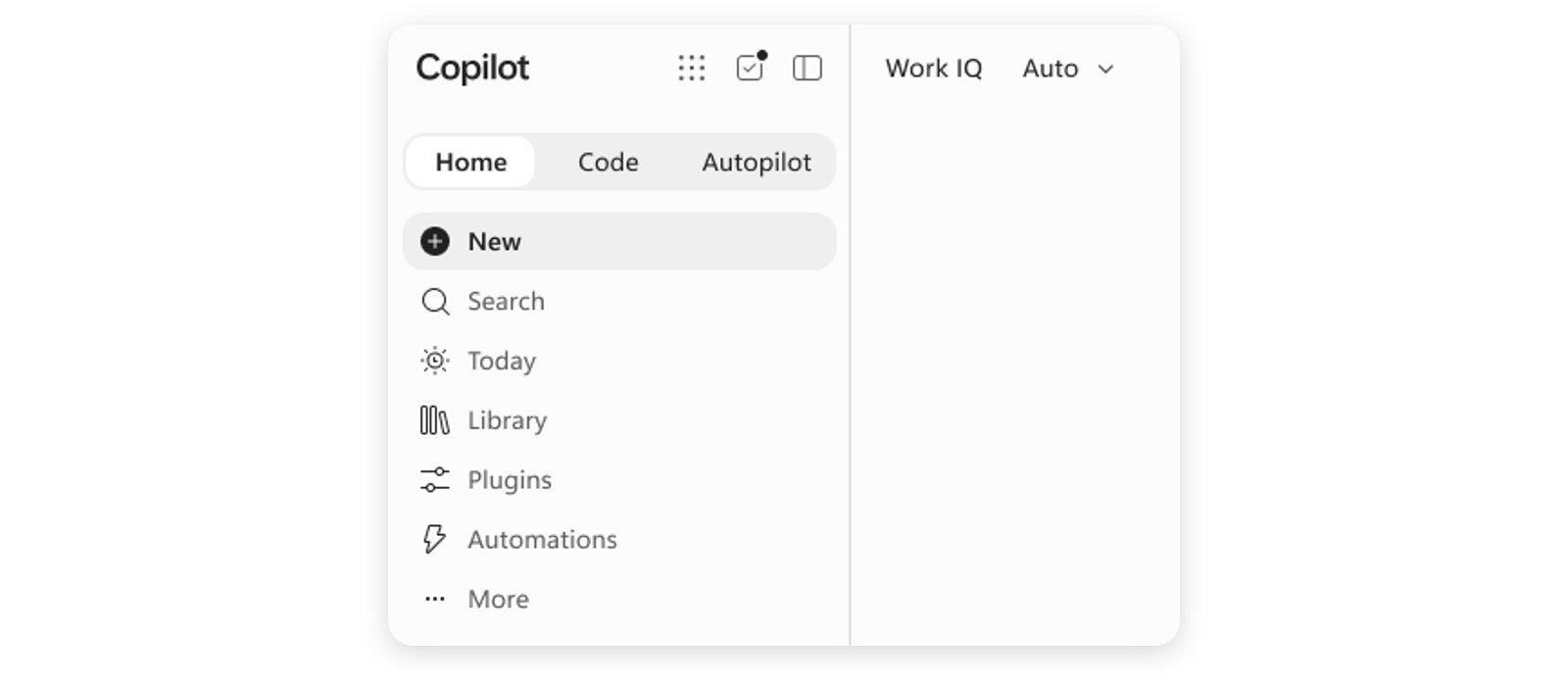
GitHub Copilot and Microsoft Copilot are two different products that happen to share a name because both come from Microsoft. GitHub Copilot is an AI pair programmer that lives inside code editors like VS Code, JetBrains IDEs, Visual Studio, Xcode, Neovim and github.com, and it is built for writing, completing, reviewing and debugging code. Microsoft Copilot is a general-purpose AI assistant that lives in the Windows taskbar, the Edge browser sidebar, copilot.microsoft.com, and Microsoft 365 apps like Word, Excel, PowerPoint, Outlook and Teams, and it is built for everyday writing, research, spreadsheets, presentations and email. If you searched for "Copilot" because you wanted help writing code, you want GitHub Copilot. If you wanted help writing an email, summarizing a document or getting answers on the web, you want Microsoft Copilot.
What Is GitHub Copilot?
GitHub Copilot is GitHub's AI coding assistant, first launched in preview in 2021 and now built directly into every major code editor. It reads the code you're working on, suggests whole lines or functions as you type, answers questions in a chat panel next to your editor, reviews pull requests, and — in its newer "agent" modes — can work semi-autonomously across a codebase to open pull requests, fix bugs or run in a cloud sandbox. It is aimed squarely at developers: individuals, teams and large engineering organizations writing software.
GitHub Copilot is maintained by GitHub, the Microsoft-owned code-hosting company, and the underlying models come from several AI labs rather than one in-house model. GitHub's own Copilot product page describes it as spanning code completion, chat, code review, and autonomous coding agents that can work across an entire repository. For background on the product's history, see GitHub Copilot's Wikipedia entry.
What Is Microsoft Copilot?
Microsoft Copilot is Microsoft's umbrella AI assistant for everyday work and personal tasks. It grew out of Bing Chat and was rebranded and expanded across Microsoft's consumer and business products starting in 2023. You'll meet it as a chat panel that can search the web, draft and summarize text, generate images, and — inside Microsoft 365 — read and write directly into your documents, spreadsheets, slides, email and meetings. Microsoft describes its newer capabilities as including "Work IQ" (grounding answers in your organization's content and context), "Cowork" (handling multi-step tasks across apps), a no-code app builder called Copilot Code, and "Autopilot," a cloud-hosted agent that can work in the background on a schedule. Autopilot is covered in more depth in Pandromeda's explainer on Microsoft Copilot Autopilot.
Microsoft Copilot is not aimed at developers specifically — it's aimed at anyone using Windows, Edge or Office. Microsoft's own Copilot page positions it as a work and life assistant that produces "finished work, not just answers," rather than a coding tool. For background, see Microsoft Copilot's Wikipedia entry.
GitHub Copilot vs Microsoft Copilot: Side-by-Side
| GitHub Copilot | Microsoft Copilot | |
|---|---|---|
| What it is | AI pair programmer for writing and reviewing code | General-purpose AI assistant for everyday work and web tasks |
| Made by | GitHub (a Microsoft subsidiary) | Microsoft |
| Where it lives | VS Code, Visual Studio, JetBrains IDEs, Xcode, Neovim/Vim, Eclipse, github.com, Copilot CLI, GitHub Mobile | Windows taskbar/Copilot key, Microsoft Edge sidebar, copilot.microsoft.com, Word, Excel, PowerPoint, Outlook, Teams, mobile apps |
| Free tier | Yes — limited monthly completions and chat/agent requests | Yes — Copilot Chat is free to use |
| Paid tiers (individual) | Pro $10/mo, Pro+ $39/mo, Max $100/mo | Microsoft 365 plans from roughly $9.99–$19.99/mo include Copilot |
| Paid tiers (business) | Business $19/user/mo, Enterprise $39/user/mo | Microsoft 365 Copilot Business ~$23.50/user/mo, Enterprise ~$30/user/mo (annual commitment) |
| Underlying AI models | Selectable models from OpenAI (GPT-5 family), Anthropic (Claude Haiku/Sonnet/Opus), Google (Gemini Flash), xAI (Grok) and others, plus "Auto" selection | Multiple leading models combined under an "Auto" mode, including OpenAI models; image generation uses DALL·E 3 |
| Best for | Writing, completing, reviewing and debugging code | Email, documents, spreadsheets, presentations, research, chat |
Where You'll Actually Find Each One
This is usually where the confusion starts, because both products show up in overlapping places on a Windows PC.
GitHub Copilot appears as an extension or built-in feature inside a code editor's sidebar or inline suggestions as you type, as a chat tab on github.com itself, and as a command-line tool via Copilot CLI. It does not appear in the Windows taskbar or in Microsoft Word. According to GitHub's own documentation, Copilot now also ships as a standalone desktop app and is reachable from GitHub Mobile and Windows Terminal, but always in a developer-facing context — repositories, pull requests, terminals and editors.
Microsoft Copilot appears as an icon in the Windows 11 taskbar (sometimes triggered by a dedicated "Copilot key" on newer keyboards), as a panel you open from the Edge toolbar, as a standalone site at copilot.microsoft.com, and as a ribbon button or chat pane inside Word, Excel, PowerPoint, Outlook and Teams once you're signed in with a Microsoft 365 Copilot license. If you clicked a "Copilot" icon in Windows or Office and ended up somewhere that doesn't look like a code editor, you're using Microsoft Copilot, not GitHub Copilot.
GitHub Copilot Pricing and Plans
Per GitHub's official plans page, GitHub Copilot is sold in six tiers:
- Free — $0, includes a monthly allowance of code completions and chat/agent requests, plus Copilot CLI.
- Pro — $10/month, unlimited code completions, model selection, cloud agent and code review, with a monthly allotment of premium-request credits.
- Pro+ — $39/month, adds access to premium models (including Claude Opus-tier models) and a larger monthly credit allotment.
- Max — $100/month, priority access to new models and the largest included usage allotment.
- Business — $19 per user/month, adds organization-wide policy and budget controls plus IP indemnity.
- Enterprise — $39 per user/month, adds priority access to new models on top of everything in Business.
There's also a free Copilot plan for verified students and some open-source maintainers. GitHub recently reorganized which models are available on which plan — Pandromeda covered the specifics in a rundown of GitHub Copilot's October model changes. For teams evaluating Copilot against alternatives, see Pandromeda's comparison of Claude Code and GitHub Copilot pricing.
Microsoft Copilot Pricing and Plans
Microsoft Copilot's pricing is split between a free chat experience and paid tiers bundled into Microsoft 365 subscriptions, per Microsoft's own Copilot page:
- Free — Copilot Chat is available at no cost for general questions, writing help and web search, with usage limits.
- Individuals — around $9.99/month as part of a personal Microsoft 365 subscription that bundles Copilot with Office apps and cloud storage.
- Business — around $23.50 per user/month, billed annually, which bundles Copilot (with Work IQ) alongside Microsoft 365 apps, identity and security features.
- Enterprise — around $30 per user/month, billed annually, which adds Copilot Studio for building and scaling custom agents at organization scale.
Separately, Microsoft sells Copilot Studio capacity (for building custom agents) on its own metered plan, priced around $200/month per tenant for a block of included usage. Actual prices vary by region, currency and promotional offers, so Microsoft's own pricing page is the source to check before buying.
Which AI Models Power Each One
Neither product runs on a single, fixed model anymore — both have moved to a multi-model approach with an "Auto" option that picks a model for you.
GitHub Copilot's supported-models documentation lists a broad catalog developers can choose from, spanning OpenAI's GPT-5 family (including coding-specialized Codex variants), Anthropic's Claude family (Haiku, Sonnet and, on paid tiers, Opus), Google's Gemini Flash models, xAI's Grok, Moonshot AI's Kimi, and Microsoft's own MAI-Code model. Which specific models you can pick depends on your plan — Free and Student accounts use Auto selection only, Pro unlocks a wide model picker, and Pro+/Max/Business/Enterprise add the most capable "premium" models, sometimes gated behind an administrator approval step.
Microsoft Copilot, per Microsoft's own description, "combines several leading models" and uses an Auto mode to pick the model and effort level per request rather than exposing a single model name to most users. Its image-generation feature, Image Creator, is built on OpenAI's DALL·E 3 model. Because Microsoft Copilot is tuned for general productivity rather than code generation, its model mix and tuning differ from GitHub Copilot's even when the underlying model families overlap.
Can You Use Both at the Same Time?
Yes, and many developers do. A software engineer might have GitHub Copilot active in VS Code for writing code, while also using Microsoft Copilot in Outlook to draft a status email or in Edge to research a library's documentation. The two subscriptions are billed separately, require separate sign-ins (though both use your Microsoft or GitHub account), and don't share settings, chat history or usage allowances. Turning one on or off has no effect on the other. If your organization uses GitHub Enterprise and Microsoft 365 together, you may see both "Copilot" icons in your daily toolset — they are simply unrelated subscriptions that happen to share a brand name.
Common Points of Confusion
A few recurring mix-ups are worth calling out directly:
- "My company pays for Copilot — why can't I use it in VS Code?" Your organization likely licensed Microsoft 365 Copilot, not GitHub Copilot. They are purchased, licensed and administered separately, even within the same Microsoft/GitHub admin ecosystem.
- "I see a Copilot icon in Windows — is that the coding one?" No. The taskbar icon and the dedicated Copilot key on newer PC keyboards open Microsoft Copilot, not GitHub Copilot.
- "Does GitHub Copilot work in Word or Excel?" No — GitHub Copilot is scoped to code editors, terminals and github.com. For Office apps, you need a Microsoft 365 Copilot license.
- "Is Copilot in Visual Studio the same as Copilot in Windows?" No. Visual Studio's Copilot integration is GitHub Copilot, even though Visual Studio and Windows are both Microsoft products.
If you landed here after researching AI coding tools more broadly, Pandromeda has separate coverage comparing Cursor, GitHub Copilot, Claude Code and Codex on price and features — that's a different, narrower comparison than this one, since it's about rival coding assistants rather than two same-named Microsoft products.
Which One Do You Actually Need?
Work out which product you need by what you're trying to do, not by the word "Copilot" alone:
- You write or maintain software — you want GitHub Copilot. Start with the free tier inside VS Code or your IDE of choice, and upgrade to Pro if you outgrow the free monthly allowance. If your work involves running agents in an isolated environment, GitHub Copilot's local sandboxing feature (covered elsewhere on Pandromeda) is also worth knowing about.
- You work mainly in Office documents, email or a browser — you want Microsoft Copilot, likely bundled into whatever Microsoft 365 plan your organization already pays for.
- You do both — there's no conflict in running both at once; they're separate subscriptions that serve separate parts of your workday.
- You're not sure which your company licensed — ask your IT administrator specifically which "Copilot" product is on your account, since both show up as "Copilot" in admin consoles and billing.
In short: if the task involves a codebase, an IDE or a pull request, you're in GitHub Copilot's lane. If it involves a document, spreadsheet, inbox or general question, you're in Microsoft Copilot's lane. The shared name is a branding choice, not a sign that these are the same product.
Frequently asked questions
Is GitHub Copilot the same thing as Microsoft Copilot?
No. GitHub Copilot is an AI coding assistant built into code editors and github.com, while Microsoft Copilot is a general-purpose AI assistant built into Windows, Edge and Microsoft 365. Both are Microsoft-family products, but they are separate subscriptions with separate features.
Where do I find GitHub Copilot?
Inside code editors such as VS Code, Visual Studio, JetBrains IDEs, Xcode, Neovim and Eclipse, as a chat feature on github.com, and through Copilot CLI in a terminal.
Where do I find Microsoft Copilot?
In the Windows 11 taskbar (or via a dedicated Copilot key), in the Microsoft Edge sidebar, at copilot.microsoft.com, and inside Microsoft 365 apps like Word, Excel, PowerPoint, Outlook and Teams.
How much does GitHub Copilot cost?
GitHub Copilot has a free tier plus paid plans: Pro at $10/month, Pro+ at $39/month and Max at $100/month for individuals, and Business at $19/user/month and Enterprise at $39/user/month for organizations, per GitHub's official plans page.
How much does Microsoft Copilot cost?
Microsoft Copilot Chat is free to use. Paid access is bundled into Microsoft 365 subscriptions, with individual plans around $9.99/month and business plans around $23.50 to $30 per user/month billed annually, per Microsoft's official Copilot page.
Can I use GitHub Copilot and Microsoft Copilot at the same time?
Yes. They are independent subscriptions that don't interact, so a developer can run GitHub Copilot in their IDE while also using Microsoft Copilot in Outlook, Edge or Word.
Sources
- GitHub Docs: GitHub Copilot plansdocs.github.com
- GitHub Docs: Supported AI models for Copilotdocs.github.com
- GitHub: Copilot features pagegithub.com
- Microsoft: Copilotmicrosoft.com
- Wikipedia: GitHub Copiloten.wikipedia.org
- Wikipedia: Microsoft Copiloten.wikipedia.org
Felix Moreau writes Pandromeda's software coverage and how-to guides. He covers Windows, macOS and Linux updates, the apps people rely on, emulators and developer tools, and turns official documentation into clear, numbered steps that work on the current version.