ChatGPT Atlas vs Perplexity Comet vs Edge Copilot Mode Compared
Two of the three AI browsers people search for don’t exist in their original form anymore. Here’s what happened to Atlas and Copilot Mode, and how Comet compares today.
Of the three AI browsers people keep searching for side by side, only one still exists in the form the query implies. ChatGPT Atlas, OpenAI’s standalone browser, stopped working on August 9, 2026, folded into agentic browsing inside the ChatGPT desktop app. Microsoft retired “Copilot Mode” as a separate toggle in Edge on May 13, 2026, rolling its features into ordinary Copilot in Edge instead. Perplexity’s Comet is the one that’s still, unambiguously, a browser — free worldwide, now on desktop and mobile. Here’s what actually happened to each, what replaced the two that disappeared, and how they compare on price, platforms and the agentic and research features that made this category interesting in the first place.
Where things stand in September 2026:
- ChatGPT Atlas — discontinued August 9, 2026. Replaced by browser-based agentic capability inside the ChatGPT desktop app (macOS, Windows) and a ChatGPT Chrome extension.
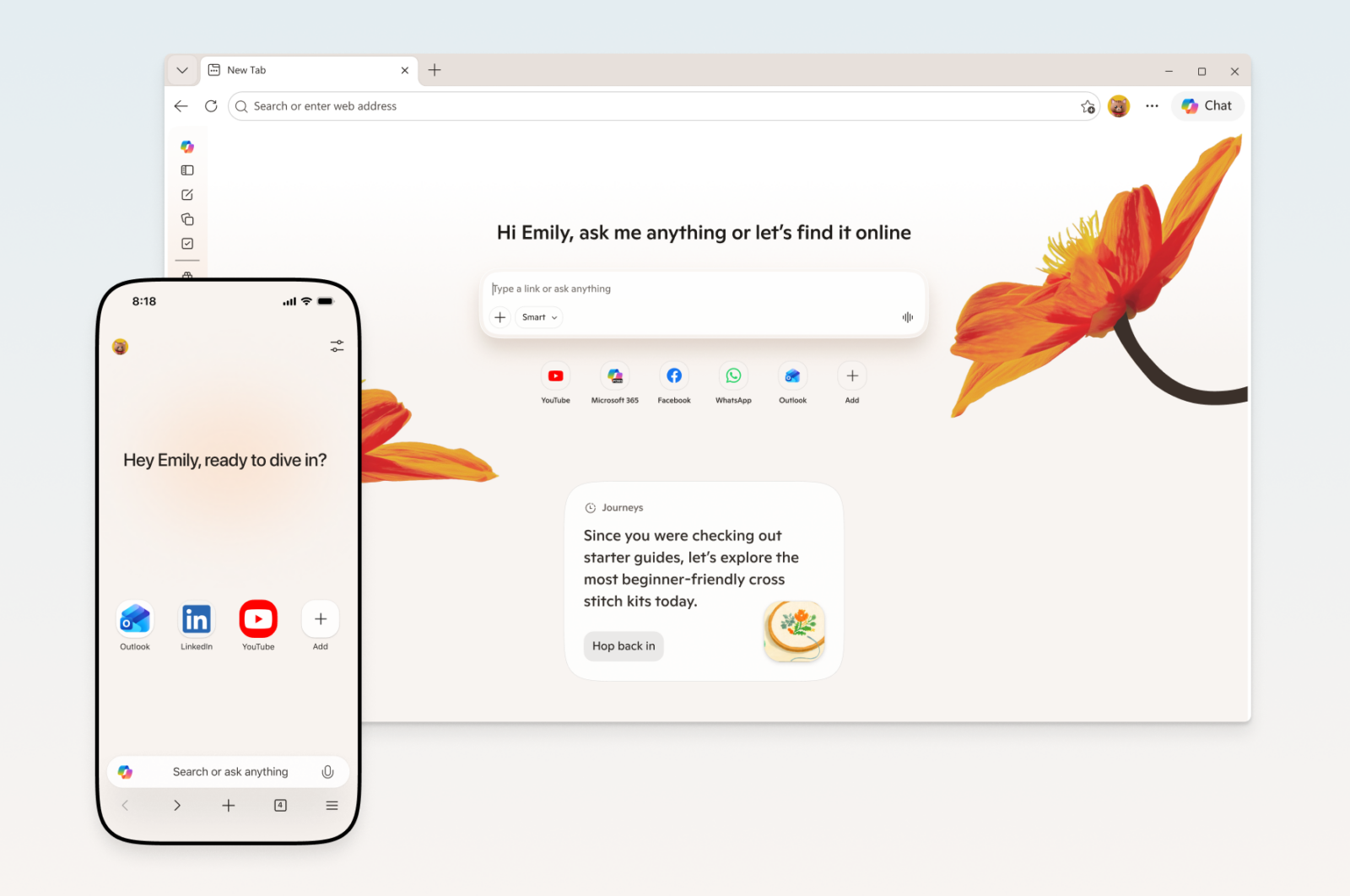
- Edge Copilot Mode — retired as a named mode on May 13, 2026. Its features (multi-tab reasoning, Journeys, agent actions) now live inside standard Microsoft Edge as “Copilot in Edge.”
- Perplexity Comet — still a distinct browser, free for everyone, available on Windows, macOS, Android and iOS.
What happened to ChatGPT Atlas
OpenAI launched ChatGPT Atlas in October 2025 as a full Chromium-based browser with ChatGPT built into the sidebar, including an early agent mode that could research, fill forms and complete multi-step tasks on a user’s behalf. At launch it shipped for macOS only, with Windows, iOS and Android versions promised as “coming soon.” Those versions never shipped as a standalone browser. Instead, according to OpenAI’s help center, the company began a roughly 30-day wind-down starting July 9, 2026, and Atlas was scheduled to stop working on August 9, 2026 — after which it could no longer open pages, browse or run agentic workflows.
OpenAI’s own explanation, published as “Evolving Atlas into ChatGPT for browser-based agentic work”, frames this as consolidation rather than retreat: “We’re deprecating Atlas and moving browser-based agentic capabilities into ChatGPT and Codex.” The same notice told Atlas users to manually export bookmarks to HTML before the shutdown, since saved browsing history, open tabs, and site cookies would not transfer automatically — ChatGPT conversation history itself was unaffected, as it never lived inside the browser layer.
What replaced Atlas: agentic browsing built into ChatGPT itself
On July 9, 2026, the same day the Atlas wind-down began, OpenAI merged its Chat, Work and Codex surfaces into a single new ChatGPT desktop app for macOS and Windows (the older interface was renamed ChatGPT Classic). That app is where OpenAI is now building out “a more capable browser experience,” per the same help center notice, including multiple tabs, downloads, improved navigation and account login support — the pieces Atlas had, rebuilt inside ChatGPT rather than as a separate product. For everyday web use without installing anything new, OpenAI also points Atlas refugees toward a ChatGPT Chrome extension and sidebar that works inside a user’s existing browser instead of replacing it.
The practical honesty flag here: OpenAI’s own migration notice describes what it’s building, not a finished, feature-complete replacement. There is no independently confirmed date by which the new ChatGPT desktop app will match everything Atlas’s agent mode could do at its (also imperfect) best, and OpenAI’s original Atlas launch page was explicit that agent mode “may make mistakes on complex workflows” and remained susceptible to prompt injection from hidden instructions on a page — a caveat that applies to any browser agent, not just OpenAI’s.
What happened to Edge’s Copilot Mode
Microsoft shipped Copilot Mode as an opt-in, separate mode inside Edge in July 2025 — you toggled it on and the browser’s new-tab page and address bar changed to an AI-first layout. Less than a year later, Microsoft retired that separation. In its own words, from the Microsoft Edge Blog: “As part of today’s update, we’re retiring Copilot Mode. With helpful features built directly into Edge, it’s now simpler to shape how you browse and get more done.” Users who had Copilot Mode enabled were moved into a “Copilot in Edge Preview” track with early access to new features via Edge Settings, rather than losing functionality outright.
So unlike Atlas, nothing here actually shut down — Microsoft folded a distinct, brand-named mode into the base product and stopped calling it Copilot Mode. That’s a meaningfully different kind of “retirement” than OpenAI’s, and worth being precise about if you’re comparing the three on stability: Comet has never renamed or discontinued its core product since its July 2025 launch; Edge changed the branding and packaging of its AI feature twice in a year; Atlas was cancelled outright.
Copilot in Edge today: what you actually get
Per Microsoft’s support documentation and the May 2026 Edge Blog update, Copilot in Edge is now a standard part of the browser on Windows, Mac, and the Edge mobile app on iOS and Android, not a separate download. Core features — multi-tab reasoning (comparing information across open tabs), a redesigned new-tab page blending chat and search, and Journeys (grouping browsing history into project-based topics) — are free with a Microsoft account. More advanced pieces are gated by geography or subscription: Microsoft’s own blog post states that Journeys on mobile, the writing assistant, and podcast generation are limited to the U.S. or English-language markets, and that “Browse with Copilot” — the actual agentic feature that clicks, types and navigates tabs on a user’s behalf — requires a Microsoft 365 Premium subscription and is currently U.S.-only with usage limits.
That Microsoft 365 tie-in is Edge’s clearest differentiator against both Comet and ChatGPT: work-account users get Copilot access to Word, Excel and Outlook content directly inside the sidebar, with Microsoft stating that data stays inside the organization’s tenant boundary for enterprise deployments. Neither Comet nor ChatGPT’s browser tooling has an equivalent, out-of-the-box Office integration.
Perplexity Comet: the one that’s still just a browser
Comet launched in July 2025 as a Max-subscriber-only perk at $200/month, then went free for everyone worldwide in October 2025. Since then Perplexity has kept building it out as a standalone Chromium-based browser rather than folding it into something else: an Android app arrived in November 2025 and an iOS app followed in March 2026, alongside the existing Windows and macOS desktop builds. The core pitch, per Perplexity’s product page, is a built-in “Comet Assistant” that can search, summarize open tabs, and take multi-step actions — from organizing tabs to filling in forms — using natural-language prompts, rather than routing every question through a separate chat window.
Perplexity also sells a business track through Comet Enterprise, which the company describes as SOC 2 Type II certified and HIPAA compliant, with prompt-injection protections, domain blocking, audit logging, and MDM-based deployment for organizations — a more security-focused pitch than a productivity-suite one, since Comet doesn’t plug into Microsoft 365 or Google Workspace the way Copilot in Edge plugs into Office.
Price and platform, side by side
| Product | Status (Sept 2026) | Price | Platforms |
|---|---|---|---|
| ChatGPT (agentic browsing) | Atlas discontinued Aug 9, 2026; capability moved into the ChatGPT desktop app + Chrome extension | App is free to download; agent-style task automation has historically required a paid ChatGPT plan (Plus and up) | macOS, Windows (desktop app); Chrome extension on any OS running Chrome |
| Perplexity Comet | Active, standalone browser, expanding | Free for everyone; optional Comet Plus content add-on ($5/month, included free with Pro or Max); custom Enterprise pricing | Windows, macOS, Android, iOS |
| Copilot in Edge | Copilot Mode retired May 13, 2026; features now built into standard Edge | Free with a Microsoft account; “Browse with Copilot” agent actions and extra usage require Microsoft 365 Premium | Windows, macOS, Edge mobile (iOS/Android) — some features restricted to the U.S. or English-language markets |
None of these three prices are quite apples-to-apples. Perplexity’s “free” genuinely means no subscription is required for the core browser; Microsoft’s “free” gets you the browser and basic chat, but its most agentic feature sits behind a paid Microsoft 365 tier that many home users don’t have; and OpenAI’s browsing tools are bundled into a ChatGPT subscription whose price hasn’t changed on account of Atlas’s shutdown, so there’s no separate “browser price” to quote at all anymore.
Agentic actions, research and enterprise fit
| Capability | ChatGPT | Perplexity Comet | Copilot in Edge |
|---|---|---|---|
| Agentic actions (fill forms, book, multi-step tasks) | Via ChatGPT Work/desktop app on a paid plan; no longer a dedicated consumer browser | Comet Assistant acts across open tabs — summarizing, filling forms, running multi-step tasks | “Browse with Copilot” clicks, types and navigates tabs — U.S.-only, Microsoft 365 Premium required |
| Research with citations | Deep research with sourced answers, a longstanding ChatGPT feature | Built on Perplexity’s cited-answer search engine by default | Summarizes and cites across open tabs and web results |
| Enterprise / Microsoft 365 integration | ChatGPT Enterprise/Business/Edu tiers exist, but no Microsoft 365-specific hook | Comet Enterprise: SOC 2 Type II, HIPAA, MDM deployment; no native Office integration | Work-account users get Word, Excel and Outlook content inside the sidebar, data kept within tenant boundaries |
Treat the “agentic actions” row as directional rather than a lab-tested benchmark: none of these figures come from a controlled, identical task run across all three by an independent tester, and each vendor describes its own agent’s reliability in its own marketing language. What’s independently verifiable is the access restriction — Microsoft explicitly gates its most autonomous feature behind geography and a specific paid subscription, which the other two do not.
Privacy, safety and the shared agent-mode risk
All three companies flag some version of the same warning: giving a browser the ability to click and type on your behalf also gives a malicious webpage a new way to manipulate it. OpenAI’s original Atlas documentation warned that agent mode “remains susceptible to hidden malicious instructions” embedded in pages or emails, and said the agent can’t execute code, download files, install extensions or reach outside the browser sandbox, and pauses automatically on sensitive financial sites. Perplexity’s enterprise materials describe prompt-injection protection and domain-blocking controls for Comet specifically because the same risk applies there. Microsoft’s Edge documentation asks users to grant explicit permission before browsing context is used and recommends not sharing sensitive information as context. None of this is unique to one vendor — it’s a structural property of letting an AI model act inside a browser, and it’s worth keeping in mind regardless of which of these three you end up using day to day.
This kind of “assistant that reasons across everything already open” pattern isn’t limited to browsers, either — it’s the same instinct behind the deep-research and agent features Slack has been rolling into its own workplace chat product. And if you’re weighing AI-adjacent productivity tools more broadly rather than just browsers, our Notion vs Obsidian comparison covers a similar price-versus-privacy trade-off.
Which AI browser should you actually use
If you want a dedicated AI browser today, Comet is the only one of the three that still exists as one, it’s free on every major platform including phones, and it doesn’t require a Microsoft 365 subscription to unlock its agent features — the trade-off is that it’s a separate app to adopt and it doesn’t plug into Office documents. If you already live in Microsoft Edge and have Microsoft 365 Premium (or use a Microsoft 365 work account), Copilot in Edge’s Office integration and multi-tab reasoning are now just part of the browser you already have, and cost nothing extra beyond a subscription many workplaces already provide — just don’t expect the fully agentic “Browse with Copilot” piece if you’re outside the U.S. If you’re specifically looking for what used to be ChatGPT Atlas, it doesn’t exist anymore in browser form: your options are the ChatGPT desktop app (which pairs Chat, Work and Codex on Windows or Mac) or the ChatGPT Chrome extension layered on top of a browser you already use, with the more autonomous task-running features tied to a paid ChatGPT plan.
The bigger pattern worth watching is that two of three products in this category have already been rebuilt within twelve months of launch. Anyone evaluating “AI browsers” going into 2027 should expect more consolidation like this rather than treating any one product’s current shape as settled — including on the Windows side, where keeping Windows 11 on a current, supported release affects which Edge and Copilot features actually show up on a given machine.
Frequently asked questions
Is ChatGPT Atlas still available in 2026?
No. OpenAI discontinued Atlas on August 9, 2026, after a roughly 30-day wind-down period, and folded browser-based agentic capabilities into the ChatGPT desktop app and a ChatGPT Chrome extension instead.
What replaced ChatGPT Atlas?
A new ChatGPT desktop app for macOS and Windows, launched July 9, 2026, that combines Chat, Work and Codex in one app, plus a ChatGPT Chrome extension for browsing inside an existing browser.
Is Copilot Mode still a feature in Microsoft Edge?
Not by that name. Microsoft retired Copilot Mode as a separate toggle on May 13, 2026, and moved its features — including multi-tab reasoning and Journeys — directly into standard Edge as “Copilot in Edge.”
Is Perplexity Comet free to use?
Yes. Comet is free worldwide on Windows, macOS, Android and iOS. An optional Comet Plus add-on for premium publisher content costs $5 a month, but it comes included at no extra charge for Perplexity Pro and Max subscribers.
Which of the three has real agentic browsing today — clicking, filling forms, booking things?
Perplexity's Comet Assistant does this broadly across tabs. Microsoft's equivalent, “Browse with Copilot,” is currently limited to Microsoft 365 Premium subscribers in the U.S. ChatGPT's task-automation features now live in its desktop app and ChatGPT Work, tied to a paid ChatGPT plan, rather than in a dedicated consumer browser.
Do any of these AI browsers work on phones?
Comet has native Android and iOS apps. Copilot in Edge is available in the Edge mobile app on iOS and Android, though some features are U.S. or English-market only. ChatGPT no longer has a dedicated browsing app on mobile since Atlas was discontinued.
Sources
- OpenAI – Introducing ChatGPT Atlasopenai.com
- OpenAI Help Center – Evolving Atlas into ChatGPT for browser-based agentic workhelp.openai.com
- Microsoft Edge Blog – New updates to Edge across desktop and mobileblogs.windows.com
- Microsoft Support – Getting started with Copilot in Microsoft Edgesupport.microsoft.com
- Perplexity – Comet product pageperplexity.ai
- Perplexity – Comet Enterpriseperplexity.ai
Felix Moreau writes Pandromeda's software coverage and how-to guides. He covers Windows, macOS and Linux updates, the apps people rely on, emulators and developer tools, and turns official documentation into clear, numbered steps that work on the current version.