Proton Drive vs Google Drive: Which Is More Private in 2026?
Both store your files in the cloud, but only one says it can't read them. Here's how Proton Drive's zero-access encryption stacks up against Google Drive's standard model.
Proton Drive is built so that, in the company's own words, "no one, not even Proton, can access your files and folders or see their names without your permission," while Google Drive encrypts files in transit and at rest but Google itself can access private content "only with permission or when legally required," according to its own support documentation. That is the real privacy gap between the two services: one uses end-to-end, zero-access encryption by default, the other uses a standard server-side model the provider can technically unlock under its own policies and the law. Everything else — storage tiers, pricing, jurisdiction, and how each company handles government requests — flows from that one architectural choice.
- Proton Drive encrypts files end-to-end by default using OpenPGP and ECC Curve25519, so Proton says it cannot read file contents or names.
- Google Drive encrypts data in transit and at rest, but Google can access private content with your permission or "when legally required," per its own documentation.
- Proton is based in Switzerland, outside EU/US jurisdiction and the Five/Fourteen Eyes alliances; Google operates under US jurisdiction and responds to law-enforcement requests that meet legal process.
- Google Drive's free tier (15 GB) and entry paid tier ($1.99/month for 100 GB) are cheaper than Proton Drive's equivalents, but Proton's model trades convenience features (search, previews, AI processing) for encryption it says it cannot bypass.
The core difference: zero-access encryption vs. standard encryption
Every mainstream cloud storage service encrypts your files "at rest" on its servers and "in transit" while they move across the internet. Google says exactly this about Drive: data is encrypted in transit and at rest in its data centers. The catch is that Google holds the encryption keys, which is what lets it offer features like in-browser previews, full-text search inside documents, virus scanning, and spam filtering. Those conveniences require the provider to be able to read the data — at least in an automated sense — and that same technical capability is what a court order, an internal policy change, or a compromised employee account could, in principle, exploit.
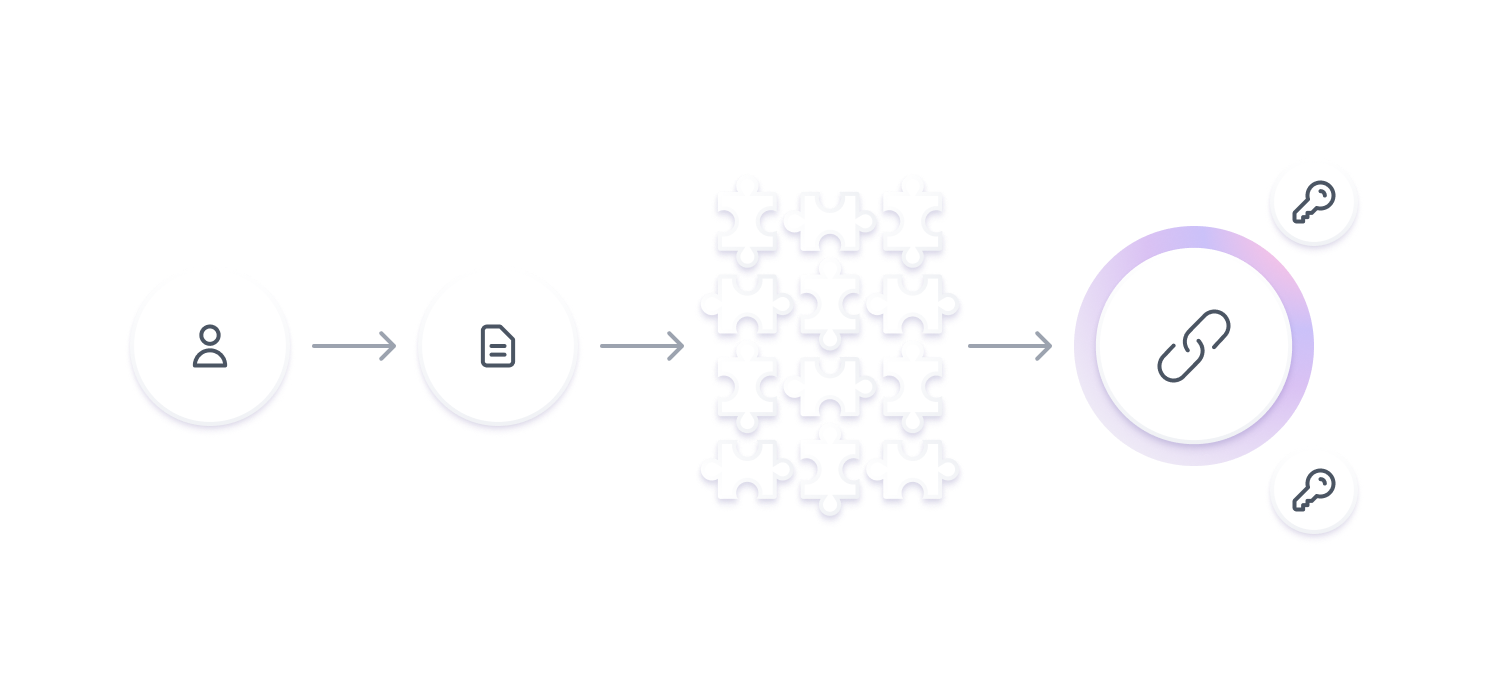
Proton Drive takes a different approach it calls end-to-end and zero-access encryption. Files are encrypted on your device before they ever reach Proton's servers, using keys Proton says it does not hold. The company's position, stated plainly on its own security page, is that "no one, not even Proton, can access your files and folders or see their names without your permission." That is a meaningfully stronger claim than "we encrypt your data" — it is a claim that the provider has deliberately given up the technical ability to decrypt it. For background on what that distinction means in general, see Wikipedia's overview of end-to-end encryption, which notes that in a true E2EE system "the provider does not hold the keys needed to read the content," unlike services that merely encrypt data in transit or on their own servers.
How Proton Drive's end-to-end encryption works
According to Proton's own Drive security documentation, files are encrypted on your device using your account's public key before upload, and can only be decrypted with your private key — keys you never have to manage, share, or distribute yourself, since Proton automates that process. The underlying cryptography is elliptic curve cryptography, specifically ECC Curve25519, implemented through the OpenPGP standard. Large files are split into 4 MB chunks, and each chunk is signed with a hash so that pieces cannot be silently removed, swapped, or reordered without detection.
Proton also points to independent verification rather than asking users to take its word for it: the company says its code is "publicly available for anyone to review and verify," and it commissions outside audits, including one from the security firm Securitum, with reports linked from its site. That combination — open-source clients, default E2EE, and third-party audits — is the typical playbook for a provider trying to prove a zero-access claim rather than merely assert it.
How Google Drive protects — and can access — your files
Google's Drive privacy and security help page confirms that uploaded files are encrypted in transit and at rest in Google's data centers, and that files are private to you unless you choose to share them. Google also states it does not use Drive content for advertising, and that your account has built-in protections against spam, phishing, and malware. None of that is in question — Google's infrastructure security is extensive and well documented.
The privacy-relevant line is this one, from Google's own page: Google accesses private content "only with your permission or when legally required," and it separately processes content to power features like spam filtering, virus detection, and in-account search. In other words, Google Drive's standard architecture is designed around Google being able to read file contents when its systems, policies, or legal obligations call for it — a fundamentally different starting point than Proton's "we cannot decrypt this even if asked" design. For organizational Google Workspace accounts specifically, Google's compliance documentation adds that domain administrators can access user accounts and data under the relevant customer agreement, and that larger organizations can review an access log for Google's own staff through a feature called Access Transparency. Consumer Drive accounts (personal gmail.com logins) don't have a company administrator in the picture, but the same underlying point stands: Google, not just an attacker, is architecturally positioned to access the data if required.
| Encryption trait | Proton Drive | Google Drive |
|---|---|---|
| Encryption in transit & at rest | Yes | Yes |
| End-to-end / zero-access by default | Yes — provider says it cannot decrypt files | No — standard server-side encryption; Google holds the keys |
| Provider can access content | Proton says it cannot, without your permission | Google can, "with your permission or when legally required" |
| Client code open to independent review | Yes, plus third-party audits (e.g. Securitum) | Not published as open source |
| Base jurisdiction | Switzerland | United States |
Switzerland vs. the United States: why jurisdiction matters
Encryption architecture is only half the privacy story; the other half is which country's laws a provider answers to. Proton's security page states that Switzerland sits "outside US and EU jurisdiction" and is not part of any Five Eyes or Fourteen Eyes intelligence-sharing arrangement. It also cites Article 271 of the Swiss Criminal Code, which Proton says bars it from sharing data directly with foreign authorities, and argues that end-to-end encryption is itself "protected under Swiss law." Google, by contrast, is a US company subject to US legal process, and its own transparency materials describe responding to law-enforcement and government requests that meet that process — a normal and lawful posture for a US-headquartered provider, but a different jurisdictional exposure than a Swiss-based one.
This is the same jurisdictional argument the site has made before when comparing Proton Mail against Tuta on encrypted email: where a company is incorporated and headquartered shapes which legal systems can compel it, independent of how strong its encryption is.
How each company handles government data requests
Proton's own transparency report explains that only requests submitted through official Swiss channels are legally binding on the company, and that it says it "cannot legally comply with foreign requests" that Swiss authorities haven't endorsed. For its end-to-end encrypted Mail content, Proton states it "ha[s] no means to decrypt" emails, files, or invites, so even a valid Swiss order can only compel disclosure of data Proton actually holds in readable form — typically account metadata, not encrypted content. Proton's Drive security page describes the same end-to-end encryption design for files and folders, so the same logic applies: if Proton genuinely cannot decrypt a file, a legal order cannot make it hand over a readable copy of something it never had the key to open.
Google's transparency documentation describes a different but still formal process: Google says it reviews every government request against applicable law, narrows requests it considers overly broad, and in some cases objects to producing any information at all. It requires valid legal process before producing data — even when a request claims to be on the user's own behalf — except in genuine emergencies involving risk to life, and it states it does not allow "back door" government access to its systems. Where law permits, Google notifies the affected user by email, and it states plainly that it does not sell personal information to governments or anyone else. The structural difference from Proton is not that one company is more "law-abiding" than the other — both describe formal legal-process requirements — but that Google's standard Drive architecture means legal process can compel access to readable file content, while Proton's E2EE design means there is, by its own account, no readable content for a request to reach.
Pricing and storage: Proton Drive vs. Google Drive
Privacy architecture aside, price and storage still matter for most people choosing between the two. Google Drive's free and entry-level paid tiers are cheaper than Proton's, largely because Google's business model doesn't depend on encryption being a premium feature. The table below uses each company's own published pricing.
| Plan | Storage | Price (monthly) | Notes |
|---|---|---|---|
| Google Drive Free | 15 GB | $0 | Shared across Gmail, Drive, and Photos |
| Google One Basic | 100 GB | $1.99 | Sharable with up to 5 people |
| Google One Premium | 2 TB | $9.99 | Adds Workspace premium features |
| Google AI Pro | 2 TB | $19.99 | Adds Gemini 2.5 Pro and AI tools |
| Proton Free | 5 GB | $0 | No credit card required |
| Proton Drive Plus | 200 GB | $4.99 | Drive-only paid plan; 10-year version history |
| Proton Unlimited | 500 GB | $12.99 | Bundles Mail, VPN, Calendar, Pass |
| Proton Duo | 2 TB | $19.99 | Up to 2 users, bundles VPN |
| Proton Family | 3 TB | $29.99 | Up to 6 users, all premium Proton apps |
Figures are current list prices from Proton's own pricing page and Google One's plans page at the time of writing; both companies periodically run promotional pricing and offer annual discounts, so check each page directly before buying. For a broader look at how these two stack up against a third major provider on price and raw storage alone, the site's existing OneDrive vs. Google Drive vs. Dropbox comparison covers that ground in more depth.
What each company can still see, even when it can't read your files
Zero-access encryption protects file contents and, per Proton, file and folder names — but no cloud provider operates with zero metadata. Account details, storage usage, approximate file sizes, login timestamps, and who you shared a link with are the kinds of operational data a provider typically needs just to run the service and bill you, encrypted content or not. Proton's transparency report is explicit that it can disclose "certain user information" to Swiss authorities under valid legal process, without specifying exactly what that covers for Drive. Google is more directly affected here, since its standard architecture gives it visibility into file content itself, not just metadata, for the features described above (search, spam and malware scanning, and content processing it says is not used for ads). If metadata minimization matters as much as content encryption to you, that's the same question worth asking of a password manager's zero-knowledge design, a point covered in the site's 1Password vs. Bitwarden comparison.
Who should choose Proton Drive
Proton Drive is the more defensible choice if your threat model includes the storage provider itself — journalists, activists, lawyers handling privileged material, or anyone who simply doesn't want a US-jurisdiction company holding a readable copy of sensitive files. Its default end-to-end encryption, Swiss jurisdiction, and open-source, audited clients are designed specifically to minimize what Proton itself can see or hand over, by its own account. The trade-offs are real: less mature third-party integrations, a smaller free tier, and a higher price for comparable storage.
Who should choose Google Drive
Google Drive remains the practical default for most households and teams that need deep integration with Docs, Sheets, Gmail, and Android, searchable file contents, and the lowest entry price for meaningful storage. Its security posture — encryption in transit and at rest, access gated by permission or legal requirement, no advertising use of content — is solid by mainstream standards and is the same model nearly every major consumer cloud service uses. It is simply not architected to prevent Google itself from being able to access content, the way Proton's zero-access design is built to prevent Proton from accessing yours.
What to do next
If privacy from the provider is your main concern, start with Proton Drive's free 5 GB tier to test the workflow before committing to a paid plan, and read Proton's own security and transparency pages rather than relying on summaries (including this one) for anything decision-critical. If you already live inside Google's ecosystem and your main concerns are cost, convenience, and encryption against outside attackers rather than against Google itself, Google Drive's free 15 GB or the $1.99/month 100 GB tier is the lower-friction path. Either way, treat cloud storage as one layer of a broader privacy setup — pair it with a strong, unique password and, where offered, hardware-key or passkey-based two-factor authentication on the account itself.
Frequently asked questions
Does Proton Drive encrypt files by default?
Yes. Proton states that Drive uses end-to-end and zero-access encryption by default for all files, using OpenPGP with ECC Curve25519 keys generated and managed automatically on your device, so files are encrypted before they reach Proton's servers.
Can Google access my Google Drive files?
Google's own Drive support documentation says Google accesses private content "only with your permission or when legally required," and separately processes content for features like spam filtering, malware detection, and in-account search. Google Drive's standard encryption (in transit and at rest) does not prevent Google itself from being able to access content, unlike Proton Drive's zero-access model.
Which is more private, Proton Drive or Google Drive?
On the specific question of whether the provider itself can read your files, Proton Drive is more private: it uses end-to-end, zero-access encryption by default and is based in Switzerland, outside EU/US jurisdiction. Google Drive uses strong standard encryption but keeps the technical ability to access content under its own policies and applicable law.
What is zero-access encryption?
Zero-access (a form of end-to-end encryption) means the service provider deliberately does not hold the decryption keys to your data, so even the provider cannot read file contents. Proton describes its Drive, Mail, and other products as using this model by default.
How much does Proton Drive cost compared to Google Drive?
Per each company's pricing pages, Google Drive's free tier offers 15 GB and its entry paid tier (Google One Basic) is $1.99/month for 100 GB. Proton's free tier offers 5 GB, and its entry Drive-specific paid plan, Drive Plus, is $4.99/month for 200 GB.
Where are Proton and Google legally based?
Proton is headquartered in Geneva, Switzerland, which Proton says keeps it outside US and EU jurisdiction and outside Five Eyes/Fourteen Eyes intelligence-sharing agreements. Google is a US company subject to US legal process for data requests.
Sources
- Proton Drive Securityproton.me
- Proton Drive Pricingproton.me
- Proton Transparency Reportproton.me
- Google Drive Privacy & Security (Google Support)support.google.com
- Google One Plansone.google.com
- Google Transparency Report: Responding to government requestssupport.google.com
Sana Qureshi runs the security and privacy desk. She reports on actively exploited vulnerabilities, vendor patches and data breaches, and covers the password managers, VPNs and authentication tools readers use to protect themselves. Her alerts cite vendor advisories, CISA and the CVE record directly.