One UI 9 Rollout: Galaxy S26 Update Dates, New Features and Delays
Samsung’s Android 17-based One UI 9 is reaching the Galaxy S26 later than first promised. Here is where the rollout stands, what is new and which Galaxy phones are next.
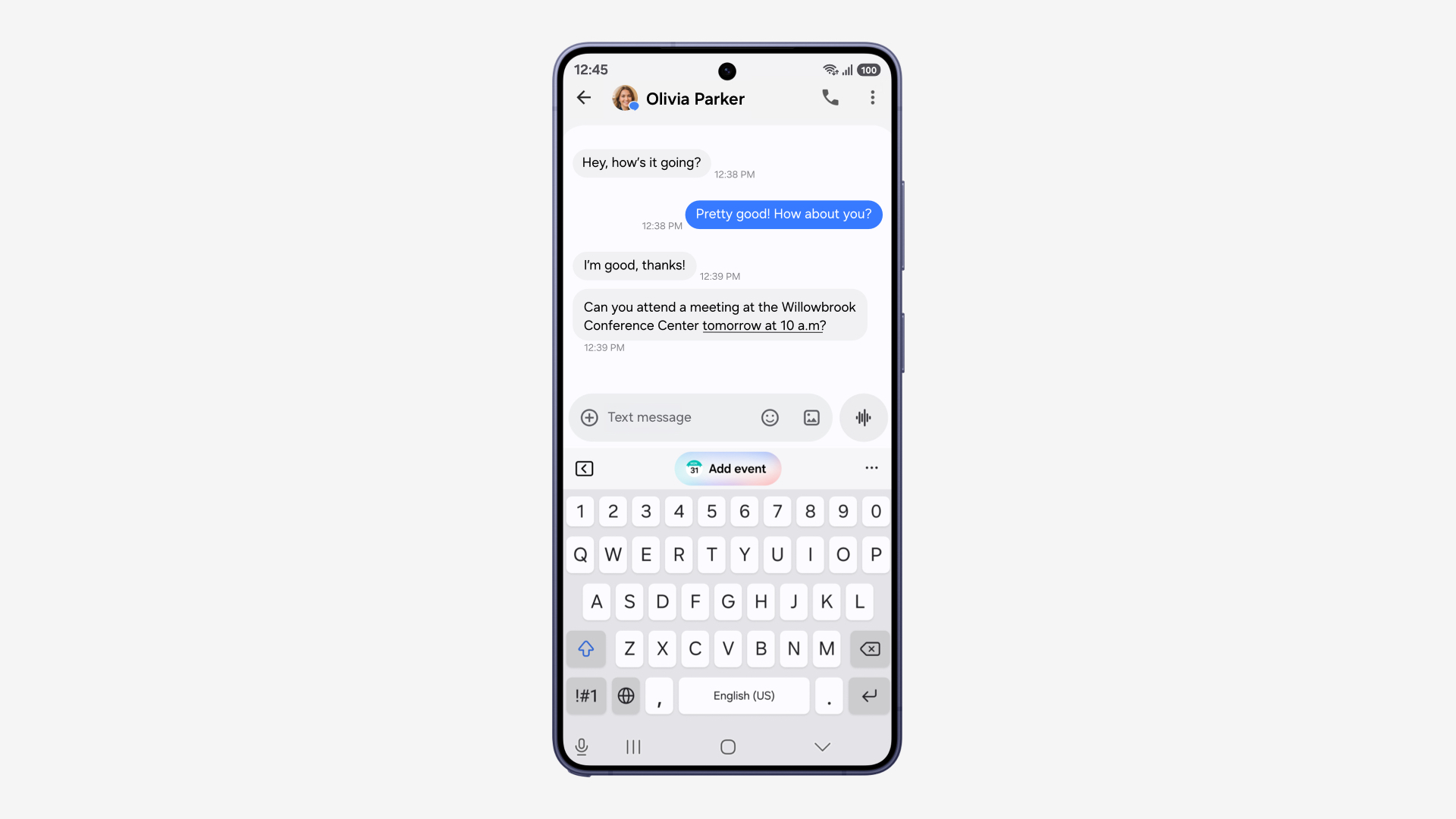
Samsung began the official One UI 9 rollout for the Galaxy S26, S26+ and S26 Ultra on September 16, 2026, starting in Korea, but the Android 17-based update has reached other countries more slowly than planned. Samsung now says only that Galaxy S26, S25 and Z7 owners will get it “within September,” with support reaching devices as old as the Galaxy S23 FE by the end of the year.
Key facts
- What: One UI 9, Samsung’s skin built on Android 17
- First devices: Galaxy Z Fold8 Ultra, Z Fold8 and Z Flip8 (at launch) and Galaxy S26 FE (out of the box)
- Galaxy S26 rollout: started September 16, 2026 in Korea; wider rollout under way; T-Mobile US units reporting arrival this week
- Next in line: Galaxy S25 series and Galaxy Z Fold7/Flip7 “within September,” per Samsung Thailand
- Oldest named device: Galaxy S23 FE, by the end of 2026
- Headline features: My FanCam, editable Now Brief cards, Warranty and Care in Settings, Security Brief, Privacy Alerts
When is One UI 9 coming out?
One UI 9 is already out, but not everywhere. The update debuted in July on Samsung’s new foldables, the Galaxy Z Fold8 Ultra, Z Fold8 and Z Flip8, and the Galaxy S26 FE shipped with it in early September. On September 16, Samsung published its official One UI 9 rollout announcement, saying the update was rolling out “today” to the Galaxy S26, S26+ and S26 Ultra and would “gradually roll out to other Galaxy devices.”
In practice, the first wave was limited to Korea. The rollout to the rest of the world has been bumpy, as the next section explains.
Why the Galaxy S26 One UI 9 update was delayed
Samsung’s regional newsrooms have been the most specific source of dates, and one of them has changed its wording several times. Android news outlets that tracked Samsung Thailand’s announcement reported that it first listed September 21 for the Galaxy S26 series, then September 28, before the exact date was removed.
The current version of the Samsung Thailand One UI 9 announcement says, in Thai, that the Galaxy S26 series, Galaxy S25 series and Galaxy Z7 series will be the first to update “within September,” and that the rollout will continue down to the Galaxy S23 FE within this year. Samsung has not given a public reason for the change.
The picture has improved a little this week. In the US, owners of T-Mobile-branded Galaxy S26, S26+ and S26 Ultra phones began reporting on September 23 and 24 that the stable One UI 9 update had arrived. So far those reports are limited to T-Mobile’s own units; Verizon, AT&T and unlocked owners are still waiting. As with every Samsung rollout, timing varies by country, carrier and model, so an unlocked phone and a carrier phone in the same city can get the update days or weeks apart.
One UI 9 rollout schedule so far
The table below collects every date Samsung has confirmed in its own newsroom posts, plus the one status that comes from user reports. We will update it as Samsung confirms more models.
| Device | One UI 9 status | Source |
|---|---|---|
| Galaxy Z Fold8 Ultra, Z Fold8, Z Flip8 | Launched with One UI 9 (announced July 22, 2026) | Samsung Newsroom |
| Galaxy S26 FE | Ships with One UI 9 and Android 17 (on sale from September 4 in select markets) | Samsung Newsroom |
| Galaxy S26, S26+, S26 Ultra | Rollout began September 16 (Korea); T-Mobile US units reported receiving it September 23–24 | Samsung Newsroom; owner reports |
| Galaxy S25 series | “Within September” (Thailand) | Samsung Thailand Newsroom |
| Galaxy Z Fold7, Z Flip7 | “Within September” (Thailand) | Samsung Thailand Newsroom |
| Other eligible models, down to Galaxy S23 FE | By the end of 2026 (Thailand) | Samsung Thailand Newsroom |
Samsung has not published a full global list of One UI 9 devices. The strongest official hint is the footnote list for the new Privacy Alerts feature, which names the Galaxy S26, S26 Ultra, S25, S25 FE, S24, S24 FE, S23 and S23 FE, the Z Fold8 Ultra, Fold8 and Flip8 back to the Z Fold5 and Flip5, and the Galaxy Tab S11, S10 and S9 families. That is a list of devices supported by one feature, not a formal update list, but it tracks the models Samsung has promised multi-year updates to.
One UI 9 new features
Samsung groups the update’s headline changes into three areas: capturing and personalising, doing more with less effort, and security and privacy. Here is what each feature does, based on Samsung’s descriptions.
My FanCam
My FanCam tracks a person you select in a recorded video and keeps them centred, reframing the footage as the scene moves. Samsung pitches it at a child’s performance, a friend on the dance floor or a moment at a sports event. It requires a Samsung Account, and Samsung notes that it is not supported when there is no subject to track.
Generative and editable Now Brief cards
Now Brief, Samsung’s daily summary screen, gets cards you can create and edit across health, weather and video, so the brief shows what you care about rather than a fixed set of widgets.
Warranty and Care in Settings
A new Warranty and Care menu inside Settings lets you check warranty coverage for connected Galaxy devices, run self-diagnostics, view repair estimates, manage Samsung Care+ and book a service appointment. Availability of individual options varies by country.
Now Nudge, Creative Studio and Interpreter
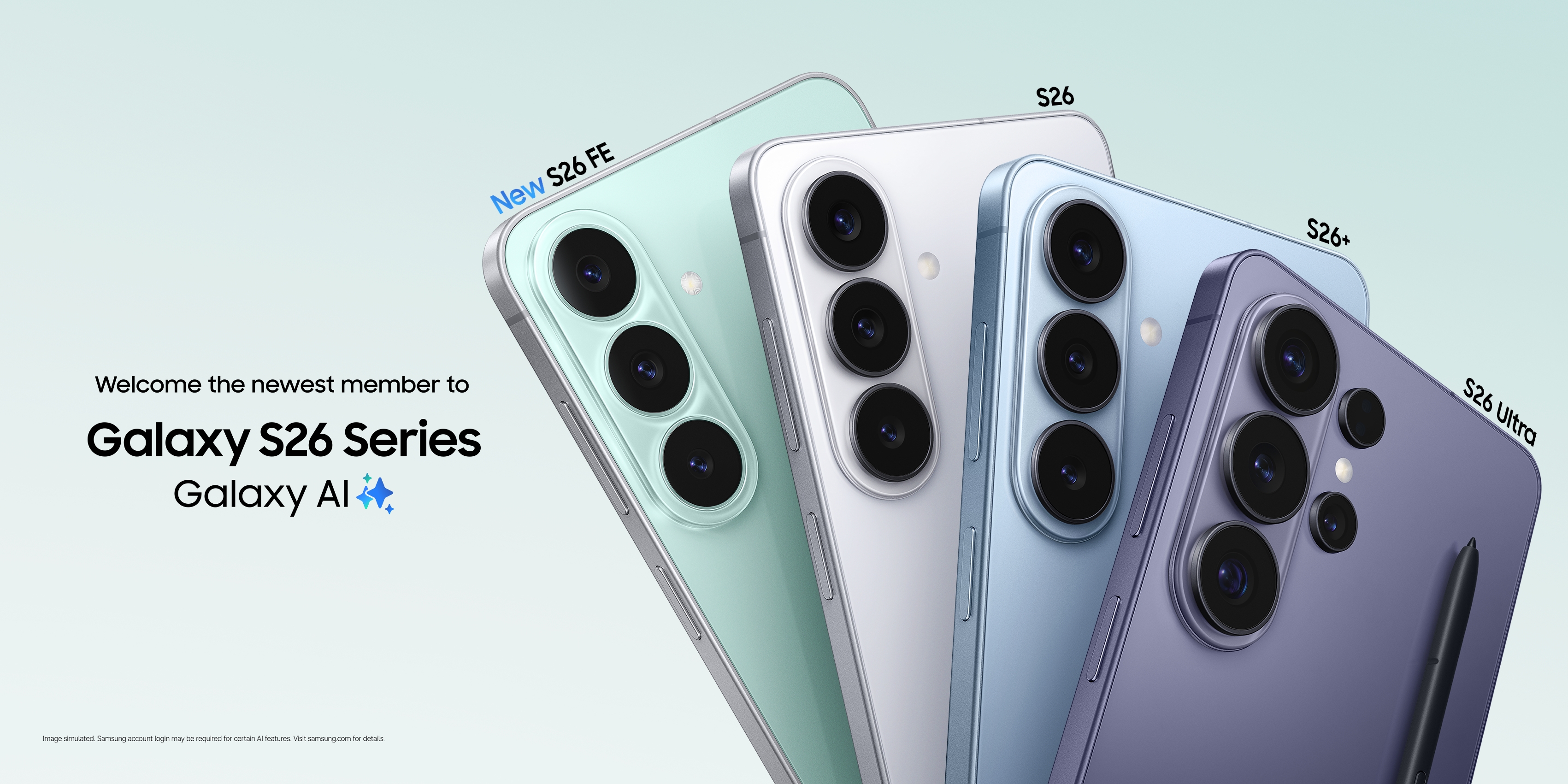
- Now Nudge surfaces context-aware suggestions in more places, for example pulling up reservation details or saving a shared location while you are texting about plans. Samsung says text prompts work in Samsung Messages, Google Messages and Google Chat.
- Creative Studio suggests image-generation ideas based on upcoming events, such as a friend’s birthday.
- Interpreter adds a Thread View for following translated conversations, faster translation in Conversation Mode and quicker playback through compatible Galaxy Buds.
Document Scan and Voice Recorder
Document Scan handles curved book pages and folded corners with less manual adjustment and has an improved Finger Eraser. Voice Recorder summaries now use headings and tables to make key points easier to scan.
One UI 9 security and privacy changes
Three changes stand out for anyone who cares about keeping a phone locked down:
- Security Brief adds security and privacy alerts to Now Brief, including warnings about malware, apps from unknown sources and unnecessary permissions.
- Privacy Alerts use on-device AI to flag potential privacy risks such as apps trying to use permissions in the background.
- Scam Detection for phone calls expands to Japan, Canada and India, plus additional languages.
The One UI 9 builds for the Galaxy S26 series are being reported with the September 2026 security patch. Samsung publishes the contents of each monthly patch on its Samsung Mobile Security updates page. If you are tightening up account security at the same time, our guide to setting up passkeys on Android is a good next step.
How to update your Galaxy to One UI 9
Samsung’s own guide to updating a Galaxy phone or tablet describes the process. Before you start, back up your phone and make sure it has enough charge and free storage, because Samsung warns that the device cannot be used during installation, including for emergency calls.
- Open Settings.
- Scroll down and tap Software update (on some carrier models it is called System updates).
- Tap Download and install, or Check for software updates, depending on your carrier.
- If One UI 9 is available, it will start downloading. Some devices ask you to tap Download now.
- When the download finishes, follow the on-screen prompts to install and restart.
You can also update through Samsung’s Smart Switch software on a Windows PC or Mac by connecting the phone with a USB cable, which Samsung describes on the same support page. If the update does not appear, it has not been released for your model, region or carrier yet; there is no official way to force it.
Galaxy S26 FE already has One UI 9
If you bought the Galaxy S26 FE, you are already on the new software. Samsung’s Galaxy S26 FE announcement calls it the first model in the S26 line-up to launch with One UI 9, lists Android 17 as its operating system and promises up to seven generations of OS upgrades and seven years of security updates. It went on sale from September 4 in select markets.
The Galaxy S26, S26+ and S26 Ultra are a different case. Samsung’s spec sheet in its Galaxy S26 series launch announcement lists Android 16 with One UI 8.5 as the shipping software, so One UI 9 is the first full Android version upgrade those phones receive. Many of the headline features, including Now Nudge and the Gemini and Perplexity agent options, arrived with the phones in February; One UI 9 builds on them rather than introducing them.
Those three phones also carry the same support promise as the FE: Samsung’s US launch release says the series will get seven generations of OS upgrades and seven years of security updates from its global launch date. That makes One UI 9 the first of those seven OS upgrades for the February-launched flagships.
How One UI 9 got here
Samsung ran a long public test before this release. The One UI 9 beta programme opened on May 12, 2026 for Galaxy S26 owners in Germany, India, Korea, Poland, the UK and the US, and Samsung described it at the time as built on Android 17. That was roughly four months before the stable build started reaching S26 phones, and followed the One UI 8.5 rollout that Samsung started on May 6.
Should you install One UI 9 straight away?
For most people, yes. It is a stable release rather than a beta, it bundles the latest monthly security patch, and it adds the new privacy and security tools described above. The usual caveats apply: back up first, install when you have time for a restart, and keep the phone on Wi-Fi and a charger while it downloads and installs.
If you rely on a specific app for work, it is reasonable to wait a few days after the update appears and check that app’s support channels for compatibility notes. Big OS releases are usually followed by maintenance updates, so install the first follow-up patch promptly when it arrives.
What happens next
- By the end of September: Samsung Thailand says the Galaxy S26, S25 and Z7 series should all have access.
- October to December: other eligible models, down to the Galaxy S23 FE, according to the same announcement.
- Tablets: Samsung has not published tablet dates; the Galaxy Tab S11, S10 and S9 families are among devices named for the Privacy Alerts feature.
Samsung’s global newsroom has not yet published a country-by-country schedule. We will add confirmed dates for more devices as Samsung announces them.
Frequently asked questions
When will my Galaxy S26 get One UI 9?
Samsung started the rollout in Korea on September 16, 2026. Samsung Thailand says the S26 series will update within September, and T-Mobile US units began receiving it on September 23 and 24; other carriers and unlocked phones may take longer.
Is One UI 9 based on Android 17?
Yes. Samsung described the One UI 9 beta as built on Android 17, and the Galaxy S26 FE, which ships with One UI 9, lists Android 17 as its operating system.
Which Galaxy phones will get One UI 9?
Samsung has not published a full global list. Samsung Thailand names the Galaxy S26, S25 and Z7 series first, with rollout continuing to the Galaxy S23 FE by the end of 2026.
Why was the One UI 9 update delayed?
Samsung has not given a reason. Samsung Thailand’s announcement previously listed September 21 and then September 28 for the S26 series before the exact date was replaced with “within September.”
How do I install One UI 9 on a Samsung phone?
Open Settings, tap Software update, then Download and install. If nothing appears, the update has not been released for your model, region or carrier yet.
Does the Galaxy S26 FE have One UI 9?
Yes. Samsung says the Galaxy S26 FE is the first model in the S26 line-up to launch with One UI 9.
Sources
- Samsung Newsroom: Samsung Begins Official Rollout of One UI 9news.samsung.com
- Samsung Newsroom Thailand: One UI 9 rollout announcementnews.samsung.com
- Samsung Newsroom: Samsung Launches One UI 9 Beta for Galaxy S26 Series Usersnews.samsung.com
- Samsung Newsroom: Galaxy S26 FE announcementnews.samsung.com
- Samsung US Support: How to update your Galaxy phone or tabletsamsung.com
Nadia Osei covers mobile and consumer gadgets for Pandromeda: smartphones, tablets, smartwatches, earbuds and smart-home devices. She tracks launches, software updates and pricing across Apple, Google, Samsung and the rest, and builds comparisons from the manufacturers' published specifications.