Thunderbolt 5 Explained: Speeds, Docks and Compatibility
Intel's Thunderbolt 5 doubles Thunderbolt 4 bandwidth to 80-120Gbps and 240W charging. Here's what laptops, docks, SSDs and eGPUs actually support it now.
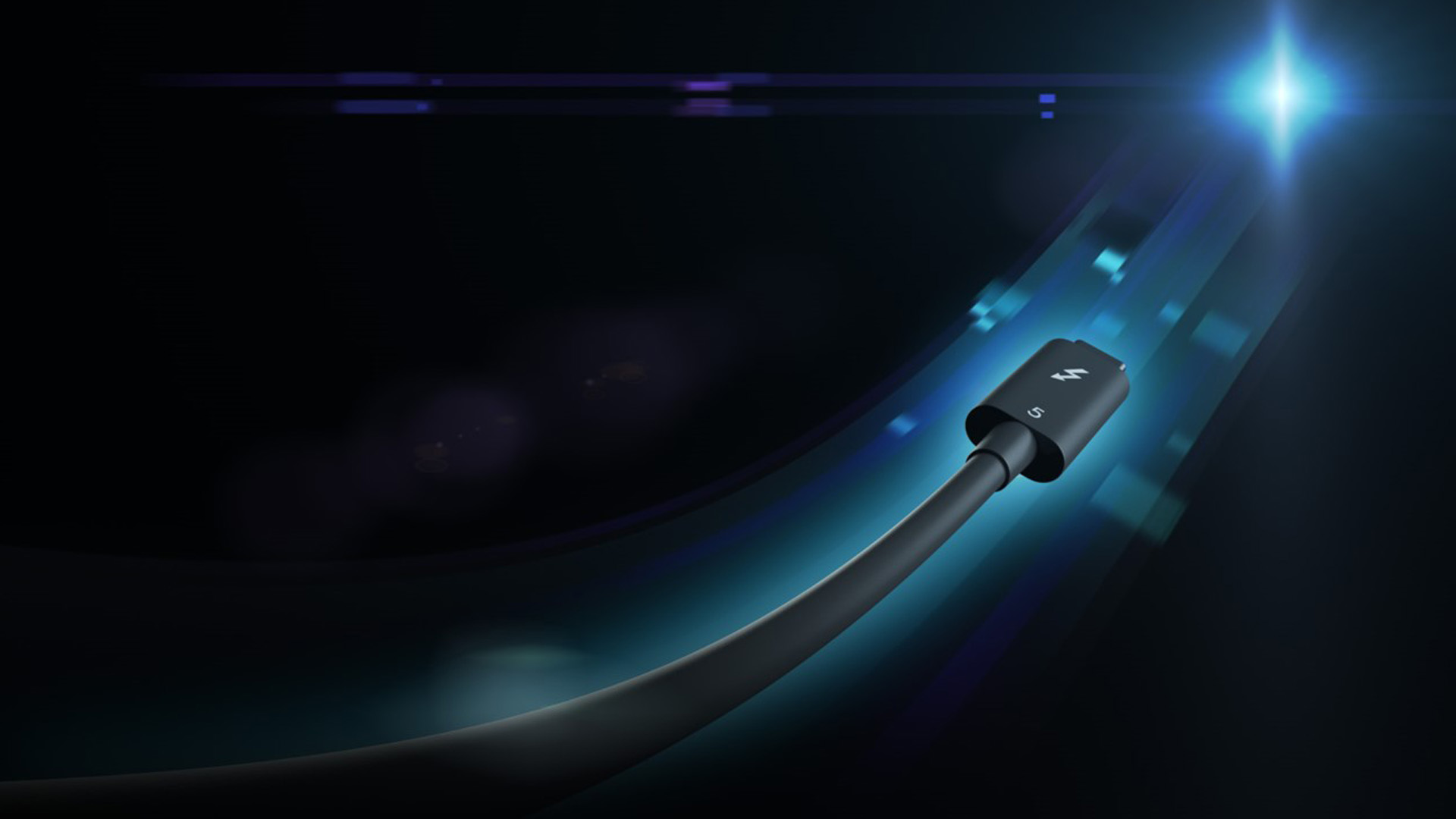
Thunderbolt 5 is Intel's newest connectivity standard for the USB-C port, offering 80 gigabits per second (Gbps) of bidirectional bandwidth as a baseline, with a "Bandwidth Boost" mode that pushes video bandwidth up to 120 Gbps. It also supports up to 240 watts (W) of charging over a single cable, doubles PCI Express throughput for external SSDs and eGPUs, and remains backward compatible with Thunderbolt 4, Thunderbolt 3, and USB4 devices. It is not a new port shape; it still uses the USB-C connector.
- Bandwidth: 80 Gbps standard, up to 120 Gbps with Bandwidth Boost for displays.
- Power: up to 140W required, up to 240W available for charging over one cable.
- Data: 64 Gbps of PCIe throughput, double Thunderbolt 4's 32 Gbps, for faster SSDs and eGPUs.
- Compatibility: works with Thunderbolt 4, Thunderbolt 3, and USB4 accessories at their native speeds.
- Availability: found on Apple's M5 Pro and M5 Max MacBook Pro models and a growing list of Intel Core Ultra 200-series Windows laptops, plus certified docks, SSDs, and eGPU enclosures.
What Thunderbolt 5 actually is
Thunderbolt is a connectivity specification that Intel develops and certifies, not a single company's product. It layers several open industry standards — USB4, DisplayPort, and PCI Express — on top of the USB-C connector, then adds its own mandatory requirements on top: guaranteed minimum bandwidth, guaranteed PCIe tunneling for external graphics and storage, mandatory security protections, and a certification program that every Thunderbolt-branded cable, computer, and accessory has to pass before it can carry the logo.
Thunderbolt 5 is the fourth major generation of the standard, following Thunderbolt 3 and Thunderbolt 4. According to Intel's own introduction of the standard, it is built on USB4 Version 2.0, DisplayPort 2.1, and PCI Express Gen 4, and it is designed to be "broadly compatible with previous versions of Thunderbolt and USB." Microsoft is also a stated partner: Ian LeGrow, Microsoft's corporate vice president of Core OS product management, said at launch that "Thunderbolt 5 is fully USB 80Gbps standard compliant to support the next generation of high-performance displays, storage and connectivity."
Thunderbolt 5 bandwidth: 80 Gbps, and what Bandwidth Boost actually does
In its default, evenly balanced state, a Thunderbolt 5 connection provides 80 Gbps of bandwidth in each direction — 80 Gbps upstream and 80 Gbps downstream at the same time. That alone is double Thunderbolt 4's 40 Gbps.
Bandwidth Boost is a separate, optional mode that only activates when a display needs more bandwidth than the even split provides. Instead of splitting the link 80/80, the controller re-allocates it to 120 Gbps of transmit bandwidth and 40 Gbps of receive bandwidth. Intel's own Thunderbolt 5 technology brief describes this as "up to 3x more video bandwidth than Thunderbolt 4, and up to 50% more video bandwidth than DisplayPort 2.1 (UHBR20)." The feature is built on the asymmetric-transfer mode defined in the USB4 Version 2.0 specification, so it is not an Intel-only trick layered outside the standard.
The practical effect: a single Thunderbolt 5 port and cable can drive multiple high-resolution, high-refresh-rate monitors while still leaving headroom for an external SSD or dock peripherals, something Thunderbolt 4's 40 Gbps ceiling struggled with once you added a second or third 4K display.
Thunderbolt 5 vs Thunderbolt 4 vs USB4: the real numbers
"USB4" and "Thunderbolt" are often used as if they are interchangeable, but they are not the same guarantee. USB4 is a USB Implementers Forum (USB-IF) specification with a large menu of optional features; a port can legally be labeled USB4 while implementing only a fraction of what a Thunderbolt-certified port must support. Thunderbolt adds mandatory minimums, PCIe tunneling, and certification testing on top of the USB4 foundation. Here is how the three actually compare, based on Intel's and USB-IF's own published specifications:
| Spec | Thunderbolt 5 | Thunderbolt 4 | USB4 Version 2.0 |
|---|---|---|---|
| Bidirectional data bandwidth | 80 Gbps | 40 Gbps | Up to 80 Gbps (optional) |
| Peak asymmetric/boost bandwidth | 120 Gbps (Bandwidth Boost) | Not supported | Up to 120 Gbps (optional asymmetric mode) |
| Guaranteed PCIe tunneling | 64 Gbps | 32 Gbps | No mandatory minimum |
| Required / available charging | 140W required, up to 240W available | 100W required, up to 140W available | No mandatory charging requirement |
| Minimum display support | Dual 6K | Dual 4K | No mandatory minimum |
| Signaling technology | PAM-3 | PAM-2 (NRZ) | PAM-3 |
| Certification required to use the logo | Yes, mandatory | Yes, mandatory | Optional, not mandatory for "USB4" branding |
The upshot: a port marked simply "USB4" could top out anywhere from 40 Gbps to 80 Gbps depending on what the manufacturer chose to implement, with no guaranteed PCIe bandwidth for an eGPU. A port certified as Thunderbolt 5 guarantees the full 80/120 Gbps, 64 Gbps of PCIe, and up to 240W of charging, because Intel's certification program requires it.
Power delivery: up to 240W over one cable
Thunderbolt 5 requires every certified host port to support at least 140W of charging, and allows manufacturers to design in up to 240W using the USB Power Delivery 3.1 Extended Power Range (EPR) spec. That is a jump from Thunderbolt 4's required 100W / available 140W. In practice this means a single Thunderbolt 5 dock and cable can now charge power-hungry laptops — including gaming and workstation notebooks that previously needed a separate proprietary charger — while simultaneously carrying video and data.
Is Thunderbolt 5 backward compatible with Thunderbolt 4 and USB4?
Yes. Intel designed Thunderbolt 5 to work with the entire existing Thunderbolt and USB-C ecosystem. Plug a Thunderbolt 4 or Thunderbolt 3 accessory into a Thunderbolt 5 port and it will run at its own native speed (40 Gbps or 40/20 Gbps, respectively); plug a Thunderbolt 5 accessory into an older Thunderbolt 4 port and it will likewise fall back to Thunderbolt 4 speeds rather than failing to connect. The same applies to plain USB4 and USB-C devices, including phones, flash drives, and chargers — Thunderbolt ports are required to interoperate with them. Accessory makers reflect this directly in their own spec sheets: OWC's Envoy Ultra portable SSD, for example, is marketed as compatible with "computers with Thunderbolt 5, Thunderbolt 4, Thunderbolt 3, and USB4," and CalDigit lists its TS5 Plus dock as working with "Thunderbolt 5, Thunderbolt 4, Thunderbolt 3, USB4 v2 or USB4 host devices."
The one thing that does not carry over automatically is the cable. To get Thunderbolt 5's full 80/120 Gbps, you need a cable rated for it — either a passive Thunderbolt 5 cable up to about 1 meter, or an active Thunderbolt 5 cable for longer runs up to 2 meters. An old Thunderbolt 3 or 4 cable will still work, but it will cap the connection at its own rated speed.
Which laptops actually have Thunderbolt 5 right now
On the Mac side, Apple's current MacBook Pro lineup is the clearest example. Apple's own tech specs page confirms that the 14-inch and 16-inch MacBook Pro models with the M5 Pro or M5 Max chip include three Thunderbolt 5 (USB-C) ports rated at "up to 120Gb/s," with the M5 Pro model supporting up to three external displays and the M5 Max model supporting up to four. The entry-level 14-inch MacBook Pro with the base M5 chip, by contrast, still ships with Thunderbolt 4 ports rated at 40Gb/s — a reminder that even within one product line, the chip tier decides which standard you actually get.
On Windows, Thunderbolt 5 needs a separate controller chip (Intel's code-named "Barlow Ridge" silicon) alongside a supporting Core Ultra 200-series or newer processor, so adoption depends on individual OEMs choosing to include it. Intel's own Thunderbolt-certified product directory lists Thunderbolt 5 laptops and mobile workstations from brands including Dell, ASUS, HP, and Dynabook, and pairs naturally with the new wave of Intel Core Ultra 200-series machines — for anyone comparing what those chips offer against the competition, our Snapdragon X2 Elite vs. Intel Core Ultra 300 laptop chip comparison covers the wider platform picture.
Thunderbolt 5 docks: the category that benefits most
Docking stations are where Thunderbolt 5's extra bandwidth and power show up most clearly, because a dock has to split its host-side bandwidth across everything plugged into it. CalDigit's TS5 Plus, confirmed on the company's own product page, uses a Thunderbolt 5 host port rated at up to 120 Gbps with Bandwidth Boost and 140W of charging to the connected laptop, then fans that out across two further Thunderbolt 5 downstream ports (80 Gbps each, 36W each), five USB-C and five USB-A ports, a DisplayPort 2.1 output, SD and microSD card readers, and a 10 Gigabit Ethernet port — 20 ports in total from one cable to the host machine. Other certified docks in Intel's own Thunderbolt product directory include models from Kensington, Razer, Plugable, Sonnet, OWC, StarTech, and Targus, several of which specifically advertise "80/120Gbps" and 140W power delivery on their own spec sheets.
External SSDs: the most obvious speed win
Fast external storage is arguably the cleanest use case for Thunderbolt 5's extra PCIe bandwidth. OWC's Envoy Ultra, which the company markets as "the first and fastest Thunderbolt 5 portable SSD," is rated for sequential speeds "over 6000MB/s" — roughly double the 2,800–3,800MB/s OWC quotes for its own Thunderbolt 4 drives — while remaining bus-powered, IP67-rated for dust and water resistance, and available in 2TB, 4TB, and 8TB capacities. Because the drive is also backward compatible, plugging it into an older Thunderbolt 4, Thunderbolt 3, or USB4 machine still works; it just runs at that port's lower ceiling instead of its full rated speed.
eGPU enclosures and external graphics
External GPU enclosures depend on PCIe tunneling bandwidth, which is exactly what Thunderbolt 5 doubles over Thunderbolt 4. Razer's Core X V2, confirmed on Razer's own product page, uses a Thunderbolt 5 connection rated at up to 80 Gbps and delivers up to 140W of power to the connected laptop through the same cable. It houses full-size, PCIe Gen 4, up to quad-slot graphics cards and starts at $349.99, though — unlike its predecessor — it ships without a power supply or extra I/O, requiring a separate ATX PSU and, if you want additional ports, a standalone Thunderbolt 5 dock. Sonnet, Plugable, ASUS, and Sparkle also appear in Intel's Thunderbolt 5 product directory with their own certified eGPU enclosures.
Monitors: the one category still catching up
Despite Bandwidth Boost being designed with displays in mind, monitors have been the slowest category to adopt native Thunderbolt 5 controllers. As of this writing, Intel's own Thunderbolt-certified product directory does not list any monitors certified specifically for Thunderbolt 5; the current professional and creator-focused displays from ASUS ProArt, BenQ, Dell UltraSharp, ViewSonic, and LG that appear in the directory are all still built around Thunderbolt 4 hub controllers. That is not necessarily a problem for most buyers: DisplayPort 2.1 video carried over a Thunderbolt 4 connection already covers the resolution and refresh-rate needs of most single-monitor setups, and Thunderbolt 5's real display advantage — Bandwidth Boost's 120 Gbps — matters most when a dock or laptop is feeding multiple demanding displays at once, not when a single monitor is plugged in directly.
Do you actually need Thunderbolt 5?
For most everyday laptop use — browsing, office work, video calls, charging a phone — Thunderbolt 4 or even plain USB4/USB-C already covers what you need, and there is no reason to pay a premium chasing Thunderbolt 5 alone. It starts to matter in a few specific situations:
- You run a dock with multiple high-refresh monitors. If you want two or three 4K displays at high refresh rates plus a full set of accessories from one cable, Bandwidth Boost's 120 Gbps headroom avoids the bottlenecks a 40 Gbps Thunderbolt 4 dock can hit.
- You use an external SSD as working storage. Editors and photographers moving large video or RAW files benefit directly from the roughly 2x throughput jump OWC and other makers report over Thunderbolt 4 drives.
- You use an eGPU. Thunderbolt 5's doubled PCIe tunneling (64 Gbps vs. 32 Gbps) narrows the performance gap between an external GPU and one installed directly in a desktop.
- You want single-cable charging for a power-hungry laptop. Up to 240W over one cable can replace a separate charging brick for high-wattage gaming and workstation notebooks.
When shopping, check both ends of the connection — the laptop or desktop needs a genuine Thunderbolt 5 port, not just a fast-looking USB-C port, and the cable or accessory needs its own Thunderbolt 5 rating, since plugging premium gear into an older port or cable will simply run it at that older, slower ceiling. If you are also evaluating other connectivity upgrades on a new machine, it's worth reading up on what Wi-Fi 7 actually changes, since wired and wireless standards on the same laptop tend to get refreshed together.
Bottom line
Thunderbolt 5 is a real, meaningful upgrade over Thunderbolt 4 — not a marketing refresh. It doubles baseline bandwidth to 80 Gbps, adds a genuinely useful 120 Gbps Bandwidth Boost mode for displays, doubles PCIe throughput for storage and graphics, and nearly doubles available charging power to 240W, while still plugging into the same USB-C port and working with older Thunderbolt and USB4 gear. The catch is availability: as of now it's concentrated in Apple's M5 Pro/Max MacBook Pro models, a growing set of Intel Core Ultra 200-series Windows laptops, and a specific list of certified docks, SSDs, and eGPU enclosures — monitors haven't caught up yet. If your workflow revolves around multi-monitor docking, fast external storage, or external graphics, it's worth seeking out specifically. If not, a Thunderbolt 4 or USB4 machine will serve you just as well for now.
Frequently asked questions
What is Thunderbolt 5?
Thunderbolt 5 is Intel's latest connectivity standard for the USB-C port. It provides 80 Gbps of bidirectional bandwidth by default, up to 120 Gbps in Bandwidth Boost mode for demanding displays, up to 240W of charging, and double the PCIe throughput of Thunderbolt 4 for external SSDs and eGPUs.
How fast is Thunderbolt 5 compared to Thunderbolt 4?
Thunderbolt 5 is twice as fast as Thunderbolt 4 in its default state (80 Gbps vs. 40 Gbps), and up to three times faster for video when Bandwidth Boost pushes transmit bandwidth to 120 Gbps. It also doubles guaranteed PCIe throughput, from 32 Gbps to 64 Gbps.
Is Thunderbolt 5 backward compatible with Thunderbolt 4 and USB4?
Yes. Thunderbolt 5 ports and accessories are designed to interoperate with Thunderbolt 4, Thunderbolt 3, and USB4 devices, though each connection runs at the older device's native speed rather than Thunderbolt 5 speeds.
Do I need a special cable to get full Thunderbolt 5 speeds?
Yes. A Thunderbolt 5 cable rated for 80/120 Gbps is required to hit full speed, either a passive cable up to about 1 meter or an active cable for runs up to 2 meters. Older Thunderbolt 3 or 4 cables will work but cap the connection at their own lower rated speed.
Which laptops have Thunderbolt 5 right now?
Apple's MacBook Pro models with the M5 Pro or M5 Max chip include three Thunderbolt 5 ports, per Apple's own specifications. On Windows, Thunderbolt 5 requires a separate controller chip alongside a Core Ultra 200-series or newer processor, and appears in select laptops from brands including Dell, ASUS, HP, and Dynabook.
Is USB4 the same thing as Thunderbolt 5?
No. USB4 Version 2.0 can optionally reach up to 80 Gbps, but manufacturers are not required to implement that speed, guarantee PCIe bandwidth, or get certified to use the USB4 name. Thunderbolt 5 mandates the full 80/120 Gbps, 64 Gbps of PCIe, and certification testing, making it a stricter guarantee than a generic USB4 label.
Sources
- Intel Newsroom: Intel Introduces Thunderbolt 5 Connectivity Standardintel.com
- Intel: Thunderbolt 5 Technology Brief (PDF)intel.com
- USB-IF: USB4 Version 2.0 80Gbps Announcement (PDF)usb.org
- Apple: MacBook Pro Technical Specificationsapple.com
- CalDigit: TS5 Plus Thunderbolt 5 Dockcaldigit.com
- OWC: Envoy Ultra Thunderbolt 5 SSDeshop.macsales.com
- Razer: Core X V2 Thunderbolt 5 eGPU Enclosurerazer.com
- Thunderbolt Technology: Certified Product Directorythunderbolttechnology.net
Mara Lindqvist edits the hardware desk. She covers graphics cards, processors, memory and storage, the foundries and chip designers behind them, and what the numbers on a spec sheet mean for people choosing a PC. Specifications in her stories come from manufacturer spec pages and datasheets.

