Wi-Fi 7 Explained: MLO, Speeds, and What You Need
What Wi-Fi 7 actually is, how Multi-Link Operation works, and whether your router or phone needs it — a plain-language guide to Wi-Fi CERTIFIED 7.
Wi-Fi 7 in brief: Wi-Fi 7 is the marketing name for IEEE 802.11be, certified by the Wi-Fi Alliance as Wi-Fi CERTIFIED 7 starting January 2024. Its headline feature is Multi-Link Operation (MLO), which lets a single device send and receive data across the 2.4 GHz, 5 GHz, and 6 GHz bands at the same time. Combined with 320 MHz channels and 4K-QAM modulation, it targets higher throughput, lower latency, and steadier connections than Wi-Fi 6 or Wi-Fi 6E — but you need a Wi-Fi 7 router and a Wi-Fi 7 client device to get the benefits.
What is Wi-Fi 7?
Wi-Fi 7 is the consumer name for IEEE 802.11be, the wireless networking standard that follows Wi-Fi 6 and Wi-Fi 6E. The Wi-Fi Alliance, the industry group that tests and certifies Wi-Fi hardware, introduced Wi-Fi CERTIFIED 7 on January 8, 2024, describing it as technology that delivers "the high throughput, lower latency, and greater reliability that demanding applications need." That's the official, plain-language definition: Wi-Fi 7 isn't a single trick, it's a bundle of physical-layer and protocol upgrades that work together to move more data, with fewer stalls, across a busier 2.4/5/6 GHz spectrum than any previous generation.
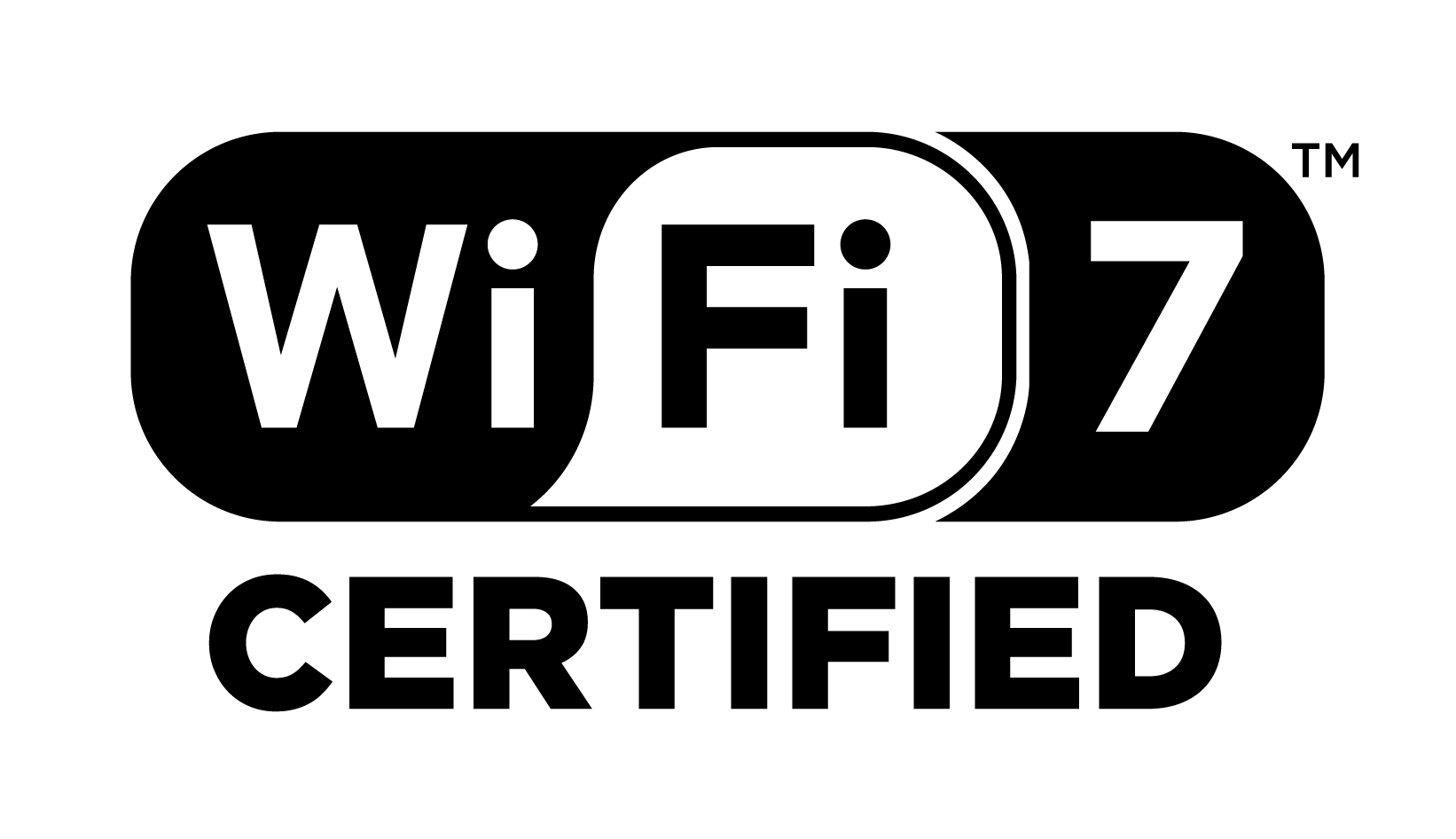
The certification matters because "802.11be" is just an engineering label for a very large specification, most of which is optional. A router or phone that says "Wi-Fi 7" without Wi-Fi Alliance certification may only implement a handful of the required features. Wi-Fi CERTIFIED 7 is the industry's way of guaranteeing a baseline: certified products have passed interoperability testing for the standard's mandatory features, so a Wi-Fi CERTIFIED 7 router and a Wi-Fi CERTIFIED 7 laptop are verified to work together the way the spec intends.
Wi-Fi CERTIFIED 7: what's actually mandatory
According to the Wi-Fi Alliance and the underlying IEEE 802.11be-2024 specification, some of Wi-Fi 7's biggest-sounding features are mandatory for certification, while others are optional extras that vary by product tier:
- Multi-Link Operation (MLO) — mandatory. Every Wi-Fi CERTIFIED 7 device must support it.
- Multiple Resource Units to a single station (Multi-RU) — mandatory, an evolution of Wi-Fi 6's OFDMA.
- Preamble puncturing — mandatory. It lets a device "punch a hole" around a busy or interference-affected sub-channel and keep using the rest of a wide channel instead of dropping down to a narrower one.
- 320 MHz channels — optional, and only available in the 6 GHz band.
- 4K-QAM (4096-QAM) — optional, though most flagship routers and chipsets implement it.
That mix explains why two products can both legitimately say "Wi-Fi 7" and still perform differently — one may stick to 160 MHz channels while a pricier model uses the full 320 MHz. Checking for the actual Wi-Fi CERTIFIED 7 logo, not just the marketing term, is the simplest way to confirm a baseline feature set.
Multi-Link Operation (MLO) explained
MLO is the feature most people mean when they ask "what makes Wi-Fi 7 different?" On every earlier generation, a client device associates with a router on one band and one channel at a time — even a "tri-band" Wi-Fi 6E router is really offering three separate networks that a device picks between, not three networks used at once. Wi-Fi 7 changes that. Per the Wi-Fi Alliance's Wi-Fi CERTIFIED 7 overview, multi-link operation "supports more efficient load balancing of traffic among links, resulting in increased throughput and enhanced reliability," and Wikipedia's summary of the 802.11be-2024 standard describes it as a feature that "increases capacity by simultaneously sending and receiving data across different frequency bands and channels."
In practice, MLO gives Wi-Fi 7 three tricks a single-link network can't do:
- Link aggregation: a device can combine throughput from two links (for example, 5 GHz and 6 GHz) to push a higher total data rate than either band could deliver alone.
- Seamless failover: if one band gets congested or hits interference — a microwave on 2.4 GHz, a neighbor's network on 5 GHz — traffic shifts to another link without the reconnect delay that causes a video call to freeze or a game to lag.
- Lower, steadier latency: because the device isn't locked to one channel, it can route latency-sensitive packets over whichever link is currently clearest, which is the basis for the Wi-Fi Alliance's "reduced latency" claim for MLO.
This is also why MLO needs support on both ends of the connection. A Wi-Fi 7-certified router can offer all three bands simultaneously, but it can only use MLO with a client radio — a phone, laptop, or PC Wi-Fi card — that also implements MLO. Pair a Wi-Fi 7 router with a Wi-Fi 6 laptop and you get a fast single-band connection, not multi-link behavior.
320 MHz channels and Multi-Resource Unit allocation
The second pillar of Wi-Fi 7's speed claims is channel width. Wi-Fi Alliance materials state that "320 MHz channels available in the 6 GHz band provide twice the throughput of Wi-Fi 6, enabling multigigabit Wi-Fi device speeds." Previous generations topped out at 160 MHz; Wi-Fi 7 can bond up to 320 MHz of contiguous 6 GHz spectrum (or a non-contiguous 240 MHz combination) into one channel. Wider channels move more bits per transmission the same way a wider highway moves more cars per minute — the tradeoff is that 320 MHz channels are only practical in the relatively open 6 GHz band, since 2.4 GHz and 5 GHz are too crowded with legacy devices to spare that much contiguous spectrum.
Multi-Resource Unit allocation, or Multi-RU, builds on the OFDMA scheduling that Wi-Fi 6 introduced. Where Wi-Fi 6 could give a single device only one resource unit (a slice of the channel) per transmission, Wi-Fi 7's Multi-RU support lets the router assign several non-contiguous resource units to one device at once. The Wi-Fi Alliance describes this as improving "flexibility for spectrum resource scheduling to enhance spectrum efficiency" — in plain terms, it lets a busy access point pack more data into the same airtime instead of leaving scraps of spectrum unused between other clients' transmissions.
4K-QAM and preamble puncturing
Two more technical upgrades round out Wi-Fi 7's efficiency gains. 4K-QAM (4096-QAM) is a denser modulation scheme than Wi-Fi 6's 1024-QAM; the Wi-Fi Alliance states it "achieves 20% higher transmission rates than Wi-Fi 6's 1024 QAM for greater efficiency" by encoding more bits into each radio symbol. It needs a very clean signal to work reliably, which is why it mainly pays off at close range or in low-interference environments — it's a bonus on top of MLO and wide channels, not a replacement for them.
Preamble puncturing solves a more everyday problem: partial interference. Under the older standards, if even a small slice of a wide channel was blocked — by a neighboring network or radar-restricted spectrum — the whole channel had to shrink to avoid it. With preamble puncturing, a Wi-Fi 7 device can "punch a hole" around just the affected slice of the channel and keep transmitting across the rest of it at nearly full width, instead of falling back to a much narrower channel. It's one of the standard's mandatory features precisely because it protects real-world throughput in the crowded conditions where wide channels are most likely to run into trouble.
Wi-Fi 7 vs. Wi-Fi 6 vs. Wi-Fi 6E
Here's how the three generations compare on paper, based on Wi-Fi Alliance certification materials and the IEEE 802.11be-2024 specification:
| Feature | Wi-Fi 6 (802.11ax) | Wi-Fi 6E | Wi-Fi 7 (802.11be) |
|---|---|---|---|
| Wi-Fi Alliance certification introduced | 2018 | 2021 (6 GHz extension of Wi-Fi 6) | 2024 |
| Bands | 2.4 GHz, 5 GHz | 2.4 GHz, 5 GHz, 6 GHz | 2.4 GHz, 5 GHz, 6 GHz |
| Simultaneous multi-band use | No — one link at a time | No — one link at a time | Yes — Multi-Link Operation (MLO) |
| Max channel width | 160 MHz | 160 MHz | 320 MHz (6 GHz, optional) |
| Modulation | 1024-QAM | 1024-QAM | 4096-QAM / 4K-QAM (optional, 20% higher rate) |
| Resource-unit scheduling | OFDMA, one RU per device | OFDMA, one RU per device | Multi-RU — multiple RUs per device |
| Handles partial channel interference | Falls back to narrower channel | Falls back to narrower channel | Preamble puncturing keeps most of the wide channel |
The Wi-Fi Alliance's own framing is useful here: Wi-Fi 6 was primarily about efficiency in crowded networks (more devices per access point, better battery life via target wake time), Wi-Fi 6E was about opening new spectrum (the 6 GHz band), and Wi-Fi 7 is about using multiple bands at once plus wider channels — which is why it's the first generation to meaningfully change how a single device's connection behaves, not just how many devices a network can serve.
Real-world benefits: throughput, latency, and reliability
Strip away the acronyms and Wi-Fi 7's practical case comes down to three things:
- Throughput. The IEEE 802.11be-2024 spec's theoretical ceiling is about 23 Gbps in a single 320 MHz band — a lab number that real hardware won't hit, but it illustrates the headroom over Wi-Fi 6E's single-band limits. Combine two links via MLO and a device's realistic aggregate throughput moves higher still, which is what makes 4K/8K streaming, large file transfers, and multi-device 4K video calls feel noticeably smoother on a well-set-up Wi-Fi 7 network.
- Latency. Because MLO can route time-sensitive traffic over whichever link is momentarily clearest, and preamble puncturing avoids full channel drop-outs from partial interference, Wi-Fi 7 targets more consistent low latency rather than just a higher peak speed. That's the specific benefit the Wi-Fi Alliance calls out for competitive gaming, cloud gaming, and video conferencing.
- Reliability. In a crowded apartment building or a home with a lot of 2.4 GHz smart-home gadgets, MLO's ability to shift traffic between bands — instead of a device getting stuck retrying on one congested channel — is the difference between a connection that degrades gracefully and one that drops out.
The Wi-Fi Alliance's launch materials point to the applications that benefit most: multi-user AR/VR/XR, immersive 3D training, competitive gaming, hybrid work (many simultaneous video calls on one network), industrial IoT, and automotive connectivity. For a typical home, the realistic upside is less dramatic than "23 Gbps" headlines suggest — it's fewer dropped video calls, less buffering when several people stream at once, and a network that copes better as you add more Wi-Fi 7 and Wi-Fi 6E devices to it.
Hardware requirements: what you actually need
Wi-Fi 7's benefits require hardware on both ends of the connection:
- A Wi-Fi 7 (Wi-Fi CERTIFIED 7) router or mesh system. It needs to support tri-band operation and MLO to offer any multi-link benefit at all; 320 MHz channel support and 4K-QAM are extras worth checking for on flagship models.
- A Wi-Fi 7 client radio in your device. This means a phone, laptop, desktop Wi-Fi card, or IoT device built around Wi-Fi 7 silicon. On the client side, Qualcomm's FastConnect 7700 platform is a good example: Qualcomm states it packs in "core Wi-Fi 7 features, including wide 320 MHz channels, 4K QAM, and Multi-Link Operation," aimed at phones, PCs, and routers.
- A modern CPU platform, if you're building or buying a desktop. Wi-Fi 7 support increasingly ships as a motherboard or CPU-platform feature on current-generation systems — worth checking alongside other platform specs when comparing something like a Core Ultra 7 270K+ build against a Ryzen 7 9800X3D or 9850X3D rig, since Wi-Fi generation is easy to overlook next to CPU and memory specs.
- 6 GHz regulatory approval in your region for the full three-band experience — Apple's own device documentation notes that "Wi-Fi 6E and Wi-Fi 7 features that operate on the 6 GHz band are available only in regions that permit unlicensed Wi-Fi use in that spectrum," and devices fall back to 2.4/5 GHz only where that spectrum isn't cleared.
Mixing generations doesn't break anything — a Wi-Fi 7 router is fully backward-compatible and will happily serve Wi-Fi 6, Wi-Fi 5, and older clients — it just means those devices won't see MLO, wider channels, or 4K-QAM benefits until they're upgraded too.
Which phones and laptops support Wi-Fi 7
Client-side support has moved fast since certification launched in 2024. On the Apple side, Apple's own support documentation lists full Wi-Fi 7 support on iPhone 16 Pro, iPhone 16 Pro Max, and iPhone Air among phones; MacBook Pro (M5 Pro/Max or later), MacBook Air (M5 or later), Mac mini (M5 Pro or later), and Mac Studio (M5 Max or later) among Macs; and iPad Pro (M5 or later) and iPad Air (M4 or later) among tablets — note that Apple specifically excludes the iPhone 16e and iPhone 17e from that list, so "supports 6 GHz Wi-Fi" isn't automatically true of every device in a given phone generation.
On Android and Windows, Wi-Fi 7 support mostly traces back to Qualcomm's FastConnect chipsets and equivalent silicon from other vendors, which ship in flagship phones and premium laptops as standard connectivity hardware rather than an optional add-on. The Wi-Fi Alliance's own market estimate at launch was 233 million Wi-Fi 7 devices shipping in 2024, growing to 2.1 billion by 2028 — smartphones, PCs, and access points led that first wave, with connected-home and AR/VR hardware following.
The practical takeaway: check a device's spec sheet for "Wi-Fi 7" or "802.11be" explicitly, and don't assume every phone or laptop in a product line supports it just because a sibling model does.
How to buy and set up a Wi-Fi 7 network
A few practical rules for anyone shopping for Wi-Fi 7 gear:
- Buy for your slowest link, not your fastest. A Wi-Fi 7 router won't speed up a wired internet connection that's slower than the Wi-Fi link itself — Wi-Fi 7's gains show up in local transfers (phone to NAS, laptop to desktop) and in a busy multi-device household more than in raw internet speed for most broadband plans.
- Look for the Wi-Fi CERTIFIED 7 logo, not just "Wi-Fi 7" in the marketing copy, to confirm the router has passed Wi-Fi Alliance interoperability testing.
- Check tri-band and MLO support specifically — some budget "Wi-Fi 7" routers only add 4K-QAM or Multi-RU to a dual-band design without full MLO, which limits the multi-link benefit.
- Confirm 320 MHz channel support if you want the full 6 GHz throughput headroom; it's often reserved for higher-tier router models.
- Match client devices deliberately. If your phones and laptops are Wi-Fi 6E or older, a Wi-Fi 7 router will still improve overall network capacity and reduce congestion, but you won't see MLO or 4K-QAM benefits until you upgrade the clients too.
- Keep firmware current. Because much of 802.11be is optional and vendors have shipped features in stages since 2024, router firmware updates have continued to add or refine Wi-Fi 7 features — a useful habit if you're building any new PC or network setup, alongside checking things like next-generation memory standards that also affect overall system performance.
What next for Wi-Fi 7
Wi-Fi 7 is still expanding rather than finished. Most recently, the Wi-Fi Alliance announced on January 6, 2026 that it had extended Wi-Fi CERTIFIED 7 to 20 MHz-only devices — sensors, wearables, and other low-power IoT hardware that only ever use narrow 20 MHz channels, and which earlier certification waves effectively left out because they focused on wide-channel, high-throughput use cases. That update brings MLO, Multi-RU, and downlink/uplink MU-MIMO to battery-powered smart-home and industrial devices, which the Wi-Fi Alliance's CEO framed as "unlocking the next level of performance for IoT across smart homes and factory floors."
For most shoppers, the practical roadmap is simple: Wi-Fi 7 is now the mainstream standard on flagship phones, current-generation laptops, and new routers, and its most-hyped feature, MLO, only pays off once both ends of the connection support it. If you're replacing a router or phone in the next year or two, prioritizing Wi-Fi CERTIFIED 7 hardware costs little extra and future-proofs the upgrade; if your current Wi-Fi 6E setup already feels fast, there's no urgency to replace it purely for Wi-Fi 7 until more of your everyday devices support it too.
Frequently asked questions
What does "Wi-Fi 7" mean?
Wi-Fi 7 is the Wi-Fi Alliance's consumer name for IEEE 802.11be, the wireless standard that officially became Wi-Fi CERTIFIED 7 in January 2024. It adds Multi-Link Operation (MLO), 320 MHz channels, 4K-QAM modulation, and preamble puncturing on top of Wi-Fi 6E's foundation.
What is MLO (Multi-Link Operation) in simple terms?
MLO lets a single Wi-Fi 7 device send and receive data over the 2.4 GHz, 5 GHz, and 6 GHz bands at the same time, instead of picking one band and sticking with it. That can combine bandwidth from multiple links and let traffic shift to a clearer band when one gets congested, which is why the Wi-Fi Alliance credits it with both higher throughput and lower latency.
Do I need a new router to get Wi-Fi 7?
Yes. Wi-Fi 7's benefits — MLO, 320 MHz channels, 4K-QAM — require a Wi-Fi CERTIFIED 7 router or mesh system on one end and a Wi-Fi 7 client radio in your phone, laptop, or PC on the other. A Wi-Fi 7 router still works with older devices, but those devices won't see any Wi-Fi 7-specific benefit until they're upgraded too.
Is Wi-Fi 7 much faster than Wi-Fi 6?
On paper, yes — the IEEE 802.11be-2024 spec's theoretical ceiling is about 23 Gbps in a single 320 MHz band, and the Wi-Fi Alliance says 320 MHz channels alone provide twice the throughput of Wi-Fi 6. Real-world gains depend heavily on your router, client hardware, and internet plan, and tend to show up more in local network reliability and latency than in raw internet speeds.
Which phones and laptops support Wi-Fi 7?
Support has expanded steadily since 2024. Apple's support documentation lists iPhone 16 Pro, iPhone 16 Pro Max, iPhone Air, recent M5-generation Macs, and recent iPad Pro/Air models as fully Wi-Fi 7 capable. On Android and Windows, Wi-Fi 7 support mostly comes from chipsets like Qualcomm's FastConnect family, now standard in many flagship phones and premium laptops.
Does Wi-Fi 7 need the 6 GHz band to work?
Not entirely — Wi-Fi 7 still operates on 2.4 GHz and 5 GHz — but its biggest advantages, including 320 MHz channels and full three-band MLO, depend on 6 GHz. Apple notes that 6 GHz features are only available in regions that permit unlicensed use of that spectrum, so devices fall back to 2.4/5 GHz-only operation elsewhere.
Sources
- Wi-Fi Alliance – Wi-Fi Alliance introduces Wi-Fi CERTIFIED 7wi-fi.org
- Wi-Fi Alliance – Wi-Fi CERTIFIED 7 overviewwi-fi.org
- Wi-Fi Alliance – Wi-Fi CERTIFIED 7 extended to 20 MHz-only deviceswi-fi.org
- Qualcomm – FastConnect 7700 product pagequalcomm.com
- Apple Support – Wi-Fi 7 availability on Apple devicessupport.apple.com
- Wikipedia – IEEE 802.11be-2024en.wikipedia.org
Mara Lindqvist edits the hardware desk. She covers graphics cards, processors, memory and storage, the foundries and chip designers behind them, and what the numbers on a spec sheet mean for people choosing a PC. Specifications in her stories come from manufacturer spec pages and datasheets.