Gemini Replaces Google Assistant on Android Auto: What's New
Google is swapping Google Assistant for Gemini inside Android Auto in a staged global rollout. Here's what changes, how to turn it on, and how to fix it if it's not showing up yet.
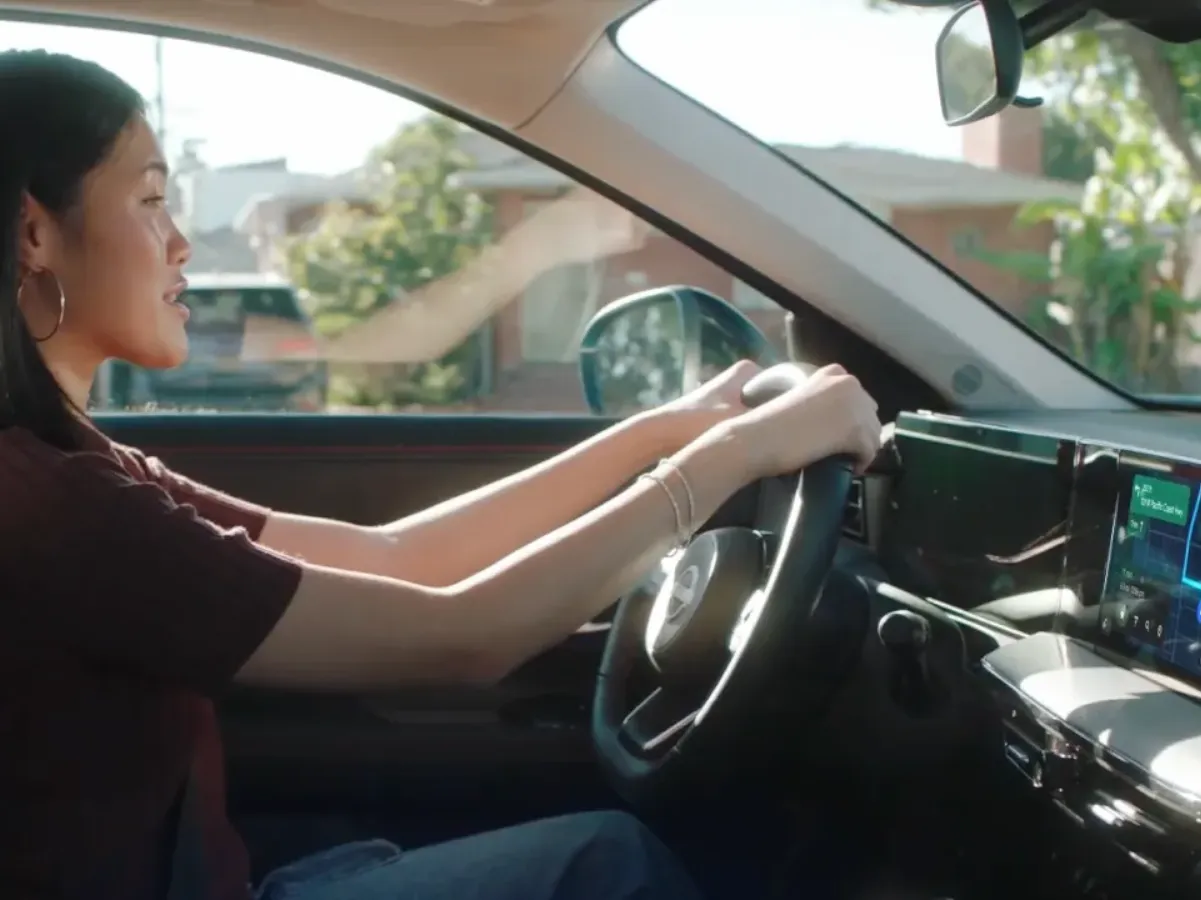
Gemini is taking over as the default voice assistant inside Android Auto, replacing Google Assistant as Google pushes the change out through ordinary app and Android updates rather than one single switch-flip. If your car's screen already shows a spark-shaped icon instead of the old multicolor dot, you have it. If not, Google says the fix is on your phone: open the Gemini app, set Gemini as your default assistant, and the car follows. Here's exactly what's changing, which features are real and documented, how to check your car for it, and what to do if "Gemini Android Auto" still isn't working for you.
- What's happening: Gemini is replacing Google Assistant as the voice assistant in Android Auto, in a staged, server-side rollout Google describes as "rolling out with the latest Android updates."
- How to get it: Set Gemini as your default assistant in the Gemini app's settings — it then takes over on your phone and in the car.
- How to tell it's live: Look for a new spark-shaped icon on the Android Auto screen, replacing the old Google Assistant mic/dot.
- Scale: Android Auto works with 500+ vehicle models across 46 countries; the Gemini app itself is available in 150+ countries and 45 languages, though not every market gets in-car voice features yet.
What's actually changing in Android Auto
For years, tapping the microphone in Android Auto handed you off to Google Assistant — a capable but rigid system built around fixed command phrases. Google is now swapping that engine for Gemini, its conversational AI model, across the same screen and the same "Hey Google" trigger. Google's own explainer for the feature frames it as an upgrade you opt into rather than one that simply appears: you still have to make Gemini your default assistant on your phone before the car picks it up.
Because the change rides on regular app updates and server-side flags instead of a single global flip, two Android Auto users with similar phones can see different timing for the same feature — which is also why "Gemini Android Auto not working" is a common search right now. Google has not published a hard cutoff date for when Assistant disappears from Android Auto entirely.
This is also not a brand-new announcement. Google first detailed Gemini coming to cars in a May 2025 Google Blog post from Patrick Brady, VP of Android for Cars, which said Gemini would reach Android Auto "in the coming months." That post also pitched the change as part of a bigger shift: Gemini replacing Assistant not just in cars, but across Google TV and XR headsets too, as a single conversational layer instead of separate assistants per device. The current news is the wider, ongoing rollout itself — not a new feature reveal — as Google's own how-to-use-Gemini-on-Android-Auto page now exists specifically to walk drivers through turning it on, which is a strong signal Google considers this live and expects real-world confusion about it.
Why Google is doing this now
Google has spent the better part of two years consolidating its assistant lineup around Gemini: replacing Assistant on phones, folding Assistant's old routines into Gemini, and now extending that same swap to the car. The pitch, in Google's own framing, is that Assistant's command-based model — where you had to phrase things in a way it recognized — doesn't hold up well against a model that can carry context across an entire conversation. A rigid "navigate to [exact business name]" command is one thing; asking for "a coffee place on the way with a drive-thru that's open now" and then following up with "does it have outdoor seating?" without repeating yourself is a different kind of interaction, and it's the kind Google is betting drivers will prefer once they try it.
There's also a practical reason the switch is staged rather than instant: Android Auto spans hundreds of car models, multiple phone manufacturers, and dozens of languages, each with its own certification and voice-trigger support. Flipping that over in one push would be far riskier than letting it roll out behind a setting drivers opt into.
The headline features
Based on Google's official materials, here's what Gemini adds on top of what Assistant could already do in the car:
- A hands-free, conversational assistant. Instead of memorizing exact commands, you can talk to Gemini the way you'd talk to a person, and it holds context across a request.
- Message summaries. For a busy group thread, Gemini can condense it to a line like "Your family is deciding on dinner" instead of reading every message aloud.
- Smart replies. One-tap, contextual responses — Google's examples include "On my way" and "Sharing my ETA now" — appear on the car screen so you can reply without dictating a full sentence.
- Multi-step place and navigation queries, with follow-up context. You can ask for something layered, like a coffee shop on your route with a drive-thru that's open right now, and then ask a follow-up — "Do they have outdoor seating?" — without repeating the place's name.
- Music and mood playlists. Gemini can build a playlist around a mood, the weather, or a vibe (Google's example is a playlist for a rainy drive), and answer questions about whatever is currently playing.
- Gemini Live. A more open-ended, spoken conversation mode, triggered in Google's original demo with the phrase "Hey Google, let's talk." Google describes it as useful for rehearsing a presentation, talking through a topic, or asking about your destination while you drive — effectively a brainstorming and knowledge partner rather than a one-shot command tool.
- Calendar and Gmail hooks. Google's original cars announcement described Gemini connecting to Google Maps and apps including Calendar and Gmail, alongside YouTube Music and Spotify — useful context for why a voice assistant might reference an upcoming meeting or an email detail, though not every one of these integrations is spelled out again in the newer how-to guide.
- Message drafting and translation. The original announcement also described teaching Gemini standing preferences — for example, always replying to a specific contact in a particular language — and having it draft a reply you can edit before sending, with translation into more than 40 languages.
Two of these — Gemini Live and the message-and-navigation features — are the ones Google's current how-to page leans on most heavily, which suggests they're the features furthest along in the rollout. The Calendar, Gmail, and translation hooks come from the earlier announcement and may still be rolling out unevenly by market.
If you're trying to decide how this stacks up against the assistants on other phones, Pandromeda has a broader comparison of Siri, Gemini, and ChatGPT as phone assistants that covers the non-automotive side of the same question.
How to turn Gemini on in Android Auto
Google's official steps, from its how-to-use-Gemini page, boil down to a phone-side setting, not a car-side one:
- Make sure the Google app and the Gemini app on your Android phone are both up to date.
- Open the Gemini app, tap your profile picture in the top right, and go to Settings.
- Select Digital assistants from Google.
- Choose Gemini as your preferred assistant. This replaces Google Assistant both on your phone and inside Android Auto.
Once that's set, plug in (or wirelessly connect) to Android Auto as usual. You don't configure anything inside the car itself — the assistant choice simply carries over the next time your phone connects.
How to tell it's actually active: the spark icon
The clearest in-car confirmation is visual. When you trigger the voice assistant, Android Auto now shows a spark-shaped icon where the old multicolor dot or microphone icon used to sit — Google's own how-to page uses that same icon to illustrate the change. If you invoke the assistant and still see the old Assistant-style icon, Gemini hasn't taken over on that session yet — double check the default-assistant setting above, and confirm both the Google app and Gemini app have fully updated.
| Requirement | What Google specifies |
|---|---|
| Phone OS (wired Android Auto) | Android 9.0 (Pie) or higher |
| Phone OS (wireless Android Auto) | Android 11.0 or higher, and only on phone/vehicle pairings Google lists as wireless-capable |
| Android Auto app | Not required separately on Android 10 and up — it's built into the phone |
| Car or stereo | Must be Android Auto–compatible (factory system or a compatible aftermarket unit, e.g. from JVC, Kenwood, or Pioneer for wireless) |
| Default assistant setting | Gemini must be set as the preferred assistant in the Gemini app's "Digital assistants from Google" settings |
Those OS minimums and the wireless caveat come straight from Google's own Android Auto product page, which is also where to check your specific car or stereo against Google's compatibility list before assuming a fault.
The scale of the rollout
Android Auto itself is a large, mature platform, which is part of why this change is rolling out gradually rather than all at once. Google's own numbers:
| Metric | Figure | Source |
|---|---|---|
| Vehicle models supported | 500+ models, "with more on the way" | android.com/auto |
| Countries with Android Auto | 46 countries listed | android.com/auto |
| Gemini app availability | 150+ countries | android.com/auto |
| Languages listed for the feature | 45 entries (some flagged as lacking "Hey Google" voice trigger support) | android.com/auto |
That last line matters: being on the list doesn't guarantee full voice support everywhere. Google flags some languages and regions as missing the hands-free "Hey Google" trigger even where Android Auto or the Gemini app otherwise works, so your mileage may genuinely vary by country.
"Gemini Android Auto not working"? Check these first
- Default assistant isn't actually set to Gemini. This is the single setting that controls whether the car gets Gemini or falls back to Assistant — re-check Gemini app > Settings > Digital assistants from Google.
- Apps aren't updated. Both the Google app and the Gemini app need to be current; an outdated build can keep showing the old Assistant icon and behavior.
- Your region or language isn't fully lit up yet. Because this is a staged, server-side rollout, not every account sees it at the same time, and some languages don't yet support the voice trigger in the car even if Gemini works fine on the phone.
- Your car or stereo predates full compatibility. Check it against Google's Android Auto compatibility and requirements page rather than assuming the assistant is broken.
- Wireless vs. wired matters. If you're on a wireless connection, confirm your phone and head unit are both on Google's supported pairing list and OS version for wireless Android Auto.
A quick history check
Android Auto was first shown at Google I/O in 2014 and released publicly in March 2015, originally as a straightforward way to mirror a phone's navigation, music, messaging, and calling onto a car's dashboard screen, according to Wikipedia's history of the platform. Google Assistant didn't arrive as the default voice layer until Google confirmed it at CES 2018, rolling out later that year. In other words, Assistant itself was a mid-life addition to Android Auto, not something baked in from day one — which makes Gemini's arrival the second time the car's voice layer has changed hands, not the first time Android Auto has gotten a voice assistant at all.
For readers who want the fuller assistant-replacement story on the app side rather than in the car, Pandromeda has also covered what's new in the Gemini app itself and the related shift of Gemini Gems into Skills, both part of the same broader push to make Gemini the single assistant across Google's phone, car, and web surfaces.
What's next
Expect the rollout to keep expanding by language and country rather than arriving as one global switch. Google has not published a completion date for retiring Google Assistant in Android Auto entirely, and some of the richer features described in Google's original cars announcement — like deeper Gmail and Calendar actions, and broader digital-car-key support for brands such as Audi, Volvo, and Polestar — may continue to arrive unevenly across markets. Google's 2025 announcement also mentioned new app categories, including games and video, coming to Android Auto and Google-built-in cars alongside the assistant change, so the current Gemini swap may be one piece of a larger refresh of what the car screen can do rather than the whole story.
The most reliable way to check your own status stays simple and doesn't require guesswork: confirm your default assistant setting on your phone in the Gemini app, keep the Google and Gemini apps updated, and watch for the spark icon the next time you plug into or wirelessly connect to the car. If it isn't there yet, it's very likely a rollout timing issue rather than something broken on your end — Google's phrasing, "rolling out with the latest Android updates," is deliberately open-ended about exactly when any one driver gets it.
Frequently asked questions
What is Gemini doing to Android Auto?
Gemini is replacing Google Assistant as the default voice assistant inside Android Auto. Google is rolling the change out gradually, through regular Android and app updates, rather than switching every car over at once.
How do I turn on Gemini in Android Auto?
Update the Google app and Gemini app on your phone, then in the Gemini app tap your profile picture, go to Settings, select "Digital assistants from Google," and choose Gemini as your preferred assistant. This replaces Google Assistant on your phone and in Android Auto automatically.
Why is Gemini Android Auto not working for me yet?
The most common causes are: Gemini isn't actually set as your default assistant yet, the Google or Gemini app needs updating, your region or language hasn't gotten the voice trigger yet, or your car/stereo isn't on Google's Android Auto compatibility list.
How can I tell if Gemini is active in my car instead of Google Assistant?
Trigger the voice assistant in Android Auto and look at the icon. A spark-shaped icon means Gemini is active; the old multicolor dot or microphone icon means you're still on Google Assistant.
Does Gemini work in every car that supports Android Auto?
Android Auto itself works with 500+ vehicle models across 46 countries, and the Gemini app is available in 150+ countries and 45 languages, but not every one of those languages or regions yet supports Gemini's hands-free voice trigger in the car.
What are the main new features Gemini brings to Android Auto?
Documented features include conversational hands-free requests, message summaries and smart replies, multi-step place/navigation queries with follow-up context, mood-based music playlists, and Gemini Live for open-ended conversation; Google's original announcement also described Calendar, Gmail, and message-translation hooks.
Sources
- Android.com: How to Use Gemini on Android Autoandroid.com
- Android.com: Android Auto compatibility and requirementsandroid.com
- Google Blog: Gemini is coming to cars, TV, and XRblog.google
- Wikipedia: Android Autoen.wikipedia.org
Theo Park runs the AI desk at Pandromeda. He follows model launches from the frontier labs and the open-weight community, tracks the assistants and developer tools built on them, and explains what each release changes on pricing, capability and safety. His reporting leans on primary sources: model cards, technical reports, API documentation and the companies' own announcements.