Google Is Replacing Gemini Gems With Skills Starting November 17
Gemini’s Gems are being phased out in favor of Skills. Here’s what changes, who has access now, and when Google starts migrating existing Gems.
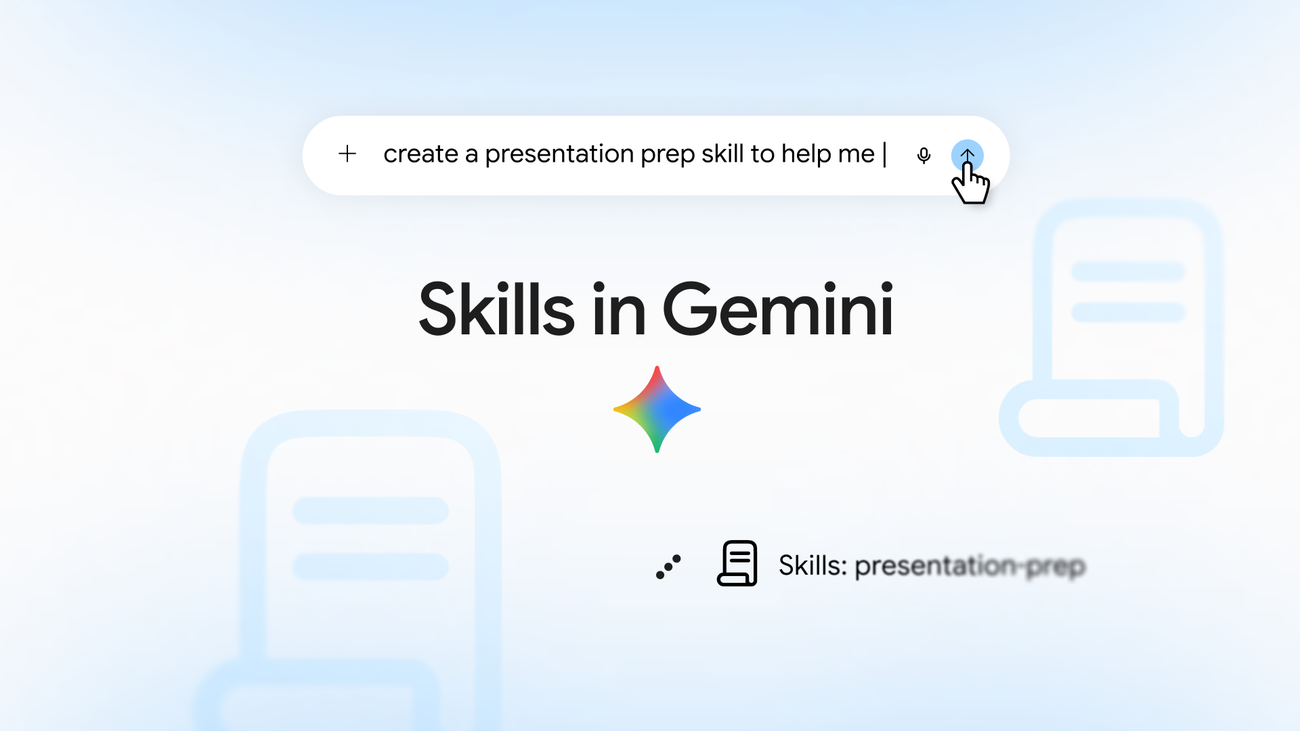
Google is retiring Gems, the custom-chatbot feature it built into Gemini two years ago, in favor of a new system called Skills. Skills started rolling out in the Gemini app on October 13, 2026, and Google says it will begin automatically converting leftover Gems into draft skills once support for Gems winds down — a process that starts with personal Google Accounts in November 2026, with Workspace business, enterprise, and education accounts following in 2027. If you have Gems you rely on today, you don’t need to do anything yet, but you have a window to get ahead of the switch.
What Google just announced
In a September 30, 2026 post titled "Let skills in Gemini tackle your most repetitive tasks," Google product manager Deven Tokuno introduced skills as a replacement for Gems — the custom-instruction chatbots Gemini users have been able to build since 2024. The post says skills are "already live in Gemini Spark" and are now rolling out broadly to Gemini chat.
A companion post on the Google Workspace Updates blog, "Introducing skills in the Gemini app and Workspace, plus what’s next for Gems," lays out the mechanics in more detail and has been updated as recently as October 13, 2026 to reflect schedule changes. Google also published a help center article, "About the transition from Gems to skills," that walks through what happens to existing Gems and how to move them over manually.
Together, the three documents describe the same shift: Gems are being phased out, skills are taking their place, and the cutover is staged by account type over the next several months.
What skills actually are
According to Google’s blog post, a skill is a saved set of instructions you can invoke inside any Gemini chat by typing "/" followed by the skill’s name (Google says an "@" trigger is coming later). Once you’ve created a skill, Gemini can also recognize when a prompt matches it and apply it automatically, without you typing the slash command. You can stack more than one skill in a single conversation — Google’s example pairs a writing-style skill with a brand-guidelines skill to draft on-brand copy in one pass.
Skills can include reference material. Google says you can already attach plain text files, PDFs, and images to a skill, with support for adding files directly from Google Drive and Gemini Notebook notebooks, plus the ability to share skills with other people, both described as arriving "in the coming weeks." Google also says skills are built on an open, Markdown-native SKILL.md format, which it frames as a portability feature: you can bring skill files you created on other platforms into the Gemini app and Workspace apps, or export a skill as a SKILL.md file.
Google’s own examples of what people are using skills for include outlining a slide deck and rehearsing tough audience questions before a presentation, matching a specific writing voice across Workspace apps, and asking Gemini to generate several distinct perspectives on a topic in one request. A separate "vendor drafter" example in the Workspace Updates post describes a skill that analyzes vendors and drafts a recommendation in a single step.
How skills differ from Gems
The core difference Google emphasizes is friction. A Gem is a separate, named chatbot you have to open in its own tab before you can use it. A skill lives inside whatever chat you’re already in — you invoke it with a slash command, combine it with other skills, and keep going in the same conversation. Google’s help center article puts it plainly in its FAQ: skills are "more flexible," usable "in the current chat without switching tabs," and stackable in ways Gems never were.
That said, skills are not yet a strict superset of Gems. Several Gem capabilities are explicitly missing right now. Google’s support page lists Canvas, Deep Research, Create video, Create music, and Guided learning as features that don’t yet work inside a skill, and says "most default tools that are available in Gems do not work with skills" at this stage. Connected Apps — Gemini’s integrations with Workspace apps like Docs, Sheets, and Gmail — do work with skills already.
| Capability | Gems | Skills (as of October 2026) |
|---|---|---|
| How you invoke it | Open the Gem in its own chat tab | Type "/" + skill name in any chat (an "@" trigger is planned) |
| Combine multiple at once | No — one Gem per chat | Yes — stack several skills in one conversation |
| Auto-applies without invoking | No | Yes — Gemini can match a prompt to a relevant skill automatically |
| File format | Proprietary to Gemini | Open, Markdown-native SKILL.md, portable across platforms |
| Reference files supported | Broad Gem knowledge-file support | Text files, PDFs, images now; Drive files and Notebook notebooks "coming weeks" |
| Sharing with others | Supported | Not yet — described as arriving "in the coming weeks" |
| Dedicated chat history page | Yes | No — skill-using chats appear in the regular side panel |
| Works with Canvas, Deep Research, Create video/music, Guided learning | Yes (Gem tools) | Not yet, per Google’s support page |
| Active-item limit | No published limit | Unlimited skills can be created, but only 100 active at once |
Google frames the gaps as temporary. Its help center FAQ states that skills will match Gem functionality over time, specifically naming sharing and Drive/Notebook integration as features on the way. Until then, anyone with a Gem that depends on Canvas, Deep Research, or video/music generation should expect to keep using that Gem rather than switching early.
Who can use skills right now
Per Google’s blog post, skills rolled out to Gemini chat globally on launch day and are available across all Google AI subscription tiers to users 18 and older; a version for users under 18 is described as "coming soon." The Workspace Updates post adds the account-type detail: skills in the Gemini app are available to both personal Google Account holders and Google Workspace customers, with no age restriction at that layer, while skills inside Workspace apps and Workspace Studio are limited to Business Starter, Standard, and Plus; Enterprise Starter, Standard, and Plus; the Google AI Pro for Education add-on; and AI Expanded Access — all restricted to users over 18.
One practical wrinkle worth flagging: skills created in the Gemini app do not automatically carry over into Workspace apps. Google’s Workspace Updates post says explicitly that because skills in the Gemini app won’t automatically appear in Workspace, anyone who wants to use a skill inside Workspace apps needs to recreate it there separately.
The Workspace-side rollout has not gone entirely to plan. The Workspace Updates post originally scheduled skills to begin appearing in Workspace on October 5, 2026 for Rapid Release domains and October 19, 2026 for Scheduled Release domains. As of its October 13, 2026 update, Google now describes the Workspace Studio and Workspace app rollout as "currently delayed," without giving a replacement date. The Gemini app rollout, by contrast, started on schedule on October 13, 2026, with both tracks expected to finish by mid-November.
The Gems migration timeline
Google’s clearest set of dates comes from the Workspace Updates post. Here is what it lays out, alongside the matching (slightly less specific) language from the consumer-facing help center article and blog post:
| Date | What happens |
|---|---|
| October 5, 2026 | Skills begin rolling out in Workspace (original date; now delayed per the October 13 update, no new date given) |
| October 13, 2026 | Skills begin rolling out in the Gemini app, both Rapid and Scheduled Release; expected to complete by mid-November 2026 |
| November 17, 2026 | Gems move into the Settings panel of the Gemini app. You can still create, edit, and use them from there |
| November 2026 | Google’s help center and blog post separately describe Gems support ending for personal Google Accounts this month; Opal and "Gems by Google Labs" are discontinued at the same time (not migrated to skills) |
| No sooner than March 1, 2027 | Business and enterprise accounts: Gems can no longer be created, edited, or used, and are removed from Settings. Any remaining Gems auto-migrate to draft skills |
| No sooner than June 1, 2027 | Education accounts: same removal and auto-migration, also affecting Google Classroom and Gemini-LTI-connected third-party LMSs |
Worth being precise here, because Google’s own posts don’t line up perfectly. The Workspace Updates post’s "Key dates" list gives November 17, 2026 as the date Gems move into the Settings panel — a reorganization, not a shutoff, since you can still create, edit, and use them afterward. Google’s consumer-facing help center page and its original blog post describe a broader event in the same window, saying only that Gems support "ends" for personal Google Accounts in "November 2026," without naming November 17 specifically. Treat November 17, 2026 as the one calendar date Google has published for this stage of the transition, and "November 2026" as the month-level window Google has committed to for personal accounts losing Gems altogether. Google says it will give admins at least 30 days’ notice before the business/enterprise and education auto-migrations.
- Skills began rolling out in the Gemini app on October 13, 2026; Workspace’s rollout (originally October 5/19) is delayed as of the October 13 update.
- Gems move into Gemini app Settings on November 17, 2026 — still usable from there.
- Personal-account Gems support ends in November 2026, per Google’s help center; business/enterprise follows no sooner than March 1, 2027, education no sooner than June 1, 2027.
- Gems are auto-migrated to draft skills when removed; you can also recreate any Gem as a skill manually, earlier, right now.
- You can create unlimited skills, but only 100 can be active at once.
- Skills don’t sync between the Gemini app and Workspace — you have to build them separately in each.
What happens to the Gems you already have
You don’t lose anything automatically, and you don’t have to act today. Google’s support page says you can keep creating and using Gems in the Gemini app for now — the one thing that already changed is that you can no longer add a new "Ask a Gem" step to a Workspace Studio flow; flows that already use that step keep working.
When Gems are eventually removed for your account type, Google says it will "automatically transition your Gems to skills for you" — the help center page describes this as Gems being "automatically recreate[d] as skills," landing as draft skills you can review and publish. If you’d rather not wait, you can manually recreate any Gem as a skill right now. Google’s support article outlines the steps: download the Gem’s knowledge files into a folder named in lowercase with hyphens, go to Settings > Skills and choose "Create manually," paste in the name, description, and instructions, then create the skill. To add the knowledge files, download the new skill as a .zip, drop the SKILL.md file into the folder with your Gem’s files, then use "Replace skill" and re-upload the folder — the folder name has to match the skill’s name.
Two limitations are worth flagging before you start that process. There’s no bulk transfer: Google says you have to download a Gem’s knowledge files one at a time and then upload them together to the new skill. And GitHub files, if your Gem uses them, aren’t supported in skills yet.
If you’re the kind of user who has leaned on Gemini’s broader ecosystem of custom agents, it’s worth remembering that skills and Google’s A2A agent protocol are solving different problems — A2A is about how separate agents talk to each other, while skills are about packaging your own repeatable instructions inside a single Gemini conversation.
Why Google says it’s making the switch
Google’s help center FAQ directly addresses "why remove Gems?" and answers with the flexibility argument: skills work without switching tabs, can be combined, and — per the blog post — are meant to let Gemini build and apply them automatically from your chat history rather than requiring you to configure a bot up front. The company also points to the open SKILL.md format as a reason skills are more future-proof than Gems, since it lets people bring instruction sets built elsewhere into Gemini and Workspace apps, rather than being locked into a Gemini-only format.
Google’s support page also includes best-practice guidance for anyone building a skill: define clearly when the skill should be used, keep the instructions concise, and include examples of what good output looks like — advice that reads a lot like prompt-engineering guidance repackaged for a persistent, reusable object rather than a one-off chat.
How to try skills today
If you’re an adult with a personal Google Account, skills should already be available in the Gemini app — Google’s blog post says the rollout went out globally to Gemini chat starting September 30, 2026, and the Workspace Updates post confirms the Gemini app rollout proper started October 13, 2026. To use one, type "/" in the prompt bar and look for the skill by name, or let Gemini apply a relevant one automatically based on what you’re asking. Google notes that importing an existing SKILL.md file currently only works in the Gemini Mac app and the web app — it’s not yet supported on mobile.
Workspace users should check with their admin: skills in Workspace apps require a Business, Enterprise, Education add-on, or AI Expanded Access plan, the Workspace-side rollout is currently delayed, and skills you build in the Gemini app won’t show up there until you recreate them directly inside Workspace.
Anyone evaluating what else is new in Gemini around the same release window may also want to look at what’s new in the Gemini app with Gemini 4 Argon, since skills is rolling out alongside — not as part of — that model update, and the two are easy to conflate in a single Gemini app update note.
What’s still missing, in Google’s own words
To avoid overselling skills as a finished replacement, it’s worth repeating exactly what Google says doesn’t work yet, all per its own support page:
- No dedicated chat-history page for a given skill — chats appear in the regular side panel instead.
- Most default Gem tools don’t work with skills yet, specifically Create video, Create music, Canvas, Deep Research, and Guided learning.
- Sharing a skill with other people isn’t available yet (Google says "coming weeks").
- Adding files from Google Drive or Gemini Notebook notebooks to a skill isn’t available yet (also "coming weeks").
- GitHub files aren’t supported as skill knowledge files yet.
- Importing a
SKILL.mdfile only works in the Gemini Mac app and web app right now. - Skills for users under 18 are described only as "coming soon," with no date given.
None of this is confirmed as permanent — Google frames all of it as current-state, with features arriving on a rolling basis — but it means anyone with a Gem that depends on these tools shouldn’t migrate it to a skill yet, since the migration would lose functionality today.
Common questions people are searching right now
Search interest around this launch clusters around a handful of practical questions — gemini skills vs gems, what a gemini skills list might include, and whether there’s a public gemini skills library. Google hasn’t published a browsable library or marketplace of skills in any of the three posts reviewed for this article; everything described so far is either a skill you build yourself from a chat, a Gem you convert, or a SKILL.md file you import from elsewhere. If Google ships a shared library of pre-built skills, it hasn’t said so in these announcements.
What’s next
The near-term calendar is the thing to watch. Google still owes the Workspace side of this rollout a new start date after pulling the October 5/19 schedule; until that lands, Workspace Studio and Workspace app users don’t have skills yet, full stop. On the Gemini app side, Google’s own completion estimate is mid-November 2026, which lines up closely with the November 17, 2026 date it has set for moving Gems into Settings. Expect Google to fill in the remaining gaps — Gem feature parity, sharing, Drive and Notebook file support, an under-18 rollout, and likely a firmer date for when personal-account Gems actually disappear rather than just moving to Settings — in further posts over the next few weeks. For now, existing Gems keep working exactly as they did before this announcement, and nothing requires action until Google gives 30 days’ notice ahead of each account type’s cutover.
Frequently asked questions
What is Gemini Skills?
Skills is a Gemini feature that lets you save reusable custom instructions and invoke them in any chat by typing a slash (/) followed by the skill’s name, or let Gemini apply a matching skill automatically. Google says skills are built on an open, Markdown-native SKILL.md format, and it is replacing Gems, the custom-chatbot feature Gemini has offered since 2024.
How is Gemini Skills different from Gems?
A Gem is a separate chatbot you open in its own tab and use one at a time. A skill works inside whatever chat you are already in, can be combined with other skills in the same conversation, and can be applied automatically by Gemini. Skills currently lack some Gem tools, including Canvas, Deep Research, Create video, Create music, and Guided learning, which Google says are not yet supported.
When do Gems go away in Gemini?
Google’s Workspace Updates blog says Gems move into the Gemini app’s Settings panel on November 17, 2026, though they remain usable from there. Google’s help center page says Gems support for personal Google Accounts ends in November 2026 more broadly. Full removal and auto-migration for Workspace business and enterprise accounts happens no sooner than March 1, 2027, and for education accounts no sooner than June 1, 2027.
Will my existing Gems be deleted when they go away?
No. Google says any remaining Gems are automatically converted into draft skills when support for Gems ends for your account type. You can also manually recreate a Gem as a skill earlier if you prefer, following steps Google published in its help center.
Can I use skills in Google Workspace yet?
Not fully. Google originally planned to roll out skills in Workspace on October 5, 2026 (Rapid Release) and October 19, 2026 (Scheduled Release), but as of its October 13, 2026 update, Google describes the Workspace Studio and Workspace app rollout as currently delayed with no new date given. Skills in the Gemini app itself started rolling out on October 13, 2026.
Is there a limit on how many skills I can create?
Google’s help center says you can create as many skills as you want, but only 100 can be active at a time. If you hit that limit, you can disable one skill to activate another.
Sources
- Google Blog: Let skills in Gemini tackle your most repetitive tasksblog.google
- Google Workspace Updates: Introducing skills in the Gemini app and Workspace, plus what's next for Gemsworkspaceupdates.googleblog.com
- Google Help Center: About the transition from Gems to skillssupport.google.com
Theo Park runs the AI desk at Pandromeda. He follows model launches from the frontier labs and the open-weight community, tracks the assistants and developer tools built on them, and explains what each release changes on pricing, capability and safety. His reporting leans on primary sources: model cards, technical reports, API documentation and the companies' own announcements.