Ubuntu vs Linux Mint vs Zorin OS: Best Linux for Old Windows 10 PCs
Your Windows 10 PC can’t run Windows 11? Here is how three beginner-friendly Linux distributions compare on hardware needs, support length and Windows app support.
If your Windows 10 PC can’t run Windows 11, the three Linux distributions most worth trying are Ubuntu 26.04 LTS, Linux Mint 22.3 and Zorin OS 18.1. All three are free to download and get security updates until at least 2029. For older, low-memory PCs, Linux Mint and Zorin OS are the better fit: their published minimums start at 2 GB of RAM, while Ubuntu’s desktop edition now asks for 6 GB. Ubuntu has the longest support window and the newest software. This comparison is based on each project’s official documentation.
Key facts
- Ubuntu 26.04 LTS: released April 23, 2026; supported until April 2031; GNOME 50, Linux 7.0; 6 GB RAM recommended
- Linux Mint 22.3 “Zena”: released January 13, 2026; supported until April 2029; Cinnamon 6.6; 2 GB RAM minimum
- Zorin OS 18.1: released April 15, 2026; supported until June 1, 2029; runs many .exe and .msi installers; 2 GB RAM minimum
- Windows 10 deadline: Microsoft’s consumer ESU program now runs until October 12, 2027
Why Windows 10 users are looking at Linux
Windows 10 reached end of support on October 14, 2025. Microsoft’s Windows 10 consumer ESU page now says the Extended Security Updates program for personal devices runs until October 12, 2027, a year longer than originally planned. Enrollment is free if you sync your PC settings to a Microsoft account, costs 1,000 Microsoft Rewards points, or is a one-time $30 purchase. One license covers up to 10 devices.
That gives Windows 10 users more time, but not a permanent fix. Many older PCs still can’t move to Windows 11. Microsoft’s Windows 11 specifications require a compatible 64-bit processor, 4 GB of RAM, 64 GB of storage, UEFI with Secure Boot and TPM 2.0, and plenty of otherwise healthy machines fail the processor or TPM checks. For those PCs, a modern Linux distribution is the main way to keep getting security updates once ESU ends.
Ubuntu vs Linux Mint vs Zorin OS at a glance
| Ubuntu 26.04 LTS | Linux Mint 22.3 | Zorin OS 18.1 | |
|---|---|---|---|
| Released | April 23, 2026 (26.04.1 is current) | January 13, 2026 | April 15, 2026 (Zorin OS 18: October 14, 2025) |
| Free security updates until | April 2031 | April 2029 | June 1, 2029 |
| Package base | Ubuntu 26.04 | Ubuntu 24.04 “Noble” | Ubuntu 24.04 LTS |
| Default desktop | GNOME 50 | Cinnamon 6.6 (MATE and Xfce editions too) | GNOME Shell with Zorin layouts (Xfce in Lite) |
| Linux kernel | 7.0 | 6.14 (HWE ISOs with 6.17) | 6.17 |
| Minimum / recommended RAM | 6 GB recommended | 2 GB (4 GB recommended) | 2 GB minimum |
| Disk space | 25 GB | 20 GB (100 GB recommended) | 15 GB (Core), 45 GB (Pro) |
| Processor | 2 GHz dual-core recommended | 64-bit only | 1 GHz dual-core, 64-bit Intel/AMD |
| Windows app support | Via Wine (install yourself) | Via Wine (apt install wine-installer) | Built-in Windows App Support for .exe/.msi |
| Price | Free; Ubuntu Pro free for personal use on up to 5 machines | Free (donation-funded) | Core free; Pro is a one-time purchase |
Ubuntu 26.04 LTS: newest software, longest support
Canonical released Ubuntu 26.04 LTS “Resolute Raccoon” on April 23, 2026. Its official release notes say it will get security updates and critical bug fixes for five years, until April 2031. The Ubuntu download page lists 26.04.1 as the current release and adds that Ubuntu Pro, which extends maintenance to up to 15 years, is free for personal use on up to five machines.
Of the three, Ubuntu ships the newest components. According to Canonical’s summary of changes for LTS users, 26.04 moves to GNOME 50, Linux 7.0, Firefox 150 and LibreOffice 25.8. Several default apps have been replaced: Papers is the new document viewer, Loupe the image viewer, Ptyxis the terminal, and Resources replaces System Monitor. The desktop session now runs only on Wayland, because GNOME Shell can no longer run as an X.org session. X11 apps still work through XWayland, and Canonical says machines with Nvidia graphics now fully support Wayland. The download page also highlights TPM-backed full-disk encryption management and experimental app permission prompts.
The drawback for old Windows 10 PCs is the hardware bar. Canonical says Ubuntu Desktop 26.04 needs “a 2 GHz dual-core processor or better, a minimum of 6 GB RAM and 25 GB of free storage space for a comfortable experience,” and recommends lighter flavors such as Xubuntu or Lubuntu for machines with 2 GB of RAM or more. A PC with 4 GB of RAM falls below what Canonical recommends.
Choose Ubuntu if: your PC has 8 GB of RAM or more, you want the longest support window, or you want the newest GNOME desktop and Linux kernel.
Linux Mint 22.3: the familiar, low-risk choice
Linux Mint 22.3 “Zena” came out on January 13, 2026. The official release announcement describes it as a long-term support release supported until 2029, and the release notes specify April 2029. It uses Ubuntu 24.04 “Noble” as its package base, with Linux kernel 6.14. Since April 30, the Mint team has also published HWE (hardware enablement) ISOs with kernel 6.17 for very new hardware.
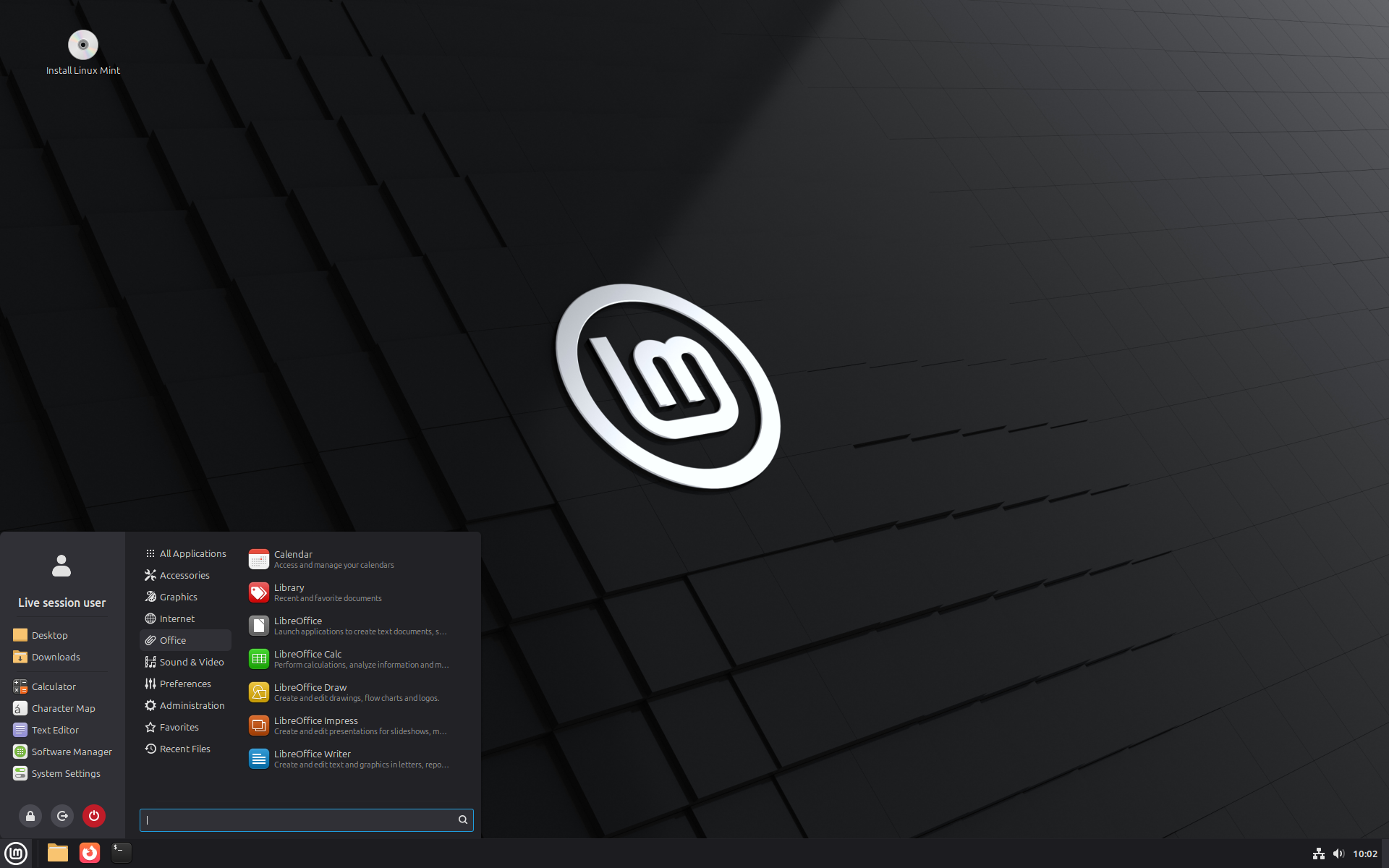
Mint’s default Cinnamon desktop is its main draw for people leaving Windows. As the screenshot above shows, it has a bottom panel, a start-style menu with categories and favorites, and a system tray, so it looks familiar from the first boot. Mint also offers MATE and Xfce editions, which the Linux Mint installation guide describes as lighter options for older computers. Mint disables the Snap Store by default and uses its own Software Manager and update tools, including Timeshift system snapshots, which the Mint team recommends creating before upgrades.
The system requirements are modest: 2 GB of RAM (4 GB recommended), 20 GB of disk space (100 GB recommended) and a 1024×768 display. The release notes list a few caveats. The HWE kernel 6.14 has problems with VirtualBox and with old Nvidia cards that use the unsupported 470 driver, and Mint suggests installing 22.1 on those machines and upgrading from there.
There is a new version on the way. In its April 2026 monthly news, the Mint team said it had moved to a longer development cycle and would not release again until Christmas 2026. The team says it is working on a new package base, a new screensaver and a functional Wayland session for that release.
Choose Linux Mint if: you want a traditional Windows-style desktop with little to learn, your PC has 4 GB of RAM or less, or you are setting up a computer for a less technical relative.
Zorin OS 18.1: built for people leaving Windows
Zorin OS is aimed squarely at Windows 10 users. Its homepage has a section headed “Keep using your computer after the end of Windows 10.” According to the Zorin OS release details page, Zorin OS 18 launched on October 14, 2025, the day Windows 10 support ended, and 18.1 followed on April 15, 2026. It is based on Ubuntu 24.04 LTS, uses Linux kernel 6.17, and will get software updates and security patches until June 1, 2029.
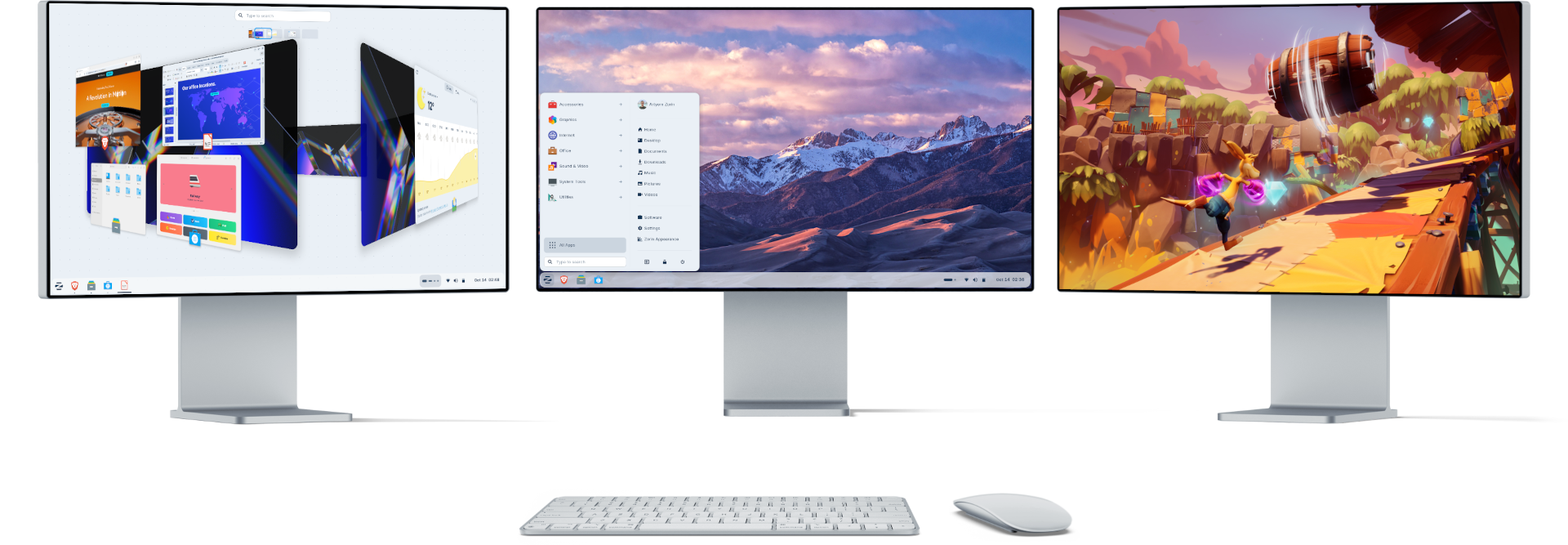
Two things set Zorin apart. The first is Windows App Support: Zorin says you can run many Windows apps by double-clicking their .exe or .msi installers, and it lists .exe and .msi alongside APT, Flatpak, Snap, .deb and AppImage as supported formats. The second is the Zorin Appearance app, which switches the desktop layout between styles that resemble Windows, macOS and other systems. There are 12 layouts in total, and eight premium ones, including Windows 11-style, Windows Classic and macOS-style, are exclusive to Zorin OS Pro.
Zorin comes in several editions. Core is free. There is also an Education edition, and Lite uses Xfce for older hardware. Pro is a paid, one-time purchase that adds the premium layouts, a bundle of creative and productivity apps, and installation support. Zorin’s FAQ says Pro is not a subscription and can be installed on multiple computers for personal use.
The Zorin OS system requirements are the lowest of the three: a 1 GHz dual-core 64-bit Intel or AMD processor, 2 GB of RAM, 15 GB of storage for Core (35 GB for Education, 45 GB for Pro) and an 800×600 display. Zorin notes that Surface devices with Arm processors and Macs with Apple silicon cannot run it natively.
Choose Zorin OS if: you want Linux to look as much like Windows as possible, you need to run a few Windows programs, or you would like paid setup support.
Which is best for an old PC?
Match the distribution to your RAM first:
- 2 to 4 GB of RAM: Linux Mint (Xfce or MATE edition) or Zorin OS Lite. Ubuntu’s own guidance points machines like this to Xubuntu or Lubuntu.
- 4 to 8 GB of RAM: Linux Mint Cinnamon or Zorin OS Core are the comfortable options. Ubuntu will install but sits below Canonical’s 6 GB recommendation at the low end.
- 8 GB of RAM or more: all three sit comfortably above their published requirements, so choose by desktop style and support length.
All three are 64-bit only. For very new chipsets, Mint publishes HWE ISOs with a newer kernel and says to try them if the regular edition does not boot.
Can you run Windows programs?
This is the question that decides most switches. None of the three can run every Windows program. What differs is how much setup each needs:
- Zorin OS has it built in. Windows App Support is an optional component, and Zorin says many .exe and .msi installers can be run with a double-click.
- Linux Mint documents the setup in its release notes: install the complete Wine package with
apt install wine-installer, which also adds menu entries for regedit and the C: drive. - Ubuntu can run Wine too, but you install and configure it yourself.
For everyday documents, Ubuntu 26.04 ships LibreOffice 25.8, Linux Mint includes the LibreOffice suite, and Zorin says LibreOffice comes pre-installed for opening and editing Microsoft Office files. Zorin also promotes gaming through Steam, Lutris and other stores, with NVIDIA, AMD and Intel graphics drivers included.
How to try them without losing Windows
All three run as a “live” session from a USB stick, so you can test Wi-Fi, sound, the touchpad and your printer before installing anything. The usual steps are:
- Back up your Windows files to an external drive or cloud storage.
- Download the ISO from the official site: ubuntu.com, linuxmint.com or zorin.com. Where the project publishes SHA256 checksums, as Linux Mint does, verify the download.
- Write the ISO to a USB stick with a USB image-writing tool.
- Restart the PC, open its boot menu (often F12, F2, Esc or Delete) and boot from the USB stick.
- Try the live desktop. If everything works, choose to install alongside Windows (dual boot) or replace it.
If you are staying on Windows 10 for now, enroll in ESU first. The ESU deadline now gives you until October 2027 to test Linux properly before you need to switch.
Bottom line
Linux Mint 22.3 is the safest default for most Windows 10 refugees. It has a familiar desktop, low hardware requirements, support until 2029 and built-in Timeshift snapshots for rolling back a bad update. Zorin OS 18.1 is the better choice if you want Windows-style layouts and built-in support for running .exe files, or if you would pay for a polished Pro edition with setup help. Ubuntu 26.04 LTS has the newest software and support until 2031, but it is best suited to PCs with at least 6 to 8 GB of RAM, which rules out many of the oldest machines stuck on Windows 10.
Timing matters too. Linux Mint’s next major release is due around Christmas 2026. Ubuntu 26.04 is already on the newest Ubuntu LTS base, while Mint 22.3 and Zorin OS 18.1 still build on Ubuntu 24.04. If you are installing today, any of the three will keep getting security updates for years.
Frequently asked questions
Which Linux is best for an old Windows 10 laptop?
For PCs with 2 to 4 GB of RAM, Linux Mint (especially the Xfce or MATE editions) or Zorin OS Lite are the best fit, since both list 2 GB of RAM as the minimum. Ubuntu 26.04 recommends 6 GB of RAM.
How long are Ubuntu 26.04, Linux Mint 22.3 and Zorin OS 18 supported?
Ubuntu 26.04 LTS gets security updates until April 2031, Linux Mint 22.3 until April 2029, and Zorin OS 18 until June 1, 2029.
Can Linux run Windows programs?
Many, but not all. Zorin OS includes optional Windows App Support that runs many .exe and .msi installers with a double-click, while Linux Mint and Ubuntu can run Windows programs through Wine after you install it.
Is Zorin OS free?
Zorin OS Core is free to download and use. Zorin OS Pro is a paid one-time purchase that adds premium desktop layouts, extra apps and installation support.
When does Windows 10 stop getting security updates?
Windows 10 support ended on October 14, 2025, but Microsoft’s consumer Extended Security Updates program now provides security updates to enrolled PCs until October 12, 2027.
Can I try Linux without deleting Windows?
Yes. Ubuntu, Linux Mint and Zorin OS all boot as a live session from a USB stick, so you can test them first and then install alongside Windows if you want to dual boot.
Sources
- Ubuntu 26.04 LTS release notesdocumentation.ubuntu.com
- Ubuntu Desktop downloadubuntu.com
- Linux Mint Blog: Linux Mint 22.3 “Zena” releasedblog.linuxmint.com
- Linux Mint 22.3 release noteslinuxmint.com
- Zorin OS: currently supported versionszorin.com
- Microsoft: Windows 10 Consumer Extended Security Updatesmicrosoft.com
Felix Moreau writes Pandromeda's software coverage and how-to guides. He covers Windows, macOS and Linux updates, the apps people rely on, emulators and developer tools, and turns official documentation into clear, numbered steps that work on the current version.