GitHub Copilot Gets GPT-6.1 Terra: What It Is and Who Can Use It
GPT-6.1 Terra is now generally available in GitHub Copilot on every paid plan. Here is what it does, who can use it, and how it compares to GPT-6.1 Sol.
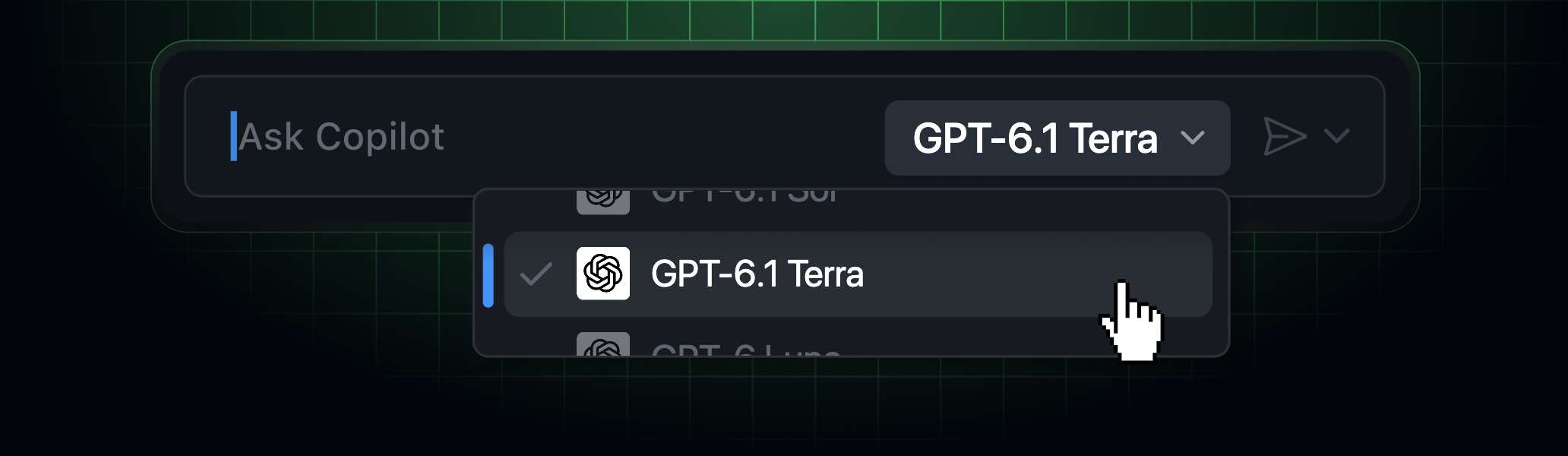
GitHub Copilot just added GPT-6.1 Terra. GitHub made OpenAI's newest model generally available in Copilot on October 26, 2026, positioning it as a faster, lower-cost alternative to GPT-6.1 Sol for everyday agentic coding and terminal work. It's rolling out gradually across Copilot Pro, Pro+, Max, Business and Enterprise, in every major Copilot surface from VS Code to GitHub Mobile.
If you use GitHub Copilot's model picker, you may already have seen GPT-6.1 Terra appear — or you may still be waiting, since GitHub is rolling it out gradually and some accounts won't see it immediately. Here's what it actually is, who can use it, how it's priced, and how it fits next to the GPT-6.1 Sol model GitHub shipped four weeks earlier.
What is GPT-6.1 Terra?
GPT-6.1 Terra is OpenAI's newest model, now generally available inside GitHub Copilot. GitHub's own changelog describes it as built for "everyday agentic coding and terminal work" at a lower cost than GPT-6.1 Sol, the more capable (and more expensive) model GitHub added to Copilot on September 29, 2026. In GitHub's early testing, Terra solved noticeably more terminal and C# coding tasks than GPT-5.6 Terra, the model it effectively replaces as Copilot's "everyday" option, and GitHub says it works best in focused, consolidated steps on well-scoped tasks rather than long, open-ended agent runs.
The name follows a pattern OpenAI and GitHub have used throughout 2026: a given model generation ships in multiple variants named for the task profile they're tuned toward, with "Terra" generally denoting the faster, lower-cost tier and "Sol" the higher-capability one. GitHub's changelog frames this specifically as a successor to GPT-5.6 Terra rather than a brand-new category, which matters if you've been defaulting to that older model for quick terminal fixes — Terra's improvement is measured directly against it, not against Sol or any reasoning-focused model.
Who can use GPT-6.1 Terra
Terra is available on every paid Copilot tier: Pro, Pro+, Max, Business and Enterprise. That's actually broader than GPT-6.1 Sol's availability — Sol is restricted to Pro+, Max, Business and Enterprise, and isn't selectable on the base $10/month Copilot Pro plan. If you're on Copilot Pro and have been locked out of GitHub's newest OpenAI models until now, Terra is the first GPT-6.1-generation model you'll actually be able to pick.
Where to find it: editors and surfaces
GPT-6.1 Terra shows up in the model picker across every major place Copilot runs:
- Visual Studio Code and Visual Studio
- GitHub Copilot CLI
- The GitHub Copilot coding agent (cloud)
- The GitHub Copilot app and github.com
- GitHub Mobile (iOS and Android)
- JetBrains IDEs, Xcode and Eclipse
GitHub describes the rollout as gradual, so not every account sees the option on day one. If Terra isn't in your model picker yet, GitHub's own guidance is simply to check back — there's no manual opt-in step for individual users.
How to turn it on (or off) for a team
Individual Copilot users don't need to do anything beyond selecting Terra from the model picker once it appears. For Copilot Business and Enterprise, though, administrators control model access through the model policy in Copilot settings. Under GitHub's default model enablement setting, new models like Terra are turned on automatically for an organization unless an admin has already switched off the global default for new models, or has gone in and explicitly disabled this specific model. That means some organizations may need an admin to flip a setting before developers see it, even after GitHub's rollout reaches their account.
GPT-6.1 Terra vs. GPT-6.1 Sol
| GPT-6.1 Terra | GPT-6.1 Sol | |
|---|---|---|
| GA date in Copilot | October 26, 2026 | September 29, 2026 |
| Positioned for | Everyday agentic coding, terminal work | Complex multistep coding, efficient long agent runs |
| Cost vs. the other | Lower cost | Higher cost |
| Available on Copilot Pro ($10/mo.) | Yes | No |
| Available on Pro+, Max, Business, Enterprise | Yes | Yes |
| Billing | Provider list pricing, usage-based | Provider list pricing, usage-based |
In plain terms: Sol is GitHub's pick for harder, longer-running coding tasks where token efficiency over many steps matters most, while Terra is the faster, cheaper default for the kind of short, well-defined task you'd hand off dozens of times a day — fixing a function, writing a terminal command, patching a small bug.
What GitHub's testing actually showed
GitHub's changelog is specific about the comparison it ran: Terra against GPT-5.6 Terra, the model it's positioned to replace as Copilot's lower-cost everyday option. GitHub says Terra "solved noticeably more terminal and C# coding tasks" than GPT-5.6 Terra in early testing, and that it performs best on well-scoped tasks it can complete in focused, consolidated steps. GitHub did not publish a benchmark table, specific pass-rate numbers, win-rate percentage, or a comparison against competing tools from Anthropic or Google in the announcement — those are the only performance claims it makes, and this article isn't adding numbers GitHub itself hasn't published. That's worth flagging on its own: GitHub's changelog posts for new Copilot models have generally stayed qualitative ("noticeably more," "focused, consolidated steps") rather than quantitative, so if you're trying to decide between Terra and another model for a specific workload, GitHub's own post won't settle it — you'll likely need to try both on your actual codebase, since terminal and C# performance, the two areas GitHub tested, may not predict how Terra handles other languages or task types.
Pricing: no fixed multiplier published
Both GPT-6.1 Terra and GPT-6.1 Sol are billed at "provider list pricing" under Copilot's usage-based billing model, which replaced the older flat per-request multiplier system GitHub used for earlier Copilot models. GitHub's changelog for Terra does not publish a specific per-million-token price or multiplier figure — it refers Copilot users to GitHub's own "Models and pricing for GitHub Copilot" documentation for current rates, which can change independently of a model's announcement post. For comparison, GitHub's Sol announcement a month earlier used the same "provider list pricing" language without a fixed multiplier either, and third-party trackers that have published OpenAI API list prices for GPT-6.1 Sol (around $2 per million input tokens, $10 per million output tokens as of mid-October) are not official GitHub figures and shouldn't be assumed to apply unchanged inside Copilot's billing.
This matters more for Terra than it would for a flat-rate model, because "lower cost than Sol" is a relative claim, not an absolute one — if Sol's price changes, or if OpenAI adjusts Terra's own API pricing after this announcement, the gap between the two could shift without GitHub updating the original changelog post. Copilot Business and Enterprise admins who are budgeting AI Credit usage across a team should check the current rate on GitHub's pricing documentation directly before assuming Terra will always be meaningfully cheaper than Sol for a given workload, especially for tasks where Terra needs more follow-up turns to reach the same result Sol gets in fewer steps.
Why this is landing right before GitHub Universe
Terra's general availability lands just two days before GitHub Universe 2026, GitHub's annual developer conference, running October 28–29 in San Francisco. GitHub frequently ships smaller model and feature updates in the days leading into Universe, saving larger platform announcements for the keynote itself. This article covers only what GitHub has confirmed in its Terra changelog post as of publication — if GitHub announces anything about Terra, Sol, or other Copilot models during the Universe keynote itself, that would be new information this piece doesn't speculate about.
When Terra actually makes sense to pick
GitHub's own framing gives a fairly clear signal for when to reach for Terra over Sol or a larger reasoning model: well-scoped tasks you can describe in a sentence or two, where you want a fast turnaround rather than the model spending extra steps double-checking itself. That maps to things like writing or fixing a shell command, patching a specific failing test, adding a small C# method GitHub specifically called out in its testing, or asking Copilot Chat a quick syntax question in the terminal. It's a weaker fit for tasks that need the model to hold a lot of surrounding context across many files, plan multi-stage refactors, or reason carefully about tradeoffs before writing any code — GitHub positions Sol, not Terra, for exactly that kind of long or complex run. If you're not sure which bucket a task falls into, GitHub's model picker lets you switch per-request in most surfaces, so there's no commitment to one model for an entire session.
How we got here: Copilot's model lineup in 2026
GitHub has treated its Copilot model picker less like a fixed product feature and more like a rotating lineup this year, adding and retiring models on a near-monthly cadence as OpenAI, Anthropic, Google and others ship new releases. GPT-6.1 Sol landed September 29; Gemini 4 Argon arrived in Copilot earlier in October; and GitHub has run at least two rounds of model deprecations in October alone as older, less-used options were phased out to make room for newer ones. The pattern this creates for Copilot users is that the "best" model for a given task keeps shifting, and the cheapest model for routine work in particular has turned over multiple times in 2026 — GPT-6.1 Terra is simply the latest entrant in that specific "everyday, lower-cost" slot, not a one-off addition.
Part of an ongoing pattern
GPT-6.1 Terra is the latest in a steady cadence of model additions and removals GitHub has been running in Copilot throughout 2026 — Copilot previously added Gemini 4 Argon to the model picker, and GitHub has run multiple rounds of model deprecations as older options get retired. If you're trying to decide whether Copilot's expanding model lineup is worth it compared to a single-model tool, it's also worth reading how Copilot stacks up directly against Claude Code.
What's next
If you don't see GPT-6.1 Terra in your model picker yet, no action is needed — GitHub's rollout is gradual and it should appear within the coming days. Business and Enterprise users who still don't see it after checking should ask their Copilot administrator to confirm the model policy hasn't disabled new models by default. Anyone choosing between Terra and Sol day-to-day should default to Terra for routine, well-scoped work and reach for Sol when a task needs more complex multistep reasoning or runs long enough that token efficiency matters — and check GitHub's supported-models and pricing documentation directly before assuming a specific cost, since neither changelog post publishes one.
Copilot Pro subscribers specifically should note this is the first time a GPT-6.1-generation model has reached their plan at all, so it's worth a quick trial even if you've been content with older models — the jump from GPT-5.6 Terra isn't just a version bump GitHub is describing in its own testing, and it costs nothing extra to try since it's included in the usage already covered by a Pro subscription's allowance, before any additional usage-based charges apply. For anyone tracking GitHub's model changes over time for a team, bookmarking GitHub's changelog directly is more reliable than any third-party roundup, including this one, since GitHub updates it the moment a new model's rollout starts rather than when a model is fully available to every account.
Frequently asked questions
What is GPT-6.1 Terra?
It's OpenAI's newest model, made generally available in GitHub Copilot on October 26, 2026, built for everyday agentic coding and terminal work at a lower cost than GPT-6.1 Sol.
Which Copilot plans include GPT-6.1 Terra?
All of them: Copilot Pro, Pro+, Max, Business and Enterprise. It's the first GPT-6.1-generation model available on the base Pro plan.
How is GPT-6.1 Terra different from GPT-6.1 Sol?
Terra is faster and lower-cost, aimed at well-scoped everyday tasks. Sol is pricier and built for more complex, multistep coding work.
How much does GPT-6.1 Terra cost to use?
GitHub bills it at provider list pricing under usage-based billing and does not publish a fixed multiplier. Check GitHub's Models and pricing for GitHub Copilot documentation for current rates.
I don't see GPT-6.1 Terra in my model picker yet. Why?
GitHub is rolling it out gradually, so some accounts see it before others. Business and Enterprise admins should also confirm their model policy allows new models by default.
Where can I use GPT-6.1 Terra?
In VS Code, Visual Studio, Copilot CLI, the Copilot coding agent, the Copilot app, github.com, GitHub Mobile, JetBrains IDEs, Xcode and Eclipse.
Sources
- GitHub Changelog: GPT-6.1 Terra in GitHub Copilotgithub.blog
- GitHub Changelog: GPT-6.1 Sol in GitHub Copilotgithub.blog
- GitHub Docs: Supported AI models in Copilotdocs.github.com
- GitHub Docs: Models and pricing for GitHub Copilotdocs.github.com
Felix Moreau writes Pandromeda's software coverage and how-to guides. He covers Windows, macOS and Linux updates, the apps people rely on, emulators and developer tools, and turns official documentation into clear, numbered steps that work on the current version.