Account Takeover: What It Is and How to Stop It
A stolen password, a swapped SIM, or one tapped push notification is often all it takes. Here's how account takeover actually happens — and how to shut the door fast.
Account takeover (ATO) is what happens when someone else gains working control of an account that belongs to you — your email, your bank login, your Instagram, your Amazon account — usually without ever breaking anything. They just sign in, because they've managed to get something that proves, to the server, that they're you: your password, a one-time code, a session cookie, or even your phone number. From that point on, the account behaves exactly as it would for its real owner, which is why ATO is so often the quiet first step in a much bigger fraud.
- Change the password on that account from a device you trust — and on any other account that shared the same password.
- Sign out of all other sessions/devices in the account's security settings, then check for new recovery emails, phone numbers, or forwarding rules you didn't add.
- Turn on multi-factor authentication (MFA) or a passkey if it isn't already on.
- Check connected apps, payment methods, and sent/deleted folders for anything you didn't do.
- Warn your contacts if the account could have messaged them, and report financial fraud to your bank or card issuer immediately.
What Is Account Takeover?
Account takeover describes the outcome, not a single technique. An attacker's goal is control of a login, and there are several different ways to get the credential or signal that grants it. Once inside, what happens next depends on the account: a hijacked email inbox becomes a master key for resetting passwords on everything else tied to that address; a taken-over bank or payment account becomes a direct route to money; a hijacked social account becomes a trust vehicle for scamming the real owner's friends and followers.
That's also why email is usually the highest-value account to protect. Because so many other services use email to verify identity and reset forgotten passwords, a compromised inbox can cascade into a compromised everything-else. Consumer guidance from the Federal Trade Commission (FTC) on recovering hacked accounts treats email and social logins as the accounts to lock down first, for exactly this reason.
The First Signs Something Is Wrong
Most victims don't catch account takeover while it's happening — they notice the aftermath. According to the FTC, common early signs include:
- You can't log in anymore, even though you're sure the password is right.
- You get a notification that your username, password, or recovery details changed — but you didn't change them.
- A sign-in alert arrives for a device or location you don't recognize.
- Friends or contacts tell you they received strange messages, links, or money requests from your account that you never sent.
- Your sent or deleted folders contain messages you don't remember sending, or your deleted folder has been emptied.
Platforms increasingly try to surface that last category themselves. Microsoft, for example, automatically emails and texts an alert whenever it sees a sign-in from a device or location it hasn't seen on your account before, with a one-click way to say "this wasn't me" and jump straight to securing the account. Google and other major providers run similar sign-in-activity checks. These alerts aren't infallible — a new phone or a trip can trigger one too — but a sign-in alert you can't explain is worth treating as real until proven otherwise.
How Attackers Actually Get In
There's no single mechanism behind account takeover — it's an umbrella term for several distinct attack paths, several of which Pandromeda has covered in depth on their own. The table below maps each vector to what a victim typically notices and the defense that blocks it most directly.
| Attack vector | Typical warning sign | Primary defense |
|---|---|---|
| Credential stuffing (reused passwords from other breaches) | Login from an unfamiliar location; "new device" alert out of nowhere | Unique password per account, generated and stored by a password manager |
| Phishing (fake login pages) | You recently clicked a link and typed a password into a page that looked slightly off | Passkeys or phishing-resistant MFA that can't be entered into a fake site |
| SIM swapping | Phone suddenly loses signal / "no service," then account resets arrive | App-based or hardware MFA instead of SMS codes; carrier PIN/lock |
| Malware / infostealers | Saved passwords or browser autofill behave oddly; unfamiliar login alerts across multiple accounts at once | Keep devices patched; avoid cracked software and "fix it yourself" CAPTCHA/clipboard tricks |
| Session cookie / token theft | You're logged out unexpectedly, or you see activity from a session you never started — despite MFA being on | Shorter session lifetimes; provider-side "sign out of all devices" after any suspected compromise |
| MFA fatigue / push-bombing | A flood of "approve sign-in?" push notifications you didn't request | Number-matching MFA or phishing-resistant MFA instead of plain accept/deny prompts |
Credential Stuffing and Reused Passwords
The most common route into an account is also the simplest: attackers take huge lists of email/password pairs leaked in unrelated data breaches and try them, automatically and at scale, against other sites — betting that some fraction of people reused the same password. Pandromeda's explainer on credential stuffing covers the mechanics in detail; the short version for this guide is that it only works because passwords get reused, which is exactly what a password manager is built to prevent.
Phishing and Fake Login Pages
Phishing talks a victim into handing a password over voluntarily, usually through a convincing fake copy of a real sign-in page sent by email, text, or social message. See Pandromeda's guide to spotting phishing emails for the full breakdown of lures and red flags. For account takeover specifically, phishing's importance is that more advanced kits don't just steal a typed password — some proxy the real login page in real time and steal the session cookie that comes after it, which is covered separately below.
SIM Swapping: Hijacking the Phone Number Itself
Rather than attacking the account directly, a SIM swap attacks the phone number behind it. The Cybersecurity and Infrastructure Security Agency (CISA) describes SIM swap as a form of social engineering in which threat actors convince a cellular carrier to transfer control of a victim's phone number to a SIM card the attacker controls — which hands over every text message and call meant for that number, including one-time passcodes. That makes SMS-based two-factor codes one of the weaker defenses for accounts tied to a phone number. Pandromeda's SIM swapping explainer covers how carriers get socially engineered and how to lock a line down; this matters most for financial and crypto accounts, where a hijacked number is often the single point of failure.
MFA Fatigue and Push-Bombing
Even an account with MFA enabled isn't automatically safe, if the "second factor" is a simple approve/deny push notification. CISA's guidance on MFA threats defines the attack directly: in "push bombing," also known as push fatigue, "cyber threat actors bombard a user with push notifications until they press the 'Accept' button, thereby granting threat actor access." The attacker already has the password from a breach, phishing kit, or infostealer — they just need the victim to tap "Approve" once, out of confusion, annoyance, or assuming it's a glitch, to finish the job.
CISA's recommended fix is to move away from plain accept/deny prompts. Where full phishing-resistant MFA (FIDO/WebAuthn passkeys or PKI-based methods) isn't available yet, CISA calls "number matching" — where the app forces you to type a number shown on the login screen into the push prompt, rather than just tapping Accept — one of the best interim mitigations, since a user can't approve a code they can't see.
Malware and Infostealers
A joint CISA and FBI cybersecurity advisory on the LummaC2 infostealer describes how this category of malware works: it runs in memory, gathers data from the infected system, and exfiltrates personally identifiable information, financial credentials, cryptocurrency wallets, browser extension data, and multifactor authentication details back to a command-and-control server. The advisory notes threat actors deliver it through spearphishing links and attachments, through fake CAPTCHA pages that trick victims into pasting malicious commands into the Windows Run dialog, and through trojanized copies of legitimate-looking software.
The practical implication for account takeover is that a victim doesn't have to type a password into a fake page for it to be stolen — malware already sitting on the device can lift saved logins and browser data directly, which is one reason unexplained sign-in alerts sometimes show up across several unrelated accounts at once.
Session Hijacking: Stealing the Cookie, Not the Password
This is the attack path that makes "I already have MFA turned on" an incomplete answer. In adversary-in-the-middle (AiTM) phishing, documented by Microsoft's security research team, a phishing page doesn't just capture a password — it sits as a proxy between the victim and the real login site, relaying traffic in both directions during an authentic sign-in. As Microsoft explains, the session cookie issued after that sign-in "is proof for the web server that the user has been authenticated," so an attacker who steals it can load it into their own browser and skip the login screen entirely — password and MFA prompt included. Microsoft is explicit that "this is not a vulnerability in MFA" itself; the cookie simply represents a session that already passed MFA once, legitimately.
Microsoft reported observing campaigns like this attempt to target more than 10,000 organizations, with attackers in some cases accessing a hijacked mailbox and beginning payment fraud within about five minutes of the theft. It's a good reason the "sign out of all other sessions" step matters just as much as a password change — resetting the password alone doesn't necessarily invalidate a cookie that's already been stolen.
Defenses That Actually Hold Up
Three habits address most of the vectors above at once, and none of them require being a security expert.
A password manager, used everywhere. CISA's guidance on strong passwords recommends length and randomness — at least 16 characters, ideally a random string or an unrelated-word passphrase — and above all, uniqueness: a different strong password for every account, generated and stored by a password manager rather than reused or written down. CISA puts it simply: "Rather than write them down, use a password manager!" The only password worth memorizing is the one for the manager itself.
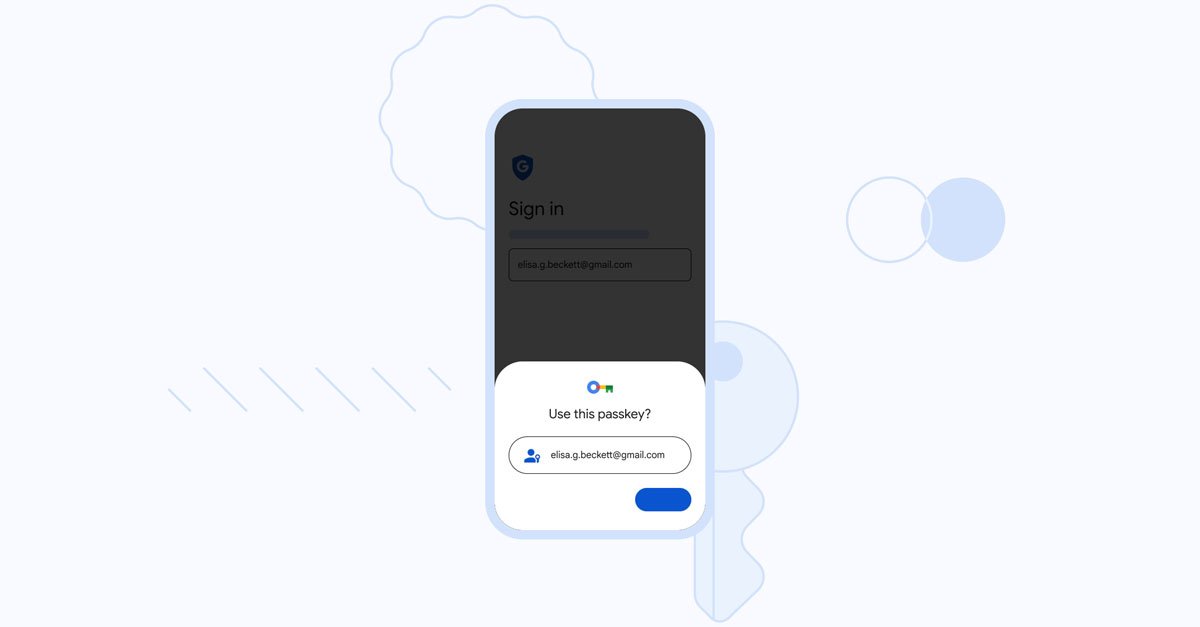
MFA that can't be phished — ideally a passkey. Google's own guidance on 2-Step Verification explains the core logic: a second step means a thief who has only your stolen password still can't get in. Google recommends in-app sign-in prompts over SMS codes, partly because prompts hold up better against SIM-swap attacks, and goes further with passkeys, which it says "protect your Google Account from phishing attacks" because a passkey sign-in is bound to the legitimate site and can't be typed into a lookalike page the way a password or SMS code can. Pandromeda's guide to passwordless authentication covers how passkeys work under the hood. Where passkeys aren't an option yet, app-based authenticators with number matching are the next best thing, and SMS codes are better than nothing but the weakest link of the three.
Breach monitoring, so you find out before an attacker uses it. Services like Have I Been Pwned let you check whether an email address has appeared in a known data breach, and sign up for notification the next time it does — turning "I have no idea whether my password is floating around somewhere" into an actual answer, and giving you a head start on changing that password before it's stuffed into a credential-stuffing list.
What to Do Now
If nothing currently feels wrong, the highest-value thing to do today is still preventive: put your email, banking, and any account with stored payment details into a password manager with a unique password each, turn on a passkey or app-based MFA everywhere it's offered — starting with email, since it unlocks everything else — and check your main email address against Have I Been Pwned so you know where you already stand.
If something does feel wrong — a sign-in alert you didn't trigger, a friend asking why you sent them a weird link, a password that suddenly stops working — don't wait to be sure. Work through the checklist at the top of this guide: change the password from a trusted device, sign out of every other session, turn on MFA if it wasn't already on, check for new recovery details or forwarding rules, and tell the people who might have been messaged from your account. For financial accounts, call your bank or card issuer the same day. And if you've lost access entirely, go straight to the provider's own account-recovery process — the FTC's hacked-account recovery guidance links directly to the recovery tools for the major providers — rather than searching for a shortcut; recovery forms exist precisely because "forgot password" won't work once an attacker has changed it.
Frequently asked questions
What is account takeover (ATO)?
Account takeover is when someone else gains working control of your online account — email, banking, social media, or shopping — typically by obtaining your password, a one-time code, your phone number, or an active session, rather than by breaking the service itself.
Can my account be taken over even if I already have MFA turned on?
Yes. CISA has documented attackers bypassing MFA through 'push bombing' (repeatedly sending approval prompts until one is accepted) and SIM swapping. Microsoft has separately documented session cookie theft, where a stolen cookie lets an attacker skip the login screen entirely because it already represents a session that passed MFA once.
What's the very first thing I should do if I suspect account takeover?
Change the password from a device you trust, then sign out of all other sessions or devices in that account's security settings — changing the password alone may not invalidate a session cookie an attacker has already stolen. Then check for new recovery emails, phone numbers, or forwarding rules you didn't add.
Does changing my password stop an attacker who already has my session cookie?
Not by itself. According to Microsoft's research on adversary-in-the-middle phishing, a stolen session cookie can let an attacker skip authentication entirely, so you also need to explicitly end all other active sessions in your account's security settings, not just reset the password.
How do I find out if my password has already been exposed in a data breach?
Have I Been Pwned lets you check an email address against known breach data and sign up for alerts if it appears in a future one, so you can change the affected password before it ends up on a credential-stuffing list.
Why does SMS two-factor authentication protect less than an authenticator app or passkey?
CISA describes SIM swapping as a social-engineering attack where a cellular carrier is convinced to move a victim's phone number to a SIM the attacker controls, which also redirects SMS one-time codes. Passkeys and app-based prompts aren't tied to the phone number, so they aren't affected by that attack.
Sources
- CISA – Implementing Phishing-Resistant MFA (fact sheet)cisa.gov
- CISA/FBI – LummaC2 Infostealer Malware Advisory (AA25-141B)cisa.gov
- Microsoft Security Blog – From Cookie Theft to BEC: AiTM Phishingmicrosoft.com
- FTC – How To Recover Your Hacked Email or Social Media Accountconsumer.ftc.gov
- Google Support – Turn on 2-Step Verificationsupport.google.com
- Have I Been Pwned – Data Breach Notification Servicehaveibeenpwned.com
Sana Qureshi runs the security and privacy desk. She reports on actively exploited vulnerabilities, vendor patches and data breaches, and covers the password managers, VPNs and authentication tools readers use to protect themselves. Her alerts cite vendor advisories, CISA and the CVE record directly.