What Is Wear OS? Google's Smartwatch Platform Explained
Wear OS powers smartwatches from Google, Samsung and more. Here's what the software does, which watches run it, and how it connects to your phone.
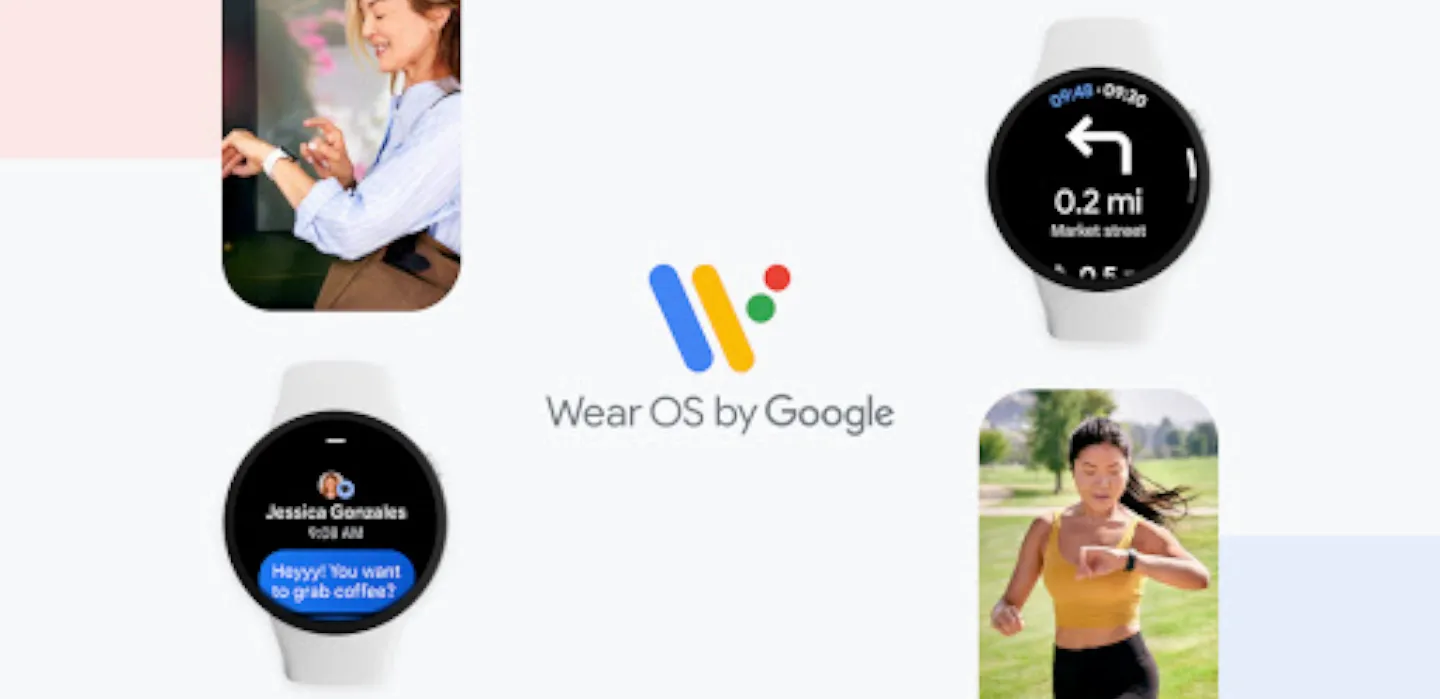
Wear OS is Google's operating system for smartwatches — the software running on Pixel Watch, most Galaxy Watch models, and watches from brands like Mobvoi, OnePlus, OPPO, and Xiaomi. It is Android's answer to Apple's watchOS: a platform that pairs with your phone to put apps, notifications, health tracking, and Google's Gemini assistant on your wrist.
Wear OS at a glance
- Maker: Google, first launched in 2014 as "Android Wear," renamed Wear OS in 2018
- Latest major version: Wear OS 7, released June 16, 2026, built on Android 17
- Works with: Android 6.0+ phones for full functionality (iPhone support is limited and being phased out)
- Runs on: Pixel Watch, Samsung Galaxy Watch (via One UI Watch), Mobvoi TicWatch, OnePlus Watch, OPPO Watch, Xiaomi Watch, and more
- Core features: Gemini AI assistant, Tiles, Google Wallet, Google Maps, health and sleep tracking
What is Wear OS?
Wear OS is Google's software platform for smartwatches, built on a stripped-down version of Android and designed to run on low-power wearable hardware. According to Google's own Wear OS site, the platform is meant to help you "connect with your health, the people you care about, and the world around you" from your wrist. In practice, that means a watch running Wear OS can install apps from Google Play, show notifications mirrored from your phone, track fitness and sleep, make contactless payments with Google Wallet, and respond to voice commands through Gemini, Google's AI assistant.
Wear OS is not tied to a single watchmaker. Google builds the software and a reference device (the Pixel Watch line), but it licenses Wear OS to hardware partners the same way it licenses Android to phone makers. That is why you'll find Wear OS running on watches from Samsung, Mobvoi, OnePlus, OPPO, Xiaomi, TAG Heuer, and Montblanc, each with its own design and, in some cases, its own skin layered on top (Samsung's is called One UI Watch).
A brief history: from Android Wear to Wear OS
Google announced the platform as Android Wear on March 18, 2014, with Motorola, Samsung, LG, HTC, and Asus signed on as launch partners, per the project's Wikipedia history. The LG G Watch became the first Android Wear device to ship, in July 2014, followed by the Moto 360 that September.
Google rebranded Android Wear to Wear OS in March 2018, saying the new name "better reflects our technology, vision, and most important of all — the people who wear our watches." The platform's biggest architectural shift came with Wear OS 3.0 in 2021, when Google and Samsung merged Wear OS with Samsung's own Tizen platform into a single, unified codebase — the version of Wear OS that every modern Galaxy Watch and Pixel Watch is built on today.
Since then, the platform has shipped roughly one major update a year: Wear OS 4 (2023) added Material You theming, Wear OS 6 (2025) introduced the Material 3 Expressive interface, and Wear OS 7, Google's current release, arrived June 16, 2026 built on Android 17, bringing a new "Wear Widgets" system and Live Updates for ongoing activities like workouts or timers.
How Wear OS actually works
A Wear OS watch is a small Android computer in its own right, with its own processor, storage, and (on most models) its own eSIM or Bluetooth/Wi-Fi radio. Day to day, it works in two modes:
Paired mode: Connected to your phone over Bluetooth, the watch mirrors notifications, uses your phone's data connection for apps that need it, and can act as a remote for media playing on the phone. Most setup — like adding a Google Wallet card — happens through the Wear OS companion app on your phone.
Standalone mode: Watches with LTE or Wi-Fi can make calls, send messages, stream music, and use some apps without the phone nearby, as long as they've been set up with a paired phone first.
Apps install from Google Play directly onto the watch, the same distribution model Android phones use. Google Fit (or Samsung Health, on Galaxy Watch) handles the fitness side: step counting, heart-rate monitoring, and on supported models, ECG, blood-oxygen (SpO2), and skin-temperature sensing.
Which watches run Wear OS
Wear OS ships on hardware from close to twenty manufacturers. The most common families on sale in 2026 are:
- Google Pixel Watch (Pixel Watch 2, 3, and newer) — Google's own reference hardware, first with new Wear OS features and Gemini integration.
- Samsung Galaxy Watch (Galaxy Watch8 and newer) — runs Wear OS under Samsung's One UI Watch interface; Samsung has sold the majority of Wear OS devices since switching from its own Tizen platform back to Wear OS in 2021.
- Mobvoi TicWatch, OnePlus Watch, OPPO Watch, Xiaomi Watch — Android-ecosystem brands that use closer-to-stock Wear OS.
- TAG Heuer and Montblanc — luxury watchmakers that license Wear OS for premium smart-watch lines.
One Pandromeda-relevant decision point for buyers: Pixel Watch vs Galaxy Watch is largely a choice between Google's and Samsung's take on the same underlying Wear OS platform, not a choice between two different operating systems.
Does Wear OS work with an iPhone?
Only in a very limited way, and Google has been pulling back iPhone support, not expanding it. An iOS companion app arrived back in August 2015 with basic notification mirroring, but newer Wear OS versions have progressively dropped iPhone features — Wear OS 3.5, in October 2022, removed iPhone compatibility for several watch models entirely. If you own an iPhone, Apple Watch (running watchOS) or a watch that supports Apple's ecosystem is the far more functional pairing; Wear OS is built around, and increasingly requires, an Android phone.
Key features: Gemini, Tiles, health, and payments
According to Google's official Wear OS page, the platform's headline features in 2026 are:
- Gemini: Google's AI assistant, built into Wear OS for voice questions, completing tasks inside apps, and setting reminders. It replaces the older "OK Google" Assistant on newer watches, though exact availability depends on the watch model.
- Tiles: Swipeable glanceable screens — introduced in Wear OS 2.6 (2019) — showing things like your calendar, the weather, heart rate, or a timer without opening a full app.
- Google Wallet and Google Pay: Contactless payments and stored passes, directly from the wrist.
- Health and fitness: Run and ride tracking through Google Fit, on-demand or continuous heart-rate readings, and on supported hardware, stress tracking, ECG, SpO2, skin temperature, and sleep staging — most of this arrived with Wear OS 3.0 in 2021.
- Offline Google Maps: Maps downloaded on your phone can be used on the watch without a signal, though turn-by-turn transit and walking directions require connectivity.
The app side: what's changing for developers in 2026
Wear OS isn't just a consumer platform — Google also treats it as a full development target, with its own section of Google Play and its own app-review requirements. One notable 2026 change: starting September 15, 2026, Google requires every Wear OS app on the Play Store to ship a 64-bit build alongside any 32-bit version, a modernization push similar to ones Google has run on the main Android Play Store in past years. For users, this mostly matters indirectly — it should make newer Wear OS apps more reliable and power-efficient on current watch chipsets, and it means very old or abandoned Wear OS apps may eventually disappear from Google Play if their developers never update them.
Wear OS also supports watch faces as their own mini-apps, with a dedicated watch-face format introduced in Wear OS 4.0 (2023) that lets designers build more complex, interactive faces than older static designs allowed.
Battery life and where Wear OS watches fit on price
Because Wear OS runs a fuller software stack than simpler fitness-tracker operating systems, battery life has historically been its biggest trade-off against rivals like Garmin's watches or basic fitness bands — typically one to two days per charge for most Wear OS watches with the display active, versus a week or more on simpler wearables. Google and its partners have chipped away at this with each release; Wear OS 7, for instance, is reported to bring roughly a 10% battery-life improvement on Pixel Watch over the previous version, largely through smarter always-on-display and background-sync power management.
On price, Wear OS watches span a wide range: Google's own Pixel Watch and Samsung's base Galaxy Watch models compete in the mainstream $300–$400 bracket, while TicWatch and other Android-ecosystem brands often undercut that, and TAG Heuer's and Montblanc's Wear OS lines sit at luxury price points well above $1,000 — all running the same underlying software.
Wear OS vs watchOS vs Tizen
| Platform | Maker | Runs on | App store | Phone requirement |
|---|---|---|---|---|
| Wear OS | Pixel Watch, Galaxy Watch, TicWatch, OnePlus Watch and others | Google Play | Android phone (iOS support very limited) | |
| watchOS | Apple | Apple Watch only | Apple App Store | iPhone |
| Tizen (legacy) | Samsung | Older Galaxy Watch models (pre-2021) | Galaxy Store | Android phone |
Samsung's older Galaxy Watch models ran Tizen, Samsung's own platform, before the 2021 merger folded Tizen's interface and health features into Wear OS 3.0. Every current Galaxy Watch now runs Wear OS underneath Samsung's One UI Watch skin — Tizen, as a standalone smartwatch OS, is no longer in active development for new Samsung wearables.
How to check and update Wear OS
- On the watch, open Settings.
- Scroll to System > About to see the current Wear OS version.
- Go to Settings > System > System updates and tap Check for updates.
- Keep the watch charged above 50% and within Wi-Fi or Bluetooth range of the paired phone during the update — most Wear OS updates download over Wi-Fi but can take 20–30 minutes to install.
Rollout timing varies by manufacturer: Pixel Watch typically gets a new Wear OS version first, with Samsung and other partners following over the following weeks or months as they adapt their own interface layers.
Frequently asked questions
Is Wear OS the same as Android? No, but it's related. Wear OS is a separate, Android-based operating system built specifically for wearable hardware — it can't run regular Android phone apps directly, though many Android apps have a Wear OS companion version.
Can I use a Wear OS watch without a smartphone? Only partially. Watches with LTE can make calls and use some apps standalone, but initial setup, app installation, and most configuration require pairing with a phone at least once.
Does Wear OS work with an iPhone? Barely, and less each year. Basic notifications may work on some models, but core features like Google Wallet and full app support require an Android phone.
What's the difference between Wear OS and One UI Watch? One UI Watch is Samsung's visual interface and set of apps layered on top of Wear OS — the underlying operating system is still Wear OS.
How long does a Wear OS watch battery last? Typically one to two days per charge with the screen's always-on mode active, though this varies by model and has been improving gradually with each Wear OS release.
Is Tizen still used on any Samsung watches? No. Every Galaxy Watch released since 2021's Galaxy Watch4 runs Wear OS under Samsung's One UI Watch interface; Tizen is no longer Samsung's active smartwatch platform.
What's next
Wear OS has settled into a predictable yearly update rhythm, with Wear OS 7 the current release as of mid-2026. If you're shopping for a Wear OS watch, the real decision isn't which operating system to pick — nearly every major Android-compatible smartwatch now runs it — but which manufacturer's hardware and interface layer fits you best. See how two of the most popular options stack up in our smartwatch comparison, and check your phone's Android version before buying to make sure you'll get the full feature set.
Frequently asked questions
Is Wear OS the same as Android?
No, but it's related. Wear OS is a separate, Android-based operating system built specifically for wearable hardware — it can't run regular Android phone apps directly, though many Android apps have a Wear OS companion version.
Can I use a Wear OS watch without a smartphone?
Only partially. Watches with LTE can make calls and use some apps standalone, but initial setup, app installation, and most configuration require pairing with a phone at least once.
Does Wear OS work with an iPhone?
Barely, and less each year. Basic notifications may work on some models, but core features like Google Wallet and full app support require an Android phone.
What's the difference between Wear OS and One UI Watch?
One UI Watch is Samsung's visual interface and set of apps layered on top of Wear OS — the underlying operating system is still Wear OS.
How long does a Wear OS watch battery last?
Typically one to two days per charge with the screen's always-on mode active, though this varies by model and has been improving gradually with each Wear OS release.
Is Tizen still used on any Samsung watches?
No. Every Galaxy Watch released since 2021's Galaxy Watch4 runs Wear OS under Samsung's One UI Watch interface; Tizen is no longer Samsung's active smartwatch platform.
Sources
- Wear OS by Google (official site)wearos.google.com
- Wear OS — Wikipediaen.wikipedia.org
- Samsung Galaxy Watch8 official product pagesamsung.com
- Google Wear OS Help Centersupport.google.com
Nadia Osei covers mobile and consumer gadgets for Pandromeda: smartphones, tablets, smartwatches, earbuds and smart-home devices. She tracks launches, software updates and pricing across Apple, Google, Samsung and the rest, and builds comparisons from the manufacturers' published specifications.