What Is USB-C? Ports, Cables, Charging and Data Speeds Explained
USB-C is the plug shape everyone now uses — but data speed, charging wattage and video output all depend on separate standards riding on top of it.
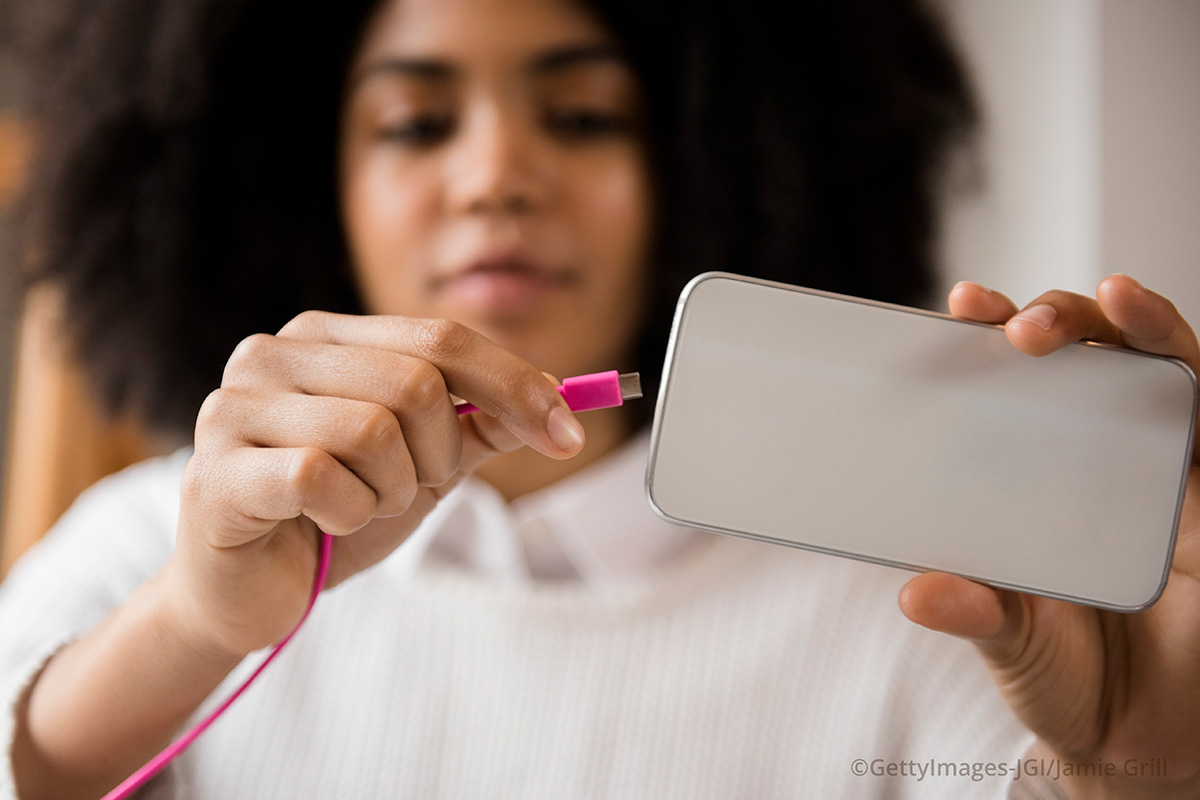
USB-C is a connector shape, not a speed or power rating — it's the small, reversible 24-pin plug that has replaced older USB, Lightning, and Mini DisplayPort connectors on phones, laptops, and accessories. The same oval USB-C plug can carry anything from basic USB 2.0 data to 240W of charging power to a 4K video signal, depending entirely on what the port, cable, and charger behind it actually support. That's why two USB-C cables that look identical can behave completely differently, and why picking the right cable and charger for your phone or laptop takes a little more than matching the plug shape.
- USB-C — the connector itself: a reversible 24-pin plug defined by the USB Implementers Forum's Type-C Cable and Connector Specification. It says nothing on its own about speed or power.
- USB4 / Thunderbolt — data-transfer protocols that can run over a USB-C connector, covering everything from file transfers to driving external displays.
- USB Power Delivery (USB PD) — the charging protocol that negotiates voltage and current over USB-C, now scaling up to 240W under PD revision 3.1.
What is USB-C?
USB-C, formally the USB Type-C connector, is a hardware specification for a plug and receptacle — nothing more. It was designed by USB-IF members, including Intel, HP, and Texas Instruments, to replace the old rectangular USB-A plug and the smaller, non-reversible Micro-USB and Mini-USB connectors. The defining feature is that it's reversible: there's no "right way up," so you never have to flip it around to get it to fit.
Because USB-C is only a connector, a device having a USB-C port tells you almost nothing about what that port can actually do. A $10 USB-C cable and a $70 USB-C cable can use the exact same plug while supporting wildly different amounts of power and completely different data speeds. The connector is the common denominator; the capability comes from separate specifications layered on top of it, most importantly USB4 or Thunderbolt for data and USB Power Delivery for charging.
The USB-IF's Type-C Cable and Connector Specification is the official document that defines the physical plug, and the organization explicitly built it to be sturdier and smaller than older USB connectors so it would work across phones, tablets, and laptops alike.
USB-C is a shape, not a speed
This is the single most common point of confusion, and it's worth stating plainly: USB-C describes the shape of the plug, not how fast data moves through it or how much power it can carry. A USB-C port can be wired for anything from USB 2.0 — the same speed tier used since the early 2000s — up to USB4, which can move data far faster.
That's why a phone, a budget laptop, and a high-end workstation can all have USB-C ports that look identical on the outside while performing completely differently on the inside. One port might only handle slow USB 2.0 transfers and basic charging; another might support full USB4 data speeds, an external display, and 100W-plus of power — through the same style of port. The only way to know which you have is to check the device's own specification sheet, not the shape of the hole it plugs into.
USB-C vs. USB4 and Thunderbolt: the data side
USB4 and Thunderbolt are the actual data-transfer protocols that can run over a USB-C connector — they're what determines how fast files move, whether you can drive an external monitor, and whether a dock can run multiple displays at once. USB-C itself doesn't guarantee any of that; it's just the doorway those protocols travel through.
Apple's own documentation illustrates the gap well. Its Thunderbolt 3 (USB-C) Cable supports Thunderbolt 3 data at up to 40Gbps (or USB 3.1 Gen 2 at 10Gbps) and DisplayPort video output, while Apple's plain USB-C Charge Cable uses the identical connector shape but is limited to 480Mbps — ordinary USB 2.0 speed — and doesn't support video at all. Same plug, roughly 80 times the data-speed difference.
If you want the deep technical detail on how fast USB4 and Thunderbolt actually are, how their cables are rated, and which one wins for external drives and displays, that's already covered in depth elsewhere — see the USB4 2.0 explainer for the data-speed breakdown and the Thunderbolt 5 explainer for how Intel's newest standard compares. This piece focuses on the connector and charging side most people run into day to day.
USB-C vs. USB Power Delivery: the charging side
USB Power Delivery (USB PD) is the separate specification that governs charging speed over USB-C. It's a negotiation protocol: the charger and the device talk to each other over the cable's configuration-channel pins and agree on a voltage and current that both can handle, rather than the cable just dumping a fixed amount of power down the line.
According to the USB-IF's own USB PD documentation, USB Power Delivery Revision 3.1 — announced in 2021 — raised the ceiling to 240W over a full-featured USB-C cable and connector, using new fixed voltages of 28V (up to 140W), 36V (up to 180W), and 48V (up to 240W), plus an adjustable mode that lets a device request intermediate voltages. Before that update, PD topped out at 100W (20V at 5A). Critically, USB-IF notes that power direction isn't fixed and devices "can take only the power they need, and request more when required" — which is why plugging a phone into a high-wattage laptop charger doesn't overload it; the phone simply asks for less.
So where USB-C is the plug and USB4/Thunderbolt is the data lane, USB PD is the power-negotiation layer. A device can support USB-C and PD without supporting fast data, or support fast USB4 data while only charging at a modest wattage — the three specifications are independent of each other, even though they all ride on the same connector.
| Standard | What it actually governs | Typical ceiling today |
|---|---|---|
| USB-C | Physical plug shape and pin layout only | Not applicable — it's hardware, not a speed or power figure |
| USB4 / Thunderbolt | Data transfer speed, display output, docking | Up to 40–80Gbps depending on generation |
| USB Power Delivery (PD) | Charging voltage/current negotiation | Up to 240W under PD Revision 3.1 |
Why identical-looking cables can behave differently
A charging-only USB-C cable and a full-featured data-and-power cable can use the exact same molded plastic plug on both ends, because the connector specification only defines the shape and pin layout — it doesn't require every cable to wire up every pin. A basic cable might connect only the power pins and the slower USB 2.0 data pair, skipping the four high-speed "SuperSpeed" pairs entirely, and use thinner conductors rated for less current.
Cable capability comes down to what's actually inside the sleeve: how many of the 24 pins are wired, the gauge of the power conductors, and — for anything above the most basic power class — whether the cable contains an embedded identification chip that reports its rated current and capabilities to the devices on either end. Two cables can look the same length, the same color, and have the same plug, while one tops out at 60W and basic USB 2.0 data and the other is rated for 100W-plus and multi-gigabit transfer.
This is also exactly why the USB-IF introduced a separate family of certification logos for cables and chargers — labeling things like charging wattage and SuperSpeed data tiers — specifically because the connector shape alone gave shoppers no way to tell capability apart.
How to tell a charging-only cable from a data cable
Since you can't tell by looking at the plug, use these checks instead:
- Read the printed markings. Many USB-C cables print a small symbol or wattage rating near the connector — a "SuperSpeed" trident-style icon indicates data support beyond basic USB 2.0, and a Thunderbolt cable carries a lightning-bolt logo molded into the connector housing, as on Apple's Thunderbolt 3 (USB-C) Cable.
- Check the box or product listing, not just the cable. Manufacturers are required to disclose a cable's rated wattage and whether it supports data above USB 2.0 speeds; that information is far more reliable than anything printed on the cable itself, which is often blank on budget cables.
- Test it practically. Plug the cable into a laptop or phone and check the reported charging wattage in system settings, or try transferring a large file — if it crawls at a few megabytes per second, you're on a USB 2.0-class cable regardless of what the seller called it.
- Be skeptical of "fast charging" claims with no PD rating listed. A cable that doesn't mention USB Power Delivery or a specific wattage figure is probably a basic charging cable capped well below 60W.
- Thicker usually means more capable, but isn't a guarantee. Cables rated for higher power or faster data typically need thicker conductors or added shielding, so a noticeably thin cable is a reasonable (though not foolproof) sign it's charging-only.
Matching charger wattage to your device
Because USB PD is a negotiation, not a fixed output, using a higher-wattage charger than your device needs is normally safe — your phone, earbuds case, or tablet will simply request the lower amount of power it actually wants. What matters more is the other direction: don't expect a low-wattage charger or a thin, cheap cable to deliver fast charging to a device designed for it. A laptop that needs 65W or 96W to fast-charge won't get there from a 20W phone charger or a basic 60W-rated cable, even though the plug fits perfectly.
Google's own spec sheet for its 45W USB-C Power Charger is a useful real-world example of how this negotiation looks in practice: the charger supports USB PD 3.1 at fixed profiles of 5V/3A, 9V/3A, 15V/3A, and 20V/2.25A, plus Programmable Power Supply (PPS) profiles up to 21V/3A, topping out at a 45W maximum — and it works with any "USB-C enabled" device, not just Google's own phones, because that negotiation is standardized rather than proprietary.
The practical takeaway: check your device's rated charging wattage (usually in its spec sheet or box), make sure both the charger and the cable are rated at or above that figure, and don't assume a higher number on the charger box will cause any problem — PD devices are built to ask for exactly what they need.
Why the EU made USB-C mandatory
Since the connector itself doesn't guarantee compatibility or performance, why did regulators single it out as the one physical shape to mandate? The European Commission's common charger rules answer that directly: the goal was standardizing the connector, specifically to cut down on e-waste and consumer hassle, not to guarantee any particular speed or wattage.
Under the EU's Common Charger Directive, from 28 December 2024, most new mobile phones, tablets, digital cameras, headphones and headsets, handheld videogame consoles, portable speakers, e-readers, keyboards, mice, portable navigation devices, and earbuds sold in the EU must charge over USB-C. Laptops get a longer runway and join the mandate from 28 April 2026. Devices that support fast charging must also support USB Power Delivery, so that charging speed stays consistent regardless of whose charger you plug in — which is also why the connector mandate and the PD mandate were written into the same rule rather than left separate.
The Commission frames the rationale around waste and cost rather than performance: it estimates that discarded and unused chargers generate roughly 11,000 tonnes of e-waste a year in the EU, and that letting people reuse chargers they already own — rather than buying a new one with every device — could save consumers an estimated €250 million annually. Shoppers in the EU can now opt out of receiving a new charger in the box when they buy a device, since there's a good chance they already own a compatible one.
USB-C on iPhone and Android today
Apple moved its iPhone lineup from Lightning to USB-C starting with the iPhone 15 series, closing the gap with the Android world, where USB-C had already been standard for years. The switch lined up with the EU's connector mandate, though Apple has applied it globally rather than only in EU markets. Day-to-day, this means the in-box cable, most third-party cables, and most chargers now use the same USB-C plug across current iPhone and Android phones — but, as above, that plug shape says nothing about whether a given cable or charger will fast-charge a particular phone.
On the Android side, manufacturers including Google publish their own charger and cable specs rather than relying on a single universal number, which is why checking the actual spec sheet — as with Google's 45W charger above — remains more useful than assuming any USB-C charger will perform identically. If your phone seems to be charging slower than expected, start by checking the cable and charger ratings before assuming there's a hardware fault; for iPhone specifically, there's a separate troubleshooting guide that walks through the most common charging failures step by step.
USB-C to HDMI, docks, and other alt modes
Some USB-C ports can output video directly to an external display using what's called an "alternate mode," most commonly DisplayPort Alt Mode, which is how a USB-C-to-HDMI cable or a USB-C dock gets a picture onto a monitor or TV. This, again, is not guaranteed by the connector alone — the port, the cable, and sometimes the adapter all need to support video alt modes for a USB-C-to-HDMI cable to actually produce an image.
If you plug a USB-C-to-HDMI cable into a port that only handles charging and basic USB 2.0 data — common on cheaper phones and some budget laptops — nothing will appear on the external screen, even though the cable physically fits and might work perfectly on a different device. Before buying a USB-C-to-HDMI cable or adapter, check whether your specific device's spec sheet mentions video output, DisplayPort Alt Mode, or an equivalent feature; if it doesn't, the port almost certainly can't drive an external display no matter which cable you use.
What to do now
Treat "USB-C" as a shape you can count on, not a guarantee of speed, power, or video support. When buying a new cable or charger, look past the connector and check three things specifically: the charging wattage (ideally with a USB Power Delivery rating stated), the data-speed tier if you need fast transfers or an external display, and whether video alt-mode support is listed if you want to use it with HDMI or a dock. Matching those three to what your phone, tablet, or laptop actually needs — rather than just confirming the plug fits — is what actually determines whether a USB-C cable or charger will do what you expect.
Looking ahead, expect the "one plug, many capabilities" confusion to persist for a while yet: USB-IF's wattage and speed certification logos help somewhat, but plenty of cheap cables and chargers in the market still carry no labeling at all. Until that changes, checking the manufacturer's own spec sheet — for your phone, your charger, and your cable — remains the most reliable way to know what a USB-C connection in your hand will actually do.
Frequently asked questions
Is USB-C the same thing as USB4?
No. USB-C is only the physical connector shape; USB4 is a data-transfer protocol that can run over a USB-C connector, but a USB-C port doesn't automatically support USB4 speeds.
Will a higher-wattage charger damage my phone?
No. USB Power Delivery is a negotiation protocol, so a device requests only the power it needs; a 65W or 140W charger won't force extra power into a phone rated for less.
Why does my USB-C cable charge fine but transfer files slowly?
Many USB-C cables wire up only the power pins and the basic USB 2.0 data pair to save cost, so they charge normally but cap data transfer at USB 2.0 speeds regardless of what the devices on either end support.
Does any USB-C to HDMI cable work with any USB-C port?
No. The port, and often the cable, need to support a video alternate mode such as DisplayPort Alt Mode. A port limited to charging and USB 2.0 data won't output video no matter which USB-C-to-HDMI cable you use.
Is USB-C legally required in the EU now?
Yes, for most phones, tablets, cameras, headphones, handheld game consoles, e-readers, keyboards, mice, portable speakers and earbuds sold in the EU since 28 December 2024, under the EU's Common Charger Directive; laptops join the mandate from 28 April 2026.
Why did iPhone switch to USB-C?
Apple moved the iPhone 15 lineup from Lightning to USB-C, aligning with the broader USB-C standard that Android phones already used and with the EU's connector mandate, which Apple applied to iPhones worldwide.
Sources
- USB-IF – USB Charger (USB Power Delivery)usb.org
- USB-IF – USB Type-C Cable and Connector Specificationusb.org
- Apple Support – About the Apple Thunderbolt 3 (USB-C) Cablesupport.apple.com
- European Commission – EU Common Charger Rulescommission.europa.eu
- Google – Pixel 45W USB-C Power Charger Tech Specssupport.google.com
- Wikipedia – USB-Cen.wikipedia.org
Nadia Osei covers mobile and consumer gadgets for Pandromeda: smartphones, tablets, smartwatches, earbuds and smart-home devices. She tracks launches, software updates and pricing across Apple, Google, Samsung and the rest, and builds comparisons from the manufacturers' published specifications.