What Is Dynamic Island? How Apple's iPhone Pill UI Works
A plain-English guide to Apple's pill-shaped status display, which iPhones have it, how Live Activities work, and how Android's copycats compare.
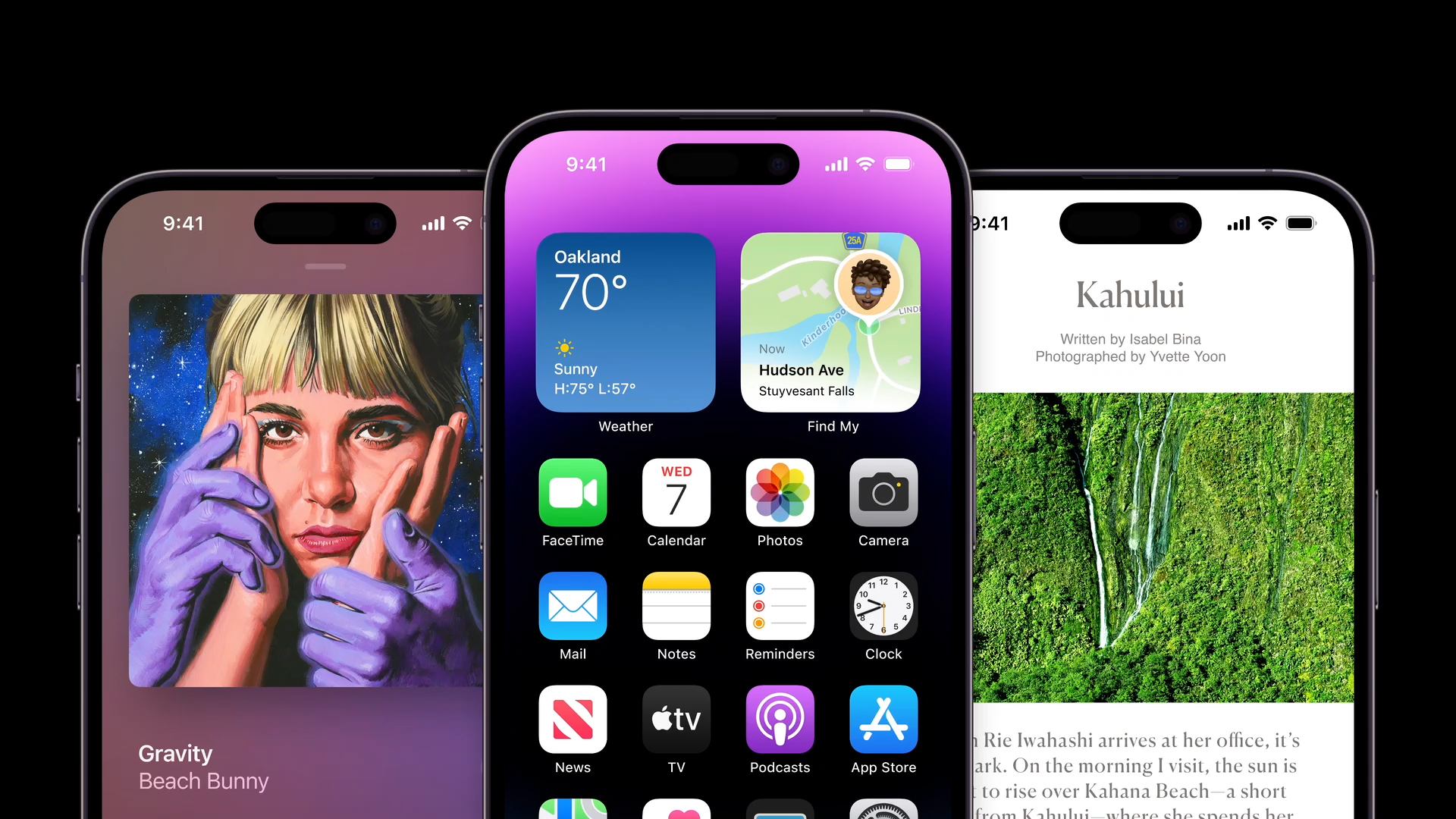
Dynamic Island is the pill-shaped cutout at the top of newer iPhone screens that doubles as a live, tappable status display — it shows things like an incoming call, a timer counting down, or music playing without you opening an app. Apple introduced it on the iPhone 14 Pro in 2022 as a software-driven replacement for the notch, and it now ships on every current iPhone except the budget "e" models. Android phone makers have since built their own pill-shaped notification bars, but none of them tap into an OS-wide developer framework the way Apple's does.
- Debuted: September 2022, on iPhone 14 Pro and iPhone 14 Pro Max
- Which iPhones have it now: iPhone 14 Pro/Pro Max, the full iPhone 15 and 16 lineups, iPhone 17, iPhone 17 Pro/Pro Max, iPhone Air, iPhone 18 Pro/Pro Max, and iPhone Duo — not the standard-tier "e" models
- What powers it: Apple's ActivityKit and WidgetKit frameworks, specifically the
DynamicIslandAPI that developers use to build Live Activities - What it replaced: the notch that housed the TrueDepth camera and Face ID sensors from iPhone X through iPhone 13
- Android equivalents: software "capsule" or "pill" overlays from Realme, Xiaomi, OPPO, and others — skins layered on top of Android, not an Apple-style system API
What is Dynamic Island, exactly?
Dynamic Island is Apple's name for the interactive black cutout that surrounds the TrueDepth camera and Face ID sensors on supported iPhones. Unlike the notch it replaced, which was just a dead zone cut out of the display, the Dynamic Island is treated by iOS as a real piece of interface. It can grow, shrink, and change shape to surface live information — then shrink back down to a small pill when there's nothing urgent to show.
Apple described it at launch as blurring "the line between hardware and software," and that's the core idea: the physical sensor housing becomes the anchor for a floating control center that follows you around the Home Screen, the Lock Screen, and inside whatever app you're using. In Apple's own launch announcement, then-marketing chief Greg Joswiak framed it as offering "new interactions for notifications and activities" rather than just a cosmetic redesign.
Which iPhones actually have a Dynamic Island?
According to Apple's own iPhone User Guide, the Dynamic Island is limited to Pro-tier and newer-generation models — it has never appeared on a standard-numbered "e" model, which keeps the older notch instead.
| iPhone model | Has Dynamic Island? | Notes |
|---|---|---|
| iPhone 14 / 14 Plus | No | Kept the notch; only the Pro models got it in 2022 |
| iPhone 14 Pro / 14 Pro Max | Yes | The first models to ship with it |
| iPhone 15, 15 Plus, 15 Pro, 15 Pro Max | Yes | First year it reached every model in the lineup |
| iPhone 16, 16 Plus, 16 Pro, 16 Pro Max | Yes | |
| iPhone 16e | No | Budget model; kept the notch |
| iPhone 17, 17 Pro, 17 Pro Max, iPhone Air | Yes | |
| iPhone 18 Pro / 18 Pro Max | Yes | Can display up to three Live Activities at once |
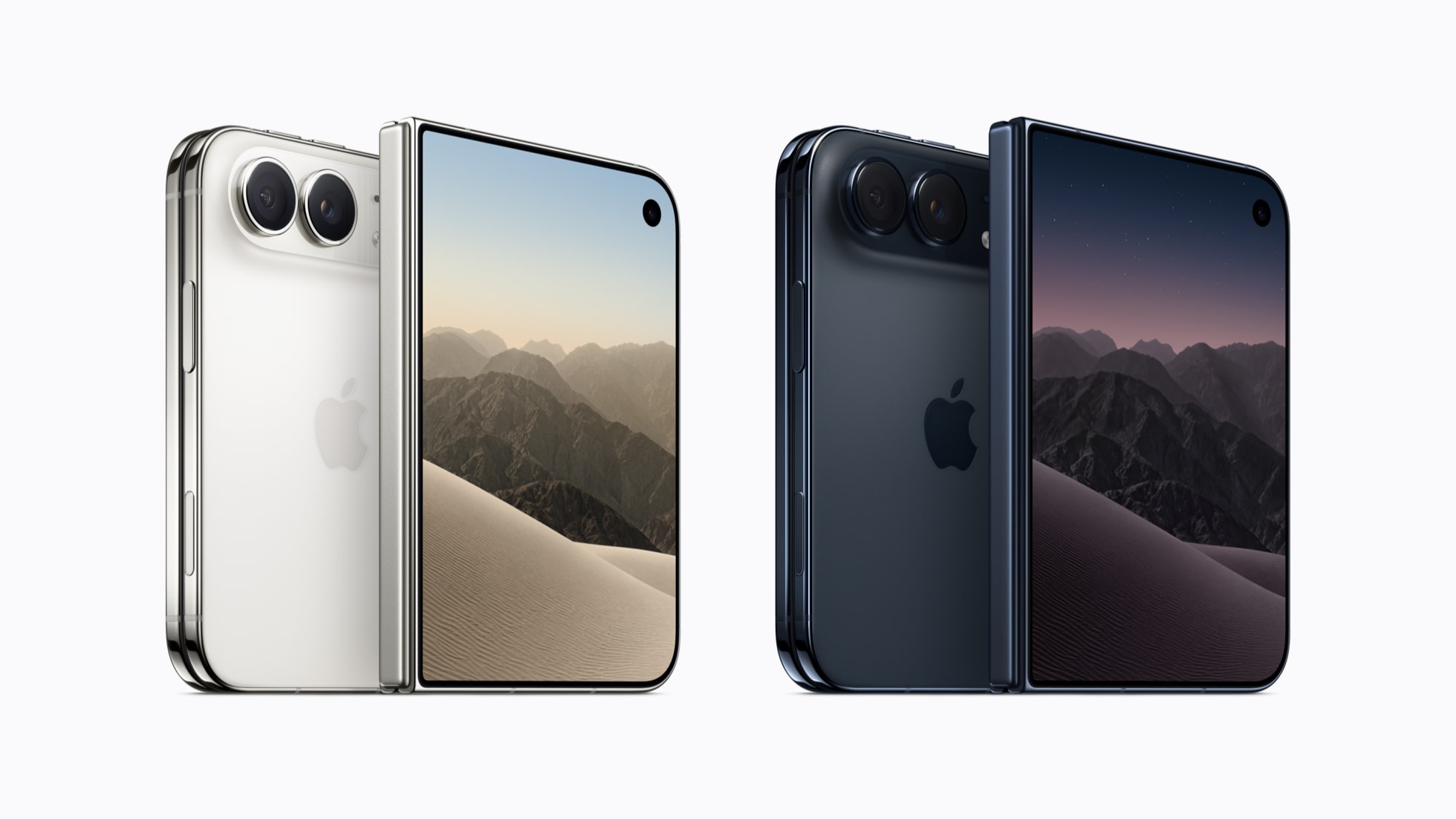
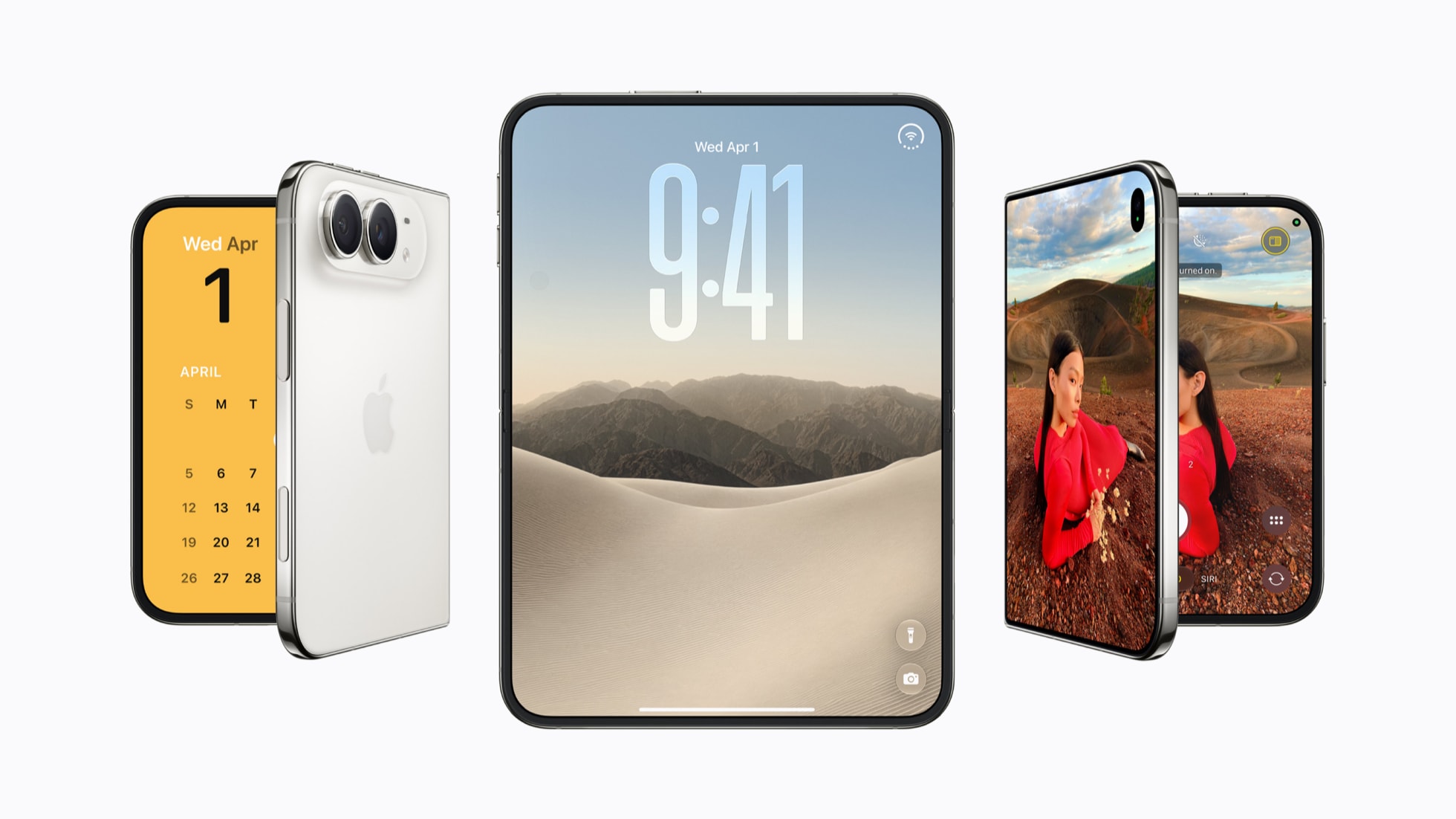
| iPhone Duo | Yes | Apple's foldable; the Island sits on the outer edge of the cover display |
In practice, the rule of thumb is simple: if an iPhone launched from 2022 onward and isn't a numbered "e" model, it has a Dynamic Island. Apple maintains the authoritative, continually updated list in its iPhone User Guide.
How Dynamic Island actually works
Dynamic Island is a software illusion layered over real hardware. The black pill you see is partly the physical sensor housing for the TrueDepth camera and Face ID array, and partly a software-rendered black region that iOS draws around it so the two blend into a single shape. Because the surrounding area is just pixels, iOS can resize that shape on the fly — stretching it wider to show two pieces of information side by side, or collapsing it down to a tiny dot.
Apple's interaction model breaks the Island into a few states:
- Minimal: a small pill with little or no detail, used when nothing urgent is happening or when a background activity is waiting its turn.
- Compact: the everyday look — a short label or icon on each side of the camera cutout, for example a timer counting down on one side and its icon on the other.
- Expanded: triggered by touching and holding the Island, this opens a larger card with more detail and, often, quick controls — skipping a song, for instance, without unlocking the phone.
Apple's own support guide describes the interactions plainly: you can touch and hold an activity to expand it, swipe the expanded card up to collapse it again, and tap between two running activities to switch which one is in view. On iPhone 18 Pro models, which can track up to three Live Activities simultaneously, you swipe across the Island to cycle through them.
The technology behind it: ActivityKit and Live Activities
What actually fills the Dynamic Island with content is a developer framework called ActivityKit, paired with WidgetKit's DynamicIsland API. Apps don't draw directly into the cutout; instead, a developer defines a "Live Activity" — a small, structured piece of data describing an ongoing event, like a delivery's status or a sports score — and the system decides how to lay it out across the Lock Screen, the Dynamic Island, and, on newer software, CarPlay and a paired Apple Watch.
Each Live Activity is built from a handful of named regions that correspond to the states above: compactLeading and compactTrailing (the two slivers on either side of the camera), minimal (the smallest fallback view), and an expanded layout with leading, trailing, center, and bottom regions for richer detail. Apple's WidgetKit documentation defines these in its DynamicIsland structure, while the ActivityKit reference covers how an app starts, updates, and ends an activity — either locally or by pushing updates from a server.
This is the detail that separates Apple's version from most lookalikes: it's a documented, OS-level API that any developer can build against, with Apple's own Human Interface Guidelines setting rules for when an activity should start, how long it can stay alive, and how it should behave across light and dark mode, Dynamic Type, and VoiceOver.
What apps and activities actually use it
Once a feature is wired up to ActivityKit, it can appear in the Dynamic Island automatically. Apple's own support documentation lists a mix of first-party and ongoing-task examples that show up there, including:
- Face ID authenticating
- A Voice Memo recording in progress
- An active AirDrop transfer
- Turn-by-turn directions from Maps
- Timers and alarms
- Now Playing controls for Music or other audio apps
Third-party apps use the same framework for things like live sports scores, food delivery and rideshare tracking, and flight status — any task with a clear start and end, rather than general-purpose notifications. Because it's one shared API, the visual language stays consistent: a delivery tracker from one app and a timer from a completely different one both expand, collapse, and resize the same way.
What's new on iPhone 18 Pro and iPhone Duo
The feature hasn't stood still since 2022. On iPhone 18 Pro and iPhone 18 Pro Max, Apple's current iPhone User Guide notes that the Dynamic Island can now display up to three Live Activities at the same time, up from the two-activity limit on earlier Pro models, with a swipe gesture to move between them.
Apple's first foldable, iPhone Duo, also carries the feature over to its outer cover display — but because that screen's camera sits at the edge of the panel rather than centered near the top, Apple places the Dynamic Island along the outer right edge of the cover display instead of top-center. It's the same underlying API and interaction model, just repositioned for a different screen shape.
Dynamic Island vs. the old notch
Every iPhone from the iPhone X through the iPhone 13 lineup used a fixed TrueDepth camera notch to house the sensors needed for Face ID. It was purely cosmetic — a black shape the display simply didn't render into, with no software behavior of its own. Dynamic Island keeps the same sensors in roughly the same spot on the display, but treats the black area around them as an actual UI element the system can animate, resize, and fill with content. The hardware cutout is smaller than the old notch; the rest of what you perceive as "the Island" is rendered by software, which is exactly why it can change shape depending on what's happening on your phone.
Android's answer: pill-shaped notification capsules
Dynamic Island doesn't have a true equivalent on Android because it depends on Apple controlling both the exact sensor hardware and the OS-level API around it — something no single company can replicate across the fragmented Android ecosystem. What's emerged instead is a wave of manufacturer-specific skins that mimic the look, without the shared developer framework underneath.
| Maker / software | Feature name | How it works |
|---|---|---|
| Realme | Mini Capsule | A software overlay around the front camera, first shown on the Realme C55; originally limited to charging status, later expanded to steps and data use |
| Xiaomi (HyperOS) | Dynamic Capsule | A pill-shaped status area layered into Xiaomi's own Android skin |
| OPPO (ColorOS) | Smart Capsule | Built into ColorOS on devices like the Find X series, tied into OPPO's own apps |
| Third-party apps | e.g. DynamicSpot | Apps that render a pill-style overlay for notifications on any compatible Android phone, without manufacturer support |
Samsung and other manufacturers have also explored pill-shaped, persistent status indicators for ongoing activities in their own Android skins, following the same general idea. The common thread across all of them is that each is a manufacturer- or app-level skin bolted onto standard Android notifications, rather than a feature baked into Android itself the way Dynamic Island is baked into iOS.
Why Apple's version works differently under the hood
The practical difference for anyone comparing the two isn't really about looks — several Android capsules are visually close to Apple's pill. It's about what's underneath. Dynamic Island is backed by a single, documented framework (ActivityKit/WidgetKit) that every iPhone running a supported iOS version shares, so a developer builds one Live Activity and it behaves the same way on every Dynamic Island–equipped iPhone. Android's capsule features are implemented separately by each manufacturer's software team, which means a feature built for one phone maker's capsule generally doesn't carry over to another's, and third-party developer support is inconsistent from brand to brand. That fragmentation is also why most Android capsules have shipped with a narrower set of built-in use cases — charging status, step counts, basic notifications — rather than the broad range of first- and third-party Live Activities Apple's framework supports.
What's next for Dynamic Island
Apple has expanded Dynamic Island to a wider slice of its lineup every year since 2022, and the iPhone 18 Pro's jump to three simultaneous activities suggests the company is still treating it as a feature to build on rather than one it considers finished. iOS updates have continued layering new system behaviors on top of it — much as Apple's broader visual overhaul in recent versions of iOS, covered in our iOS 27 explainer, has reshaped other parts of the interface around it.
On the Android side, expect more manufacturers to ship their own capsule-style overlays, in the same spirit as Android's push toward more expressive, animated system UI — but a true cross-brand equivalent would likely require Google building the feature into Android itself, rather than leaving it to individual phone makers to copy separately. Until that happens, Dynamic Island remains the one version of this idea that's both standardized and open to any developer who wants to build for it.
Frequently asked questions
What is Dynamic Island on iPhone?
Dynamic Island is the pill-shaped, software-driven cutout at the top of supported iPhone screens. It surrounds the TrueDepth camera and Face ID sensors and can expand, shrink, or change shape to show live alerts and ongoing activities like timers, calls, and music.
Which iPhones have Dynamic Island?
iPhone 14 Pro and iPhone 14 Pro Max were first in 2022. It's now on the full iPhone 15 and 16 lineups, iPhone 17, iPhone 17 Pro, iPhone 17 Pro Max, iPhone Air, iPhone 18 Pro, iPhone 18 Pro Max, and iPhone Duo. Standard iPhone 14/14 Plus and the budget 16e do not have it.
Does the iPhone 16e have Dynamic Island?
No. The iPhone 16e is Apple's budget model and keeps the older notch instead of a Dynamic Island, according to Apple's own iPhone User Guide.
What's the difference between Dynamic Island and Live Activities?
Dynamic Island is the physical/visual element on screen. Live Activities is the type of content — built by developers with Apple's ActivityKit framework — that actually appears inside the Dynamic Island, as well as on the Lock Screen.
Does Android have anything like Dynamic Island?
Not a direct equivalent. Some Android makers, including Realme, Xiaomi, and OPPO, have added their own pill-shaped status overlays (Mini Capsule, Dynamic Capsule, Smart Capsule), but each is a separate manufacturer skin rather than a shared, OS-level API like Apple's.
Can any app use Dynamic Island, or only Apple's own apps?
Any developer can build for it using Apple's ActivityKit and WidgetKit frameworks. That's why third-party apps for delivery tracking, rideshare, sports scores, and more can all show Live Activities in the Dynamic Island.
Sources
- Apple Support: Models with a Dynamic Islandsupport.apple.com
- Apple Support: View Live Activities in the Dynamic Islandsupport.apple.com
- Apple Developer: ActivityKit documentationdeveloper.apple.com
- Apple Developer: WidgetKit DynamicIsland referencedeveloper.apple.com
- Apple Developer: Human Interface Guidelines, Live Activitiesdeveloper.apple.com
- Apple Newsroom: Apple debuts iPhone 14 Pro and iPhone 14 Pro Maxapple.com
Nadia Osei covers mobile and consumer gadgets for Pandromeda: smartphones, tablets, smartwatches, earbuds and smart-home devices. She tracks launches, software updates and pricing across Apple, Google, Samsung and the rest, and builds comparisons from the manufacturers' published specifications.