Pixel Watch Gets Step-by-Step Workout Guidance in New Update
A new Pixel Watch update adds live, on-wrist instructions for each exercise in a workout, syncing reps, weights and metrics with the Google Health app on your phone.
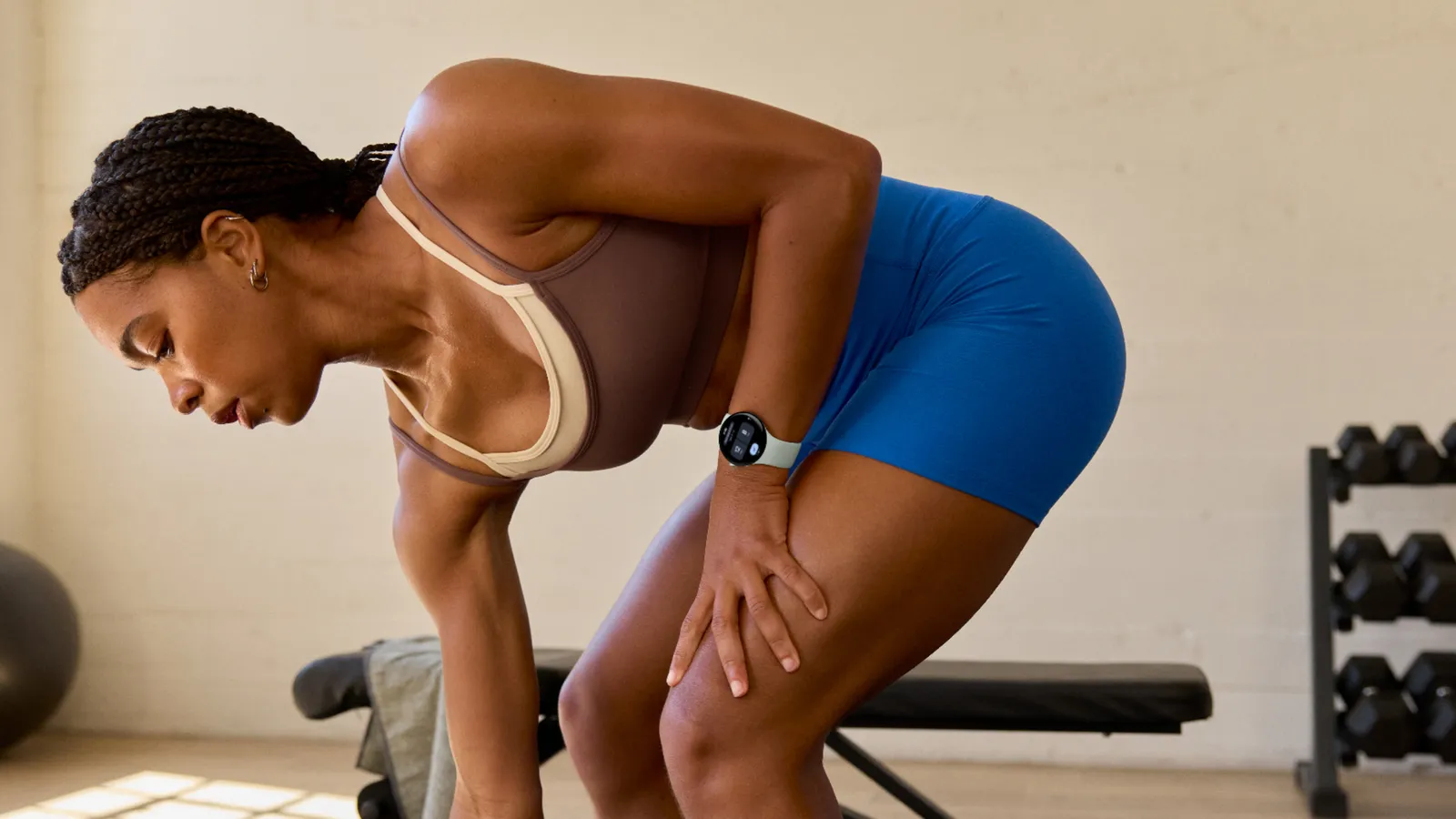
Google has started rolling out a Pixel Watch software update that puts live, on-wrist instructions on screen for every exercise in a workout, rather than just a timer and a heart-rate number. The feature, called step-by-step workouts, began reaching Pixel Watch 3 and newer models on November 10, 2026, and works with either a Google Health Coach plan or a routine built manually in the Google Health app.
The short version:
- What: Step-by-step, on-wrist guidance for each exercise in a workout, with live metrics and the option to log reps and weights from the watch.
- Devices: Pixel Watch 3 and newer; Google says availability varies by device.
- Rollout: Started November 10, 2026, as part of the November Pixel Drop.
- Needs: The Google Health app and an internet connection on both watch and phone.
- Cost: Coach-built plans require a separate Google Health Premium subscription; a self-built custom routine is not described as requiring one.
What step-by-step workouts actually does
Until now, starting a strength or cardio session on a Pixel Watch mostly meant picking an exercise type and watching a stopwatch. With this update, the watch instead walks you through a workout one move at a time, showing what to do for the exercise you're currently on and moving to the next step as you finish. Google's announcement describes it as giving "live, on-wrist guidance" through "each exercise in a workout," with the same instructions and metrics mirrored on the phone screen in the Google Health app.
The feature works with two different kinds of workouts. The first is a plan generated by Google Health Coach, which Google describes as producing personalized, daily workout recommendations. The second is a routine you build yourself, exercise by exercise, inside the Google Health app, without any coaching input. Google's blog post frames the two as equally valid starting points: "Whether you're following a personalized workout from the Google Health Coach or a custom exercise routine manually built in the Google Health app," the step-by-step view is available on the wrist.
Google Health Coach plan vs. a custom routine
The distinction matters because the two paths aren't billed the same way. Google's post attaches a footnote specifically to its mention of Google Health Coach, stating plainly that using it "requires Google Health Premium subscription (sold separately), Google Health app, and internet connection." That subscription, per Google's own support documentation, lists for $9.99 a month after a one-time three-month trial for eligible users, and can also be unlocked through certain Google One AI plans.
Notably, that same footnote is not attached to the custom-routine option. Google's announcement doesn't state that a manually built routine requires Google Health Premium, and the Google Health app has long let users log workouts and exercises without a paid plan. Read strictly, that means the step-by-step guidance itself appears to work on a free, self-built routine, while the subscription requirement Google lists is tied specifically to using Health Coach's automated plans. Google's broader Pixel Drop recap takes a slightly looser tone, saying only that "access to the workouts requires a Google Health Premium subscription" without separating the two paths as clearly as the feature's dedicated post does — so if you plan to rely on custom routines without paying, it's worth confirming behavior on your own watch once the update lands, since Google's wording leaves some room for ambiguity.
| Path | Who builds the plan | Google Health Premium required? | Where you log data |
|---|---|---|---|
| Google Health Coach plan | Google's coaching algorithm, personalized to the user | Yes — explicitly stated in Google's footnote | Watch or phone, synced between both |
| Custom routine | You, exercise by exercise, in the Google Health app | Not stated as required in Google's post | Watch or phone, synced between both |
Which watches get it, and when
Google says step-by-step workouts are "rolling out to Pixel Watch 3 and newer models," which covers Pixel Watch 3, Pixel Watch 4, and Pixel Watch 5, but not the original Pixel Watch or Pixel Watch 2. The company adds the standard caveat that the feature is "available on select devices," so not every Pixel Watch 3-or-newer owner should expect it to appear the instant the update begins rolling out on November 10. Google's language — updates "start rolling out today and will continue over the next several weeks" — matches how past Pixel Drops have staggered server-side feature flags, so a watch running the latest software may still need extra time, or a restart of the Google Health app, before the new workout view shows up.
Google also notes that the capability was first previewed alongside the Pixel Watch 5 launch, which suggests the newest model was the design target before Google extended support back to Pixel Watch 3 and Pixel Watch 4 hardware for this broader release.
What you'll need to use it
Three things are explicitly called out in Google's own footnote: the Google Health app, an internet connection, and — for Coach plans specifically — the Premium subscription. In practice that means:
- A Pixel Watch 3, Pixel Watch 4, or Pixel Watch 5, updated to the current software.
- The Google Health app installed and signed in on the paired phone.
- An active internet connection on the watch (or a connected phone nearby) so that instructions and metrics can sync in real time.
- A Google Health Premium subscription if you want Health Coach to build the plan for you.
Google's post also carries its now-standard set of caveats: the feature is "subject to change," availability can vary by market or carrier, it is "not intended for medical purposes," and any Gemini-adjacent responses inside the Health Coach experience should be checked for accuracy rather than treated as medical advice.
Logging reps, weights, and live metrics on the wrist
Beyond simply reading instructions, Google says users can log reps and weights directly from the watch during a workout, rather than waiting until it's over to enter that data on a phone. Live metrics — things like current heart rate, pace, or time in the active set — stay visible on whichever device you're looking at. Google frames this as keeping the workout "synchronized between the watch and phone," so if you glance at your phone mid-session, it reflects the same step you're on and the same numbers you've already logged.
Once a workout ends, Google says summary stats appear on both the Google Health app and the watch itself, so there isn't a meaningful difference in what each device shows after the fact — the main advantage of the phone is the larger screen for reviewing trends over time.
Part of a bigger November Pixel Drop
Step-by-step workouts didn't ship alone. Google's November 2026 Pixel Drop post, published the same day, bundles it with several other changes landing across the Pixel lineup, including an expansion of the HiLight glow-light feature to Google Messages notifications on Pixel 11 Pro, Pixel 11 Pro XL, and Pixel 11 Pro Fold, and the public launch of Pixel Tag, Google's item tracker, priced at $29.99 for a single tag or $99.99 for a four-pack. If you're setting up tracking for your keys or bag rather than your workouts, Pandromeda has a separate walkthrough on pairing a Pixel Tag with Find Hub and enabling Lost Mode, plus a look at whether Pixel Tag's launch-day pricing is actually a discount.
Google's framing treats the Pixel Drop as a single coordinated release rather than isolated feature drops, which is consistent with how the company has shipped monthly or bimonthly Pixel software updates since introducing the Pixel Drop format.
Why this update matters for Pixel Watch owners
Smartwatches have offered workout tracking for years, but most still rely on the wearer to already know what they're doing — pick a workout type, press start, and the watch records what happens. Step-by-step guidance shifts the watch toward being a coach itself, at least for the portion of a workout that's actually happening on your wrist rather than on a phone propped against a water bottle. That's a meaningfully different use case, and it puts the Pixel Watch closer to how dedicated fitness-app guidance already works on phones, just shrunk down to glanceable, on-wrist steps.
It's also a reminder that buying a Pixel Watch increasingly means thinking about which software tier you're on, not just which hardware generation you own. The headline feature works differently depending on whether you're paying for Google Health Premium, and Google's wording about custom routines leaves genuine ambiguity about where the free tier's capabilities end. Shoppers weighing whether to buy into the current Pixel Watch lineup might also find it useful to see how the Pixel Watch 4 compares with Samsung's Galaxy Watch 8 on price and specs, since Samsung's own coaching and subscription structure differs from Google's.
How to try it once it reaches your watch
Because this is a server-side rollout rather than a full OS update, there's no single toggle to flip. The practical steps are:
- Make sure the Google Health app is installed and updated on the phone paired to your Pixel Watch 3, 4, or 5.
- Confirm the watch has current software and a working internet connection (Wi-Fi or an active LTE plan, if your model supports it).
- Open Google Health Coach to see if a personalized plan — and the "Try 3 months of Google Health Coach" trial prompt, if you're eligible — is now available, or build a custom routine manually inside the app.
- Start that workout from the watch and look for step-by-step instructions appearing on screen as you move between exercises.
Since Google says the rollout continues "over the next several weeks," patience is the main workaround if the feature hasn't appeared yet on an otherwise-updated watch.
What's next
Google hasn't published a timeline for when step-by-step workouts will reach every eligible Pixel Watch 3, 4, and 5 owner, only that the rollout is underway and will continue for several weeks. It's also unclear whether Google will eventually extend any part of the feature to the original Pixel Watch or Pixel Watch 2, which are not named in either of Google's posts, or whether the ambiguity around custom-routine pricing will be clarified in a future update to Google's support documentation. For now, the clearest path to using the feature without a subscription is to build a routine manually in the Google Health app rather than relying on Google Health Coach, based on exactly how Google worded its own disclosure.
Frequently asked questions
Do I need to pay for step-by-step workouts on my Pixel Watch? Only if you want Google Health Coach to build the plan for you — that path requires a Google Health Premium subscription. Google's wording does not say the same about a custom routine you build yourself.
Which Pixel Watches support this? Pixel Watch 3 and newer, per Google's announcement; the original Pixel Watch and Pixel Watch 2 aren't included.
When did the update start rolling out? November 10, 2026, alongside Google's broader November Pixel Drop.
Can I log reps and weights from the watch itself? Yes — Google says users can log reps and weights from the wrist during a workout, with stats syncing to the phone.
Frequently asked questions
Do I need to pay for step-by-step workouts on my Pixel Watch?
Only if you want Google Health Coach to build the plan for you — that path requires a separate Google Health Premium subscription. Google's own wording does not state the same requirement for a routine you build yourself in the Google Health app.
Which Pixel Watch models support step-by-step workouts?
Pixel Watch 3 and newer, according to Google's announcement. The original Pixel Watch and Pixel Watch 2 are not included, and Google notes availability varies by device.
When did the update start rolling out?
November 10, 2026, as part of Google's broader November 2026 Pixel Drop, with the rollout continuing over several weeks.
Can I log reps and weights from the watch itself?
Yes. Google says users can log reps and weights directly from the wrist during a workout, with live metrics and stats syncing between the watch and the Google Health app on the phone.
What do I need installed to use this feature?
The Google Health app on your paired phone and an internet connection on the watch. Coach-built plans additionally require a Google Health Premium subscription.
Is step-by-step guidance meant to replace medical or professional fitness advice?
No. Google's own disclosure states the feature is 'not intended for medical purposes' and that any Gemini-related responses should be checked for accuracy.
Sources
- Step-by-step workouts roll out to Pixel Watch — Google Blogblog.google
- November 2026 Pixel Drop — Google Blogblog.google
- Manage your Google Health Premium subscription — Google Health Helpsupport.google.com
- Pixel Watch 5 — Google Storestore.google.com
- Watches & trackers — Google Storestore.google.com
Nadia Osei covers mobile and consumer gadgets for Pandromeda: smartphones, tablets, smartwatches, earbuds and smart-home devices. She tracks launches, software updates and pricing across Apple, Google, Samsung and the rest, and builds comparisons from the manufacturers' published specifications.