What Is Mini-LED? How It Works, Mini-LED vs OLED Explained
Mini-LED packs thousands of tiny LEDs into local dimming zones behind an LCD panel for brighter, higher-contrast HDR — without OLED's burn-in risk.
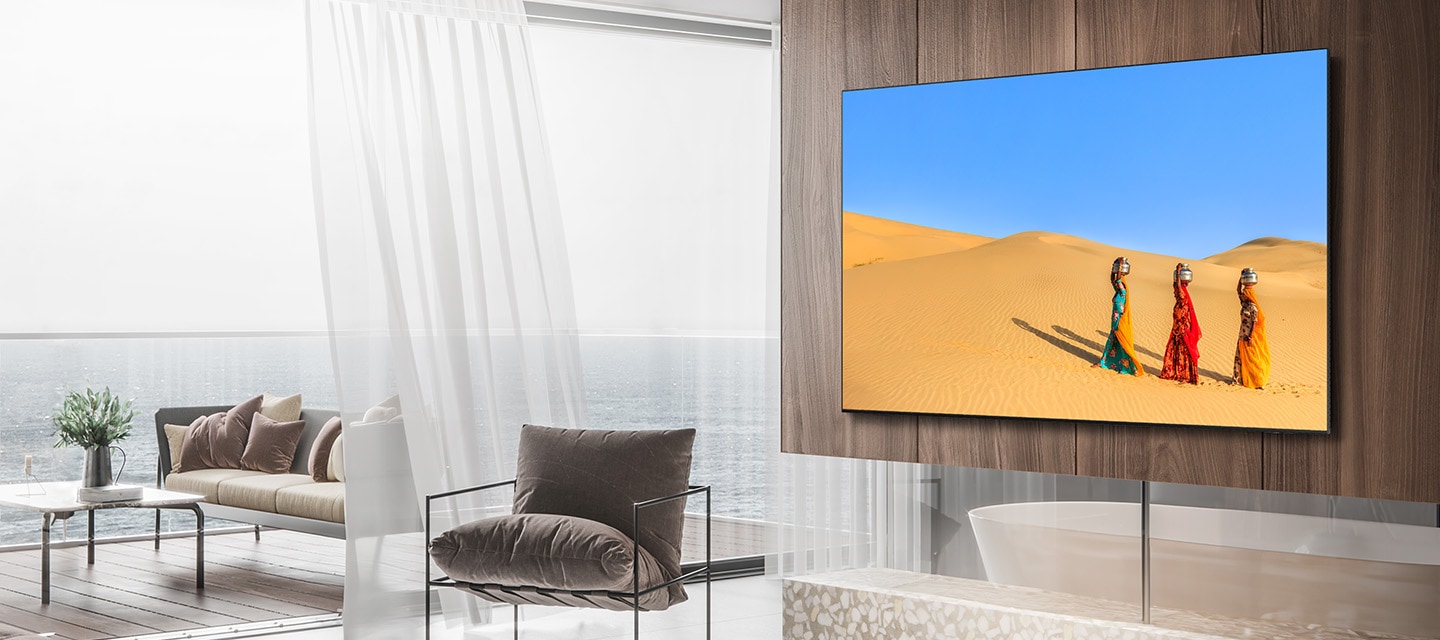
Mini-LED is not a type of screen panel the way OLED is — it's a backlight technology. It packs thousands of tiny LEDs behind a standard LCD panel, grouped into independently controlled "local dimming zones," so different parts of the screen can go brighter or darker at the same time. That extra control gives LCD-based TVs, gaming monitors, and laptops noticeably better contrast and higher peak brightness than older LED-backlit LCDs, without the permanent image-retention risk that comes with OLED's self-lit pixels. It still can't match OLED's per-pixel precision, which is why bright objects on dark backgrounds can show a faint glow, or "blooming," around their edges.
Mini-LED, in brief:
- What it is: An LED backlight upgrade for LCD panels — not a self-emissive panel type like OLED.
- How it works: Thousands of miniaturized LEDs are grouped into local dimming zones that brighten or dim independently of each other.
- Zone counts in the wild: LG's flagship QNED Mini-LED TV uses roughly 30,000 Mini-LEDs across close to 2,500 dimming zones; ASUS's ROG Swift PG32UQX gaming monitor uses 1,152 zones.
- Main upside vs. standard LED-LCD: Deeper blacks, higher peak brightness, better HDR contrast.
- Main upside vs. OLED: Much higher peak brightness and no risk of permanent burn-in.
- Main downside vs. OLED: Blooming/halo artifacts around small bright objects on dark backgrounds.
- Where it shows up: Premium TVs, high-end gaming monitors, and some laptops.
What Is Mini-LED, Exactly?
Every LCD display needs a backlight, because the liquid crystal layer itself doesn't produce light — it only filters light that passes through it. Mini-LED is a refinement of that backlight. Instead of a handful of large LEDs lighting the whole panel more or less uniformly, a Mini-LED backlight uses a much larger number of smaller LEDs, which Samsung's own buying guide describes as "smaller than standard" LEDs that enable "more precise backlight control." Because the individual LEDs are smaller, manufacturers can fit far more of them into the same backlight area, and group them into many more independently controlled zones than a conventional LED-backlit LCD can manage.
That's the entire concept in one sentence: smaller LEDs, more of them, more zones, finer control over light and dark areas of the image. Mini-LED is sometimes marketed under different brand names — Samsung calls its Mini-LED TVs "Neo QLED," LG calls its version "QNED Mini LED" — but the underlying backlight principle is the same across brands.
How Mini-LED Backlighting Actually Works
A Mini-LED backlight sits behind the LCD panel's liquid crystal and color-filter layers, arranged in a grid. That grid is divided into "local dimming zones" — clusters of LEDs that can be driven to different brightness levels independently of the zones around them. Samsung describes these zones as backlight regions that are "controlled independently," so one part of the screen can go near-black while an adjacent part stays at full brightness.
LG's QNED Mini LED technology page puts real numbers behind this for its flagship set: the TV "features approximately 30,000 Mini LEDs" arranged into "close to 2,500 unique dimming zones." LG's own comparison graphic lines up three backlight designs side by side — edge-lit LED (the most basic and least precise), full-array LED without Mini-LED (better, but with visible halo), and QNED Mini LED (the most zones and, per LG, "almost no halo"). The pattern holds across the industry: shrink the LEDs, and you can fit more of them, which means more dimming zones and finer control over contrast.
On the gaming-monitor side, ASUS's ROG Swift PG32UQX is built around a 1,152-zone Mini-LED backlight. According to ASUS's own product write-up, that zoning is what lets the monitor hit "peak brightness of up to 1400 nits" in small, bright highlights while still producing some of the darkest shadow detail the company has shipped — described as delivering "incredible contrast and minimal haloing" in HDR content.
Mini-LED vs. Standard LED-Backlit LCD
"Standard" LED LCDs — the kind that have shipped for well over a decade — use either edge lighting (LEDs along the panel's border, bounced across the back with a diffuser) or a basic full-array backlight with a modest number of dimming zones, often in the dozens rather than the thousands. Samsung's buying guide draws this distinction directly, noting that its own non-Mini-LED QLED TVs rely on "a standard LED backlight," while Mini-LED models add "a more sophisticated backlight control and a wider range of brightness."
In practice, more zones mean the backlight can track the image more closely. A scene with a bright window and a dark room can keep the window zone lit while the surrounding zones dim down, instead of the whole backlight being forced to a brightness level that compromises both areas. Samsung summarizes the result as "better image quality, high contrast and enhanced picture quality," particularly when viewing HDR content, where the gap between the darkest and brightest parts of a single scene is largest.
Mini-LED vs. OLED: What's Actually Different
The comparison people search for most is Mini-LED against OLED, and it's worth being precise about what each one is. Mini-LED is a backlight sitting behind an LCD panel; OLED is a self-emissive panel where every individual pixel produces and controls its own light, with no separate backlight layer at all. That structural difference is the source of almost every tradeoff between them.
Because OLED pixels switch off completely and individually, OLED can produce a truly black pixel directly next to a fully lit one with zero bleed — something no backlit LCD, Mini-LED included, can fully replicate, since even the smallest dimming zone still covers a cluster of pixels rather than just one. That's why bright, small objects on a dark background (star fields, credits on a black screen, a flashlight in a dark room) can show a faint rectangular or circular glow on a Mini-LED display — commonly called "blooming" or a "halo" — where the zone lighting the bright object also lifts the brightness of the darker pixels around it. ASUS's own PG32UQX write-up is candid about this limit, framing its 1,152-zone backlight as minimizing but not eliminating haloing.
Mini-LED's advantage runs the other way on brightness and longevity. Because an LED backlight isn't limited by the same long-term degradation curve as individual self-emissive OLED subpixels, Mini-LED displays can typically sustain much higher full-screen and peak brightness without the risk that comes with OLED: permanent image retention, or "burn-in," from static content displayed for long periods. For a deeper look at what actually causes that OLED risk and how to avoid it, see Pandromeda's explainer on OLED burn-in — it's the single biggest reason buyers who want a static desktop, news tickers, or scoreboard graphics on screen for hours at a time often lean toward a Mini-LED set instead.
| Trait | Standard LED-backlit LCD | Mini-LED LCD | OLED |
|---|---|---|---|
| Light source | Larger LEDs, edge-lit or basic full array | Thousands of smaller LEDs in dense zones | Self-emissive pixels, no backlight |
| Local dimming zones | None, or a small number | Hundreds to thousands (e.g., 1,152 on ASUS's PG32UQX; ~2,500 on LG's flagship QNED) | Not applicable — every pixel dims individually |
| Peak brightness | Typically lower | High; e.g., up to 1400 nits on small highlights (ASUS PG32UQX) | Generally lower peak brightness than top Mini-LED sets |
| Blooming/halo risk | Higher (fewer zones) | Lower, but still present around small bright objects | None — no shared backlight zones |
| Burn-in risk | None | None | Possible with static content over long periods |
VESA DisplayHDR and Why Local Dimming Zones Matter
Local dimming isn't just a marketing talking point — it's baked directly into the industry's HDR certification tiers. VESA's DisplayHDR Compliance Test Specification (CTS) 1.2 sets out minimum requirements for each certification level, and dimming is one of the gating criteria. Per VESA's own published tier summary, DisplayHDR 500 and 600 require at least 1D (edge-style) local dimming, while DisplayHDR 1000 and DisplayHDR 1400 — the tiers aimed at the brightest, highest-contrast monitors and TVs — require 2D local dimming "or better." The minimum static contrast ratio also climbs sharply at those tiers: VESA lists 30,000:1 for DisplayHDR 1000 and 50,000:1 for DisplayHDR 1400, versus much lower minimums at the entry tiers.
In practice, 2D local dimming at the brightness levels DisplayHDR 1000 and 1400 demand is difficult to deliver without a backlight that has a lot of independently controlled zones — which is exactly what Mini-LED is built to provide. TCL's own support documentation on DisplayHDR 1400 makes that link explicit, describing Mini-LED as the backlight approach most monitors use to meet the certification's local-dimming requirement. If you're comparing two monitors with the same DisplayHDR badge, checking whether the backlight is Mini-LED versus a basic full array is a reasonable way to predict which one will actually look better in real HDR content, even though VESA's certification doesn't publish a minimum zone count by itself.
Where You'll Find Mini-LED: TVs, Gaming Monitors, and Laptops
Mini-LED backlighting first reached consumers at scale in premium TVs — Samsung's Neo QLED and LG's QNED Mini LED lines are the best-known examples, both aimed at the upper-mid and flagship price tiers where buyers want LCD-level brightness with OLED-adjacent contrast. From there, the technology moved into high-end gaming monitors, where the combination of high peak brightness, strong HDR contrast, and no burn-in risk from static HUDs or UI elements is a natural fit; ASUS's ROG Swift line, including the PG32UQX, was among the first to ship a Mini-LED gaming panel, and more mainstream Mini-LED gaming monitors from multiple brands have followed since. Mini-LED backlighting has also made its way into some premium laptop displays, where thinner LED packages help manufacturers fit meaningfully better HDR performance into a slim chassis than a conventional backlight would allow.
Across all three categories, the fundamentals don't change: more zones generally mean better local contrast control, and the technology is chosen specifically because it pushes LCD brightness and contrast closer to OLED without inheriting OLED's long-term static-image risk.
What to Look for When Buying a Mini-LED Display
Not every display marketed with "Mini-LED" in the name performs the same, because the term describes the LED size, not a guaranteed zone count or brightness level. A few concrete things are worth checking before buying:
- Local dimming zone count: Manufacturers don't always publish this number, but when they do — as LG and ASUS both do for the models above — more zones generally mean tighter, more accurate dimming and less blooming. A set with a handful of zones is not meaningfully different from a standard LED-backlit LCD, regardless of what it's branded.
- Peak brightness, in nits: Look for the manufacturer's stated peak brightness figure (often quoted for a small highlight window rather than full screen) rather than relying on marketing copy alone.
- DisplayHDR certification tier: A VESA DisplayHDR 1000 or 1400 badge means the display has passed independent testing for peak brightness, contrast, and — at those tiers — 2D local dimming specifically, which is a stronger signal than an uncertified "HDR compatible" label.
- Use case fit: If the display will show static content for long stretches — a desktop taskbar, a scoreboard, a dashboard — Mini-LED's lack of burn-in risk is a genuine practical advantage over OLED, independent of which one looks better in motion. If you're shopping for a high-refresh gaming monitor specifically, it's also worth checking what video interface the panel needs to hit its full refresh rate and resolution at once; Pandromeda's DisplayPort 2.1 bandwidth explainer covers what that actually requires from your cable and GPU.
Mini-LED isn't trying to replace OLED outright — the two technologies are solving the brightness-versus-blooming tradeoff from opposite directions. For buyers who want the brightest possible HDR highlights, longer effective lifespan with no burn-in concern, and are willing to accept some halo around small bright objects on dark scenes, Mini-LED is currently the strongest LCD-based option on the market. For buyers prioritizing per-pixel black levels above everything else and willing to manage burn-in risk, OLED remains the alternative worth cross-shopping.
Frequently asked questions
Is Mini-LED a type of display panel like OLED?
No. Mini-LED is a backlight technology used behind a standard LCD panel. It uses many smaller LEDs grouped into local dimming zones for finer brightness control; it is not a self-emissive panel type the way OLED is.
What is the main difference between Mini-LED and OLED?
OLED pixels produce and control their own light individually, so each pixel can go fully dark next to a fully lit one with no bleed. Mini-LED still relies on a backlight divided into zones, so small bright objects on a dark background can show a faint glow, or blooming, around them. In exchange, Mini-LED typically reaches higher peak brightness and carries no burn-in risk.
Does Mini-LED have the same burn-in risk as OLED?
No. Burn-in, or permanent image retention, is a risk specific to self-emissive panels like OLED when static content is displayed for long periods. Mini-LED is an LED-backlit LCD, so it does not carry that risk.
How many local dimming zones does a good Mini-LED display have?
Zone counts vary widely by product and manufacturers don't always publish a figure. As concrete examples, LG's flagship QNED Mini-LED TV uses close to 2,500 zones from roughly 30,000 Mini-LEDs, and ASUS's ROG Swift PG32UQX gaming monitor uses 1,152 zones. In general, more zones mean finer, more accurate dimming.
What does DisplayHDR certification have to do with Mini-LED?
VESA's DisplayHDR 1000 and DisplayHDR 1400 tiers require 2D local dimming, which is difficult to deliver without a backlight that has many independently controlled zones. Mini-LED is the backlight approach most monitors use to meet that requirement, though VESA's certification does not itself mandate Mini-LED specifically.
Is Mini-LED worth paying more for over a standard LED-backlit LCD?
If you want noticeably better HDR contrast, higher peak brightness, and a backlight that reduces (but does not eliminate) blooming around bright objects on dark scenes, Mini-LED delivers a real upgrade over a standard LED-backlit LCD. If HDR performance is not a priority, the upgrade matters less.
Sources
- Samsung: Mini LED vs. QLED buying guidesamsung.com
- LG: QNED Mini LED technologylg.com
- ASUS ROG: The ROG Swift PG32UQX delivers the best 4K HDR gaming experience yetrog.asus.com
- VESA DisplayHDR: Summary of DisplayHDR specs under CTS 1.2displayhdr.org
- TCL Support: What is VESA Certificated Display HDR 1400support.tcl.com
Mara Lindqvist edits the hardware desk. She covers graphics cards, processors, memory and storage, the foundries and chip designers behind them, and what the numbers on a spec sheet mean for people choosing a PC. Specifications in her stories come from manufacturer spec pages and datasheets.