What Is Claude Memory? How Claude's Memory Feature Works
What Anthropic's Claude Memory feature actually remembers, how project memory and Incognito mode work, and which Claude plans have it.
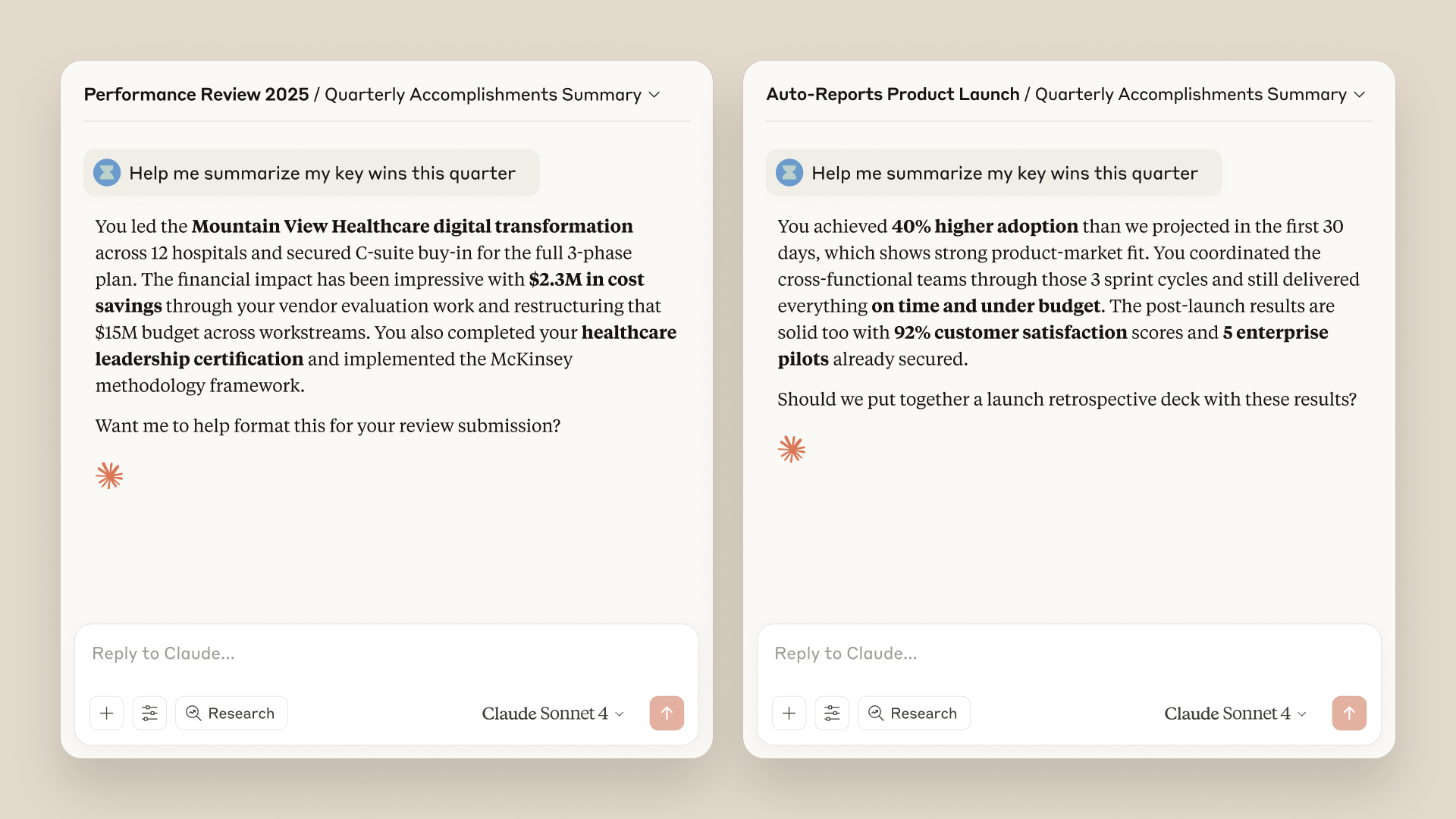
Claude Memory is Anthropic's name for the feature that lets its Claude chatbot carry context — your role, your ongoing projects, your preferences — from one conversation into the next, instead of starting from zero every time you open a new chat. According to Anthropic's own announcement, memory now ships on by default for Free, Pro, and Max accounts, with a separate on/off switch for Team and Enterprise organizations, and it works alongside a parallel "Incognito" mode for chats you don't want remembered at all.
What is Claude Memory, exactly?
Claude Memory is a built-in system that saves individual pieces of context — Anthropic calls them "topics" — as you chat, then pulls the relevant ones back into future conversations automatically. Anthropic's product announcement describes the goal plainly: Claude should remember "you and your team's projects and preferences" so you don't have to re-explain your role, your stack, or your writing style every time you start a new chat.
That's a meaningful change from how Claude worked for most of its history. Previously, every new chat was a blank slate; anything Claude knew about you came from what you typed in that same conversation, or from a preferences box you had to fill in by hand. Memory replaces a lot of that manual setup with something that updates itself as you work.
How does Claude Memory actually work?
Per Anthropic's Claude Help Center, memory is not a single running summary you have to generate — Claude saves memory as individual topics while you chat, either on its own when it notices something worth retaining, or immediately when you explicitly ask it to remember something. Those topics typically cover things like your role, the projects you're working on, your communication style, and technical preferences (a preferred coding language, a tone you want in emails, and so on).
In practice that means memory builds gradually rather than arriving as one big snapshot. Start a new standalone chat and Claude can pull in whatever topics are relevant from your account's memory; mention a new fact and it can save it as a new topic going forward. Anthropic's documentation notes this is distinct from an older "legacy" memory design some long-time users may still see, which instead produces one daily-updated written summary under a "Capabilities" settings tab rather than a browsable list of topics.
Memory also interacts with other parts of Claude. If you use Claude Cowork sessions that run in Anthropic's cloud, memory is shared with chat the same way it would be in a normal conversation; Cowork sessions that run locally on your own machine, by contrast, don't draw on memory at all.
Project-based memory, explained
One of the more deliberate design choices in Claude Memory is that it doesn't pool everything into one giant profile. Anthropic's announcement frames per-project memory as a safety and organization feature as much as a convenience one: each project you create inside Claude gets its own separate memory, so, in Anthropic's words, "product roadmaps stay separate from creative writing."
The Help Center fills in the mechanics. Inside a project, Claude draws on two sources: that project's own memory, plus your general account memory built from non-project chats. It does not pull in memory from any other project. Anything new Claude learns while you're working inside a project gets saved back to that project's memory, not to your general account memory. If you want a project to be fully walled off — no bleed-in from your everyday chats at all — there's a toggle on the project's settings page called "Use account memory" that you can switch off.
This matters most for people juggling genuinely separate contexts on one account: an agency managing several clients, a student keeping coursework separate from a side project, or anyone who doesn't want Claude quietly importing assumptions from one part of their life into another.
Viewing, editing, and deleting what Claude remembers
Anthropic gives users direct, granular control rather than an opaque black box. According to the Help Center article on memory, everything Claude has stored is listed under a "Topics" view inside Settings > Memory. You can select any topic to read exactly what Claude saved, use an edit control to correct or rewrite it, or delete it outright. You can also just tell Claude in a normal chat message to remember, change, or forget something — those instructions take effect starting with your next conversation.
A few details are worth knowing before you rely on this. Deleting a conversation from your chat history does not automatically remove the memories that conversation generated — Anthropic's documentation is explicit that you have to delete those memory items individually if you want them gone. There are also two different "off" states, and they behave differently:
- Pause memory keeps everything Claude has already saved, but stops Claude from using it and stops any new memories from being created. Anything that happens during a paused period isn't added once you turn memory back on.
- Reset memory is permanent — it deletes all stored memories, including project memories, and Anthropic's own help page warns this action cannot be undone.
There's also a per-chat option: before you send your first message in a new conversation, you can open the "+" menu and turn memory off just for that chat. The conversation still shows up in your history and is still searchable, but it won't read from or write to memory — and once you've sent that first message, the setting locks for the rest of that chat.
Incognito mode and sensitive topics
For a stricter version of privacy than pausing or per-chat toggles, Claude has a separate Incognito mode, available to everyone regardless of plan. You start one by clicking the ghost icon before typing your first message. Incognito chats don't appear in your conversation history, aren't saved to memory, and — according to Anthropic — Claude can't search them later the way it can search your regular chat history. Existing memory is left completely untouched by anything that happens in an Incognito chat.
Sensitive categories get their own, separate guardrail on top of that. By default, Claude does not store memories about health, religion, politics, or similarly sensitive subjects, even if they come up naturally in conversation. Anthropic's documentation describes an opt-in toggle — "Include sensitive topics in memory" — that a user has to switch on deliberately before anything in that category gets saved; once it's on, Claude shows a notice each time it saves a sensitive item so you can review it, and switching the setting back off removes any sensitive items already stored. A narrower list of details is excluded from memory entirely, even on direct request: government ID numbers, criminal history, financial account numbers, and immigration status.
Which Claude plans have memory?
Availability has shifted since memory first launched, and it's one of the most search-confused parts of this feature — so it's worth going straight to Anthropic's current documentation rather than older coverage of the rollout. Memory debuted for Team and Enterprise customers in September 2025, then expanded to Pro and Max subscribers about six weeks later. As of Anthropic's current Help Center article, memory-from-chat-history is on by default for Free, Pro, and Max users across web, Claude Desktop, and the latest mobile apps.
Claude Memory quick facts
- What it stores: individual "topics" — your role, projects, preferences — saved during chats, not one static summary
- Default state: on by default for Free, Pro, and Max; off by default per-member on Team/Enterprise until an org Owner enables it
- Project memory: each project has its own separate memory; project chats don't mix with your general account memory unless you allow it
- Incognito mode: free for everyone; skips memory and chat history entirely
- Sensitive topics: off by default; some data (IDs, financial account numbers) is never stored even on request
- Not available on: organizations with HIPAA, public-sector, or custom data retention agreements
- Source: Anthropic's Claude Help Center, "How does Claude's memory work?"
Team and Enterprise work differently: an organization Owner has to turn memory on for the whole org before it's available at all, and even then it stays off for each individual member until that member opts in themselves. Enterprise customers running under HIPAA, public-sector, or custom data-retention agreements don't get memory, presumably because those contracts restrict the kind of persistent data storage memory requires. If you're deciding which Claude plan or product makes sense for your workflow in the first place, it's worth reading up on how Claude's different model tiers are priced, since memory itself doesn't change which model you're chatting with.
Privacy and safety: how Anthropic says it built this
Memory is explicitly opt-outable at every level — plan-wide, per-organization, per-chat, and per-topic — which is clearly a deliberate response to the obvious privacy objection to any assistant that remembers things about you by default. Anthropic's announcement states memory follows the same data retention and export rules as regular chats, and that for organizations, memory is encrypted at rest; Owners cannot view or edit individual members' memories, and switching off organization-wide memory permanently deletes all memory data for that org, with the toggle change logged.
Anthropic also says it ran "extensive safety testing" on memory before the wider Pro and Max rollout, specifically examining wellbeing-related topics and edge cases — including whether a system that remembers things about a person over time could reinforce harmful patterns, encourage over-accommodation, or be used to work around Claude's other safeguards. The company says it made unspecified "targeted adjustments" as a result of that testing, and frames memory as designed primarily for ordinary work context rather than for tracking deeply personal or sensitive aspects of someone's life — which lines up with sensitive topics being opt-in rather than on by default.
Claude Memory vs. ChatGPT Memory vs. Gemini's saved info
All three major assistants now have some version of persistent memory, but they're built around slightly different ideas of what should be remembered and who controls it. ChatGPT's memory, per OpenAI's own documentation, works similarly in spirit — it picks up useful context from your chats, files, and connected apps and keeps a browsable summary you can review, separate from a "Custom Instructions" box for things you want to state directly rather than have inferred. Google's Gemini splits the idea into two controls: Memory (facts Gemini remembers from conversation, managed under "Personal Intelligence") and separate standing "Instructions for Gemini," with fact-remembering limited to US accounts on a Google AI plan at the time Google's support documentation was last checked.
| Feature | Claude Memory | ChatGPT Memory | Gemini (saved info) |
|---|---|---|---|
| How it's stored | Individual "topics," browsable and separately editable | Running memory plus a reviewable summary | Discrete saved facts, plus separate "Instructions" |
| Separate per project/workspace? | Yes — each Claude project has its own memory | Not project-scoped the same way | Not project-scoped |
| Private-chat mode | Incognito mode, all plans, skips memory entirely | Temporary chat mode | Chats can be excluded from Activity, less granular |
| Free-tier access | On by default on Free plan (per Anthropic's current docs) | Limited memory features on Free tier | Expanded to free users for some features; full personalization needs a paid Google AI plan |
| Sensitive-data handling | Sensitive topics opt-in; some data categories never stored | User-managed deletion of individual memories | Can ask Gemini to forget, reliability varies per Google's own docs |
The biggest structural difference is Claude's project-level isolation — nothing quite matches the way a Claude project's memory is walled off from both your other projects and (optionally) your general account chats. The practical similarity across all three: none of them should be treated as a guaranteed, exhaustive record. Each vendor's own documentation stresses that memory summaries aren't exhaustive and that you should check in-chat if you're relying on something being remembered precisely.
What's Claude's memory limit? What it won't do
People searching for "Claude's memory limit" are usually asking one of two different things, and Anthropic's documentation only directly answers one of them. There's no published numeric cap (in topics, megabytes, or tokens) on how much memory an account or project can hold, based on the current Help Center article — Anthropic describes memory as an evolving set of topics rather than a fixed-size store with a stated ceiling.
What is clearly limited, by design, is scope: memory does not cross project boundaries unless you explicitly allow it, it does not capture anything from Incognito chats, and it does not store the specific sensitive-data categories (government IDs, financial account numbers, criminal history, immigration status) under any circumstances — not even if you ask Claude directly to remember them. Memory also isn't the same thing as Claude's context window — the amount of text it can process within a single conversation. Memory feeds background context into a new chat; it doesn't expand how much a single conversation can hold once you're in it. And deleting a chat from your history, as noted above, doesn't retroactively delete memories that chat already produced — those have to be removed as separate items under Settings > Memory > Topics.
Anthropic also describes memory export and import as an experimental feature: you can move memory data in or out of Claude, including from other AI tools, though Anthropic's own framing suggests this isn't a fully polished, one-click process yet.
What to do now if you want to try Claude Memory
If memory sounds useful, the fastest way to check your status is simply opening Settings > Memory in Claude on web, desktop, or the mobile app — if you're on Free, Pro, or Max, there's a good chance it's already switched on, with a "Generate memory from chats" toggle that lets you backfill it from your existing conversation history rather than starting cold. If you manage a Team or Enterprise workspace, check with whoever holds Owner permissions, since memory has to be enabled organization-wide before any individual member can turn it on.
From there, the controls worth knowing about on day one are: the Topics list (to see and correct exactly what's stored), the Pause vs. Reset distinction (temporary freeze vs. permanent wipe), the per-chat memory toggle in the "+" menu for one-off sensitive conversations, and Incognito mode for anything you don't want touching memory or your history at all. None of this requires technical setup — it's closer to adjusting a privacy setting than configuring a feature — but given how much Anthropic has clearly built around user control, it's worth spending five minutes in the settings menu before you start relying on Claude to remember things for you. For a broader look at how Claude's various recent additions — memory, Cowork, and Agent Skills among them — fit into Anthropic's wider roadmap, Anthropic's own product pages remain the most reliable place to check for updates, since plan access and defaults have already changed more than once since memory's initial launch.
Frequently asked questions
What is Claude Memory?
Claude Memory is an Anthropic feature that lets Claude save context from your conversations — like your role, projects, and preferences — as individual "topics," then use that context automatically in future chats so you don't have to repeat yourself.
How do I view, edit, or delete what Claude remembers?
Go to Settings > Memory and open the Topics list. You can select any topic to read it, edit it, or delete it, or simply tell Claude in a chat to remember, change, or forget something.
Is Claude Memory available on the free plan?
Per Anthropic's Claude Help Center, memory generated from chat history is on by default for Free, Pro, and Max accounts. Team and Enterprise plans require an organization Owner to enable it first.
What is Claude's Incognito mode?
Incognito is a private chat mode, available on every plan, that doesn't save to memory, doesn't appear in chat history, and can't be searched later. Click the ghost icon before sending your first message to start one.
Is there a limit to Claude's memory?
Anthropic hasn't published a numeric cap on stored memory. What is limited by design is scope: memory doesn't cross project boundaries unless you allow it, skips Incognito chats entirely, and never stores certain sensitive categories like government ID numbers or financial account numbers.
How is Claude Memory different from ChatGPT's or Gemini's memory?
Claude's memory is unique in giving each project its own separate memory space. ChatGPT keeps a browsable memory summary plus Custom Instructions, while Gemini splits the idea into saved facts (Memory) and standing "Instructions for Gemini," with full personalization available through a paid Google AI plan.
Sources
- Anthropic: Bringing memory to Claudeanthropic.com
- Claude Help Center: How does Claude's memory work?support.claude.com
- Google: Gemini memory and Instructions for Geminisupport.google.com
Theo Park runs the AI desk at Pandromeda. He follows model launches from the frontier labs and the open-weight community, tracks the assistants and developer tools built on them, and explains what each release changes on pricing, capability and safety. His reporting leans on primary sources: model cards, technical reports, API documentation and the companies' own announcements.