GitHub Actions Workflow Lockfiles Are Now Generally Available
GitHub has moved workflow dependency lockfiles out of preview, letting teams pin GitHub Actions to exact commits while keeping readable tag references in their workflow files.
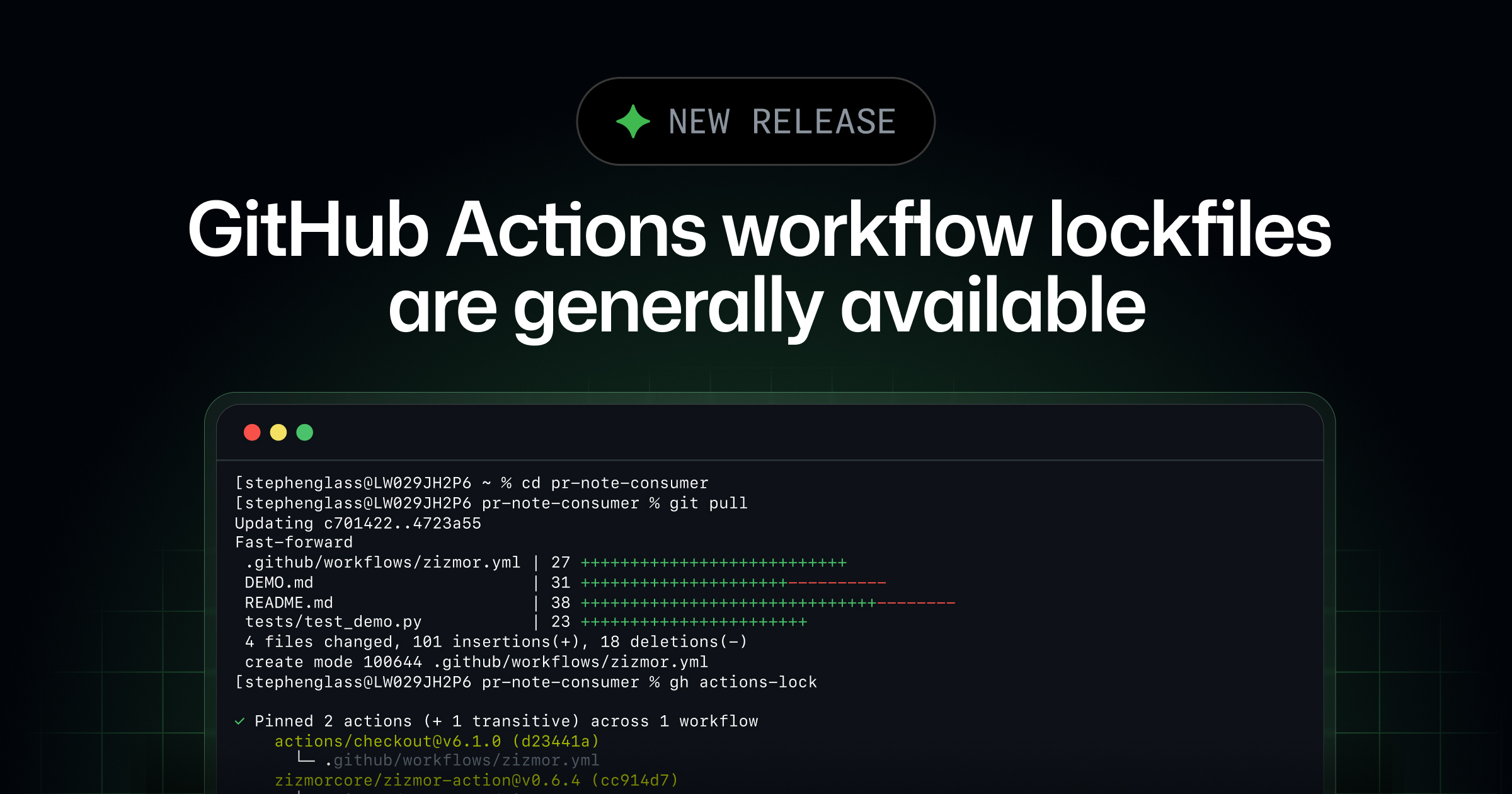
GitHub Actions workflow lockfiles are now generally available, GitHub announced on October 28, 2026, during its Universe 2026 developer conference. The feature lets teams keep readable tag and branch references such as actions/checkout@v6 in their workflow files while GitHub actually runs the exact commit a maintainer locked in — even if that tag or branch is later moved. The goal is simple: close the gap between the action code a team reviewed and the action code that runs in CI, without forcing every workflow file to be rewritten with long, unreadable commit SHAs.
The capability moves out of public preview on GitHub Enterprise Cloud, GitHub Enterprise Cloud with data residency, Team, and Free plans, meaning it's now available to essentially every paid and unpaid GitHub tier that runs Actions.
- What it is: A machine-generated
.github/workflows/actions.lockfile that pins every action dependency a workflow uses to an exact, verified commit. - Status: Generally available as of October 28, 2026, after a public preview.
- Plans: GitHub Enterprise Cloud, Enterprise Cloud with data residency, Team, and Free.
- Tooling: Generated and maintained with the
gh actions-lockGitHub CLI extension. - Enforcement: An org/enterprise "Require lockfile" policy can block runs of workflows that aren't onboarded.
- Automation: Dependabot updates the lockfile automatically when it bumps an onboarded action's version.
What changed on October 28
Workflow dependency lockfiles were previously available only in public preview. With general availability, GitHub says the feature now includes everything it had in preview, plus the surrounding policy and automation pieces needed to run it at scale across an organization. According to the GitHub Changelog, the GA release bundles five capabilities: locking dependencies with the CLI extension, onboarding workflows gradually, keeping lockfiles in sync automatically through Dependabot, enforcing adoption with a repository, organization, or enterprise policy, and checking for a stale lockfile without modifying any files — including as part of a CI run.
GitHub is explicit that a lockfile is not a security scanner. "Lockfiles help protect against unexpected dependency changes, but they don't determine whether a dependency is safe," the changelog states. "Review dependencies before locking them." In other words, the feature locks in whatever an action resolves to at the moment you generate the lockfile — it's on the workflow author to have actually looked at that code first.
Why pinning action references has been a problem
A GitHub Actions workflow typically references third-party actions by a mutable pointer — a tag like v3 or a branch like main — rather than an immutable commit. That's convenient: maintainers can ship patch releases under the same major-version tag, and workflow authors get those fixes automatically. It's also a long-standing supply-chain weak point. If a tag gets repointed to a different commit, intentionally or because an upstream maintainer's account is compromised, every workflow that references that tag starts running different code the next time it fires, with no diff for anyone to review. GitHub's own documentation on the feature gives exactly that scenario as the rationale for locking: a maintainer account takeover followed by a repointed tag is enough to turn a trusted action into a supply-chain vector overnight.
The usual defense has been to pin actions to a full commit SHA directly in the workflow file, something security teams have pushed for years, including in the wake of real-world incidents where compromised GitHub Actions were used to exfiltrate secrets from CI pipelines across thousands of repositories. The trade-off has always been readability and maintainability: a workflow full of 40-character SHA strings with no version context is hard to review and easy to let go stale, because nobody wants to manually look up and swap in a new hash every time a dependency updates. Lockfiles are GitHub's attempt to get both properties at once — human-readable workflow files, machine-enforced immutable execution — a tension that will be familiar to anyone who has watched the same debate play out in package-lock.json, Gemfile.lock, or Cargo.lock files in other ecosystems. It's the same idea GitHub leaned on with the npm trusted-publishing flaw story earlier this year: a mutable reference somewhere in the chain is eventually the thing that gets abused.
How a workflow lockfile actually works
The lockfile lives at .github/workflows/actions.lock in the same repository as the workflows it covers. GitHub's documentation on the lockfile format describes it as YAML with three top-level keys: version, workflows, and dependencies. The workflows block maps each workflow file to the action dependencies it uses; the dependencies block maps each owner/repo@ref pair to a record containing the resolved tag or branch (ref), the exact commit SHA that will run (commit), and the numeric repository and owner IDs that GitHub checks at run time. A representative entry looks like this:
# This file is machine-generated by `gh actions-lock`.
# Do not edit by hand; run `gh actions-lock` to update.
# Docs: https://gh.io/actions-lockfile
version: 'v0.0.3'
workflows:
    '.github/workflows/ci.yml':
        - 'octo-org/[email protected]'
dependencies:
    'octo-org/[email protected]':
        ref: 'v3.1.0'
        commit: 'sha1-...'
        owner_id: 44036562
        repo_id: 197814629
Once a workflow is onboarded, GitHub Actions requires every action dependency it uses to appear in the lockfile, and it runs the recorded commit rather than whatever the tag currently points to. GitHub's docs add a specific safeguard here: the locked commit has to still be reachable from the recorded branch or tag in the action's own upstream repository, so a commit that only exists in a fork, or that's been orphaned from its ref through a force-push, gets rejected at run time rather than silently executed.
There are real scope limits worth knowing before treating a lockfile as a complete answer to action supply-chain risk. It doesn't pin reusable workflow calls at the job level (jobs.<job_id>.uses) — those still need a full commit SHA if you want them pinned, or the called repository needs its own lockfile. It also doesn't touch input parameters, secrets, or the runner image a job executes on. Lockfiles cover a repository's own workflows and their transitive step-level action dependencies, and GitHub notes that once a repository is onboarded, manual SHA pinning inside the workflow file itself is "no longer necessary" for the actions the lockfile already covers.
Getting started with gh actions-lock
Everything is driven through a GitHub CLI extension rather than a UI toggle, per GitHub's setup guide for locking workflow dependencies. Teams install it with gh extension install github/gh-actions-lock, then run gh actions-lock from a repository root to scan every workflow under .github/workflows/, or point it at a single file — gh actions-lock .github/workflows/ci.yml — to onboard one workflow at a time. The tool rewrites loose uses: references to their resolved version as part of generating the lockfile (a bare @v3 might become @v3.1.0, for instance), so the diff it produces touches both the workflow file and the new lockfile entry, and GitHub's guidance is to review that diff like any other dependency bump before committing it.
| Command / flag | What it does |
|---|---|
gh actions-lock | Scans all workflows in the repo, resolves and pins action references, writes the lockfile |
gh actions-lock <path> | Onboards a single workflow file instead of the whole repository |
--migrate-local-actions | Rewrites local uses: ./… actions to a pinned $/… reference |
--ignore-local-actions | Leaves local path actions alone and reports them as warnings instead of errors |
--relock | Re-resolves references whose branch, partial tag, or full tag has moved upstream |
--accept-moved | Accepts a rewritten upstream history after manual review; not meant for automation |
--verify | Exits with an error if the committed lockfile is stale, for use as a CI check |
GitHub's setup guidance recommends enabling Dependabot for GitHub Actions before generating a lockfile, auditing existing uses: references (including any reusable workflows called from other repositories, which need their own lockfiles), and checking any organization or enterprise action allowlist before committing — because a tag-pinned allowlist entry like actions/checkout@v6 stops matching once that dependency is onboarded and resolved to a commit, so the allowlist needs a wildcard or the SHA added instead.
Keeping a lockfile from going stale
A lockfile that nobody updates is arguably worse than no lockfile, since it quietly blocks legitimate version bumps or, if teams work around it carelessly, trains people to ignore CI failures. GitHub addresses the update side two ways. First, when Dependabot opens a version-update pull request for an action inside an onboarded workflow, it also regenerates the matching lockfile entry in that same pull request automatically, with no extra configuration needed — Dependabot simply leaves the lockfile alone for workflows that haven't been onboarded. Second, GitHub's rollout guidance for teams that want to enforce this in CI describes a two-job pattern: a "verify" job that runs gh actions-lock --verify on pull requests and fails the build if the lockfile is out of date, paired with an "update" job that regenerates and commits the lockfile automatically on push to the default branch. That update job needs contents: write permission and branch protection rules that allow GitHub Actions itself to push, plus the workflow OAuth scope to modify workflow files.
If an action's branch or partial-version tag moves after locking — someone repoints main, for example — gh actions-lock keeps running the originally locked commit but reports a ref-moved warning so a maintainer can investigate and decide whether to run --relock. If a full version tag like v3.1.0 moves, that's treated as a harder error rather than a warning, on the theory that a specific release tag changing underneath you is a stronger signal something is wrong. A rewritten commit history is flagged as an error that --relock won't silently resolve, requiring the more deliberate --accept-moved flag after a maintainer has actually looked at what changed upstream.
Making lockfiles mandatory with "Require lockfile"
Generating a lockfile is opt-in per workflow, but GitHub also ships an organization- or enterprise-level policy, Require lockfile, that can turn adoption into a hard requirement. Configured under a workflow execution policy — in a repository or organization's Settings > Actions > Policies, or an enterprise's Policies tab — the control blocks runs of any targeted workflow that isn't onboarded to its repository's lockfile. It only governs step-level uses: references; if a targeted workflow calls a reusable workflow defined in a repository that itself isn't onboarded, GitHub blocks the calling run too, which effectively pushes lockfile adoption up the dependency chain rather than letting a team quietly bypass it through a shared reusable workflow.
Require lockfile sits alongside, not instead of, the existing "Require actions to be pinned to a full-length commit SHA" policy — GitHub's documentation describes the two as independent checks that a run must pass simultaneously when both are active. A workflow that's onboarded to the lockfile satisfies both without needing any SHAs written into the file itself; a workflow outside the lockfile that still uses hand-pinned SHAs passes the SHA-pinning check but fails Require lockfile; and a workflow using plain tags or branches with neither protection fails both. Teams already enforcing SHA pinning can therefore turn on lockfiles gradually without weakening what they already had.
Because flipping the policy straight to enforced on an unprepared organization would simply start blocking runs, GitHub's staged rollout guidance is explicit: confirm every target repository (and any reusable-workflow source repositories) already has a valid, current lockfile; pilot the policy against a limited set of onboarded repositories and workflows rather than the whole org; start in Evaluate mode on GitHub Enterprise Cloud, which logs what would have been blocked without actually blocking it, and review that under Policy insights; keep automation (Dependabot and/or a CI verify/update pair) and code-owner review on actions.lock itself in place; and only then switch enforcement to Active. In Active mode, any targeted workflow lacking a valid lockfile entry gets blocked, even if other workflows in the same repository are already covered and running fine.
Who can use it and on which plans
General availability means the feature is no longer gated to preview participants. GitHub lists four plan tiers with access at launch:
| Plan | Lockfile access |
|---|---|
| GitHub Free | Generally available |
| GitHub Team | Generally available |
| GitHub Enterprise Cloud | Generally available, including org/enterprise Require lockfile policy and Evaluate mode |
| GitHub Enterprise Cloud with data residency | Generally available |
Notably, Evaluate mode for the Require lockfile policy — the safer, log-only rollout step — is called out as an Enterprise Cloud-only capability; organizations and individual repositories outside Enterprise Cloud can still generate, onboard, and require lockfiles, just without that dry-run enforcement mode. Installing the tooling itself has no separate cost: it's a free GitHub CLI extension, and nothing in GitHub's announcement ties lockfile generation or verification to Actions minutes billing.
What lockfiles don't do
It's worth being precise about the boundaries here, because "lockfile" can sound like a broader security guarantee than what's on offer. A lockfile pins the exact code that an onboarded action reference resolves to; it does not vet whether that code is safe, does not cover job-level reusable workflow calls (those still need commit-SHA pinning or their own upstream lockfile), does not lock runner images, and does not lock secrets or input values. GitHub's own framing — review dependencies before locking them — puts the responsibility for the actual security judgment squarely back on the team adopting the feature. Lockfiles answer "is this the code I already decided to trust," not "should I trust this code."
That distinction matters for how this fits into GitHub's broader October 28 security push, announced alongside several other GitHub Actions and repository-security changes at Universe 2026, including updates to AI-assisted secret detection and reachability-aware vulnerability triage. Lockfiles are a narrower, mechanical control: they remove one specific class of risk — a tag or branch quietly pointing somewhere new between the time a workflow was reviewed and the time it ran — without claiming to solve dependency security more broadly. Teams evaluating CI platforms more generally, including those weighing GitHub Actions against options like Jenkins, should treat this as one more point in the supply-chain-hardening column rather than a reason to skip existing scanning and review practices.
How this compares to manual SHA pinning
Manual SHA pinning — writing uses: actions/checkout@a1b2c3... directly into a workflow file — has been available since Actions launched and remains the only option for pinning reusable workflow calls at the job level, which lockfiles don't cover. Its downside has always been maintainability: every workflow file accumulates long hashes with no inline version context, dependency bumps require someone to manually resolve and swap in a new SHA, and reviewing a diff full of hex strings tells a reviewer little about what actually changed. Lockfiles move that bookkeeping into a single generated file with clear version-to-commit mappings, let Dependabot keep it current automatically inside onboarded workflows, and let a workflow file itself stay readable with ordinary tag references. The trade-off is scope: lockfiles cover step-level action dependencies within a workflow's own repository, so teams with heavy use of job-level reusable workflows across many repositories will still need commit pinning, or lockfiles in each of those source repositories, to close every gap.
What's next
With general availability shipped, the near-term questions are about adoption rather than the mechanics of the feature itself: how quickly large enterprises move the Require lockfile policy from Evaluate to Active, how aggressively organizations retrofit the policy onto existing repositories that weren't built with it in mind, and whether GitHub extends enforcement options — such as Evaluate mode — beyond Enterprise Cloud. GitHub says it's tracking feedback through its public community discussion and the gh-actions-lock extension's issue tracker, which is typically where follow-up refinements to CLI flags and edge-case handling (forked actions, rewritten histories, local composite actions) get surfaced first. For teams that haven't touched Actions dependency pinning at all, GitHub's own sequencing — install the extension, onboard a handful of workflows, wire up Dependabot and a CI verify check, then consider the org-wide policy only once lockfiles are already current everywhere — is the path the documentation itself recommends rather than flipping enforcement on first.
Frequently asked questions
What is a GitHub Actions workflow lockfile?
It's a machine-generated file, .github/workflows/actions.lock, that records the exact commit behind every action a workflow uses. Once a workflow is onboarded, GitHub Actions runs the locked commit instead of whatever a tag or branch currently points to, even though the workflow file itself can keep using readable references like @v3.
Is the lockfile feature generally available now?
Yes. GitHub moved workflow dependency lockfiles from public preview to general availability on October 28, 2026, on GitHub Enterprise Cloud, GitHub Enterprise Cloud with data residency, Team, and Free plans.
How do I create a lockfile?
Install the gh actions-lock GitHub CLI extension with gh extension install github/gh-actions-lock, then run gh actions-lock from a repository root to scan all workflows, or gh actions-lock <path> to onboard a single workflow file.
Does a lockfile replace pinning actions to a commit SHA?
For step-level action references inside an onboarded workflow, yes, GitHub says manual SHA pinning is no longer necessary. It does not cover job-level reusable workflow calls, which still need a commit SHA or their own lockfile in the source repository.
How does the lockfile stay up to date?
Dependabot automatically regenerates the matching lockfile entry in the same pull request when it bumps an onboarded action's version. Teams can also add a CI job that runs gh actions-lock --verify to fail builds when the committed lockfile is stale.
Can organizations force teams to use lockfiles?
Yes, through the Require lockfile workflow execution policy, set at the repository, organization, or enterprise level, which blocks runs of targeted workflows that aren't onboarded. GitHub recommends a staged rollout starting in Evaluate mode on GitHub Enterprise Cloud before switching to Active enforcement.
Sources
- GitHub Changelog: GitHub Actions workflow lockfiles are generally availablegithub.blog
- GitHub Docs: Workflow dependency lockfiles (concepts)docs.github.com
- GitHub Docs: Locking action dependencies in a repository's workflowsdocs.github.com
- GitHub Docs: Governing execution of GitHub Actions workflowsdocs.github.com
- GitHub Docs: Enforcing lockfiles for action dependenciesdocs.github.com
Felix Moreau writes Pandromeda's software coverage and how-to guides. He covers Windows, macOS and Linux updates, the apps people rely on, emulators and developer tools, and turns official documentation into clear, numbered steps that work on the current version.