YubiKey vs Google Titan Security Key: Price, Features and Which to Buy
Google's Titan Security Key costs less and covers passkeys and U2F. Yubico's YubiKey 5 Series costs more but adds PIV, OpenPGP, SSH and OTP. Here's which one fits your accounts.
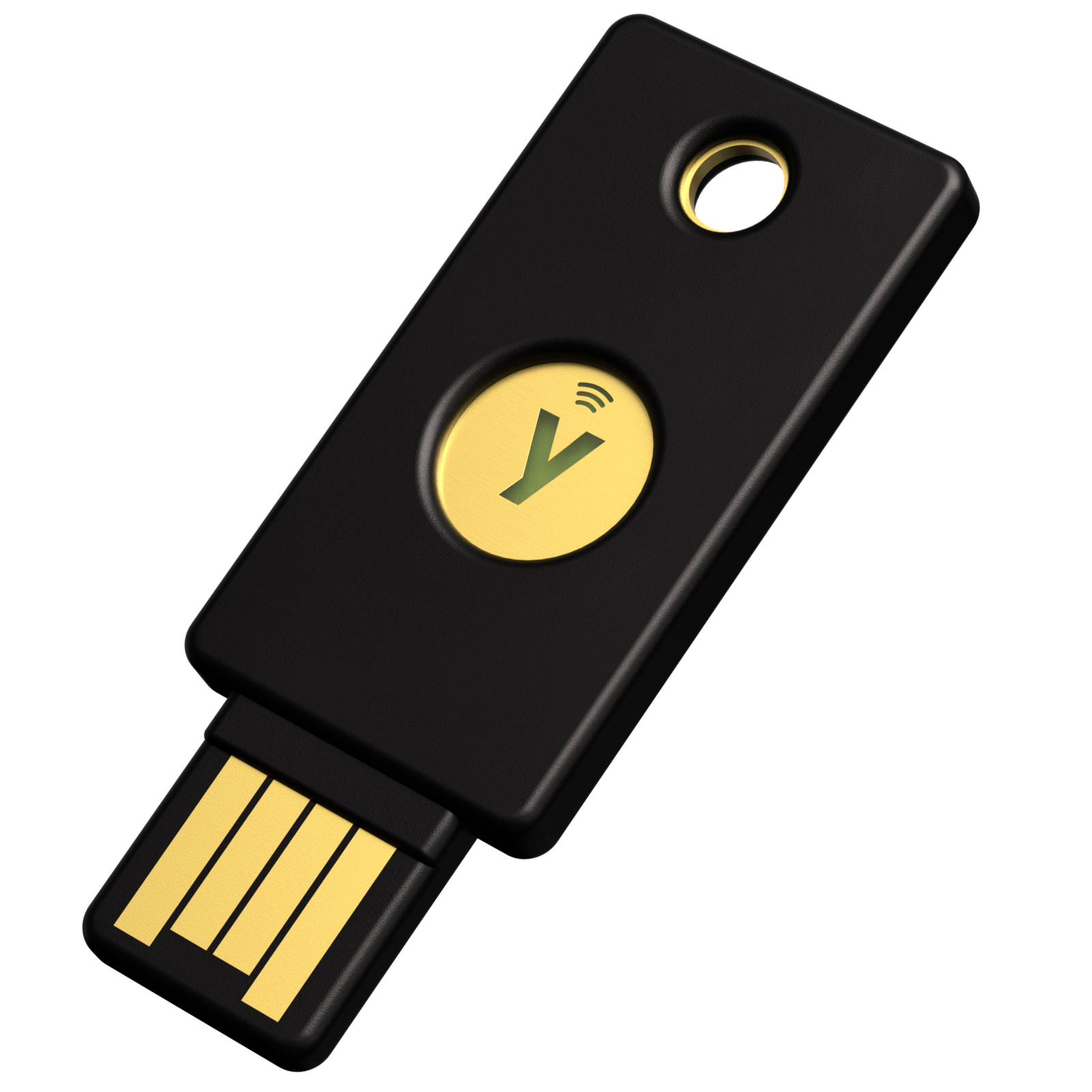
The short version: if you only need to lock down Google, Microsoft, and other passkey-friendly accounts, a Google Titan Security Key at $30 does the job. If you also want to log into servers over SSH, encrypt email with OpenPGP, use a PIV smart card for Windows or macOS sign-in, or run old-school one-time-password codes, a YubiKey 5 Series key costs roughly twice as much but does far more. Both are phishing-resistant FIDO2 hardware keys built around the same open passkey standard; the difference is everything Yubico packs in beyond it.
Key facts
- Google Titan Security Key: $30, FIDO2/WebAuthn and U2F only, USB-A/NFC or USB-C/NFC.
- YubiKey 5 Series: from $58 (NFC models), adds PIV smart card, OpenPGP, SSH, and OTP on top of FIDO2/U2F.
- Yubico's FIDO-only "Security Key" line starts at $29 — effectively Titan's direct price match.
- YubiKey Bio ($98) and the Titan line both skip NFC on their fingerprint/basic builds in different ways — see the table below.
- Neither company lets you update the key's firmware after purchase; both call that a deliberate security choice.
What a YubiKey and a Titan Security Key actually are
Both products are physical authenticators that plug into a USB port or tap over NFC to prove it's really you signing in, instead of (or in addition to) a password. They implement the FIDO Alliance's FIDO2/WebAuthn standard, the same standard behind modern passkeys, so a passkey saved to either key works the same way at the browser level. If you haven't set up passkeys anywhere yet, our walkthrough on setting up passkeys on iPhone, Android, and Windows covers the software side; this article is about the hardware you can carry on a keyring instead.
Yubico is a dedicated hardware-security vendor that sells several YubiKey families side by side — the multi-protocol 5 Series, the FIDO-only "Security Key" budget line, the fingerprint-equipped Bio Series, and FIPS-validated variants for regulated workplaces. Google sells exactly one current product line, the Titan Security Key, in two body styles (USB-A/NFC and USB-C/NFC), both running Google-engineered firmware on what Google's own product page describes as "a purpose built secure element chip made specifically for high assurance security products."
Specs compared: protocols, form factors, and price
The table below is built directly from Yubico's YubiKey 5 NFC spec sheet and Google's own published spec pages. Where a vendor hasn't published a number — like Titan's resident-credential capacity — we've marked it rather than guessing.
| Spec | Google Titan Security Key | YubiKey 5 Series (e.g. 5C NFC) | YubiKey Bio Series |
|---|---|---|---|
| Price (USD) | $30 | $58–$65 (NFC/USB-C); $29 for Yubico's FIDO-only Security Key line | $98 |
| FIDO2/WebAuthn (passkeys) | Yes | Yes (FIDO2 L2, CTAP 2.1) | Yes (FIDO2 L2, CTAP 2.1) |
| FIDO U2F | Yes | Yes | Yes |
| Passkey/resident-credential slots | Not published by Google | Up to 100 | Up to 100 |
| PIV smart card | No | Yes (up to 24 certificates) | No |
| OpenPGP | No | Yes | No |
| OTP / OATH (TOTP/HOTP) | No | Yes (64 OATH slots, Yubico OTP) | No |
| SSH login | No | Yes, via PIV or OpenPGP applet | No |
| Biometric sensor | No | No | Yes, fingerprint + PIN fallback |
| Form factors | USB-A + NFC, or USB-C + NFC | USB-A, USB-C, Nano, 5Ci (USB-C + Lightning); NFC on A/C models | USB-A or USB-C; no NFC |
| Bluetooth | No (2018 BLE model discontinued 2021 after a pairing flaw) | No | No |
| Durability | Not published in detail | IP68, crush-resistant to 25 N·m, no battery/moving parts | Same chassis durability as 5 Series |
| Firmware updatable? | No (fixed at manufacture) | No (fixed at manufacture) | No (fixed at manufacture) |
Price: a closer look
At face value, Titan's $30 looks like the budget option next to a $58 YubiKey 5C NFC. But that's not really an apples-to-apples price comparison, because the YubiKey 5 Series carries protocols Titan doesn't have at all. The fairer match is Yubico's own FIDO-only Security Key series, which sells for $29 — a dollar less than Titan, with the same FIDO2/U2F-only feature set and the same lack of PIV, OpenPGP, or OTP. If your use case genuinely is "just passkeys and U2F for a handful of accounts," Yubico's Security Key and Google's Titan are priced almost identically, and the choice comes down to form factor and which ecosystem you trust more with the hardware.
Where price diverges meaningfully is at the high end: Yubico also sells FIPS 140-2/140-3-validated YubiKeys ($88–$115) for regulated environments, and the fingerprint-equipped Bio Series ($98) for people who want biometric confirmation on the key itself. Google has no biometric or FIPS-validated hardware key in its current lineup.
Protocol support: why the YubiKey does more
This is the real dividing line. Both keys speak FIDO2/WebAuthn and U2F fluently, which covers passkey sign-in on Google, Microsoft, Apple, GitHub, and most consumer sites. The YubiKey 5 Series adds four protocols Titan simply doesn't implement: PIV smart card (for Windows Hello for Business, macOS, and enterprise smart-card logon), OpenPGP (email signing/encryption and SSH key storage), Yubico OTP and OATH-TOTP/HOTP (for services that still rely on one-time-password codes rather than FIDO2), and challenge-response. If you're a developer who authenticates to Git servers over SSH, or you need a PIV certificate for a corporate VPN, Titan can't help — it's deliberately scoped to FIDO2 and U2F only, per Google's own product page.
That narrower scope isn't necessarily a weakness for most buyers. If every account you protect already supports passkeys or U2F — which is increasingly the norm — the extra protocols on a YubiKey 5 just sit unused. For a plain comparison of how passwordless sign-in actually works once you've chosen a key, see our explainer on whether you still need a password manager alongside hardware keys and passkeys.
Passkey storage: how many accounts can you protect?
Both products support storing FIDO2 "resident" passkeys directly on the key, which is what lets you sign in with just the key and no username. Yubico publishes a hard number for its 5 Series and Bio Series: up to 100 passkey/FIDO2 credential slots, per the official YubiKey 5 NFC spec sheet. Google does not publish an equivalent number for Titan Security Key on its product or support pages, so we're not going to invent one here — if credential capacity matters to you (for example, you manage many separate work and personal logins on one key), Yubico's published figure is the only one of the two that's verifiable from the manufacturer.
In practice, most people register a security key to a much smaller number of important accounts — email, a password manager, and maybe a few financial or work logins — and keep a second key as backup, which either vendor's product supports.
Biometric option: YubiKey Bio has no Titan equivalent
Yubico's Bio Series ($98) adds a fingerprint sensor with PIN fallback, letting you unlock the key with a touch instead of (or in addition to) a PIN, while still running FIDO2/U2F only — Yubico strips out PIV, OpenPGP, and OTP on the Bio line to keep the biometric flow simple. It's sold in USB-A or USB-C form, with no NFC option. Google has no fingerprint-equipped security key in its current catalog; Titan relies on possession of the physical key plus, where the service requires it, a PIN or device biometric handled by your phone or computer rather than the key itself.
Firmware and security design: both keys are deliberately "unpatchable"
Neither company lets you update a key's firmware after it leaves the factory, and both treat that as a feature rather than a gap. Yubico states it plainly in a 2024 security advisory about a cryptographic side-channel issue: "We believe that not allowing firmware updates is the best practice to maximize the security of your keys." Google takes the same approach architecturally — Titan ships with, as the product page puts it, "special firmware engineered by Google to verify the key's integrity," burned in at manufacture rather than exposed to over-the-air updates. The trade-off is the same for both vendors: no updatable firmware means no remote-update attack surface, but it also means a key with a newly discovered flaw can't be patched — only replaced. This is also why both companies recommend registering at least two keys per account as a backup.
A quick note on Titan's Bluetooth past
Google's original 2018 Titan Security Key lineup included a Bluetooth Low Energy model. In 2019, Google disclosed a Bluetooth pairing flaw that could let a nearby attacker communicate with the key or the device it was paired to, and offered an exchange program for affected keys; it discontinued sales of the Bluetooth model entirely in August 2021, per the key's Wikipedia entry. The current Titan lineup — the USB-A/NFC and USB-C/NFC models covered in this comparison — has no Bluetooth variant. Yubico has never sold a Bluetooth security key, so this is a Titan-specific history point rather than a current feature gap on either side.
Compatibility: what you need on the other end
Hardware is only half the equation — both keys need a compatible browser and, for mobile, a compatible OS version. Google's own compatibility guidance for Titan Security Key lists Chrome 67 or later, Safari 14 or later, Firefox, Opera, and Edge on desktop, plus Android 9.0 or later (or Android 5.0+ with up-to-date Google Play Services) and iOS 13.3 or later on mobile; iPhone owners connecting the USB-A model need a Lightning-to-USB-C or USB-C adapter since Apple's current iPhones use USB-C. Yubico's requirements track the same FIDO2/WebAuthn browser baseline, since both vendors are implementing the same W3C standard rather than a proprietary one — a passkey registered with either key will generally work anywhere WebAuthn is supported, which by 2026 is essentially every major browser and operating system.
One practical wrinkle worth knowing before you buy: Google's Advanced Protection Program, the account-security tier aimed at journalists, activists, and executives, accepts both Titan and YubiKey hardware keys as enrollment devices, so choosing YubiKey over Titan doesn't lock you out of Google's strongest protection tier. The reverse isn't quite as flexible — some enterprise PIV and OpenPGP deployments are built specifically around YubiKey's extra protocols, so a Titan key won't substitute if your employer already requires smart-card login.
Who should buy which
Buy a Google Titan Security Key if: you want the cheapest reliable way to add a FIDO2/passkey or U2F hardware key to Google, Microsoft, or similar accounts, you're enrolling in Google's Advanced Protection Program, or you just want a simple key with nothing else to configure.
Buy a YubiKey 5 Series key if: you need PIV smart-card login, OpenPGP email signing, SSH authentication, or legacy OTP/OATH codes alongside passkeys — or you simply want one key that covers every authentication method you're likely to run into for years.
Buy a YubiKey Bio if: you want fingerprint confirmation on the key itself and don't need PIV, OpenPGP, or OTP, and NFC isn't a requirement.
Buy Yubico's plain Security Key (not Titan) if: you want Titan's FIDO-only simplicity and price point but prefer Yubico's hardware, NFC options, or don't want a Google-branded device tied to your Google account workflows.
What to do next
Whichever key you choose, buy at least two — one to carry and one to store safely as backup — and register both to every account before you need either. If you haven't registered a passkey anywhere yet, start there before you buy hardware. Then decide whether a hardware key replaces your password manager or works alongside it; for most people it's the latter, which is why it's worth understanding how password managers like 1Password and Dashlane compare before you commit to a single security stack. Buy directly from Yubico's official store or Google's official store — avoid third-party marketplace listings for security keys, since a tampered key defeats the entire point of using one.
Frequently asked questions
Is a YubiKey or a Google Titan Security Key better for passkeys?
Both store FIDO2 passkeys and work the same way for sign-in. Yubico publishes a capacity of up to 100 passkey slots on the YubiKey 5 and Bio Series; Google does not publish an equivalent number for Titan Security Key.
Why is the YubiKey more expensive than the Titan Security Key?
The YubiKey 5 Series ($58 and up) supports PIV smart card, OpenPGP, SSH, and OTP/OATH protocols in addition to FIDO2/WebAuthn and U2F. Titan Security Key ($30) and Yubico's own FIDO-only Security Key ($29) support only FIDO2 and U2F, which is why they cost less.
Does the Titan Security Key have NFC?
Yes. Google sells Titan Security Key in a USB-A/NFC version and a USB-C/NFC version, and both support NFC for tapping against a phone.
Can I use a YubiKey with my Google account instead of a Titan key?
Yes. Google's Advanced Protection Program and standard 2-Step Verification both accept third-party FIDO2/U2F security keys, including YubiKeys, not just Titan-branded keys.
Does either key support Bluetooth?
No, not in their current lineups. Google sold a Bluetooth Titan Security Key model starting in 2018 but discontinued it in August 2021 after disclosing a pairing vulnerability. Yubico has never sold a Bluetooth security key.
Can YubiKey or Titan Security Key firmware be updated after purchase?
No. Both Yubico and Google ship fixed, non-upgradable firmware by design. Yubico has stated in a security advisory that not allowing firmware updates is intended to maximize security, since it removes a remote-update attack surface.
Sources
- Yubico - YubiKey 5 Series overviewyubico.com
- Yubico - YubiKey 5 NFC spec sheetyubico.com
- Yubico - YubiKey Bio Series spec sheetyubico.com
- Yubico - official store pricingyubico.com
- Yubico - Security Advisory YSA-2024-03yubico.com
- Google Store - Titan Security Keystore.google.com
- Wikipedia - Titan Security Keyen.wikipedia.org
Sana Qureshi runs the security and privacy desk. She reports on actively exploited vulnerabilities, vendor patches and data breaches, and covers the password managers, VPNs and authentication tools readers use to protect themselves. Her alerts cite vendor advisories, CISA and the CVE record directly.