What Is Biometric Authentication? How It Works and How Secure It Is
Fingerprint, face, iris and voice sign-ins are everywhere now. Here is what biometric authentication actually means, how each method works, and how secure it really is.
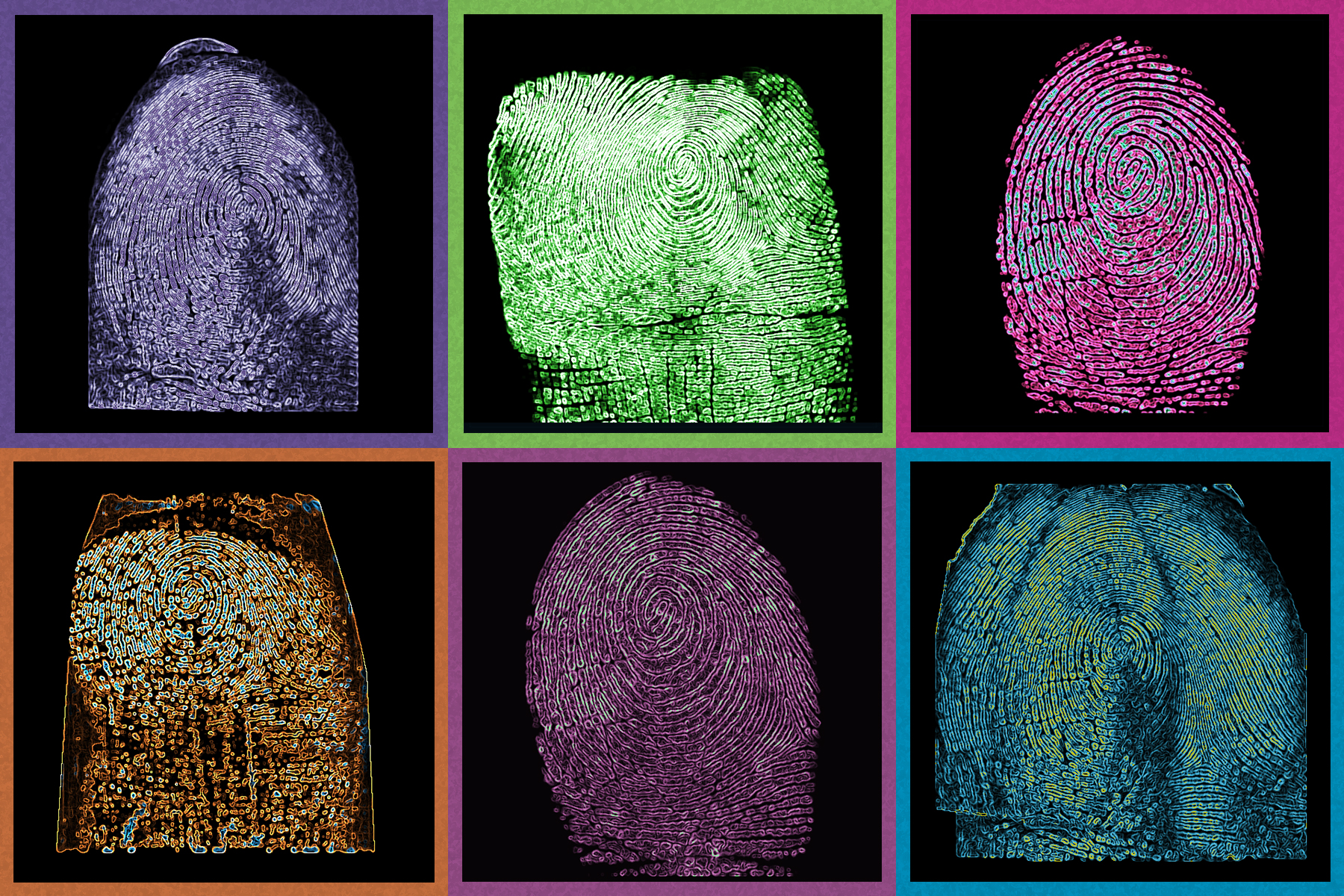
Biometric authentication checks who you are by measuring a physical trait — your fingerprint, face, iris pattern or voice — instead of asking you to remember a password. On a modern phone or laptop, that measurement never leaves the device: it's converted into an encrypted mathematical model, stored in an isolated security chip, and checked locally each time you unlock the screen, tap to pay, or sign in with a passkey.
Key facts
- Apple states the odds of a random person unlocking an iPhone with Face ID are under 1 in 1,000,000; for Touch ID, about 1 in 50,000.
- Biometric templates on iPhone, Android and Windows devices are encrypted and processed inside a dedicated secure chip (Secure Enclave, TEE, or TPM) — not sent to Apple, Google or Microsoft servers.
- Android classifies biometric sensors into three strength tiers (Class 3/2/1); only the strongest tier can unlock cryptographic keys for payments and app sign-in.
- Unlike a password, a compromised fingerprint or face scan can't be "reset" — which is why biometrics are almost always paired with a PIN or passcode as a fallback.
What Biometric Authentication Actually Means
The U.S. National Institute of Standards and Technology (NIST) defines biometrics as the automated recognition of individuals based on their biological or behavioral characteristics — fingerprints, facial features, iris and retina patterns, and voice among the biological traits; typing rhythm and gait among the behavioral ones. In everyday use, "biometric authentication" almost always means one of four things: scanning a fingerprint, recognizing a face, scanning an iris, or matching a voiceprint.
The important distinction from a password is where the "secret" lives. A password is something you know and can change. A biometric trait is something you are, and it's effectively permanent — which shapes every design decision described below, from where the data is stored to why a PIN is always kept as a backup.
The Four Main Types of Biometrics
Each modality trades off convenience, hardware cost, and spoof-resistance differently.
| Modality | How it's captured | Common use today | Main weakness |
|---|---|---|---|
| Fingerprint | Capacitive, optical or ultrasonic sensor reads ridge detail under the skin | Phone/laptop unlock, Touch ID, Android fingerprint readers | Can be degraded by wet, dirty or injured fingers |
| Face recognition | Infrared camera + depth sensor (or a 2D camera on cheaper devices) maps facial geometry | Face ID, Android face unlock, Windows Hello | 2D-camera-only systems are more vulnerable to photo/video spoofing than depth-sensing ones |
| Iris/retina scanning | Near-infrared camera images the unique pattern of the iris | Some high-security enterprise and government systems, select phones | Needs specialized hardware; rare in mainstream consumer devices now |
| Voice recognition | Microphone captures pitch, cadence and vocal-tract characteristics | Phone banking, voice assistants, call-center identity checks | Vulnerable to high-quality recordings and, increasingly, AI voice cloning |
How Fingerprint Scanning Works
On an iPhone or iPad with Touch ID, a capacitive sensor under a sapphire-crystal button captures a high-resolution image of the ridges beneath the surface of your skin, classifies the print's pattern (arch, loop or whorl), and converts it into a mathematical representation — not a stored photograph of your finger. Apple puts the odds of an unrelated fingerprint producing a false match at roughly 1 in 50,000, and the sensor allows five failed attempts before it falls back to your passcode, according to Apple's own Touch ID support documentation.
Android handles fingerprint sensors (capacitive, optical or ultrasonic, including under-display sensors since Android 12) through the same strength-tiering system used for every biometric on the platform, detailed below.
How Face Recognition Works
Face ID is the most-documented consumer example: the iPhone's TrueDepth camera projects thousands of invisible infrared dots onto your face to build a 3D depth map, while a separate infrared image captures your facial features. A portion of the device's neural engine — running inside the Secure Enclave, not the main processor — turns both into a mathematical representation and compares it against your enrolled face. Because it requires actual depth, a flat printed photo or a phone screen showing your face won't unlock it; Apple also runs anti-spoofing neural networks to guard against masks, per Apple's Face ID documentation. The stated false-match probability is under 1 in 1,000,000 for a single enrolled face, rising for close biological relatives and for children under 13, who have less-distinct facial features.
Cheaper Android phones and most Windows Hello cameras skip the depth sensor and rely on a standard or infrared 2D camera, which is why Google's own Android security documentation treats basic face unlock as a weaker ("Class 2") biometric than a depth- or fingerprint-based one — it can't, by itself, authorize payments or unlock cryptographic keys the way a stronger biometric can.
Iris and Retina Scanning
Iris scanning images the unique colored ring around your pupil using a near-infrared camera; retina scanning (rarer, and essentially absent from consumer products) images blood-vessel patterns at the back of the eye. Both were marketed on a handful of flagship phones in the past decade, but mainstream manufacturers have largely dropped dedicated iris hardware in favor of depth-sensing face recognition, which needs less specialized optics to reach similar accuracy. Iris recognition remains common in some government ID and border-control systems, which is one of the use cases NIST's own glossary entry for biometrics explicitly covers, alongside fingerprint, face, voice and behavioral traits such as typing rhythm and gait.
Voice Recognition
Voice biometrics analyze characteristics like pitch, cadence, and the physical shape of your vocal tract to build a voiceprint, most often used today by banks and call centers for phone-based identity checks, and by some voice assistants for personalization. It's the weakest mainstream modality against a motivated attacker: a sufficiently good recording, or increasingly an AI-generated voice clone, can fool systems that aren't paired with other checks — which is why voice alone is rarely used as the sole gate to a sensitive account.
Where Your Biometric Data Actually Lives
This is the part most people get wrong: on every major platform, your raw fingerprint image or face scan is discarded immediately after capture. What's actually stored is an encrypted mathematical template, and it's kept in a physically and cryptographically separate part of the device:
- Apple devices store Face ID and Touch ID templates inside the Secure Enclave, encrypted with a key available only to that enclave. Apple says the data never leaves the device, is never sent to Apple's servers, and is never included in iCloud or local backups.
- Android devices require, under Google's Android security documentation, that raw biometric data and templates "must never be accessible outside the secure isolated environment" — a Trusted Execution Environment (TEE) or Secure Element — and that stored templates be encrypted with a device-specific key and cryptographically signed so they can't be replayed on another device or for another user.
- Windows devices store Windows Hello template data locally in a per-sensor, AES-encrypted database file (
C:\WINDOWS\System32\WinBioDatabase), according to Microsoft's Windows Hello for Business documentation; it's tied to that one device and never synced to Microsoft's cloud.
In every case, your phone, laptop or app can only ever get a yes/no answer — "this matches" or "this doesn't" — never the underlying biometric data itself.
How Secure Is Biometric Authentication, Really?
Measured in raw false-match odds, biometrics beat a short PIN by a wide margin: a 4-digit PIN has roughly a 1-in-10,000 chance of a lucky guess, versus roughly 1-in-50,000 for Touch ID and under 1-in-1,000,000 for Face ID, by Apple's own figures. But the more useful security question isn't "how rarely does it misfire by accident" — it's "what happens when it's deliberately attacked."
Two structural facts matter most. First, every major platform backs biometrics with a mandatory passcode or PIN fallback: Face ID and Touch ID require it after five failed attempts, a restart, or 48 hours of inactivity, and Windows and Android enforce similar fallbacks. Second, a biometric trait can't be rotated like a password. If your password leaks, you change it. Your face and fingerprints are yours for life, which is exactly why none of these systems ever let a biometric scan travel off the device or sit in a cloud database waiting to be breached — the entire design assumes the trait itself must never need to be "reset."
Can Biometric Authentication Be Spoofed?
In principle, yes — in practice, it depends heavily on which modality and which hardware generation you're using. A 2D face-unlock camera with no depth sensor is the easiest target; security researchers have long been able to fool basic implementations with a printed photo or a video played back on another screen, which is exactly why Android's security documentation singles out basic face unlock as spoofing-prone and restricts it to the lower "Class 2" tier that can't authorize payments. Depth-sensing systems like Face ID are harder: Apple's anti-spoofing neural networks are specifically built to distinguish a live face from a photo, mask or model, though no vendor claims the odds of a spoof are zero. Fingerprint sensors face a different threat model — lifted-print replicas rather than photos — and capacitive sensors that read sub-surface ridge detail are generally considered harder to fool with a flat printed image than older optical sensors were. Voice is the softest target of the four, since a clear recording or an AI-generated clone can mimic the surface characteristics a basic voiceprint system checks.
None of this makes biometrics unsafe for everyday use. It's the reason every mainstream implementation pairs a biometric with a passcode fallback rather than treating it as the only gate, and why the highest-security deployments (banking apps, enterprise access, government ID) often require a second factor on top of a single biometric check rather than relying on it alone.
Biometrics vs. Passwords: What's the Real Trade-off?
Biometrics solve the two biggest practical problems with passwords: people reuse weak ones, and typing a strong one on a phone keyboard is annoying. A fingerprint or face scan is both faster and, in raw false-match terms, harder to guess than most real-world passwords. That's also the foundation of passkeys, which use your device's existing biometric or PIN unlock as the human-facing step in a public-key cryptographic sign-in — the FIDO Alliance, the industry body behind the passkey standard, says any information about the local authentication method, including biometric measurements or templates, never leaves the local device; only cryptographic proof that the check succeeded is sent to the site you're signing into.
What biometrics don't solve is remote/credential-based attack entirely: they protect the device in your hand, but a passkey or password manager vault can still be targeted through other means, and a stolen unlocked device with a weak PIN fallback is still a risk. That's why hardware security keys remain the gold standard for the highest-risk accounts — see our guide to how hardware 2FA keys work — and why most security teams treat biometrics as a convenience layer on top of, not a full replacement for, a device passcode.
Where You'll Run Into Biometric Authentication Today
The same technology shows up across a handful of everyday moments: unlocking a phone, laptop or tablet; authorizing Apple Pay, Google Pay or a bank's mobile-payment flow; approving app-store or in-app purchases; signing into individual apps whose developers have enabled Face ID, Touch ID, Android biometric prompts or Windows Hello; and, increasingly, completing the unlock step of a passkey sign-in on a website. If you've ever compared two specific implementations head-to-head, see our breakdown of Windows Hello vs. Face ID.
What to Do Next
If you're deciding how to lock down a device or account, the practical takeaways are simple: turn on whichever biometric your device supports, because in false-match terms it beats a weak password or short PIN by orders of magnitude; always set a strong backup PIN or passcode, since every platform requires one anyway; and don't worry about your fingerprint or face "leaking" from an app you sign into, since apps and websites only ever receive a pass/fail signal, never the biometric data itself. For your highest-value accounts, pair biometrics with a passkey or hardware security key rather than relying on a password alone.
Frequently asked questions
Is biometric authentication safer than a password?
In raw false-match terms, yes: Apple cites under a 1-in-1,000,000 chance for Face ID and about 1-in-50,000 for Touch ID, versus roughly 1-in-10,000 for guessing a 4-digit PIN. But every platform still requires a PIN or passcode as a fallback, so biometrics work best as a faster layer on top of that, not a full replacement.
Can someone steal your fingerprint or face data from an app?
Not directly. Apps and websites that use Face ID, Touch ID, Android biometrics or Windows Hello only ever receive a pass/fail signal from the device's secure chip. The actual fingerprint image or face scan is discarded after capture and the encrypted template never leaves the device.
What happens if the biometric sensor doesn't recognize you?
You fall back to a PIN or passcode. Apple's Face ID and Touch ID require the passcode after five failed match attempts, a restart, or roughly 48 hours of inactivity; Android and Windows enforce similar fallback rules.
Do biometrics replace a PIN or passcode entirely?
No. Every major platform keeps a PIN or passcode as a mandatory fallback and uses it to re-encrypt the device if biometrics fail or are disabled, so you can never set up Face ID, Touch ID, Android biometrics or Windows Hello without one.
Can biometric data be changed if it's ever compromised?
Not in the way a password can be reset. A fingerprint or face is permanent, which is exactly why platforms are designed so raw biometric data never leaves the device or touches a server in the first place, rather than relying on being able to change it later.
Is my biometric data sent to Apple, Google or Microsoft's servers?
No. Apple, Google's Android documentation and Microsoft's Windows Hello documentation all state that biometric templates are processed and stored locally on the device's secure chip and are not uploaded to company servers or included in cloud backups.
Sources
- Apple – About Face ID advanced technologysupport.apple.com
- Apple – About Touch ID advanced security technologysupport.apple.com
- Android Open Source Project – Biometric securitysource.android.com
- Microsoft Learn – How Windows Hello for Business workslearn.microsoft.com
- FIDO Alliance – How FIDO worksfidoalliance.org
- NIST – Biometrics glossarycsrc.nist.gov
Sana Qureshi runs the security and privacy desk. She reports on actively exploited vulnerabilities, vendor patches and data breaches, and covers the password managers, VPNs and authentication tools readers use to protect themselves. Her alerts cite vendor advisories, CISA and the CVE record directly.
