What Is a Firewall and How Does It Work?
A plain-English explainer on what a firewall is, how it filters traffic, the main types, and why Windows Defender Firewall still matters in 2026.
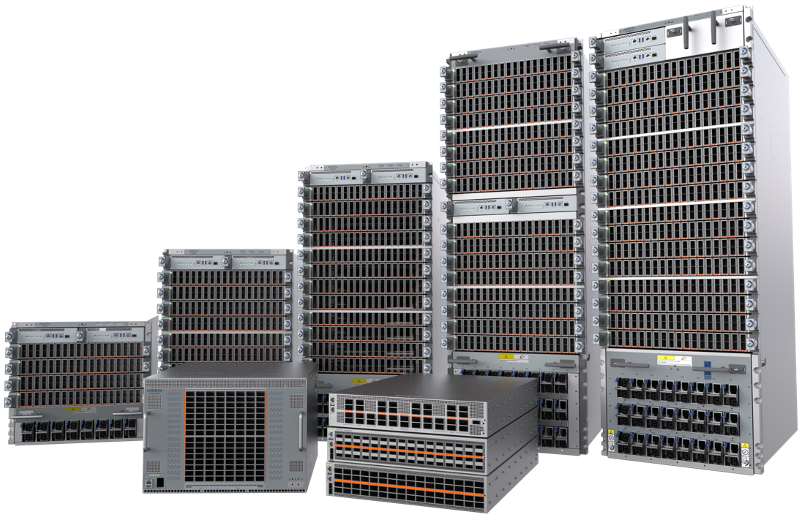
A firewall is a security control, built into hardware, software, or both, that monitors network traffic entering and leaving a device or network and blocks or allows that traffic based on a set of rules. It sits at the boundary between a trusted network (your computer, your home Wi-Fi, your company's internal systems) and an untrusted one (the open internet), filtering connections by criteria like IP address, port, protocol, and application so that only traffic you've approved gets through.
What a firewall actually does
Every device connected to the internet is constantly exposed to unsolicited traffic — scans, probes, and connection attempts from addresses it has never talked to. A firewall's job is to decide, packet by packet or connection by connection, whether that traffic should be allowed to reach the device behind it. The National Institute of Standards and Technology maintains a glossary of formal definitions used across U.S. government security publications, including describing a firewall as "a gateway that limits access between networks in accordance with local security policy," and, in a related entry, as a device or program that "controls the flow of network traffic between networks or hosts" that have different levels of trust.
In practice, that means a firewall can block incoming connections from specific countries or IP ranges, close off ports that aren't being used by any legitimate service, stop a specific application from reaching the network, and log suspicious activity for review. The Cybersecurity and Infrastructure Security Agency (CISA) puts it more plainly for home and small-office users: firewalls can be configured to block data from certain network addresses, applications, or ports while still letting necessary, legitimate traffic through.
How firewalls inspect traffic
At the most basic level, a firewall examines the "header" information attached to every packet of data moving across a network — things like the source and destination IP address, the port number, and the protocol (TCP, UDP, ICMP, and so on) — and compares that information against a list of rules. If a packet matches an "allow" rule, it passes through. If it matches a "deny" rule, or matches nothing at all under a default-deny policy, it's dropped.
More advanced firewalls go further than just reading headers. Stateful firewalls track the state of an active connection, so they can recognize that an incoming packet is actually a reply to a request your device made moments earlier, rather than an unsolicited connection attempt. Application-aware and next-generation firewalls look even deeper, inspecting the actual content of traffic to identify what application generated it and whether that traffic contains known attack patterns, not just where it's coming from.
The main types of firewalls, compared
Firewall technology has evolved in layers since the 1980s, and most of those earlier approaches are still in use today, often combined inside a single product. Here's how the major categories differ:
| Type | What it inspects | Strengths | Limitations |
|---|---|---|---|
| Packet-filtering | Packet headers only (IP, port, protocol) | Fast, simple, low overhead | No awareness of connection state or application content |
| Stateful inspection | Headers plus connection state (established sessions) | Blocks unsolicited traffic that isn't part of a known session | Still largely blind to application-layer content |
| Proxy / application-level | Full application-layer content, acting as an intermediary | Can inspect and filter actual payloads, not just metadata | Can add latency; doesn't support every protocol |
| Next-generation (NGFW) | Stateful inspection plus deep packet inspection, intrusion prevention, and application identification | Broadest visibility; can enforce policy by application, not just port | More complex to configure and tune |
| Web Application Firewall (WAF) | HTTP/HTTPS requests to a specific web application | Purpose-built to catch web attacks like SQL injection or cross-site scripting | Protects applications, not general network traffic |
Cloudflare's own developer documentation on its network firewall notes that it operates at the network and transport layers, filtering protocols such as TCP, UDP, and ICMP, while a separate product — the Web Application Firewall, covered in Cloudflare's application-security learning path — sits at the application layer and is built specifically to filter HTTP and HTTPS requests against websites. That split, between filtering raw network traffic and filtering web application requests, is a useful way to think about where different firewall types actually sit in a modern network.
Hardware vs. software firewalls
CISA's consumer guidance breaks firewalls down into two broad deployment models that most people will actually encounter:
- Hardware (network) firewalls are physical devices placed between your equipment and the internet. Many consumer and small-office routers include built-in firewall features, which makes them well suited to protecting several devices on a network at once. The tradeoff, per CISA, is that they're a separate piece of equipment that typically needs some technical knowledge to configure and maintain properly.
- Software firewalls run directly on the device they protect. Most operating systems ship with one already built in, and CISA recommends keeping it enabled even if a hardware firewall is also present upstream. A software firewall can control network access on a per-application basis — but because it runs on the same system it's defending, it can be less effective at catching a threat that has already gained a foothold, and managing one per machine takes more ongoing effort across a fleet of devices.
CISA's overall guidance is blunt about priorities here: the decision to use a firewall at all matters far more than which specific type you choose.
A real-world example: Windows Defender Firewall
Nearly every Windows PC already has a software firewall running, usually without the owner ever opening its settings. Microsoft Learn describes Windows Firewall as a host-based firewall included with the operating system and enabled by default across Windows editions. Its default behavior is to block all incoming traffic unless it was solicited or explicitly matches a rule, while allowing outgoing traffic unless a rule says otherwise.
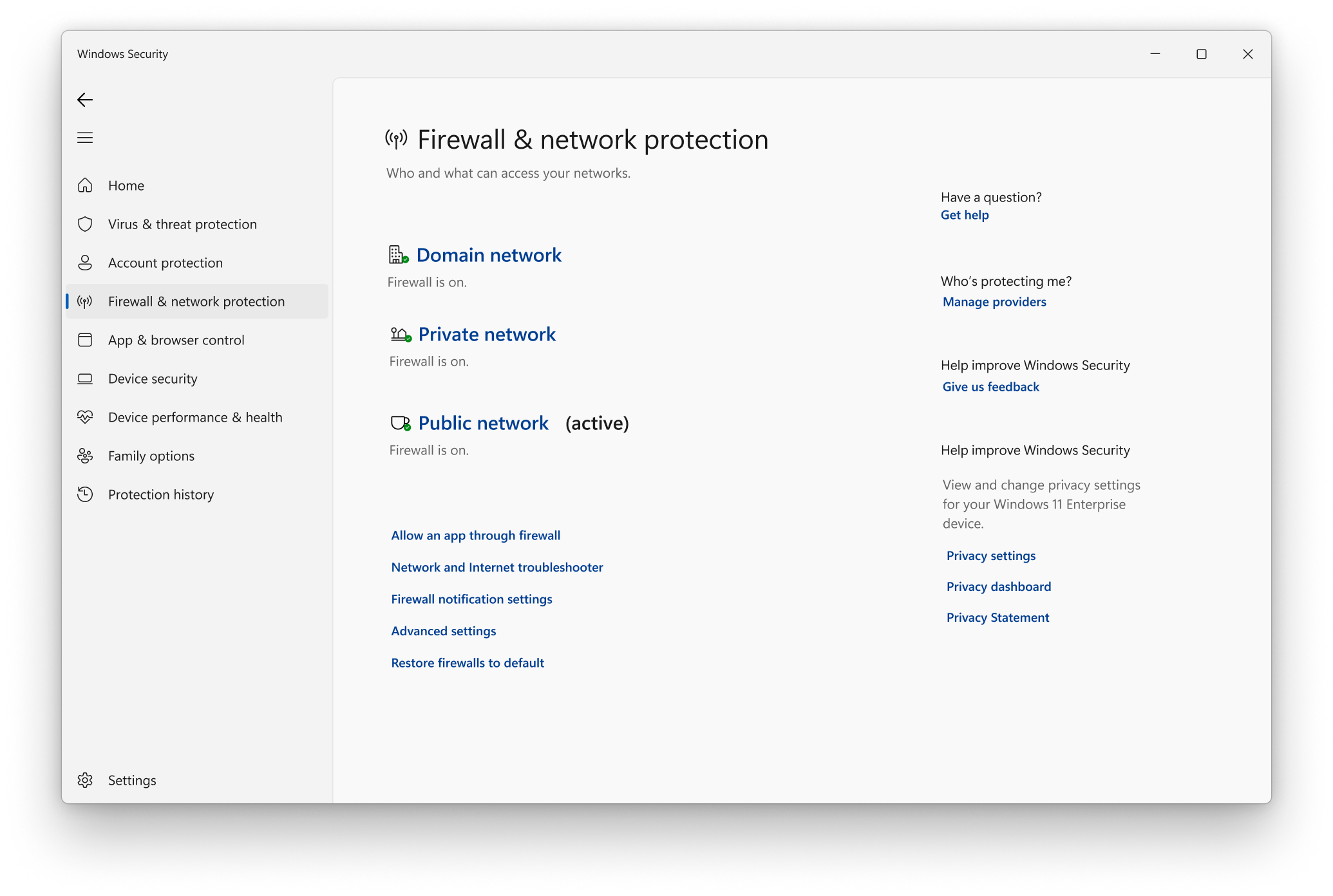
Windows Firewall also applies different rule sets depending on which of three network profiles is active: domain (applied automatically on an Active Directory network), private (for trusted networks like a home Wi-Fi), and public (the more restrictive default for unfamiliar networks like airport or coffee-shop Wi-Fi). That profile-based model is exactly why a laptop can safely accept file-sharing connections on a home network while refusing the same connections the moment it joins a hotel hotspot.
Checking or adjusting those firewall settings on Windows is straightforward: open the Windows Security app, go to Firewall & network protection, pick the network profile you want to change (Domain, Private, or Public), and use the toggle under Microsoft Defender Firewall. Microsoft's own support documentation is direct about the risk of switching it off entirely: doing so "could make your device more vulnerable to unauthorized access." If a specific app needs network access, Microsoft recommends allowing that one app through the firewall rather than disabling the whole thing — and notes that Microsoft itself advises against disabling Windows Firewall, since doing so also switches off related protections like IPsec-based authentication and Windows Service Hardening.
Why you still need a firewall in 2026
It's tempting to think of the firewall as a solved, almost boring piece of infrastructure — every router has one, every OS has one, so what's left to worry about? But the reasoning CISA lays out for home and small-office users hasn't changed: any device connected to the internet or to a Wi-Fi network is a potential target, and a firewall limits how much of that device, and the data on it, is reachable from the outside in the first place. Without one, every open port and listening service on a device is exposed to anything that can reach it on the network — scanners, botnets, and automated exploit tools included.
At an organizational level, Microsoft frames the same idea as reducing attack surface: a firewall is one part of a defense-in-depth model, making a device or network harder to compromise even when other defenses eventually fail. That's also precisely the layer that goes missing when administrators disable it for convenience, or when a vulnerable internet-facing service is deliberately exposed through it.
Common misconceptions about firewalls
A few myths persist that are worth clearing up directly:
- "A firewall stops viruses and malware." Not on its own. CISA is explicit that firewalls primarily help protect against malicious network traffic, not against malicious programs — so a firewall won't do much about malware you download and run yourself, or a file that arrives as an email attachment.
- "Default settings are good enough." CISA also warns that default firewall configurations are often less restrictive than they should be, and recommends reviewing and tightening them rather than assuming the out-of-the-box setup is secure.
- "If I have a firewall, I don't need anything else." CISA's guidance cautions against being "lulled into a false sense of security" by a firewall alone, and recommends pairing it with antivirus software and safe computing habits.
- "A hardware firewall replaces the need for a software one." CISA recommends keeping a device's built-in software firewall turned on even when a hardware firewall already protects the network it's connected to — the two work at different points and catch different things.
Practical firewall settings worth checking
Most people never need to build custom firewall rules, but a short checklist covers the settings that actually matter for a typical home or small-office setup:
- Confirm it's actually on. On Windows, that's Windows Security → Firewall & network protection, for each of the Domain, Private, and Public profiles.
- Use the right network profile. Public networks (airports, cafés, hotels) should stay on the more restrictive public profile; only mark a network "private" when you trust the other devices on it.
- Review which apps are allowed through. Rather than disabling the firewall to fix a connectivity problem, add a specific allow rule for the one application that needs it.
- Don't ignore the router. Change the router's default admin password, keep its firmware updated, and confirm its built-in firewall feature is enabled — most consumer routers ship with one active, but it's worth checking after a reset or replacement.
- Treat firewall logs as a signal, not noise. On a small-office network, periodic review of blocked-connection logs can surface scanning activity or a misbehaving device worth investigating.
A firewall is one layer, not the whole defense
A firewall is necessary, but it was never designed to be sufficient on its own, and recent incidents make that gap concrete. Pandromeda has covered vulnerabilities like the Nextcloud server-side flaw that let attackers plant a backdoor and the Arista VeloCloud Orchestrator zero-day being actively exploited — both cases where the vulnerable service was often reachable precisely because a firewall had been configured to allow legitimate traffic to it. A firewall that correctly permits traffic to a web portal or management interface does exactly what it's supposed to do; it has no way to know that the application behind that open port contains an unpatched bug.
That's the practical argument for defense in depth: keep the firewall on and its rules tight, but also keep software patched, use a password manager to avoid weak or reused credentials, and turn on multi-factor authentication wherever it's offered — setting up an authenticator app takes a few minutes and blocks a huge share of account-takeover attempts even when a password leaks. None of that replaces the firewall; it just covers the territory a firewall was never built to reach.
Frequently asked questions
What is a firewall in simple terms?
A firewall is software or hardware that monitors network traffic entering and leaving a device or network and blocks anything that doesn't match an approved set of rules, while letting legitimate traffic through.
What is a firewall in networking?
In networking, a firewall sits at the boundary between networks of different trust levels, such as a home or office network and the internet, inspecting connections by IP address, port, and protocol to decide what's allowed to cross that boundary.
What is a firewall in cyber security?
In cyber security, a firewall is a core access-control layer that reduces a device's or network's exposure to unsolicited internet traffic. NIST's glossary describes it as a gateway or device that limits access between networks according to a defined security policy.
Do I need a firewall if I already have antivirus software?
Yes. CISA notes that firewalls primarily protect against malicious network traffic, while antivirus software protects against malicious programs already on a device. The two address different risks and work best together.
What's the difference between a hardware and a software firewall?
A hardware firewall is a separate device, often built into a router, that protects every device on a network at once. A software firewall, like Windows Defender Firewall, runs on an individual device and can control network access per application. CISA recommends keeping both enabled when both are available.
How do I check my firewall settings on Windows?
Open the Windows Security app, select Firewall & network protection, and check the status for the Domain, Private, and Public network profiles. Microsoft's support documentation warns against turning the firewall off entirely, since doing so can leave a device more vulnerable to unauthorized access.
Sources
- CISA: Understanding Firewalls for Home and Small Office Usecisa.gov
- NIST Computer Security Resource Center: Firewall (glossary)csrc.nist.gov
- Microsoft Learn: Windows Firewall Overviewlearn.microsoft.com
- Microsoft Support: Turn Microsoft Defender Firewall On or Offsupport.microsoft.com
- Cloudflare Developers: Network Firewall Traffic Typesdevelopers.cloudflare.com
Sana Qureshi runs the security and privacy desk. She reports on actively exploited vulnerabilities, vendor patches and data breaches, and covers the password managers, VPNs and authentication tools readers use to protect themselves. Her alerts cite vendor advisories, CISA and the CVE record directly.