What Is a Brute Force Attack? How It Works and How to Stop It
Attackers throw millions of password guesses at your accounts every second. Here's how brute force attacks work, how they differ from credential stuffing, and what actually stops them.
A brute force attack is a login-cracking method where an attacker's software submits password guesses one after another, as fast as the target system allows, until one combination works. There is no cleverness involved beyond speed and persistence: the attacker trades compute power and time for the fact that most passwords are short enough, or common enough, to eventually land on by trial and error. It is one of the oldest attack techniques in computing and still shows up today in state-sponsored intrusions, ransomware break-ins, and automated bot traffic hitting ordinary login pages.
- A brute force attack systematically guesses passwords, PINs, or encryption keys rather than exploiting a software flaw.
- It is distinct from credential stuffing (replaying real username/password pairs stolen in other breaches) and dictionary attacks (guessing from wordlists of likely passwords, a subtype of brute forcing).
- NIST's current digital identity guidelines, SP 800-63-4, require a minimum 15-character password for single-factor login and cap failed login attempts at 100 before an account authenticator must be disabled.
- MITRE ATT&CK classifies brute forcing as technique T1110, with password guessing, password cracking, password spraying, and credential stuffing as its four sub-techniques.
- Passkeys, phishing-resistant multi-factor authentication, and rate limiting are the controls security agencies cite most often as effective against it.
What Is a Brute Force Attack?
The Open Worldwide Application Security Project (OWASP) describes a brute force attack as one that "primarily consists in an attacker configuring predetermined values, making requests to a server using those values, and then analyzing the response." In practice, that means automated software feeds a login form, a VPN portal, an SSH server, or an encrypted file thousands or millions of candidate passwords and records which one, if any, succeeds.
NIST's Computer Security Resource Center glossary defines it more simply as a method of accessing a protected device or account "by attempting multiple combinations of numeric/alphanumeric passwords." The MITRE ATT&CK knowledge base, the industry-standard taxonomy for attacker behavior, catalogs the technique as T1110 - Brute Force, noting that adversaries "use brute force techniques to gain access to accounts when passwords are unknown or when password hashes are obtained." MITRE splits it into four sub-techniques that cover almost every variant security teams encounter: password guessing, password cracking, password spraying, and credential stuffing.
How a Brute Force Attack Actually Works
Three ingredients make brute forcing practical: a target that will keep accepting guesses, software that generates and submits those guesses fast, and (usually) a way to avoid getting shut down mid-attack.
- Target selection. Attackers go after whatever accepts repeated login attempts without much friction: web application login forms, VPN and remote-desktop gateways, SSH and RDP services exposed to the internet, email accounts, and Wi-Fi handshakes captured for offline cracking.
- Guess generation. Tools like Hydra, Medusa, or custom scripts can submit thousands of attempts per minute against a remote service, or billions per second against a stolen password hash on attacker-owned hardware, since offline cracking isn't limited by network round-trips.
- Evasion. Because a single IP address hammering one account trips obvious alarms and triggers lockouts, attackers increasingly route attempts through botnets, residential proxy networks, or compromised routers so each guess appears to come from a different, "trustworthy" source.
A related, often-exploited attack vector is weak default or vendor credentials baked into routers, cameras, and IoT devices. Attackers brute force those defaults at internet scale, then recruit the compromised devices into the very botnets used to brute force the next set of targets.
Brute forcing predates the internet; it's the same principle as trying every combination on a physical padlock, just automated and applied to digital authentication. What has changed is scale and speed. A password that would have taken a human days to guess by hand can be tested millions of times a second against an offline hash on a single modern GPU, and cloud computing lets an attacker rent that kind of horsepower by the hour instead of owning it. That shift is a large part of why NIST, CISA, and other standards bodies keep raising the recommended minimum password length rather than lowering it.
Brute Force vs. Dictionary Attacks vs. Credential Stuffing vs. Password Spraying
These four terms get used interchangeably in headlines, but they describe meaningfully different attacks, and MITRE ATT&CK tracks them as separate sub-techniques for exactly that reason.
| Technique | What it guesses | Targets | Why attackers use it |
|---|---|---|---|
| Classic brute force (T1110.001, password guessing) | Every possible character combination, or a curated list of likely passwords | One account at a time | Works when there's no lockout or rate limit; slow against long, random passwords |
| Dictionary attack | Words, names, and known leaked passwords, often with common mutations like "P@ssw0rd1" | One account, or many | Far faster than pure brute force because people reuse predictable patterns |
| Password cracking (T1110.002) | Guesses run offline against a stolen password hash, often with rainbow tables | Hashes exfiltrated from a breached database | No network throttling or lockout to worry about; limited only by compute |
| Password spraying (T1110.003) | A small number of common passwords | Many accounts, one password at a time | Stays under per-account lockout thresholds by spreading guesses thin |
| Credential stuffing (T1110.004) | Real username/password pairs already exposed in unrelated breaches | Many accounts, assuming password reuse | High success rate with no guessing at all; see our guide to password manager security for how unique passwords neutralize it |
In short: brute force and dictionary attacks guess at an unknown password. Credential stuffing doesn't guess at all; it replays passwords already known to be real from a previous breach, which is exactly why reusing passwords across sites is so dangerous even when each individual site is well defended.
Online vs. Offline Brute Force Attacks
The distinction between online and offline attacks determines which defenses actually matter. An online attack submits guesses directly to a live login form or authentication server, which means it is bounded by network latency and by any rate limiting or lockout policy that server enforces. An offline attack works against a password hash or encrypted file an attacker has already stolen, usually from a breached database or a captured network handshake, and runs entirely on hardware the attacker controls. MITRE ATT&CK notes that this kind of cracking "is usually done on adversary-controlled systems outside of the target network," with no rate limit, lockout, or MFA prompt standing in the way, so success depends entirely on password strength and the hashing algorithm's cost.
Why Password Length Matters More Than Complexity
For years, password policies pushed mixed-case letters, numbers, and symbols on the theory that complexity defeats brute forcing. NIST's current digital identity guidelines, SP 800-63-4, reverse that advice. Section 3.1.1.1 states that "other composition requirements for passwords SHALL NOT be imposed," and verifiers are explicitly barred from "requiring mixtures of different character types." What the guidelines require instead is length: a minimum of 15 characters for passwords used as the sole authentication factor, or 8 characters when paired with a second factor, with systems required to support at least 64 characters.
The logic is straightforward: every additional character multiplies the number of possible combinations an attacker has to try, while forced complexity rules mostly push people toward predictable substitutions ("P@ssw0rd!") that dictionary tools already account for. NIST also now requires verifiers to "compare the prospective secret against a blocklist that contains known commonly used, expected, or compromised passwords" and reject any match, and it drops the old mandate for periodic password changes, requiring a reset only "if there is evidence that the authenticator has been compromised." A long, unique passphrase that isn't on any breach list resists brute forcing far better than a short, complex-looking password does.
Botnets, Rate-Limit Evasion, and Real-World Campaigns
Large-scale brute force campaigns rarely come from one machine. A joint advisory from CISA, the FBI, and NSA, AA24-290A, documents Iranian state-linked actors using "brute force, such as password spraying" against Microsoft 365, Azure, and Citrix accounts at organizations across critical infrastructure sectors, including by running the open-source tool DomainPasswordSpray.ps1. The same advisory describes a related technique, MFA "push bombing," where attackers who already have a valid password trigger repeated push notifications, hoping a user approves one by accident or out of habit.
An earlier CISA alert on brute force attacks conducted by cyber actors makes the evasion logic explicit: a traditional brute force attempt against a single account typically trips a lockout within three to five failed tries, so a "low-and-slow" spray that tries only one or two passwords per account, spread across thousands of accounts and often thousands of source IP addresses in a botnet, can stay under those thresholds for weeks without triggering an alert. Distributing guesses this way also defeats naive rate limiting that blocks an individual IP address after a handful of failures, since no single source ever crosses that line.
Defenders have to assume that any login endpoint reachable from the internet will eventually see this kind of traffic, whether it's aimed at a handful of high-value executive accounts or sprayed indiscriminately across an entire employee directory looking for whoever picked a weak password. That's why the mitigations below focus on making every account resistant, not just the ones that look like obvious targets.
How to Defend Against Brute Force Attacks
No single control stops every variant above, which is why the agencies and standards bodies behind these guidelines all recommend layering several defenses:
- Passkeys. A passkey replaces a typed password with a cryptographic key pair tied to your device and the specific site it was created for. There is no shared secret sitting on a server for an attacker to guess. 1Password's own security team puts it plainly: a passkey's randomness makes it "virtually impossible" for an attacker to crack "using a brute force attack, which relies on trial and error."
- Phishing-resistant multi-factor authentication. Even a correctly guessed password isn't enough if a second factor is required, and the CISA/FBI/NSA advisory above lists MFA as a baseline control. Push-based MFA is better than nothing but is vulnerable to the push-bombing tactic described earlier; a hardware security key or passkey-based factor doesn't have that weakness.
- Unique passwords from a password manager. A password manager generates and stores a long, random, unique password for every account, which defeats both brute forcing (nothing to guess from a pattern) and credential stuffing (no reused password to replay). See our comparison of 1Password and Bitwarden on price, passkeys, and security for how two popular managers implement this.
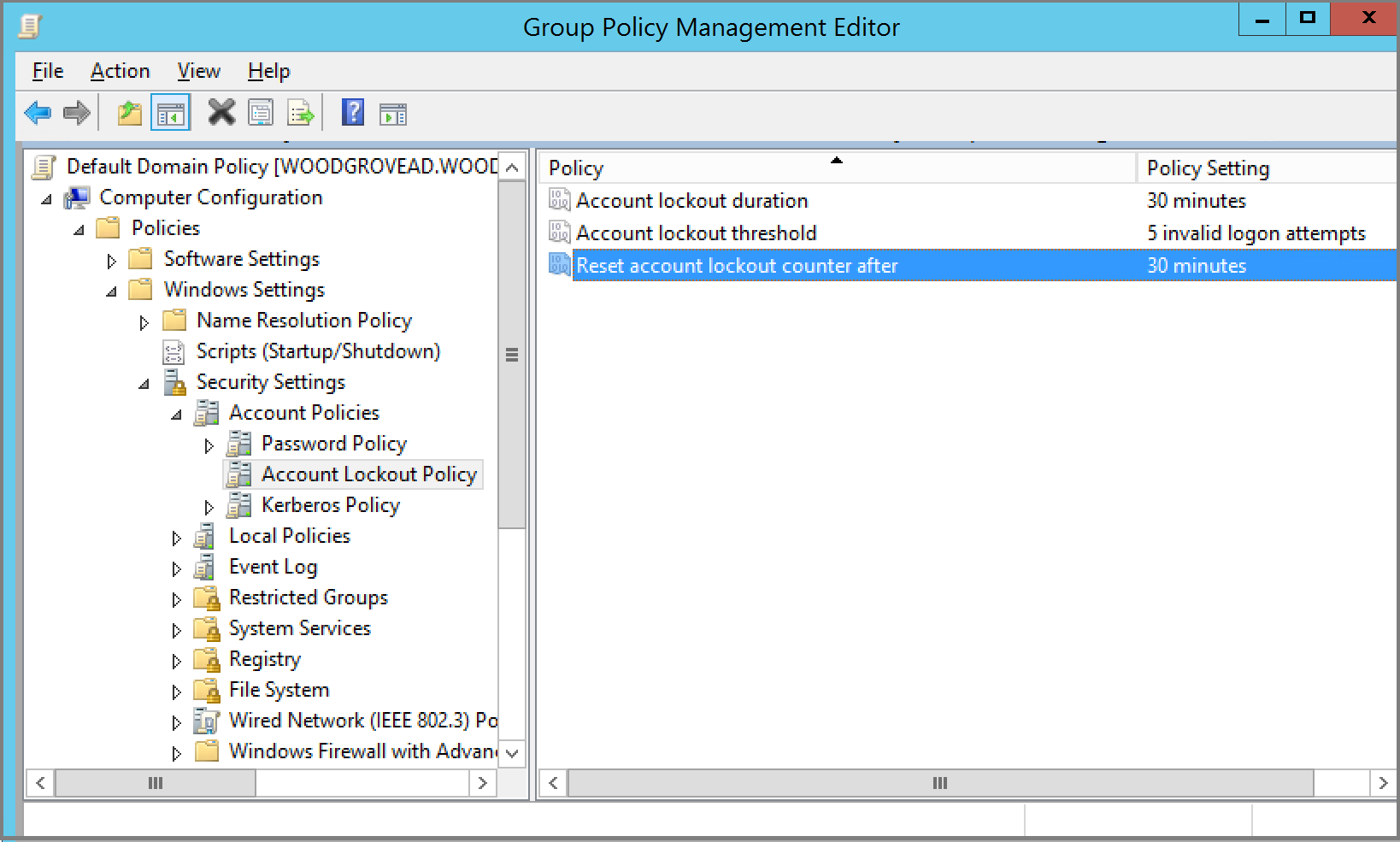
- Account lockout and rate limiting, tuned correctly. NIST SP 800-63-4 requires verifiers to "implement a rate-limiting mechanism" and to disable an authenticator after no more than 100 consecutive failed attempts. Microsoft's Entra ID smart lockout is a practical implementation of this idea at scale: it locks an account after a default of 10 failed attempts, tracks "familiar" versus "unfamiliar" sign-in locations with separate counters so a genuine user's mistyped password doesn't lock out their own access, and lengthens the lockout window after repeated failures to blunt distributed, low-and-slow attacks.
- Breach monitoring and password blocklisting. Screening new passwords against lists of known compromised credentials, now a NIST requirement, closes off the easiest guesses before an attacker ever gets to try them.
- Patching exposed services. Brute forcing targets login endpoints directly, but attackers often pair it with known, unpatched vulnerabilities to skip authentication entirely; understanding how flaws get tracked and prioritized, covered in our explainer on how CVE identifiers and CVSS scores work, is a useful companion to locking down the login itself.
What's Next
Brute forcing isn't going away, but the economics are shifting against attackers. As passkey adoption grows across major platforms and services increasingly require phishing-resistant MFA by default, the pool of accounts with nothing but a guessable password standing between an attacker and the inside of a network keeps shrinking. The practical move for most people is the one every source above converges on: stop relying on a password alone. Turn on a passkey or hardware security key wherever it's offered, let a password manager generate anything that's still password-based, and treat any unexpected MFA prompt you didn't request as a red flag rather than an inconvenience to dismiss.
Frequently asked questions
What is a brute force attack in cyber security?
It's an attack that systematically guesses passwords, PINs, or encryption keys, submitting attempt after attempt until one works, rather than exploiting a software vulnerability. The MITRE ATT&CK framework catalogs it as technique T1110.
How is a brute force attack different from credential stuffing?
Brute forcing guesses at an unknown password using generated combinations or wordlists. Credential stuffing doesn't guess at all; it replays real username and password pairs already exposed in unrelated data breaches, banking on the fact that people reuse passwords across sites.
How is a brute force attack different from a dictionary attack?
A dictionary attack is a faster, more targeted form of brute forcing. Instead of trying every possible character combination, it tries known words, names, and previously leaked passwords, often with common tweaks like swapping an a for an @, which makes it much quicker against predictable passwords.
Can a long password really stop a brute force attack?
Yes, length matters more than complexity. NIST's SP 800-63-4 digital identity guidelines require a minimum of 15 characters for single-factor passwords specifically because each extra character multiplies the number of guesses an attacker must try, while mandatory composition rules like special characters are no longer required.
What is the best defense against brute force attacks?
No single control is sufficient, but passkeys come closest, since there is no shared password sitting on a server for an attacker to guess by trial and error. Pairing unique, long passwords generated by a password manager with phishing-resistant multi-factor authentication and server-side rate limiting covers the rest.
Why do attackers use botnets for brute force attacks?
Spreading login attempts across thousands of IP addresses in a botnet lets attackers avoid tripping per-account lockouts and per-IP rate limits that would otherwise block repeated guesses coming from a single source, a tactic described in CISA, FBI, and NSA advisories on password-spraying campaigns.
Sources
- OWASP – Brute Force Attackcommunity.owasp.org
- CISA/FBI/NSA – Cybersecurity Advisory AA24-290Acisa.gov
- NIST SP 800-63-4 – Digital Identity Guidelines: Authenticationpages.nist.gov
- MITRE ATT&CK – T1110 Brute Forceattack.mitre.org
- Microsoft Learn – Microsoft Entra Smart Lockoutlearn.microsoft.com
- 1Password Blog – Passkey + Secret Key Account Securityblog.1password.com
Sana Qureshi runs the security and privacy desk. She reports on actively exploited vulnerabilities, vendor patches and data breaches, and covers the password managers, VPNs and authentication tools readers use to protect themselves. Her alerts cite vendor advisories, CISA and the CVE record directly.