Bark vs Qustodio vs Net Nanny: Price and Features Compared
Bark, Qustodio, and Net Nanny take different approaches to screen time, filtering, and monitoring. Here is what each actually costs and covers.
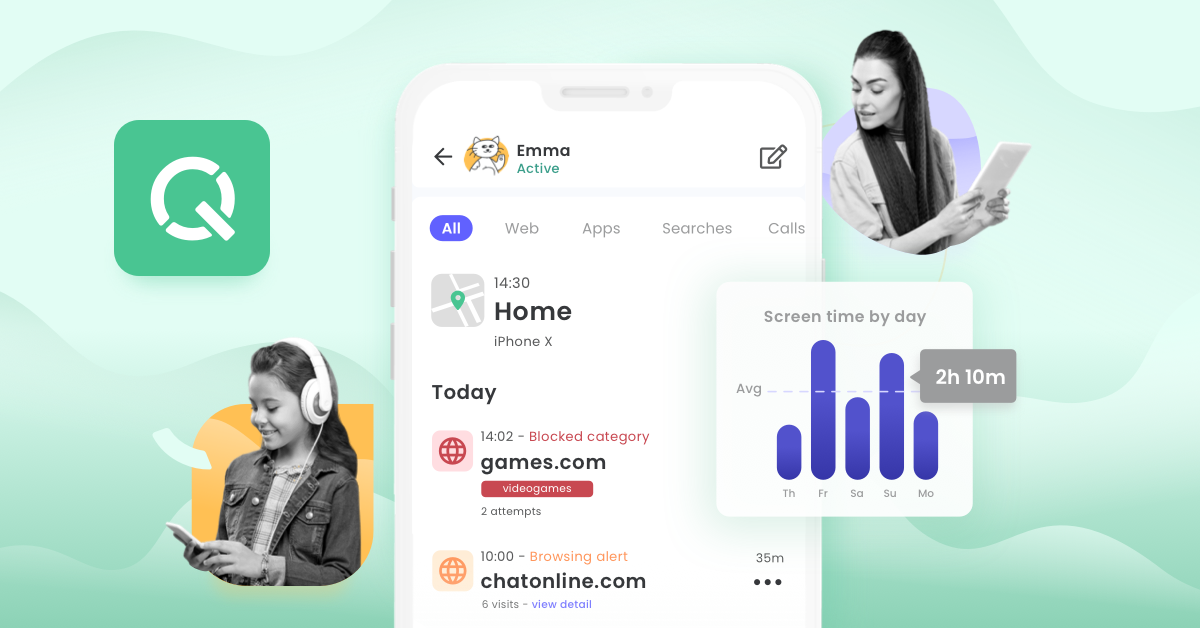
Bark, Qustodio, and Net Nanny are the three parental control apps that show up most often in parents' searches, and each one answers "how do I watch my kid's phone" a different way. Bark leans on AI alerts rather than full message access, Qustodio splits features across a cheaper five-device plan and an unlimited-device plan, and Net Nanny still has no Android app in 2026. Here's what each one actually costs, what it monitors, and which setup fits which family, based on the apps' current pricing and feature pages.
Pricing and plans
All three companies price parental controls as an annual or monthly subscription rather than a one-time purchase, but they structure the tiers very differently.
Bark sells its core software as the Bark App: $14/month or $99/year, and that single subscription covers an unlimited number of children and devices in one household, according to Bark's pricing page. A 7-day free trial is available before you're charged. Bark also sells its own child-safe phones (Bark Phone and Bark Phone Pro, from $29/month service plus a device payment) and a standalone Bark Watch, but those are hardware products layered on top of the same monitoring service — most families comparing software-only options will want the $14/month Bark App.
Qustodio runs two tiers, both billed annually. Basic is $59.95/year (about $5/month) and covers up to 5 devices. Complete is $104.95/year (about $8.75/month), covers unlimited devices, and is the only tier that includes calls-and-messages monitoring and the Care Plus priority-support add-on at no extra cost, per Qustodio's premium plans page. Qustodio backs both plans with a 30-day money-back guarantee.
Net Nanny prices by device count rather than by feature tier. The 1 Desktop plan is $39.99/year and covers a single Windows or Mac computer. The 5-Device Family Protection Pass is $54.99/year (about $11 per device, per year), and the 20-Device pass is $89.99/year (under $5 per device, per year), according to Net Nanny's plans page. Every tier includes the same feature set — Net Nanny doesn't gate features behind higher plans the way Qustodio does.
Screen time controls
All three apps let parents set daily time limits and schedule when a device can be used, but the controls differ in flexibility. Bark's screen time tools let a parent "create custom schedules, or pause everything in one tap," with separate bedtime, school, and free-time windows, per Bark's product overview. Qustodio offers "time limits, scheduled breaks, and internet pauses" along with custom routines for recurring screen-free periods, and a one-tap internet pause. Net Nanny lets parents "set time parameters when they can access the internet," with customizable daily schedules across whichever devices are on the plan.
The practical difference shows up at the margins: Bark's instant pause and schedule presets are built for fast, in-the-moment intervention (stopping screen time at a sports practice, for example), while Qustodio's routines and Net Nanny's scheduling are better suited to a fixed weekly rhythm — school nights versus weekends.
Content and web filtering
This is where the three products diverge the most in philosophy. Bark does not give parents a live feed of every website visited or every message sent by default. Instead it uses "AI-powered safety alerts in over 29 categories," built on contextual language analysis rather than keyword matching, and flags text, images, video, and audio across social platforms in English, Spanish, and Afrikaans, per Bark's homepage. Parents can still block specific websites and apps outright, and customize alert sensitivity by category, but day-to-day browsing isn't logged line by line unless something trips an alert.
Qustodio and Net Nanny both take the fuller-visibility approach. Qustodio blocks or limits inappropriate apps and websites by category and layers AI-powered alerts on top for things like self-harm or explicit content search terms, per its features page. Net Nanny filters across 14 content categories — pornography, drugs, gambling, weapons, and others — and lets parents set each category to allow, alert, or block, per its internet filter page. Net Nanny also emphasizes that its filter analyzes web pages in real time with AI-based detection rather than relying only on a static blocklist, which is meant to catch newly created sites that haven't been categorized yet.
Location tracking
Bark offers live GPS tracking with real-time positioning and location-based alerts, so parents can see a child's location "on the road, at the store, or out with friends." Qustodio's family locator lets parents see where kids are and have been on a map, and set up geofencing-style alerts for saved places like home or school. Net Nanny's location tracking is real-time too, but it's notably narrower on platform support — Net Nanny's own location feature page lists availability for "Windows, Mac, iOS" only, with no Android listed, which matters if a family's phones are mixed Android and iPhone.
Messaging and social media monitoring
Qustodio's social monitoring is the most granular of the three, but it's split by platform. On Android, Qustodio tracks chat alerts across WhatsApp, Instagram, TikTok, Snapchat, and X. On iOS, that narrows to WhatsApp and Instagram message alerts only, and Apple's platform restrictions mean "calls and messages for iOS requires a Windows or Mac computer" to actually review, per Qustodio's features page — you can't see a child's iPhone call and text history from the Qustodio phone app alone. Calls-and-messages monitoring is also a Complete-plan feature; it isn't included on Qustodio Basic.
Bark scans texts and 30-plus social and messaging apps directly for concerning content and surfaces AI-flagged alerts rather than a raw transcript, which is a different trade-off: parents get fewer things to review, but also less of a verbatim record. Net Nanny covers social media protection for TikTok, Instagram, Tumblr, and Facebook, plus YouTube monitoring that surfaces video details and direct links, and can block chat apps outright that aren't age-appropriate, per its social media protection page — but it does not list Snapchat or WhatsApp monitoring the way Bark and Qustodio do.
Platform support: iOS, Android, and beyond
If your family is Android-only, mixed, or iPhone-only, platform support alone may decide this comparison. Bark covers iOS, Android, Chromebooks, Amazon Fire tablets, and computers, per Bark's site — the broadest device list of the three. Qustodio covers Android, iOS, Windows, Mac, Chromebook, and Kindle. Net Nanny currently covers Windows, macOS, and iOS only; there is no Android app, and the 1 Desktop plan doesn't include any mobile platform at all. For a household with an Android phone in the mix, Net Nanny simply won't monitor that device today, regardless of which plan you buy.
| Category | Bark | Qustodio | Net Nanny |
|---|---|---|---|
| Starting price | $14/month or $99/year | $59.95/year (Basic) | $39.99/year (1 Desktop) |
| Top tier | Same plan covers all devices | $104.95/year (Complete) | $89.99/year (20-device pass) |
| Devices covered | Unlimited, one family plan | 5 (Basic) or unlimited (Complete) | 1, 5, or 20 depending on plan |
| Platforms | iOS, Android, Chromebook, Fire tablet, computer | Android, iOS, Windows, Mac, Chromebook, Kindle | Windows, macOS, iOS (no Android) |
| Content filtering style | AI alerts across 29+ categories, not a full log | Category blocking + AI alerts | 14-category AI real-time page analysis |
| Location tracking | Live GPS | Map + saved-place alerts | Real-time, Windows/Mac/iOS only |
| Messaging/social | Texts + 30+ apps, AI-flagged | 5 apps on Android, 2 on iOS; iOS calls/texts need a computer | TikTok, Instagram, Tumblr, Facebook, YouTube |
| Free trial/guarantee | 7-day free trial | 30-day money-back guarantee | Not stated on pricing page |
Setting up each app
All three follow a similar pattern: a parent creates an account and dashboard on a computer or in the parent app, then installs a matching companion app on each child's device. Bark's setup separates the parent dashboard from the child-side app, and iOS users who want deeper text and call visibility can add the optional Bark Sync subscription ($6/month or $49/year) on top of the base plan. Qustodio installs a device-level app on each phone, tablet, or computer being monitored, and the iOS call-and-message gap means a parent will also want the Windows or Mac Qustodio app running somewhere in the house to pull that data. Net Nanny's setup is the most desktop-centric of the three: the Parent Dashboard lives at parent.netnanny.com, and the iOS companion app is scoped to the features Apple allows third-party apps to access on iPhone, which is narrower than what Net Nanny can do on a Windows PC it fully controls.
None of the three require rooting or jailbreaking a device, and all three rely on the child-side app staying installed and the account staying signed in — a determined teenager who uninstalls the app, or signs out, can defeat any of them without some additional device-level restriction (like Apple's Screen Time passcode or a Google Family Link supervision lock) layered on top.
Which app fits which family
A family that wants fewer alerts and more AI triage — rather than reading every message — is the clearest fit for Bark: the $14/month plan covers every kid and device in the house, and the alert-based model is designed to flag only what looks concerning. A family split across an Android tablet, an iPhone, a school Chromebook, and a Kindle is better served by Qustodio, since it's the only one of the three with native support for all of those platforms in a single dashboard — and the Complete plan's unlimited-device pricing ($104.95/year) can be cheaper than Bark for a large household once you factor in that Bark's price is monthly. A family that's Windows- or Mac-centric, cares most about a granular 14-category content filter, and doesn't need Android coverage is the natural fit for Net Nanny, particularly the 20-device pass at under $5 per device per year.
None of these tools replace a broader conversation about online safety. Teaching kids to recognize manipulation tactics — the same instincts that help adults spot a QR code scam or a phishing link — matters alongside whatever software is running in the background. And parental control subscriptions are just one piece of a family's broader digital security setup; many of the same households comparing Bark, Qustodio, and Net Nanny are also deciding how to handle shared logins, which is where a side-by-side look at password manager options like 1Password and Dashlane tends to come up next.
Bottom line
Bark, Qustodio, and Net Nanny all do the core job — screen time limits, content filtering, location tracking, and some level of messaging oversight — but they get there through different trade-offs. Bark trades a full activity log for AI-curated alerts at a flat $14-a-month, family-wide price. Qustodio offers the widest platform support and the most granular social-app monitoring, split across a $59.95 and a $104.95 annual tier. Net Nanny offers the deepest content-category filtering and competitive per-device pricing at scale, but currently leaves Android households out entirely. The right pick comes down to which trade-off — alert volume, platform coverage, or filtering depth — matters most for your family's actual device mix.
Frequently asked questions
Which parental control app is cheapest: Bark, Qustodio, or Net Nanny?
Net Nanny's 1 Desktop plan is the cheapest single-device option at $39.99/year, but it only covers one Windows or Mac computer. For whole-family coverage, Qustodio Basic is $59.95/year for up to 5 devices, while Bark is $14/month ($99/year) for unlimited devices and children in one plan.
Does Net Nanny work on Android phones?
No. As of this comparison, Net Nanny's pricing and feature pages list support for Windows, macOS, and iOS only, with no Android app. Bark and Qustodio both support Android.
Can Bark read my child's actual text messages?
Not by default in a line-by-line way. Bark uses AI-powered alerts across more than 29 categories to flag concerning content in texts and 30-plus social apps, rather than giving parents a full transcript of every message.
Does Qustodio monitor calls and texts on an iPhone?
Only partially. Qustodio's features page states that calls and messages for iOS require a Windows or Mac computer to review, and Qustodio's iOS social-app monitoring covers WhatsApp and Instagram message alerts, versus five apps on Android. Calls-and-messages monitoring is also limited to the Complete plan.
Is there a free trial for any of these apps?
Bark offers a 7-day free trial on its app subscription. Qustodio backs its plans with a 30-day money-back guarantee instead of a trial. Net Nanny's pricing page does not list a free trial.
Which app covers the most social media and messaging platforms?
Bark covers the broadest range, scanning texts plus more than 30 social and messaging apps. Qustodio covers five chat apps on Android (WhatsApp, Instagram, TikTok, Snapchat, X) and two on iOS. Net Nanny covers TikTok, Instagram, Tumblr, and Facebook.
Sources
- Bark — Pricingbark.us
- Bark — Product overviewbark.us
- Qustodio — Premium plansqustodio.com
- Qustodio — Featuresqustodio.com
- Net Nanny — Plansnetnanny.com
- Net Nanny — Internet filter featurenetnanny.com
Sana Qureshi runs the security and privacy desk. She reports on actively exploited vulnerabilities, vendor patches and data breaches, and covers the password managers, VPNs and authentication tools readers use to protect themselves. Her alerts cite vendor advisories, CISA and the CVE record directly.