How to Gift Digital Games on Nintendo Switch and Switch 2
Nintendo is turning on eShop gifting for Switch and Switch 2: send a digital game to a family group member, who accepts it free from their HOME Menu.
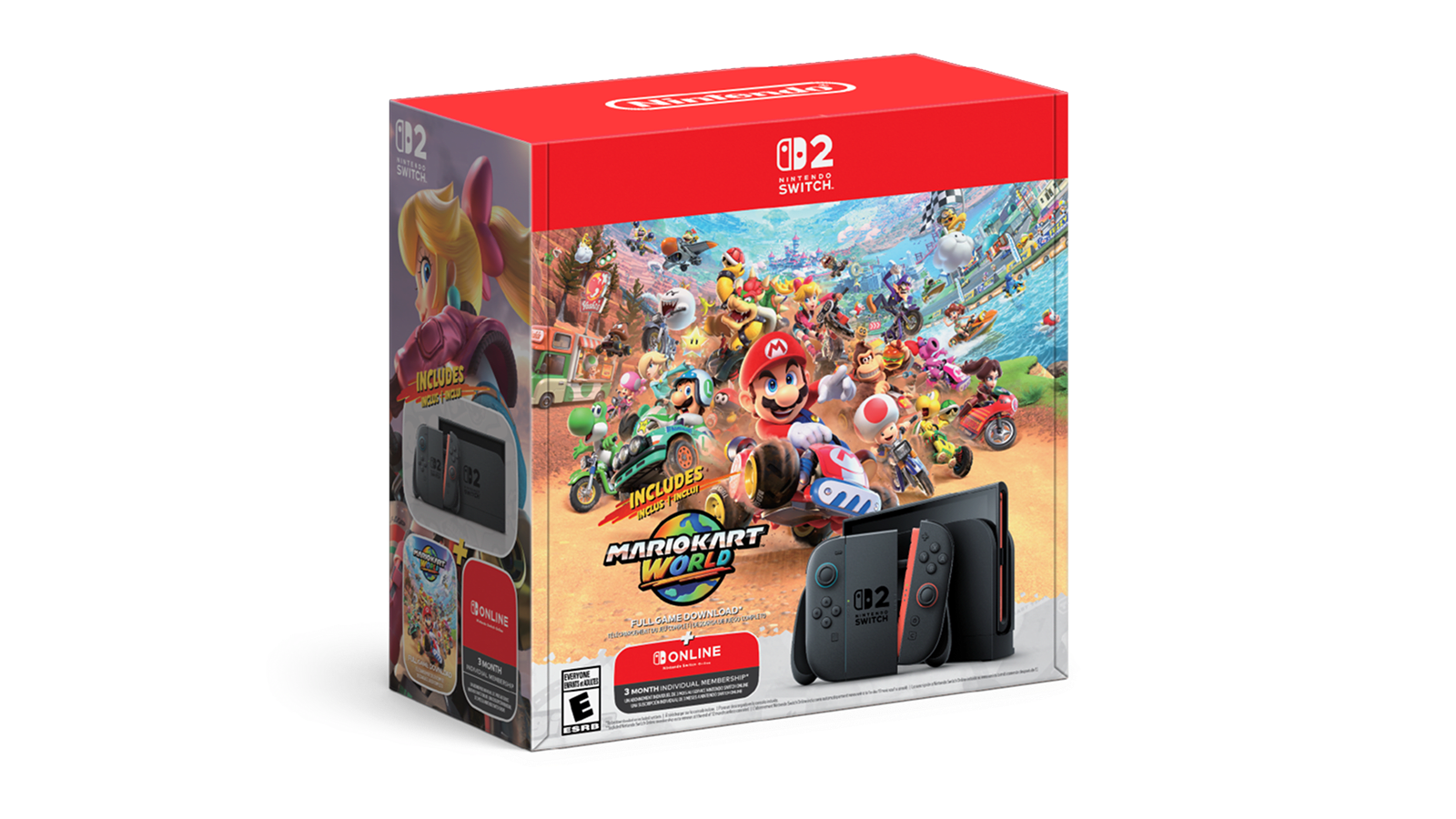
Nintendo is turning on digital gifting for the Nintendo eShop: starting with a server-side update Nintendo has scheduled for November 17, 2026, Switch and Switch 2 owners who have installed system update 23.5.0 will be able to buy a digital game, piece of DLC, or upgrade pack and send it directly to another member of their Nintendo Account family group, who accepts it from their HOME Menu with no code to redeem and no payment details to enter.
The short version
- What: A "Give as a Gift" option on eShop product pages that sends a permanent digital copy to a family group member
- Requires: System update 23.5.0 or later (released November 9, 2026) on both the sender's and recipient's console
- Goes live: After a separate Nintendo eShop update, which Nintendo's own system update notes schedule for November 17, 2026 (some outlets reported November 16 before Nintendo's page confirmed the date)
- Who can receive gifts: Only members of the sender's Nintendo Account family group, which can hold up to 8 accounts
- What's giftable: Eligible Nintendo eShop digital games, DLC, and game upgrade packs
What is Nintendo eShop gifting?
Until now, the Nintendo eShop had no built-in way to buy a digital game for someone else. Nintendo's own support material has long stated plainly that "there is no way to send a gift in the Nintendo eShop," pointing buyers toward prepaid eShop cards or physical download codes instead. The only way to share a digital purchase with family was Nintendo Switch 2's Virtual Game Card system, which lets you lend a copy to a family group member temporarily, not give it away.
That changes with the feature Nintendo is rolling out this month. According to Nintendo's Switch 2 system update notes, version 23.5.0 "added support for an upcoming feature to allow gifting of Nintendo eShop products to a Nintendo Account family group member." In plain terms: you'll be able to buy a game on the eShop and have it delivered straight to a relative's console as their own permanent copy, the same way gifting already works on most other digital storefronts. The option arrives on a console family that, per Wikipedia's background on Nintendo Switch 2, launched in mid-2025 as a successor to the original Nintendo Switch, which never had a native gifting option of its own.
When gifting arrives: system update 23.5.0
Nintendo shipped the groundwork for gifting in a console firmware update before turning the feature on. Nintendo's official Switch 2 update history lists version 23.5.0 as released November 9, 2026, and the equivalent update for the original Nintendo Switch family (Switch, Switch Lite, Switch OLED) landed in the same window. Installing 23.5.0 alone does not unlock gifting — Nintendo's own notes are explicit that the feature "will be available after a Nintendo eShop update, scheduled for November 17, 2026."
That split matters for a how-to guide, because it means two different systems have to line up:
- Your console needs to be running system version 23.5.0 or later (check under System Settings → System → System Update)
- Nintendo's eShop back-end needs to have received its own update, which is a server-side change Nintendo controls, not something you install
Several outlets reported a November 16 start date before Nintendo's own system update page confirmed November 17 for the eShop-side update; this guide uses Nintendo's own stated date. If you open the "Give as a Gift" option before the eShop update rolls out in your region, expect it to be missing or greyed out even on a fully updated console.
Requirements to send or receive a gift
Based on Nintendo's system update notes and its existing Nintendo Account documentation, both sides of a gift transaction need to meet a few conditions:
| Requirement | Sender | Recipient |
|---|---|---|
| System update | 23.5.0 or later | 23.5.0 or later |
| Same family group | Required | Required |
| Account type | Unsupervised (general or admin) account | Any linked account in the group |
| Payment method | Valid payment method or eShop balance on file | None needed — gift is pre-paid |
| Console | Any console linked to sender's account | Recipient picks which of their linked consoles gets it |
The family group requirement is the same one Nintendo uses for Virtual Game Card lending: a Nintendo Account family group "allows up to 8 Nintendo Account users to connect together in one group," made up of one admin account plus general, supervised, and parent/guardian accounts. If you and the person you want to gift to aren't already in the same group, you'll need to set that up first through your Nintendo Account settings before gifting will show as an option.
What you can and can't gift
Nintendo's patch notes describe the feature in general terms — gifting of "Nintendo eShop products" to a family group member — and early previews of the update from outlets that got hands-on access describe eligible items as digital games, downloadable content, and game upgrade packs. Those same previews note that not every storefront listing will carry a "Give as a Gift" option; some products, including certain bundles and subscription-linked items, may be excluded. Nintendo has not published a complete eligibility list, so the safest approach is to check the individual product page: if gifting is supported, the option will appear there once the eShop update is live.
Supervised accounts (Nintendo's parental-controls tier, generally used for children) are described in the same previews as unable to send gifts, though there's no indication they can't receive them from an adult in the same family group.
How to send a gift, step by step
Once the eShop update is live and your console is on 23.5.0 or later, sending a gift is designed to slot into the normal purchase flow rather than requiring a separate "gifting" menu:
- Confirm your family group. Make sure the recipient is already a member of your Nintendo Account family group — add them beforehand if not.
- Find the product on Nintendo eShop. Open the game, DLC, or upgrade pack's product page on your console or in a browser.
- Select "Give as a Gift." On an eligible product page, choose this option instead of the standard purchase button.
- Pick the recipient. Choose which family group member the gift is for.
- Choose their console. Select which of the recipient's linked systems should receive it, since a family member may have more than one.
- Finish checkout. Pay with your usual method or eShop balance; the charge goes to you, not the recipient.
Previews of the update describe an optional step where senders can pick a digital gift-wrap design before completing the purchase — a cosmetic touch rather than anything that changes eligibility or price.
How to redeem a gift you've received
On the recipient's side, there's no code to type in and no separate redemption site. A gift purchase is designed to appear directly on the recipient's HOME Menu, where they open it and accept it to add the game to their library — similar to how a pre-ordered game appears once it unlocks. Because the sender already paid, the recipient doesn't need a payment method on file to accept it.
If you don't see an expected gift, the first things to check are the same two gating requirements above: that your console has installed system update 23.5.0 or later, and that your region's Nintendo eShop has received the server-side update enabling gifting (Nintendo's schedule targets November 17, 2026, but rollout timing can vary slightly by region).
Gifting vs. Virtual Game Cards: not the same feature
It's easy to confuse the new gifting option with Nintendo Switch 2's existing Virtual Game Card system, since both involve family group members and digital games. They solve different problems:
| Gifting (new, Nov 2026) | Virtual Game Card lending | |
|---|---|---|
| Ownership | Recipient gets a permanent copy | Temporary loan only |
| Duration | Forever | Up to 14 days per loan |
| Concurrent limit | No stated cap on titles owned | Up to 3 virtual game cards lent out at once |
| Cost to recipient | Free — sender already paid | Free, but it's borrowed, not owned |
| Return required | No | Yes, or it expires automatically |
According to Nintendo's own Virtual Game Card documentation, lending "up to three virtual game cards to others at a time" is strictly temporary — "borrowers may have one game at a time, on a single console, for up to 14 days unless they return the game earlier." Gifting replaces none of that; it's a separate, permanent transaction that sits alongside lending as another way to share within a family group.
Limits and restrictions to know
A few boundaries are confirmed directly from Nintendo's own materials, and a few others are described only in early previews rather than Nintendo's published text — this guide keeps those separate:
- Confirmed by Nintendo: Gifting requires system update 23.5.0+ and is limited to members of the sender's Nintendo Account family group (maximum 8 members).
- Confirmed by Nintendo: The feature only activates after Nintendo's eShop-side update, scheduled for November 17, 2026.
- Reported by outlets previewing the update, not yet detailed in Nintendo's own published text: a cap exists on how many gift purchases an account can make within a given period, supervised accounts can't send gifts, and some products are excluded from gifting. Nintendo has not published the exact numbers behind that cap or a full exclusion list.
If you're planning a holiday gift around this feature, it's worth checking the product page close to your purchase date rather than assuming every title in your wishlist will support it. For context on what's worth buying right now, Pandromeda's running list of what's actually discounted this Black Friday is a reasonable place to start.
Which platforms and regions are covered
Nintendo's update notes describe the gifting groundwork landing on both halves of the current console family: the Nintendo Switch 2 system update history and the original Nintendo Switch system update history both list version 23.5.0, and both describe the same gifting groundwork and the same November 17, 2026 eShop-update dependency. That means the feature is designed to work between any combination of Switch and Switch 2 consoles within a family group, not just Switch 2-to-Switch 2.
Nintendo's notes don't carve out specific regions, and the update applies broadly across the territories Nintendo's support site already serves. Still, because the feature depends on a server-side eShop update rather than just the console firmware, it's reasonable to expect staggered availability by region in the first days after November 17, the way other eShop-side changes have rolled out unevenly in the past.
Why this matters for Switch-owning families
Digital gifting has been one of the more consistently requested features for Nintendo's platforms, especially compared with PlayStation Store and Xbox, both of which have supported sending a digital game to a friend for years. For a family that's already built up a Nintendo Switch Online membership and game library, the ability to simply buy a sibling or kid a digital copy of something like the Zelda 40th Anniversary Edition and have it show up on their console removes one of the last reasons to default to physical cartridges or prepaid cards for a Switch gift.
What to do next
If you want to be ready to send or receive a gift the moment it works in your region: update every console involved to system version 23.5.0 or later now, confirm the people you plan to gift to (or receive from) are already in the same Nintendo Account family group, and check back on the product page you're interested in on or after November 17, 2026 for a "Give as a Gift" option. If you're setting up a console or buying one for the first time, Nintendo's own how-to-buy page lists where to find a Switch 2 before you start linking family accounts. Because the feature depends on Nintendo's own server-side eShop update rather than anything you control locally, the console update is necessary but not sufficient — patience on launch day is part of the process.
Frequently asked questions
When does Nintendo eShop gifting actually start?
System update 23.5.0, which adds support for gifting, was released on November 9, 2026. The gifting option itself only switches on after a separate server-side Nintendo eShop update, which Nintendo's own system update notes schedule for November 17, 2026. Some outlets reported a November 16 start date before Nintendo's page confirmed the 17th.
Do I need to update my Nintendo Switch or Switch 2 to use gifting?
Yes. Both the sender's and the recipient's console need to be running system update 23.5.0 or later. You can check and update your version under System Settings, then System, then System Update.
Can I send a gift to anyone, or only people in my family?
Only to members of your own Nintendo Account family group. A family group can hold up to 8 accounts, and gifting does not extend to friends or anyone outside that group.
What exactly can I gift on the Nintendo eShop?
Nintendo's patch notes describe gifting of eligible Nintendo eShop products, and previews of the feature point to digital games, downloadable content, and game upgrade packs. Not every product is guaranteed to support it; check for a "Give as a Gift" option on the specific product page.
Is eShop gifting the same as lending a Virtual Game Card?
No. Gifting gives the recipient a permanent copy they keep forever, while Virtual Game Card lending is temporary: Nintendo's own guide says borrowers get one game at a time for up to 14 days, with up to three virtual game cards lent out at once.
Does the recipient need to pay or enter a code to get their gift?
No. The sender pays during checkout, and the gift is designed to appear directly on the recipient's HOME Menu for them to accept, with no download code to redeem and no payment method required on their end.
Sources
- Nintendo Switch 2 System Update Information (Nintendo Support)en-americas-support.nintendo.com
- Nintendo Switch System Update Information (Nintendo)nintendo.com
- What Is a Nintendo Account Family Group? (Nintendo Support)nintendo.com
- Nintendo Switch 2 Virtual Game Cards (Nintendo)nintendo.com
- How to Buy Nintendo Switch 2 (Nintendo)nintendo.com
- Nintendo Switch 2 (Wikipedia)en.wikipedia.org
Jonah Reyes leads Pandromeda's gaming coverage: console and handheld hardware, release dates, pricing changes, patch notes and the business moves behind the biggest franchises. He sources every date and price from the platform holders and publishers themselves, and says plainly when something is still only a rumour.