What Is OpenAI Dots? Access, Price, and How It Works
OpenAI launched Dots, always-on personal AI agents with their own cloud computer and browser, at DevDay. Here is what they do, who can use them, and the price.
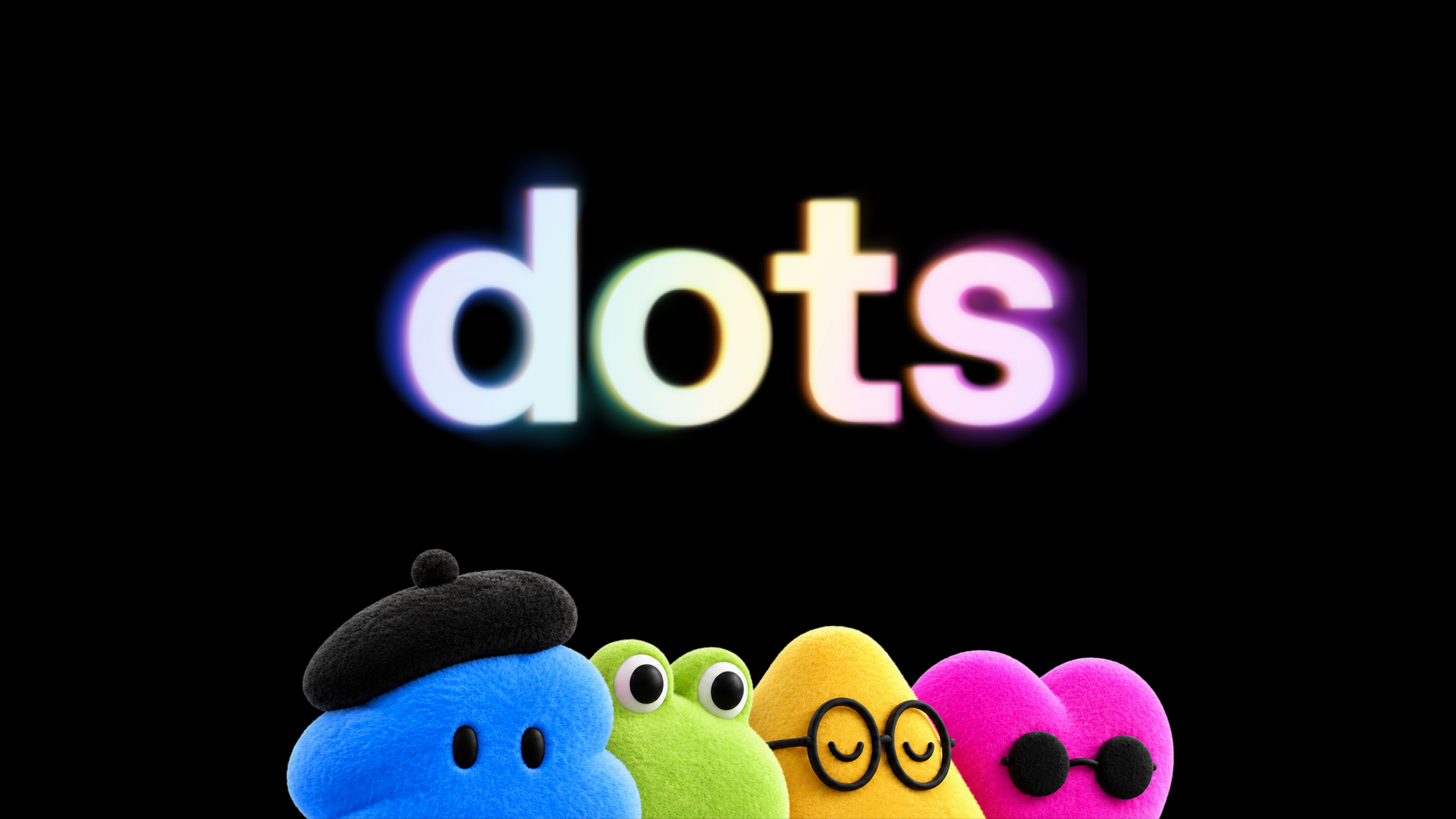
OpenAI Dots are always-on AI agents inside ChatGPT that work toward a goal you give them around the clock, using their own cloud computer and browser instead of waiting for you to type a new prompt each time. OpenAI unveiled Dots at its DevDay event on September 29, 2026, and started rolling them out the same day to Pro and Business Premium subscribers in eligible markets, with a beta for Enterprise, Edu, and Healthcare workspaces that a workspace admin has to switch on. Free, Go, and Plus subscribers do not get a Dot at launch, and Pro access does not yet extend to the European Economic Area, Switzerland, or the UK.
- Launched: September 29, 2026, at OpenAI DevDay
- Powered by: GPT-6 Astra
- What it is: an always-on agent with its own cloud computer, browser, and memory
- Who gets one at launch: Pro and Business Premium plans (not Free, Go, or Plus)
- Not yet available to Pro users in: the EEA, Switzerland, and the UK
- Price: the first dot is included in Pro or Business Premium, no separate fee
- App connections: OpenAI says 4,000+ apps through its plugin ecosystem
What is OpenAI Dots?
A dot is a persistent, named AI agent that lives inside your ChatGPT account. Instead of a single back-and-forth conversation, you give it an ongoing goal — manage a project, keep tabs on a topic, follow through on a task — and it keeps making progress on that goal between conversations, checking in when it needs a decision from you. In its official launch announcement, OpenAI describes dots as "remarkably capable, always-on agents built to handle everything," distinguishing them from a normal ChatGPT chat or a one-off Codex task, which both stop and wait for your next prompt.
Each dot is powered by GPT-6 Astra, the model OpenAI introduced alongside the product. You create your first dot, give it a name and an avatar, and it starts building context from ChatGPT memory and the apps you connect. OpenAI says the more you work with a dot, the more it learns your preferences, how you think, and what "good" looks like for your work — in other words, its usefulness is meant to compound over time rather than reset with every session.
How do Dots actually work?
The core idea behind Dots is that each one runs on infrastructure that belongs to it, not to a single chat window, as TechCrunch's direct coverage of the DevDay unveiling also noted:
- Its own cloud computer and browser. Every dot gets a dedicated cloud computer with its own browser that you can open at any time to watch it work. OpenAI says this environment is kept separate from your personal devices unless you explicitly connect one.
- Thousands of app connections. Through what OpenAI calls its plugin ecosystem, a dot can connect to more than 4,000 apps, though — per OpenAI's own wording — the apps actually available to any given user "may vary."
- Persistent memory. A dot inherits context from your existing ChatGPT memory and builds its own memories as it works, including from the apps you've connected, so it can carry context across a long project instead of starting from zero each time.
- Multiple surfaces. You can talk to your dot inside ChatGPT on desktop, web, or mobile, and — once set up from desktop — message it through Slack or Microsoft Teams as well. OpenAI says a dot "carries context across every channel."
- Optional access to your own machine. A dot's cloud computer is separate from your laptop by default. You can opt in to let it use your local machine too, which OpenAI positions as useful when a task needs a tool or browser session only your computer has.
Day-to-day, you can hand a dot a task, review what's "In progress," "Scheduled," or "Completed" from its profile, and open its computer directly to inspect what it's doing. It can also schedule recurring work on its own, such as checking your calendar every morning, and it proactively researches in connected apps in the background — though OpenAI restricts that background research to read-only access, so a dot can't send a message, change content in an app, or take over your browser without you asking it to first.
Who can access OpenAI Dots right now?
This is the part where secondhand coverage of the launch has been inconsistent — some outlets described the eligible tiers as "Pro, Business, Premium, Enterprise," others as "Pro, Business Premium, and Enterprise." Based on OpenAI's own help center article on getting started with your dot, the accurate breakdown is this: there is no separate "Premium" ChatGPT plan. The eligible tiers are Pro, Business Premium (a tier within Business, not Business itself), and Enterprise — with Enterprise, Edu, and Healthcare workspaces all needing a workspace admin to flip on the beta, since it's off by default.
| ChatGPT plan | Dots access at launch | Notes |
|---|---|---|
| Free | No | Not part of the initial rollout |
| Go | No | Not part of the initial rollout |
| Plus | No | Not part of the initial rollout |
| Pro | Yes, in eligible markets | Excludes the EEA, Switzerland, and the UK at launch; users must be 18 or older |
| Business (standard) | No | Only the Business Premium tier qualifies |
| Business Premium | Yes | Available in all supported ChatGPT regions, subject to workspace eligibility settings |
| Enterprise / Edu / Healthcare | Beta only | Off by default; a workspace admin must turn it on |
OpenAI's help center is explicit that the Pro rollout excludes "the European Economic Area, Switzerland, and the UK," which — since the EEA includes Norway, Iceland, and Liechtenstein alongside the EU's member states — effectively covers the full list of European markets where Pro subscribers don't yet get a dot. OpenAI hasn't given a specific date for lifting that restriction, only saying it plans "to expand dots to more users soon." Rollout is also gradual even within eligible markets, so OpenAI cautions that access "may take several days to reach your account" after you become eligible.
How much does OpenAI Dots cost, and are there usage limits?
OpenAI's own wording is that "your first dot is included in your Pro or Business Premium plan at no extra cost" — there is no separate Dots subscription at launch. That means the cost of a dot, for now, is whatever you're already paying for Pro or Business Premium; this guide is not treating any third-party-reported dollar figure for Pro or Business Premium as confirmed unless OpenAI states it directly on its own pricing pages.
On usage: conversations with your dot do not count against your normal ChatGPT usage limits. However, when you ask your dot to kick off or manage tasks inside Codex or ChatGPT Work, those tasks do count toward your usual usage limits. OpenAI also says your plan includes "an allowance for deeper work, with extended limits for the first month after launch," and that it will publish specific usage terms for each plan once that initial period ends — in other words, exactly how usage is metered long-term is not yet fully public. OpenAI has said that over time you'll be able to add more dots to an account and scale up an individual dot's speed or total monthly workload, implying tiered add-on pricing is coming, though no numbers have been announced.
Can you use OpenAI Dots on your phone?
Partly. You can talk to an existing dot from the ChatGPT mobile app on iOS or Android once it's been created, but OpenAI's support documentation says a dot must first be created in the ChatGPT desktop app or on desktop web — and some setup tasks, like connecting messaging channels such as Slack or texting, still require desktop. Dots are not supported on mobile web at all. If you're hoping to spin one up purely from your phone's browser, that currently isn't an option.
Texting is the most limited piece of the rollout: OpenAI describes it as a third-party-powered "limited beta" available only to Pro subscribers in the US, and it is not available on Business or Enterprise workspaces at all. Even among eligible Pro users, OpenAI says access "may not be available to every" one. That's a narrower rollout than OpenAI's own DevDay-day framing of texting as a feature "coming soon" — in practice, a small U.S. slice of Pro users had it in limited beta as this guide was written, while broader availability is still pending.
OpenAI Dots vs. Meta Muse vs. Google Gemini Spark
Dots arrived into a category that two other major AI labs had already started building out. Meta launched its own always-on personal agent, Muse, about three weeks earlier — as Engadget reported directly from Meta's own announcement — and Google has been rolling out a comparable product, Gemini Spark, inside the Gemini app. All three share the same basic premise — an agent that keeps working on a dedicated piece of cloud infrastructure after you close the app — but the specifics differ, and some of what's circulating about each one is still being reported rather than officially confirmed by all three companies.
| OpenAI Dots | Meta Muse | Google Gemini Spark | |
|---|---|---|---|
| Underlying model | GPT-6 Astra | Muse Spark | Reported as a Gemini Flash variant; exact version varies by report |
| Own cloud environment | Yes — dedicated cloud computer + browser per dot | Yes — Meta says each user's agent runs on a dedicated virtual machine | Reported to run on Google's own cloud infrastructure |
| Where it lives | ChatGPT (desktop, web, mobile), plus Slack/Teams | Dedicated Muse app, muse.ai, WhatsApp | Gemini app |
| Launch access | Pro and Business Premium (Enterprise beta); not Free/Go/Plus; Pro excludes EEA/Switzerland/UK at launch | Meta says a free tier will cover "most of what people need," with paid options for heavier use; exact pricing not detailed in Meta's own announcement | Reported rollout to paid Google AI subscribers, details still limited |
| Confirmed by | OpenAI's own launch page and help center | Meta's own announcement, as reported directly by outlets covering the launch | Mostly secondary coverage; treat specifics as unconfirmed |
If you're trying to decide between them, the honest answer right now is that the category is too new for a clean apples-to-apples comparison. OpenAI's pitch leans on its existing ChatGPT user base and enterprise tooling, including work with Microsoft to plug "specialist dots" into Microsoft's Agent 365 governance controls. Meta's pitch is built around its massive consumer messaging footprint, with Muse reachable straight from WhatsApp, and Meta has signaled plans to connect Muse to its smart glasses. If you already use Meta's Muse Spark model for other tasks, it's worth watching how that same model performs inside Muse's agent framework versus GPT-6 Astra inside Dots, since the underlying model is doing a lot of the heavy lifting in both products. Google's Gemini Spark is the least documented of the three in official channels so far, so it's the hardest to evaluate with confidence today.
What safety and privacy controls does OpenAI put on Dots?
Because a dot can act on your behalf with less direct oversight than a normal ChatGPT conversation, OpenAI has built in several layers of control, detailed on its own safety, security, and privacy page for dots:
- Read-only background research. When a dot works in the background without a new message from you — what OpenAI calls "proactive research" — it's restricted to read-only access to your connected apps, so it can't send messages, change content, or take over your browser or computer on its own.
- Custom rules and approvals. You can set rules for specific actions — take action without asking, take action only if pre-approved, ask before taking action, or hand off to you entirely — and OpenAI says certain sensitive tasks, like changing a password, always stay with the user regardless of your rules.
- Separated credentials. For signing into supported websites, OpenAI says a dot can use your saved passwords "without exposing them to the model."
- Monitoring for misuse. OpenAI says built-in safeguards are designed to defend against malicious instructions and monitor for harmful behavior, and that its monitoring system can pause or stop a dot's work if it detects a safety concern.
- Enterprise data controls. OpenAI says it does not use content from ChatGPT Business, Enterprise, or Edu workspaces to improve its models by default; on personal plans, you can control whether your dot's conversations and work help improve OpenAI's models through existing ChatGPT data controls.
Even with those guardrails, OpenAI is upfront that "dots can still make mistakes" and recommends reviewing consequential work rather than assuming it's correct. That's a fair caution for any agentic system: the industry has already coined a term, workslop, for exactly the kind of unreviewed, low-quality AI output that costs more time to fix than it saves — a risk that scales up, not down, the more autonomously an agent is allowed to operate.
What's next for OpenAI Dots?
OpenAI has been clear that the version of Dots available today is a starting point, not the finished product. On the roadmap, as described in OpenAI's own launch materials:
- Teams of dots. OpenAI says that "over time, we envision teams of dots working together on your behalf" — rather than one dot handling everything, multiple specialized dots collaborating on different parts of a project.
- Wider rollout. OpenAI says it plans "to expand dots to more users soon," which should eventually bring in the EEA, Switzerland, and UK Pro markets currently excluded, though no firm date has been given.
- Text messaging. Full texting support is described as "coming soon" on OpenAI's launch page, even as a limited, US-only Pro beta is already live through a third-party provider.
- More dots per account, and scalable output. OpenAI says you'll eventually be able to add more dots to one account and scale an individual dot's speed or total monthly workload — groundwork for usage-based pricing tiers that haven't been detailed yet.
- Specialist dots for business. Beyond your personal dot, OpenAI is piloting "specialist dots" with their own identity, credentials, and access to a company's systems of record for tasks like procurement, invoice processing, and customer support, including a partnership with Microsoft to manage specialist dots through Agent 365's governance and security tools.
For now, the practical takeaway is simple: if you're on ChatGPT Pro outside the EEA/Switzerland/UK, or on Business Premium, you can try a dot today at no extra cost beyond your existing plan. If you're on Plus, Free, or Go — or a Pro subscriber in one of the excluded markets — you'll need to wait for OpenAI's next phase of the rollout, or watch how Meta's Muse and Google's Gemini Spark evolve in the meantime as alternatives in the same always-on-agent category, including OpenAI's own other recent ChatGPT feature launches that show how fast the assistant is expanding beyond chat.
Frequently asked questions
What is OpenAI Dots?
OpenAI Dots are always-on AI agents inside ChatGPT. Each dot gets its own cloud computer and browser, runs on GPT-6 Astra, and works toward a goal you set, checking in with you for decisions rather than waiting for a new prompt every time.
How much does OpenAI Dots cost?
OpenAI says the first dot is included in a Pro or Business Premium plan at no extra cost. There is no separate Dots subscription at launch, though OpenAI has said usage terms and options to add more dots will be detailed later.
Can ChatGPT Plus users get a Dot?
Not at launch. OpenAI's initial rollout covers Pro and Business Premium subscribers, plus a beta for Enterprise, Edu, and Healthcare workspaces. Free, Go, and Plus are not included in the initial rollout.
Is OpenAI Dots available in the UK and EU?
Not yet for Pro subscribers. OpenAI's help center says the Pro rollout excludes the European Economic Area, Switzerland, and the UK at launch. Business Premium is available in all supported ChatGPT regions.
Can you use a Dot on your phone?
You can message an existing dot from the ChatGPT mobile app on iOS or Android, but OpenAI's support documentation says dots must be created on desktop or desktop web, and dots are not supported on mobile web at all.
How is OpenAI Dots different from Meta's Muse?
Both are always-on agents that run on their own dedicated cloud environment, but Dots lives inside ChatGPT (and Slack/Teams) and launched first to Pro and Business Premium users, while Meta's Muse launched roughly three weeks earlier with its own app, muse.ai, and WhatsApp integration and a free tier Meta says will cover most everyday use.
Sources
- OpenAI: Introducing dots (official launch page)openai.com
- OpenAI Help Center: Getting started with your dothelp.openai.com
- OpenAI: How we build safety, security, and privacy into dotsopenai.com
- TechCrunch: OpenAI launches Dots, its bubbly agentic avatartechcrunch.com
- Engadget: Meta reveals its AI agent that can shop, send emails and plan trips on your behalfengadget.com
Theo Park runs the AI desk at Pandromeda. He follows model launches from the frontier labs and the open-weight community, tracks the assistants and developer tools built on them, and explains what each release changes on pricing, capability and safety. His reporting leans on primary sources: model cards, technical reports, API documentation and the companies' own announcements.