ChatGPT Space Rolls Out to Plus: What It Is and How to Use It
OpenAI's shared-page workspace just reached Plus accounts worldwide, retiring the old Library tab for anyone who gets it.
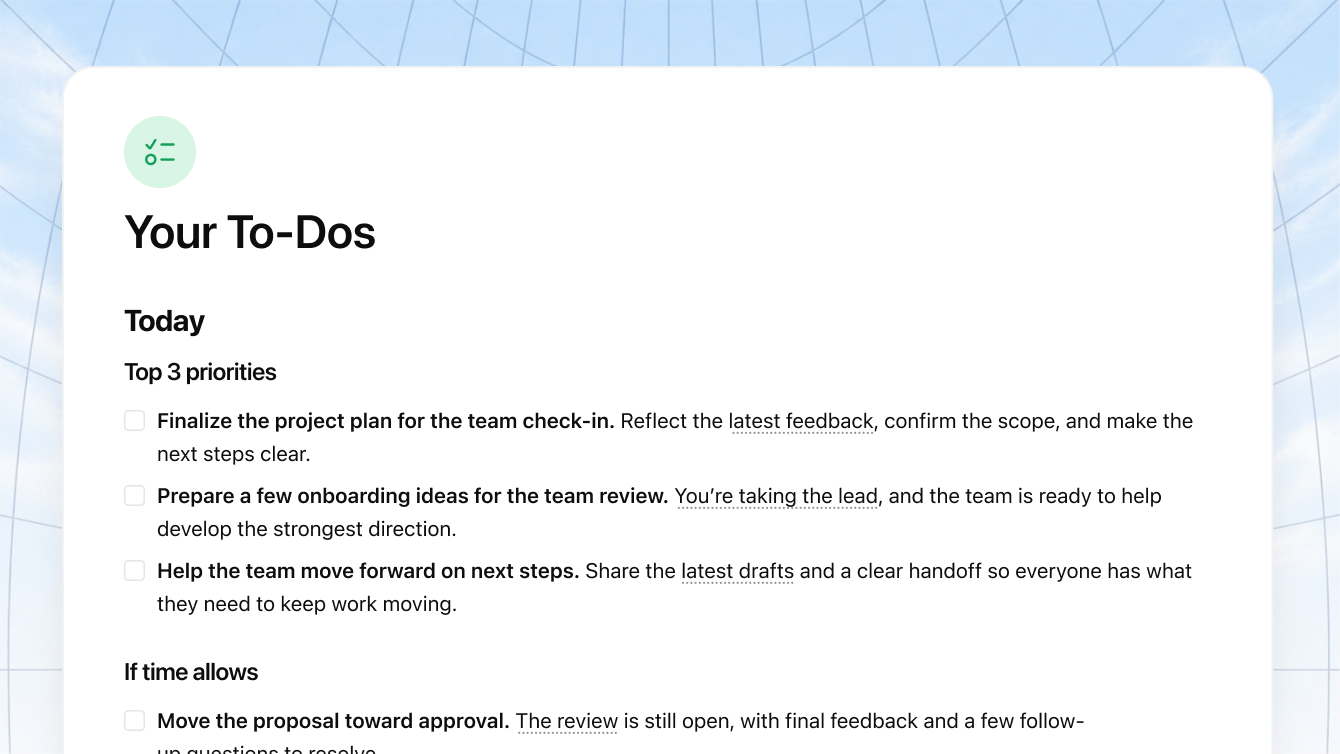
ChatGPT Space is OpenAI's workspace inside ChatGPT for creating, uploading and sharing pages and files — and as of November 20, 2026, OpenAI's own release notes confirm it is rolling out globally to Plus-tier subscribers aged 18 and older, where it replaces the old Library tab. Pro, Business and Enterprise accounts have had access since late September. Here is exactly what changed, who has it today, and how it works on web, desktop and mobile.
- What: a home inside ChatGPT for the pages, slides, images and uploaded files you create and share, grouped into "spaces."
- Plus rollout date: November 20, 2026, per OpenAI's ChatGPT release notes; global, staged, ages 18+ only.
- Already had it: Pro, Business and Enterprise accounts since around September 29, 2026.
- Replaces: the Library tab, for any account that gets Space access. Projects is a separate, unchanged feature.
- Platforms: full page creation and editing on web and desktop; iOS and Android can view, find, share and navigate pages, with editing also available but flagged by OpenAI as sometimes unreliable.
What is ChatGPT Space?
Space is OpenAI's name for the place inside ChatGPT where your documents live. According to OpenAI's help center article on getting started with Space, a "page" is an editable document — a project brief, meeting notes, a tracker, a slide deck — that you create by asking ChatGPT or by writing directly in Space. A "space" is the container: every account gets a personal space automatically, and you can create additional named spaces for a topic or a team. Spaces can hold folders, pages and subpages, so a summary page can sit next to the material that supports it.
OpenAI's own product page for the feature describes it the same way: Space is "the home for the pages and files you create, upload, and share in ChatGPT." Pages can include text, charts, trackers and other interactive elements, and — unlike a plain chat transcript — they're meant to be revised, reorganized and handed off to other people.
Who gets ChatGPT Space now: the Plus rollout
The news here is the Plus-tier expansion. OpenAI's ChatGPT release notes carry an entry dated November 20, 2026 stating that Space "is rolling out globally to Plus users ages 18 and older" and that it "replaces Library" for those accounts, becoming the new home for pages, slides, images and uploaded files. Because the rollout is staged, not every Plus account will see it on day one — OpenAI's getting-started guide notes that Space arrives gradually and recommends updating the desktop app if it hasn't appeared yet.
Before this, Space belonged only to the higher tiers. An earlier release-notes entry dated September 29, 2026 introduced Space as available to "eligible Pro, Business, and Enterprise users" on the ChatGPT desktop app and web, with the same note that it replaces Library for accounts that have access while Projects stays separate. OpenAI's Slides feature inside Space followed on October 16, 2026, also limited at the time to Pro, Business and Enterprise accounts with Space access. OpenAI's current product page for Space now lists it as available on Plus, Pro, Business and Enterprise plans — Free accounts are excluded, and shared pages can't be opened on a Free account. Business and Enterprise workspaces with data residency in Canada or the UAE are listed as "coming soon" rather than live yet.
One tier distinction survives the Plus rollout: as OpenAI's ChatGPT Work page notes, "Dots," OpenAI's AI-assistant feature that can work inside a space alongside human collaborators, remains limited to Pro, Business Premium and Enterprise plans in eligible markets. Plus users get Space itself, not Dots.
What changed versus Library
Library was previously the tab where ChatGPT kept images, generated files and other saved outputs. For any account that now has Space, that tab is gone — OpenAI's help center is explicit that Space "replaces Library" rather than sitting alongside it. The practical difference is that Library was mostly a passive archive, while Space is built around active, shareable, multi-person documents: you can invite other people to a page, assign them view or edit access, and keep working on the same document instead of just storing a file you made once. Anything that used to land in Library — generated images, uploaded files, exported slides — now lands inside a page or space instead, so there's no second place left to check for it.
ChatGPT Space vs. Projects: not the same feature
It's easy to confuse Space with Projects, OpenAI's existing feature for grouping chats, files and custom instructions around a single piece of work. They are not the same thing, and OpenAI's documentation is careful to say so: creating or using a space doesn't replace your Projects, and the two are described as serving different jobs — Projects organizes conversations and context, while Space organizes documents and pages that people (not just you) can open and edit.
| Feature | Library (old) | Projects | Space |
|---|---|---|---|
| What it holds | Saved images and generated files | Chats, files and instructions for one piece of work | Editable pages, slides, images and uploaded files |
| Shareable with others? | No | No (personal organization) | Yes — view or edit access per person |
| Real-time co-editing | No | No | Yes, for people with edit access |
| Status after Nov 20, 2026 | Removed for accounts with Space | Unchanged, still exists | New home for documents on Plus, Pro, Business, Enterprise |
How to use ChatGPT Space
Getting started doesn't require a separate app or setup step beyond having an eligible plan. OpenAI's instructions boil down to a few actions:
- Create a space: ask ChatGPT to create one and give it a name, for a topic or a team. Every account also has a default personal space already.
- Create a page: start from an existing conversation by asking ChatGPT to turn it into a page and describing what should be in it, write directly inside Space, or start from a template on the Space home screen. When you ask for a page, say which space it should live in.
- Edit it: ask ChatGPT to revise the whole page or just one section, or edit the text yourself directly. Comments are for feedback on a specific passage; chatting with ChatGPT is for broader changes.
- Organize it: nest pages as subpages under a parent page, and move pages around within a space, as long as you have edit access to both the page and its destination.
- Share it: select Share, choose the people you want, and set each person's access to view or edit. OpenAI's help center is explicit that "people with edit access can make changes together in real time" — several people can be in the same page at once.
OpenAI also flags a couple of things worth knowing before you rely on a shared page: deleting a page sends its subpages to Trash too, including subpages owned by other people, and the company recommends checking names, dates, calculations and sources before you share anything out.
Sharing, Memory and data: what collaborators can see
Because Space is built for multi-person editing, OpenAI publishes a separate help-center article on sharing, data and controls. The headline points: sharing a page does not expose your private chats or your personal Memory to collaborators, and each person works through their own ChatGPT account. However, anything ChatGPT writes onto a shared page — including content drawn from your Memory while you were writing it — becomes visible to anyone who can view that page, and they may retain it in their own Memory even if yours is turned off. Files uploaded directly into a page follow that page's own permissions; a link to a file stored somewhere else does not grant access to the original file.
On training data, the rule follows plan type rather than the Space feature itself: on Free and Plus personal accounts, whether content can be used to improve OpenAI's models follows each person's own "Improve the model for everyone" setting in Data Controls. On Business and Enterprise plans, OpenAI does not train on workspace data by default. In Business and Enterprise workspaces, an administrator's sharing settings also apply on top of individual choices, and enterprise admins may need to turn sharing on before it works for their users. Only the page's creator or owner can delete it outright, and owners can review who has access, change individual permissions, or revoke a collaborator's access at any time.
Platform availability: web, desktop and mobile
Full page creation and editing works on the web and in the ChatGPT desktop app. On mobile, OpenAI's documentation says iOS and Android can also edit pages — but it separately notes that editing on mobile can fail, and its fix is simply to open the same page on the web if that happens. Regardless of whether editing cooperates, mobile reliably supports finding, reading, sharing and navigating between pages and subpages, including through Space search or ChatGPT's global search.
Which ChatGPT plan do you need?
Space itself doesn't carry a separate price — you need a paid ChatGPT plan that includes it. As of the November 20, 2026 rollout, that means Plus, Pro, Business or Enterprise, per OpenAI's current product page for the feature. Free accounts cannot create spaces, cannot be given edit access to someone else's page, and cannot open a page shared via a public link, because public links for Space pages aren't available at all. You also have to be 18 or older to use Space, a restriction OpenAI states directly in its November 20 release note.
Limitations to know before you rely on it
- The rollout is staged — OpenAI's own guidance is to update the ChatGPT desktop app and wait if Space hasn't appeared on an eligible Plus account yet.
- Free users are locked out entirely, including from opening a page someone else shares with them.
- Business/Enterprise workspaces using Canada or UAE data residency don't have Space yet; OpenAI lists it as "coming soon" for those configurations.
- Dots, the AI-collaborator feature built for working inside a space, is still restricted to Pro, Business Premium and Enterprise — it isn't part of the Plus rollout.
- Mobile editing is available but inconsistent; treat web or desktop as the reliable option for actually writing a page.
What's next
Expect Space to keep absorbing more of what Library used to hold as OpenAI continues the staged rollout to the rest of its Plus user base, and for the Canada/UAE data-residency gap to close once those workspace configurations catch up. For now, if your account is on Plus and you don't see Space yet, the only documented fix is to make sure your ChatGPT app is updated and check back — OpenAI hasn't published a manual opt-in. If you're deciding whether a shared, editable workspace feature like this fits your own team's workflow, it's worth comparing how competing products handle shared documents and data, and how other companies are staggering feature access by subscription tier the way OpenAI just did — Microsoft's recent tiered rollout of Agent 365 follows a similar pattern. OpenAI has also been shipping lower-profile infrastructure work alongside consumer features like Space, including its open-source Shirudo security project with Cisco.
Frequently asked questions
What is ChatGPT Space?
ChatGPT Space is a home inside ChatGPT for the pages, slides, images and uploaded files you create, upload and share. Pages are editable documents that multiple people can open and work on together, grouped into "spaces" that can also contain folders and subpages.
Who can use ChatGPT Space now?
As of OpenAI's November 20, 2026 release notes, Space is rolling out globally to Plus users ages 18 and older. Pro, Business and Enterprise accounts have had access since around September 29, 2026. Free accounts cannot use Space or open shared pages.
Does ChatGPT Space replace Library?
Yes, for any account that gets Space. OpenAI's help center says Space "replaces Library" and becomes the new home for pages, slides, images and uploaded files that Library used to hold.
Is ChatGPT Space the same as Projects?
No. Projects is OpenAI's existing feature for organizing chats, files and instructions around one piece of work, and it still exists unchanged. Space is a separate feature for creating and sharing editable pages with other people.
Can I edit ChatGPT Space pages on my phone?
OpenAI's documentation says iOS and Android can edit pages, but notes that mobile editing can be unreliable and suggests opening the page on the web if it fails. Finding, reading, sharing and navigating pages works reliably on mobile.
Does ChatGPT Space cost extra?
No separate price. You need a ChatGPT Plus, Pro, Business or Enterprise plan to create or edit pages in Space; it isn't available on the Free plan.
Sources
- OpenAI Help Center: ChatGPT release noteshelp.openai.com
- OpenAI Help Center: Getting started with Space in ChatGPThelp.openai.com
- OpenAI Help Center: ChatGPT Space sharing, data, and controlshelp.openai.com
- OpenAI: ChatGPT Space (product page)chatgpt.com
- OpenAI: ChatGPT Work for every teamopenai.com
Theo Park runs the AI desk at Pandromeda. He follows model launches from the frontier labs and the open-weight community, tracks the assistants and developer tools built on them, and explains what each release changes on pricing, capability and safety. His reporting leans on primary sources: model cards, technical reports, API documentation and the companies' own announcements.