Visual Studio Bring Your Own Model Is Now Generally Available
Microsoft has moved Bring Your Own Model out of preview in Visual Studio 2026 version 18.12, letting GitHub Copilot Chat run on OpenAI, Anthropic, Foundry, Ollama or custom endpoints.
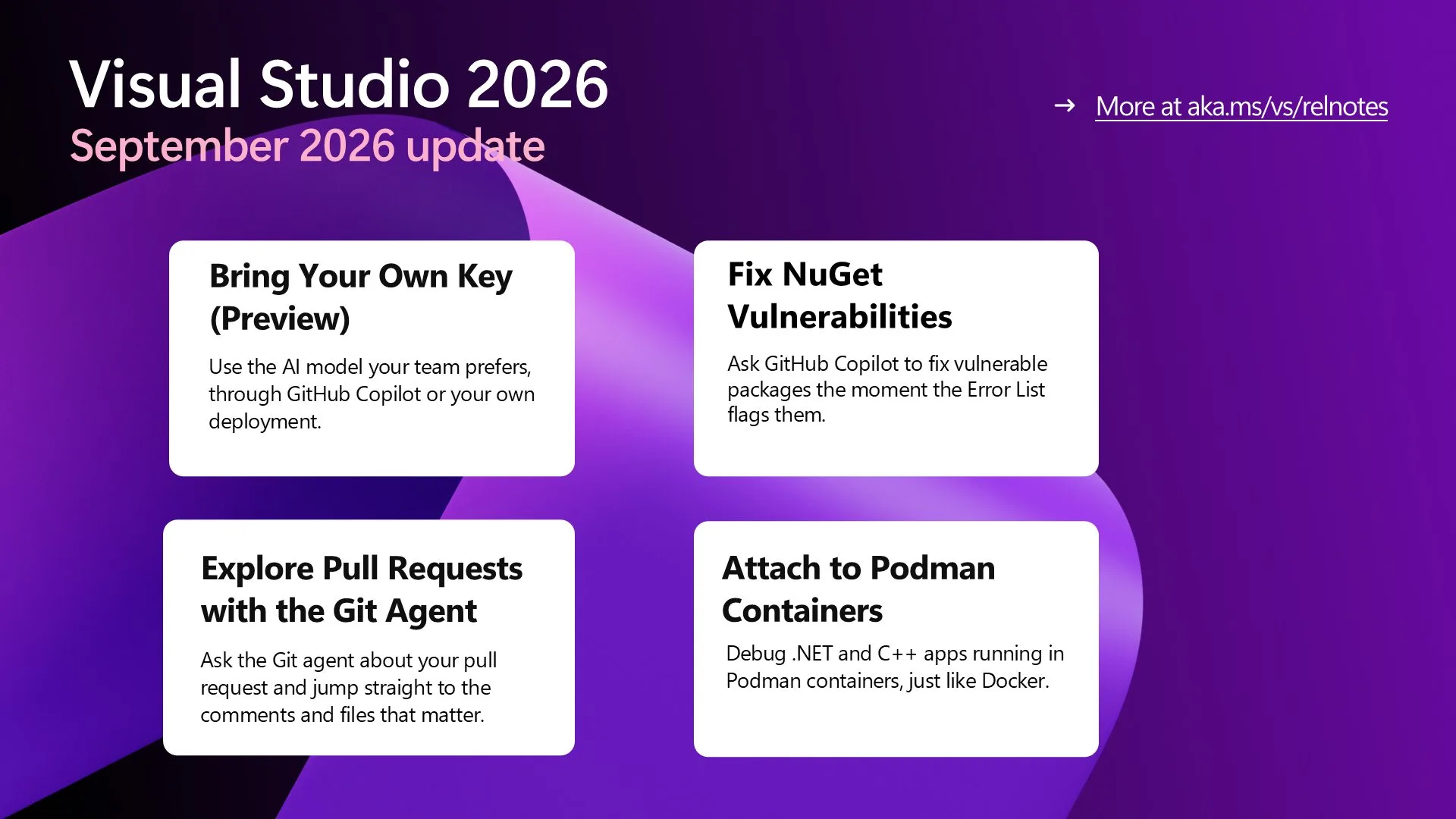
Microsoft has taken Bring Your Own Model (BYOM) out of preview and made it generally available in Visual Studio 2026, starting with version 18.12. The move, confirmed in a November 11, 2026 post on the Visual Studio Blog, lets developers point GitHub Copilot Chat and Agent Mode at AI models they host themselves, models from a provider they already have an account with, or models running locally on their own machine, rather than relying only on Microsoft-hosted models behind a GitHub sign-in.
- What: Bring Your Own Model (BYOM) lets Copilot Chat and Agent Mode in Visual Studio run on models you supply, not only Microsoft-hosted ones.
- When: General availability announced November 11, 2026, shipping in Visual Studio 2026 version 18.12 on the Stable channel, which released November 10, 2026.
- Providers: Microsoft Foundry, OpenAI, Anthropic, Ollama, and a new Custom Endpoint option for OpenAI-compatible services, self-hosted inference servers, AI gateways and local tools such as LM Studio.
- New at GA: Multiple named configurations per provider, a dedicated Custom Endpoint experience, selectable API formats (Completions, Responses or Messages), model settings for context size and tool calling, resolved-proxy support, and an organizational policy to disable BYOM.
- Sign-in: No GitHub account is required to use BYOM, including for local or internally hosted models in air-gapped environments.
What Bring Your Own Model actually is
Since GitHub Copilot arrived inside Visual Studio, Chat and Agent Mode have defaulted to models that Microsoft and GitHub host and meter through a Copilot subscription. Bring Your Own Model flips that default. Instead of being limited to whatever Microsoft serves, a developer can register their own model endpoint, name it, and select it from the same model picker that Copilot Chat already uses. According to Microsoft's general-availability announcement, BYOM covers three broad cases: models a team hosts itself, models from a provider accessed with an API key, and models running locally on the developer's own machine.
Crucially, Microsoft is explicit that none of this requires a GitHub sign-in. If a developer or an organization cannot reach GitHub at all, perhaps because of network policy or an air-gapped environment, they can still use Visual Studio's AI features as long as their chosen model endpoint is reachable and its authentication requirements are satisfied. That detail matters for regulated industries, defense contractors and any shop that runs its own inference infrastructure behind a firewall.
From preview to general availability: a quick timeline
BYOM did not appear out of nowhere. Microsoft previewed an early version of model portability in Visual Studio Chat in August 2025, when a devblogs post described connecting API keys from providers such as OpenAI and Anthropic. A year later, the feature was rebuilt and reintroduced under the BYOM name as part of the Visual Studio 2026 18.10 Insiders release, detailed in an August 24, 2026 post titled "Unlocking the power of AI for every developer in Visual Studio with Bring your own model."
A September 29, 2026 update, "Power your workflow with your model," expanded that preview and enabled it by default across the Community, Professional and Enterprise editions, while still describing BYOM as a preview feature. The jump to general availability came six weeks later, alongside Visual Studio 2026 version 18.12 on the Stable channel. Microsoft released that build on November 10, 2026, and published the BYOM GA post the following day. The same week, Microsoft also announced a separate long-term servicing release, Visual Studio 2026 LTSC 18.11, which bundles everything through version 18.10 but does not include the 18.12 BYOM changes described here. Developers who want the GA version of BYOM need to be on the Stable channel, not LTSC.
What changed between preview and GA
Microsoft's GA post frames the release as a direct response to feedback gathered since the August preview, aimed at three audiences: team deployments, enterprise networks and personal projects. The headline changes are:
- Multiple configurations per provider. A developer can now save several named setups for the same provider, for example separate "Work" and "Personal" configurations, each with its own connection details and model list.
- A dedicated Custom Endpoint provider. This is new at GA. It targets OpenAI-compatible services generally, explicitly including OpenRouter, self-hosted inference servers, AI gateways and organization-provided endpoints, and it also works with local models served through LM Studio.
- Selectable API format. When adding a custom model, developers choose whether it speaks OpenAI-compatible Completions, OpenAI-compatible Responses, or Anthropic-compatible Messages, and can change that format later from Manage models.
- Granular model settings. Context window size, maximum output length, tool-calling support and vision support can each be configured per model, rather than assumed from the provider.
- Proxy support. Provider connections and Agent Mode now use Visual Studio's already-resolved proxy configuration, which Microsoft calls out as an enterprise-network fix.
- Administrative control. Organizations can enable or disable BYOM entirely through policy, which also explains why some developers may not see the "Add model provider" option at all.
Microsoft's companion documentation on the official 18.12 release notes files these changes under "Configure Copilot model connections" and notes that existing BYOM configurations migrate automatically to the new format rather than needing to be recreated, with Anthropic connections defaulting to the Messages format and other providers defaulting to Completions.
Which providers and models are supported
At general availability, the "Add model provider" flow in Copilot Chat lists five options. The table below summarizes what each one is for, based on the official GA post and the 18.12 release notes.
| Provider option | Typical use | API format | Notes |
|---|---|---|---|
| Microsoft Foundry | Enterprise-managed deployments through a subscription and resource | Provider-managed | Setup now includes searchable subscription and resource pickers |
| OpenAI | Direct API-key connection to OpenAI-hosted models | Completions or Responses | Supports multiple named configurations, e.g. separate accounts |
| Anthropic | Direct API-key connection to Anthropic-hosted models | Messages | Existing connections migrate to Messages automatically |
| Ollama | Locally run open models on the developer's own machine | OpenAI-compatible | No API key required for a local Ollama instance |
| Custom Endpoint | OpenRouter, self-hosted inference, AI gateways, LM Studio, other org-provided endpoints | Completions, Responses or Messages, selectable | New at GA; can list available models if the endpoint exposes a compatible listing |
In every case, once a provider is configured, its models appear in the same model picker Copilot Chat already uses, sitting alongside any Microsoft-hosted models the developer's subscription includes. Switching between a locally run model and a cloud-hosted one is a matter of picking a different entry from that list, not reconfiguring the IDE.
How to set up Bring Your Own Model in Visual Studio 2026
Microsoft's own walkthrough, repeated in the GA post, reduces setup to five steps:
- Install or update to Visual Studio 2026 version 18.12 GA on the Stable channel.
- Open Copilot Chat and select Manage models from the model picker.
- Choose Add model provider, then pick Microsoft Foundry, OpenAI, Anthropic, Ollama or Custom Endpoint.
- Fill in the connection details, give the configuration a name, and add the specific models to expose.
- Select the new model from the picker and start working, including in Agent Mode.
For a Custom Endpoint connection, that means supplying the base URL and, if the service requires one, an API key. If the endpoint publishes a compatible model listing, Visual Studio can read it and populate available models automatically rather than requiring each model name to be typed in by hand. If the "Add model provider" entry is missing entirely, Microsoft's own guidance is that an administrator has likely turned BYOM off through organizational policy, which is worth checking before assuming the feature is broken.
BYOM versus Microsoft-hosted Copilot models
BYOM does not replace Microsoft-hosted Copilot models, it sits next to them. The practical differences come down to billing, data residency and control.
| Aspect | Microsoft-hosted Copilot models | Bring Your Own Model |
|---|---|---|
| Sign-in | Requires a GitHub account and Copilot entitlement | No GitHub sign-in required |
| Billing | Metered through a Copilot subscription | Billed directly by whichever provider you connect, or free for a local model |
| Model choice | Limited to models Microsoft and GitHub make available | Any provider or self-hosted/local model that is network-reachable |
| Data path | Requests go through GitHub Copilot infrastructure | Requests go directly to the configured endpoint, useful for air-gapped or regulated networks |
| Admin control | Managed via Copilot policy | Can be enabled or disabled separately via organizational policy |
Developers who already pay for Copilot have no reason to abandon it; BYOM is additive. What it unlocks is choice: a team that has standardized on Anthropic's Claude models for other tooling, or that runs a fine-tuned model on internal Microsoft Foundry infrastructure, or that simply wants a free local model for quick iteration, can now do all three inside the same editor window.
Local models, Ollama and air-gapped environments
The Ollama option is the most direct route to running a model entirely on a developer's own hardware, with no API key and no outbound call beyond the local machine. The new Custom Endpoint provider widens that further: Microsoft's GA post specifically calls out compatibility with LM Studio, another popular way to serve open-weight models locally, and with self-hosted inference servers and AI gateways more broadly, provided they speak an OpenAI-compatible API.
This is also where the air-gapped use case becomes concrete. Because BYOM does not require a GitHub sign-in, an organization that cannot reach GitHub or any public cloud from a given network can still wire Visual Studio up to an internally hosted model, as long as that endpoint is reachable from the developer's machine and its own authentication is satisfied. For teams building on top of locally served or open-weight models, this closes a gap that previously pushed people toward separate tooling, or toward editors like Visual Studio Code, which has offered its own model-connection options for some time. Pandromeda covered a related step on the Code side when Visual Studio Code's own model router shipped with broader browser-use and provider-routing support; BYOM is effectively Visual Studio proper catching up to that same philosophy of letting the IDE be model-agnostic.
Admin controls and enterprise rollout
Because BYOM lets any developer route Copilot Chat traffic to an endpoint Microsoft does not operate, organizations understandably want a kill switch, and Microsoft shipped one with GA: administrators can enable or disable BYOM outright through organizational policy. The 18.12 release notes also describe improvements aimed squarely at enterprise deployments, including a searchable Microsoft Foundry subscription and resource picker during setup, and the proxy-awareness change that makes BYOM traffic respect whatever proxy configuration Visual Studio has already resolved for the network it is running on.
Microsoft frames these specifically as fixes informed by "team deployments" and "enterprise networks" feedback from the preview period, which lines up with the kinds of friction large organizations typically report: proxy failures, the inability to separate personal and work credentials for the same provider, and no central way to turn a new AI integration off while a security review is pending. The multiple-configurations feature addresses the credential-separation complaint directly, letting one developer keep a personal OpenAI key and a work-issued Microsoft Foundry deployment as two distinct, named entries rather than overwriting one with the other.
Why it matters
The broader context is a crowded field of AI coding assistants, many of which already let developers choose their own backing model. Competitive pressure from that field has been building for a while; Pandromeda's own comparison of agentic coding tools from different vendors is one illustration of how quickly developers now expect to swap models rather than being locked into one vendor's hosted stack. By making BYOM generally available, rather than leaving it as an Insiders-only preview, Microsoft is telling the much larger population of Stable-channel Visual Studio users, including conservative enterprise shops that never touch a preview build, that model choice inside Copilot Chat is now a supported, production feature rather than an experiment.
It is also a hedge against a single point of dependency. If an organization's GitHub Copilot entitlement lapses, or its network policy changes, or it simply wants to try a newer model the moment it ships from a provider, BYOM means the IDE's AI features do not have to wait on Microsoft to add that model to its own hosted lineup. For regulated or air-gapped environments specifically, removing the GitHub sign-in requirement is arguably the more consequential change than the model-provider list itself, since it is what makes BYOM usable at all inside networks that cannot reach github.com.
What to watch next
A few open threads are worth tracking. First, Microsoft's release notes already flag a known issue where Microsoft Foundry models connected through BYOM can fail on certain deployments, so teams should expect incremental fixes in 18.12.x patch releases; version 18.12.1 shipped November 17, 2026, within a week of GA. Second, BYOM's configuration currently lives in a local JSON file per installation, and Microsoft has signaled it wants that schema to eventually align with the equivalent mechanism in Visual Studio Code, which would make a single set of provider credentials portable between both editors. Third, because LTSC 18.11 deliberately excludes the 18.12 changes, organizations standardized on the long-term servicing channel for stability will not get GA BYOM until they either move to Stable or wait for a future LTSC baseline that includes it.
For now, any developer on Visual Studio 2026's Stable channel can update to 18.12, open Manage models from the Copilot Chat picker, and add a provider, whether that is a corporate Microsoft Foundry deployment, a personal OpenAI or Anthropic key, a free local Ollama model, or a custom OpenAI-compatible endpoint. The fastest way to confirm it is working is the same one Microsoft describes: pick the new model from the chat picker and start a conversation in Agent Mode.
Frequently asked questions
What is Bring Your Own Model (BYOM) in Visual Studio?
BYOM is a Visual Studio 2026 feature that lets GitHub Copilot Chat and Agent Mode use AI models you host yourself, models from a provider you connect with an API key, or models running locally on your machine, instead of only Microsoft-hosted models.
Which Visual Studio version do I need for BYOM at general availability?
Visual Studio 2026 version 18.12 on the Stable channel, released November 10, 2026. The separate Visual Studio 2026 LTSC 18.11 release does not include the GA version of BYOM.
Which AI providers does BYOM support?
At GA, the Add model provider flow supports Microsoft Foundry, OpenAI, Anthropic, Ollama, and a new Custom Endpoint option for OpenAI-compatible services such as OpenRouter, self-hosted inference servers, AI gateways, and local tools like LM Studio.
Do I need a GitHub account to use BYOM?
No. Microsoft says BYOM does not require a GitHub sign-in, including for local or internally hosted models in air-gapped environments, as long as the model endpoint is reachable and its authentication requirements are met.
Can administrators turn BYOM off for their organization?
Yes. Microsoft added an organizational policy at GA that lets administrators enable or disable BYOM. If the Add model provider option is missing, that policy is the most likely reason.
What changed between the August preview and the November GA release?
GA adds multiple named configurations per provider, a dedicated Custom Endpoint provider, selectable API formats (Completions, Responses, or Messages), per-model settings like context size and tool calling, resolved-proxy support, and the admin on/off policy.
Sources
- Microsoft Visual Studio Blog: Bring Your Own Model is now generally available in Visual Studiodevblogs.microsoft.com
- Microsoft Visual Studio Blog: Announcing Visual Studio 2026 LTSC 18.11devblogs.microsoft.com
- Microsoft Visual Studio Blog: Unlocking the power of AI for every developer in Visual Studio with Bring your own modeldevblogs.microsoft.com
- Microsoft Visual Studio Blog: Visual Studio September Update - Power your workflow with your modeldevblogs.microsoft.com
- Microsoft Learn: Visual Studio 2026 release noteslearn.microsoft.com
Felix Moreau writes Pandromeda's software coverage and how-to guides. He covers Windows, macOS and Linux updates, the apps people rely on, emulators and developer tools, and turns official documentation into clear, numbered steps that work on the current version.