Cursor vs Windsurf: Price, Features and the Devin Desktop Rebrand
Windsurf is now Devin Desktop. Here's how its $20 Pro plan and $200 Max tier stack up against Cursor's Pro, Pro+ and Ultra plans, price by price.
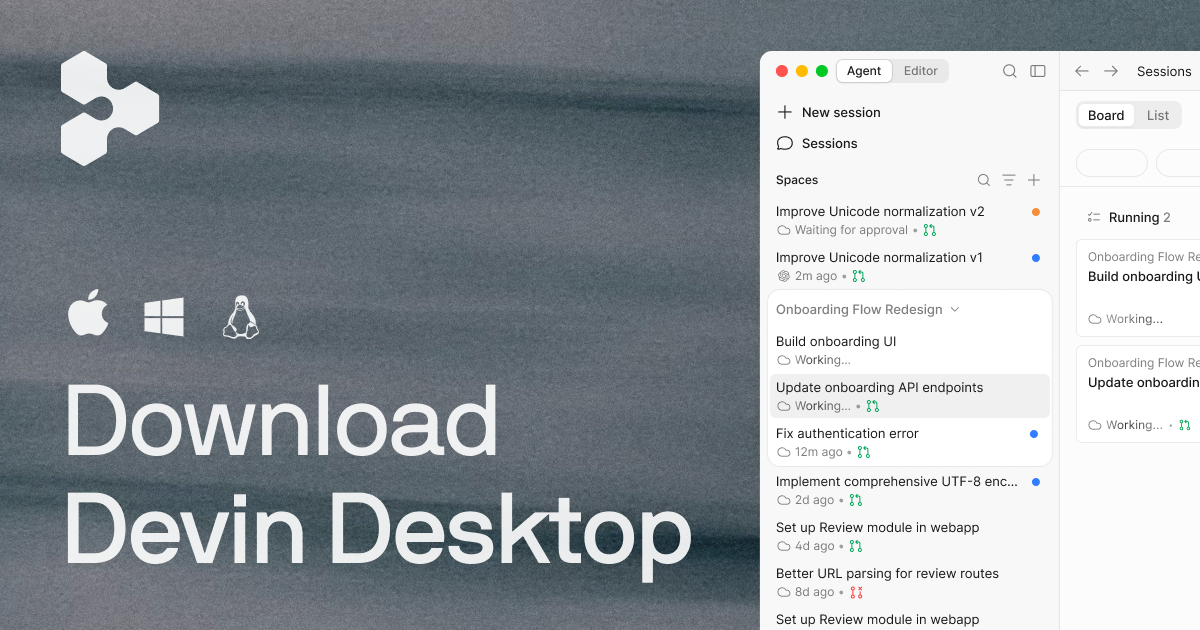
Cursor and Windsurf are priced almost identically at the entry level — both charge $20 a month for a Pro plan with full model access — but they are no longer a simple two-horse race. Windsurf, the independent AI code editor, was folded into Cognition last year, and as of this week windsurf.com permanently redirects to devin.ai/desktop, where the product now ships as "Devin Desktop." The plans and prices carried over unchanged; the name, and the surrounding agent ecosystem, did not.
- Cursor: Hobby is free; Pro is $20/mo; Pro+ is $60/mo; Ultra is $200/mo; Teams is $40 per user/mo. Source: cursor.com/pricing.
- Windsurf is now Devin Desktop (Cognition): Free is $0; Pro is $20/mo; Max is $200/mo; Teams is $80/mo base + $40/mo per seat. Source: devin.ai/pricing.
- windsurf.com itself now 308-redirects to devin.ai — confirmed directly from the server response, not a rumor.
- Both companies ship their own in-house coding model free with a paid plan: Cursor's Composer, Cognition's SWE-2.
Wait — what happened to Windsurf?
If you're searching "Cursor vs Windsurf" in late 2026 expecting two separate standalone editors, the comparison has quietly changed shape. Cognition, the company behind the autonomous coding agent Devin, acquired the Windsurf product and brand, and this year it rebranded the editor as part of a unified "Devin Desktop" surface that manages both local, real-time coding sessions and longer-running cloud agents from one window. The clearest proof is structural rather than promotional: every Windsurf marketing and pricing URL now forwards to its Devin Desktop equivalent. Visiting windsurf.com/pricing sends your browser to devin.ai/pricing with an HTTP 308 permanent redirect, and the Devin Desktop product page still shows a settings tab literally labeled "Windsurf — Settings" inside the rebuilt interface, a leftover of the underlying codebase.
For anyone who installed Windsurf before the change, nothing stopped working — existing installs updated in place and the Free/Pro/Max pricing tiers carried over at the same numbers. What changed is the brand you now download, the company doing the billing (Cognition, not Windsurf's original team), and the fact that the editor is now explicitly positioned as one surface among several agents you can run, alongside Devin's own autonomous cloud sessions.
Cursor vs Windsurf/Devin Desktop: pricing compared
At the individual level, the headline numbers are nearly a match. Where they diverge is Teams pricing and the shape of the top tier.
| Plan | Cursor | Windsurf (Devin Desktop) |
|---|---|---|
| Free tier | Hobby — $0 | Free — $0 |
| Entry paid plan | Pro — $20/mo | Pro — $20/mo |
| Mid tier | Pro+ — $60/mo | — (no equivalent tier) |
| Top individual tier | Ultra — $200/mo | Max — $200/mo |
| Teams | $40 per user/mo (flat) | $80/mo base + $40/mo per full seat (up to 200 users) |
| Enterprise | Custom | Custom |
Cursor's three paid individual tiers — Pro, Pro+ and Ultra — share an identical feature list on cursor.com/pricing; the only thing that changes as the price climbs from $20 to $60 to $200 is how much Agent and model usage each allowance buys. Windsurf/Devin Desktop skips a middle tier entirely, jumping straight from $20 Pro to $200 Max, with Max described simply as "everything in Pro, plus significantly higher quotas." If your budget sits in the $40–$100 range, Cursor's Pro+ is the only one of the four plans built specifically for that spot.
Teams pricing is the sharper difference. Cursor charges a flat $40 per seat with no base fee, so a two-person team pays $80/month total. Devin Desktop's Teams plan adds an $80/month platform fee on top of $40 per full developer seat, so that same two-person team pays $160/month before any usage overages — double Cursor's price for an equivalent headcount.
Free plans: Hobby vs Free
Both companies gate the free tier the same way: no credit card required, and a deliberately "light" or "limited" number of agent requests so you can try the product before paying. Cursor's Hobby plan bundles in access to Composer, Cursor's own frontier-class model, at no cost. Devin Desktop's Free plan is explicit that "limited model availability" applies — full access to outside frontier models (OpenAI, Anthropic's Claude, Google's Gemini, and open-source options) is reserved for Pro and above — but it does include unlimited inline edits and unlimited Tab completions even on the free tier, which Cursor does not spell out as unlimited on Hobby.
The $20/mo Pro tier: what you actually get
This is where the two products are closest to parity in price and intent, but the feature lists diverge:
- Cursor Pro ($20/mo) adds extended Agent limits, "generous limits" for xAI's Grok model, access to frontier models generally, access to Grok Bot (a separate xAI-powered feature with its own published terms of service), MCP/skills/hooks support, cloud agents, and Bugbot — Cursor's own automated code-review bot — billed on usage.
- Windsurf/Devin Desktop Pro ($20/mo) adds increased quotas with full access to frontier models from OpenAI, Anthropic (Claude) and Google (Gemini) plus open-source models, free use of Cognition's own SWE-2 model in Devin Desktop and the CLI (promotional, through October 16, 2026, per devin.ai), access to cloud agents through Devin Cloud, and the option to buy extra usage at API pricing once your quota runs out.
Functionally: Cursor's $20 plan leans on third-party frontier models plus a tight Grok/xAI partnership and its own review bot; Windsurf's $20 plan leans on broad frontier-model access plus a free, time-limited run of Cognition's house model and a bridge into Devin's cloud agents.
Pro+/Ultra vs Max: the power-user tiers
Cursor's own pricing FAQ recommends "Pro+ for daily agent users, and Ultra for agent power users," without publishing an exact usage multiplier for either — both plans carry the same feature list as Pro, just with a larger usage pool at $60 and $200 respectively. Windsurf/Devin Desktop's $200 Max plan is positioned identically — "for power users who need significantly higher usage quotas" — but Cognition does not offer a $60-equivalent stop on the way there, and Max also raises the concurrent-session limit: Free and Pro are capped, while Max and Teams remove that cap according to the plan-comparison table on devin.ai/pricing.
Teams and Enterprise
Cursor Teams ($40/user/mo, Standard or Premium) adds centralized billing and admin, an internal marketplace for rules/skills/plugins, shared-context cloud agents and automations, Grok Bot access, agentic code reviews via Bugbot, usage analytics, team-wide privacy mode, and SAML/OIDC SSO. Cursor Enterprise layers on pooled usage, invoice/PO billing, SCIM seat management, repository/model/MCP access controls, auto-run/browser/network controls, audit logs and service accounts, and an AI code-tracking API.
Windsurf/Devin Desktop Teams ($80/mo + $40/seat, up to 200 users) adds sharing and collaboration, centralized billing, an admin dashboard with analytics, and priority support. Enterprise adds the highest priority support tier, dedicated account management, SAML/OIDC SSO, centralized admin controls across multiple Devin organizations, and a dedicated (including VPC) deployment option — relevant for regulated teams that can't send code to a shared cloud.
Model support: who gives you what
Cursor's pricing and navigation pages confirm first-class access to Grok, described as getting "generous limits for Grok" on paid plans plus the separate Grok Bot feature, alongside general "access to frontier models" that Cursor does not itemize by name on the pricing page itself. Windsurf/Devin Desktop is more explicit on its own compare-plans table, naming OpenAI, Anthropic's Claude and Google's Gemini models directly as part of "full model availability" on Pro and above, plus open-source model options, on top of Cognition's free, time-limited SWE-2 access. Devin Desktop also markets interoperability through the Agent Client Protocol (ACP), pitched on devin.ai/desktop as a way to "work across models and agents" rather than being locked into one vendor's agent runtime.
Neither company publishes a side-by-side benchmark of the models on offer on their pricing pages, so treat any claim you see about one model being "better" for coding as a separate, unverified claim — not something either company states as fact in its own pricing or docs.
Integrations and extras beyond the core editor
Pricing pages are also where both companies quietly list what connects to what. Devin Desktop's compare-plans table on devin.ai spells out dedicated integrations with Slack and Microsoft Teams, Linear and Jira, and GitHub, GitLab and Bitbucket, plus custom git-provider support on Enterprise — useful if your team's workflow already lives in those tools and you want an agent reading and commenting there directly. The same table lists DeepWiki (an auto-generated, browsable map of a codebase), a documented Devin API for scripting agent runs, and "Ask Devin" as a lighter-weight question-answering mode that sits below full agent sessions.
Cursor's equivalent extras sit inside its MCP (Model Context Protocol) support, which lets the editor call out to external tools and data sources, plus a "skills and hooks" system and an internal marketplace — on Teams, specifically for "internal rules, skills, and plugins" shared across an organization. Where Devin Desktop leans on named, built-in integrations with specific third-party apps, Cursor leans on the more general-purpose MCP standard plus its own hooks system, so the practical difference is whether you'd rather configure a short list of first-party connectors or wire up MCP servers yourself for a longer list of possible integrations.
One more concrete difference worth knowing before you commit a budget: Devin Desktop's own comparison table caps concurrent agent sessions at a fixed number on Free and Pro, removing that cap only on Max and Teams. Cursor's pricing page doesn't publish an equivalent concurrent-session number at all — its paid tiers are described purely in terms of usage allowance, not a session-count ceiling — so if running many agents in parallel matters more to your workflow than total monthly usage, that's a question worth testing directly in each product's free tier before paying for either one.
Which should you actually choose?
If your budget tops out around $20–$60/month and you want a stepped path between those numbers, Cursor's Pro+ tier is the one concrete advantage Windsurf/Devin Desktop doesn't match — Cognition jumps straight from $20 to $200. If you specifically want guaranteed, named access to Claude, Gemini and OpenAI models without hunting through a changelog, Devin Desktop's Pro plan states that explicitly; Cursor's language is broader ("frontier models") with Grok called out by name instead. For small teams, Cursor's flat $40/seat is simply cheaper than Devin Desktop's $80-plus-$40/seat structure at any headcount under roughly 16 seats, after which the extra base fee gets diluted. For regulated or security-sensitive teams, Cognition's dedicated/VPC deployment option on Enterprise is worth a direct conversation with sales on either side, since neither company publishes deployment specifics at the self-serve pricing-page level.
Where Claude Code and other agents fit in
"Cursor vs Windsurf" rarely stays a two-way question for long — autocomplete now just as often appends "vs Claude Code" or "vs Antigravity." Claude Code and GitHub Copilot's agentic features are a different shape of product (CLI- and terminal-first agents rather than a full GUI editor), and Pandromeda's software desk already covers that fuller field in our separate price comparison of Cursor, GitHub Copilot, Claude Code and Codex, including GitHub Copilot's newer computer-use capability. This piece focuses specifically on the editor-vs-editor matchup — Cursor against the product formerly known as Windsurf — rather than re-running that broader field.
What's next
Watch two dates if you're deciding between these two right now. Cognition's free SWE-2 access inside Devin Desktop and its CLI is a promotion that devin.ai itself lists as running "through October 16, 2026" — after that, using SWE-2 on Pro will likely draw down your usage quota or usage-based billing like any other model. And because Windsurf's own domain now forwards entirely into Cognition's site, expect the Windsurf brand name to keep fading from search results and app listings in favor of "Devin Desktop," even though the underlying editor your team installed hasn't functionally disappeared. For a wider read on how the broader field of AI coding assistants prices out — including non-editor tools like ChatGPT and Gemini used for coding help — see our ChatGPT vs Gemini price and feature comparison.
Frequently asked questions
Is Windsurf still available in 2026?
The Windsurf editor still works, but the brand has been folded into Cognition's Devin Desktop. windsurf.com now 308-redirects to devin.ai, and new downloads ship under the Devin Desktop name.
Is Cursor or Windsurf (Devin Desktop) cheaper?
Their $20/month entry plans, Cursor Pro and Devin Desktop Pro, are priced identically. Cursor adds a $60/month Pro+ step that Devin Desktop doesn't offer, and for teams Cursor's flat $40/seat is cheaper than Devin Desktop's $80 base plus $40/seat at most team sizes.
Does Cursor support Grok?
Yes. Cursor's paid plans list "generous limits for Grok" plus a separate Grok Bot feature with its own published terms of service, per cursor.com/pricing.
Which AI models does Windsurf/Devin Desktop support?
Its Pro plan and above list full access to models from OpenAI, Anthropic (Claude) and Google (Gemini) plus open-source options, alongside free, time-limited access to Cognition's own SWE-2 model.
How does this compare to Claude Code?
Claude Code and similar CLI-first agents are a different product shape than a full GUI editor like Cursor or Devin Desktop. Pandromeda covers that wider field separately in its Cursor vs GitHub Copilot vs Claude Code vs Codex price comparison.
Does Devin Desktop limit how many agents you can run at once?
Yes, according to its own plan-comparison table: Free and Pro cap concurrent agent sessions, while Max and Teams remove that cap. Cursor does not publish an equivalent session-count limit on its pricing page.
Sources
- Cursor Pricingcursor.com
- Devin (Windsurf) Pricingdevin.ai
- Devin Desktop product pagedevin.ai
- Devin documentation: Get starteddocs.devin.ai
- windsurf.com/pricing (redirects to Devin)windsurf.com
Felix Moreau writes Pandromeda's software coverage and how-to guides. He covers Windows, macOS and Linux updates, the apps people rely on, emulators and developer tools, and turns official documentation into clear, numbered steps that work on the current version.